Popular
-

Minecraft PE / Bedrock 26.70.22 (1.21.132/26.60)
More epic battles in the new structure, wind -

TreeCapitator Addon for Minecraft PE 1.17/1.18/1.19/1.20/1.21.132 (26.60)+
No modifications, now the old TreeCapitator is -

Vein Miner & TreeCapitator Addon for Minecraft PE 1.17/1.20/1.21/26.70+
Start your first day working as a miner or -

Apollon Client 6.70 for Minecraft PE 1.21.114/26.52
Apollon is a standalone client wrapped in -

Minecraft Bedrock 1.21.132/26.60/26.70.21 Patched (apk)
Do you prefer to play non render dragon shaders -

Body Actions Addon v3.4.13 for Minecraft PE 1.19/1.21.110/26.60+
Humanization of characters in Minecraft Bedrock -

LeviLauncher v0.3.11 (LeviLaunchroid v1.6.0) for Minecraft Bedrock 1.21.132/26.60
LeviLauncher is the tool you've been -

Shadow Company Addon for Minecraft PE 1.21/26
A killer weapon addon for Minecraft Bedrock, -

Newb (Legacy/ Dragon/ Trailer/ Glow/ Firelight/ Gold/ Dynamite/ Memories/ Stellar/ AI/ Plus)
Uniting under a single name, all presented Newb -

Mini Structures Addon v2.0 for Minecraft PE 1.18/1.19/1.20/1.21/26.70+
There are 30 structures at the moment, and all
0
Initially positioned as a mid-level shader, RDAK has moved up to the realistic level, with a ton of features that you should know about before installing it. The first versions differed only in lighting levels and fog, but the latest pre-release has given a completely new look.
By: MODSFORMCPE


Use This Mode For Best Experience
Low-End Version For Your Low-End Devices
Here are screenshots taken on Minecraft 1.21 mobile - as you can see, these are very contrasting settings at maximum (VOLUMETRIC) + reflections.


1. Download the shader and open it using Minecraft
2. Go to the game settings and activate the pack
RDAK Shader Pre-Release for Bedrock Edition 1.21
- Author: Bernard
- Date:
Initially positioned as a mid-level shader, RDAK has moved up to the realistic level, with a ton of features that you should know about before installing it. The first versions differed only in lighting levels and fog, but the latest pre-release has given a completely new look.
By: MODSFORMCPE


RDAK Subpacks (choose according to your preference):
AESTHETIC UPDATE:
Use This Mode For Best Experience
- Cause May Lag In your 2GB Ram Devices!
- Glowing Armor Trims
- Added More Realistic Type Water
- Better Shadows
- Reflection From Ground In Rain!
VOLUMETRIC CLOUDS UPDATE:
Cause May Lag In your 3GB Or 4GB Ram Devices!
- Glowing Armor Trims
- Added More Realistic Type Volumetric Cluds
- Better Shadows
- Reflection From Ground In Rain!"
LOW END VERSION:
Low-End Version For Your Low-End Devices
- You Can Get Upto 50-60+ Fps In Your Low-End Phone/Devices
- No Realistic Clouds
- No Glowing Armor Trims
What's the output?
Here are screenshots taken on Minecraft 1.21 mobile - as you can see, these are very contrasting settings at maximum (VOLUMETRIC) + reflections.


How to install the RDAK Shader?
1. Download the shader and open it using Minecraft
2. Go to the game settings and activate the pack
- Category: Shaders for Minecraft Bedrock (PE)
Recommend:
-
 IndustrialCraft PE mod v2.0 Pre-Release 7 for Minecraft PE
IndustrialCraft PE is a global mod for MCPE which is a very accurate IndustrialCraft copy for Minecraft PC. It
IndustrialCraft PE mod v2.0 Pre-Release 7 for Minecraft PE
IndustrialCraft PE is a global mod for MCPE which is a very accurate IndustrialCraft copy for Minecraft PC. It
-
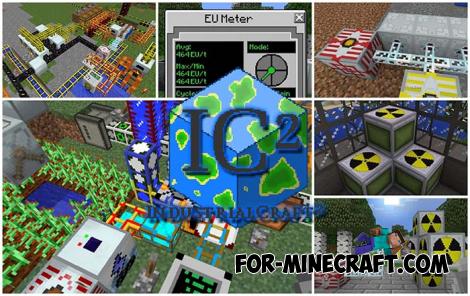 IndustrialCraft PE Mod 2.4.8 for Minecraft PE 1.16
The IndustrialCraft PE history continues and now it goes to a new level..
IndustrialCraft PE Mod 2.4.8 for Minecraft PE 1.16
The IndustrialCraft PE history continues and now it goes to a new level..
-
 RedPower PE Mod Pre-Release 5.5.1 for Minecraft PE
RedPower PE is a complex and multi-level modification from the creator of Industrial Craft PE which surpasses other IC
RedPower PE Mod Pre-Release 5.5.1 for Minecraft PE
RedPower PE is a complex and multi-level modification from the creator of Industrial Craft PE which surpasses other IC
-
![FOG Shader for Minecraft 1.18/1.19 [Mobile/Win11/Consoles]](/uploads/posts/2022-06/thumbs/1654091003_fog-shader.jpg) FOG Shader for Minecraft 1.18/1.19 [Mobile/Win11/Consoles]
And here is a new version of FOG Shader designed specifically for RenderDragon..
FOG Shader for Minecraft 1.18/1.19 [Mobile/Win11/Consoles]
And here is a new version of FOG Shader designed specifically for RenderDragon..
-
 Powerful Rain mod for MCPE 0.10.5
 This is no ordinary rain mod, and the rain of fire arrows or exploding blocks of
Powerful Rain mod for MCPE 0.10.5
Powerful Rain mod for MCPE 0.10.5 This is no ordinary rain mod, and the rain of fire arrows or exploding blocks of
