-

Minecraft PE 26.70.22 (1.21.132/26.60)
More epic battles in the new structure, wind -

Dynamic Lights PE Addon for MCPE 1.16/1.17/1.18/1.19/1.20/1.21/26.60+
Dynamic Lights has long been created for almost -

TreeCapitator Addon for Minecraft PE 1.17/1.18/1.19/1.20/1.21.132 (26.60)+
No modifications, now the old TreeCapitator is -

Vein Miner & TreeCapitator Addon for Minecraft PE 1.17/1.20/1.21/26.70+
Start your first day working as a miner or -

Apollon Client 6.70 for Minecraft PE 1.21.114/26.52
Apollon is a standalone client wrapped in -

Minecraft Bedrock 1.21.132/26.44/26.70.21 Patched (apk)
Do you prefer to play non render dragon shaders -

LeviLauncher v0.3.11 (LeviLaunchroid v1.6.0) for Minecraft Bedrock 1.21.132/26.60
LeviLauncher is the tool you've been -

Shadow Company Addon for Minecraft PE 1.21/26
A killer weapon addon for Minecraft Bedrock, -

Newb (Legacy/ Dragon/ Trailer/ Glow/ Firelight/ Gold/ Dynamite/ Memories/ Stellar/ AI/ Plus)
Uniting under a single name, all presented Newb -

Mini Structures Addon v2.0 for Minecraft PE 1.18/1.19/1.20/1.21/26.70+
There are 30 structures at the moment, and all
Simple Ragdoll Plugin (Ragdoll Creator) for Minecraft Bedrock 26+
- Author: Bernard
- Date:
Simple Ragdoll consists of two components: plugin for Blockbench (used to configure hitbox collisions, joints, and export the resource pack) and a library for the behavior pack (ragdoll.js) that controls states, forces, and the environment. The entire simulation is compted on client side. This means the server and the world arenot overloaded with ticks and performance remains high.
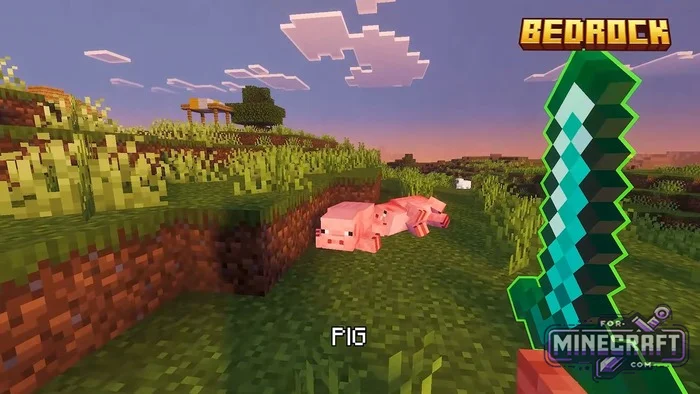
State Management and Kinematics:
-
A corpse or body can be transitioned into simulation (active), have its current pose frozen in space (paused) or be returned to keyframe animation (inactive). The auto parameter returns control to the built-in triggers from the config.
-
Using scripts, you can instantly shift the center of mass or an individual bone (setTransform), set linear velocity in blocks per second and angular velocity in radians (setVelocity), as well as apply an impulse (applyImpulse) - for example, from an explosion or a sword strike.
-
setForce allows you to apply a continuous force or torque to body parts, while setJointsEnabled lets you disable or re-enable joints between limbs, achieving realistic dismemberment or unnatural bending.
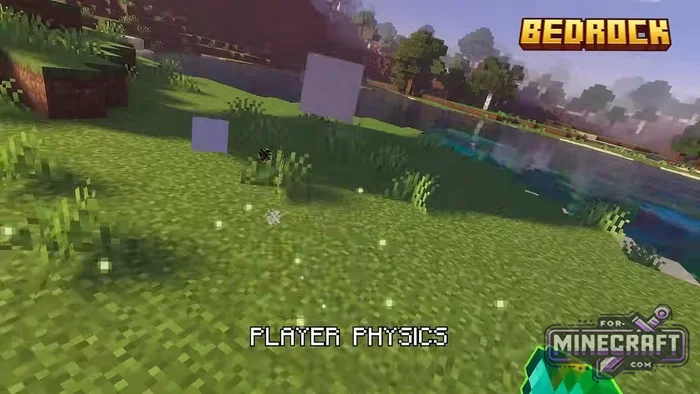
Custom Geometry and Fluid Physics:
Simple Ragdoll can also interact with water obstacles. Using setEnvironment() and setTerrain(), you can programmatically override the collision of surfaces and fluid zones..
-
Density (density), linear drag resistance (drag), and angular damping are configured for water or lava.
-
Each hitbox uses 8 sampling points for submersion volume. The buoyant force is calculated strictly according to physics, and an offset center of buoyancy causes the body to rock realistically on waves..
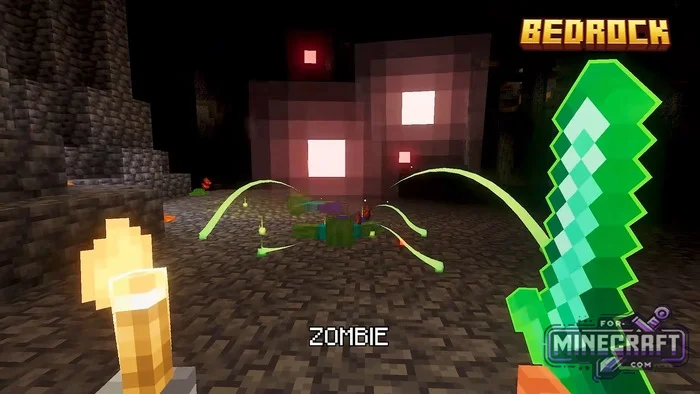
Feedback via Molang:
-
The variables v.ragdoll_out_active, v.ragdoll_out_time, as well as the coordinates and rotation quaternions of each individual bone, are updated every frame.
-
The engine captures block collision normals, impact force, and the moments when limbs enter and exit water (v.ragdoll_out_liquid_entered) with a submersion ratio from 0 to 1.
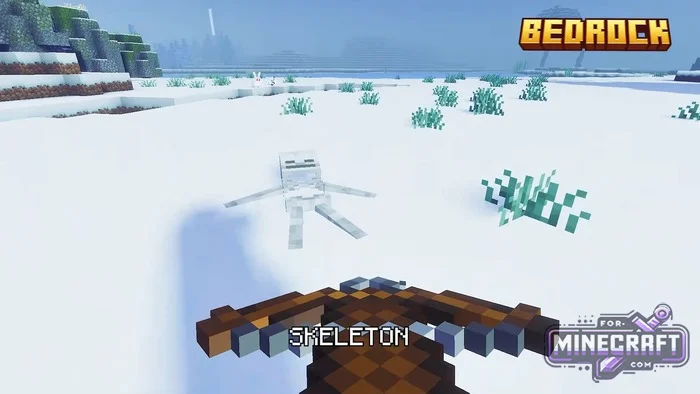
Implementation Example: Wounded Villager:
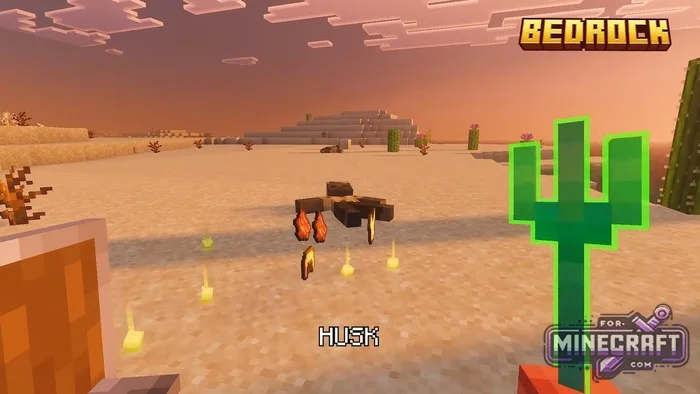
When the mob's health drops to 1, the script keeps it at that mark, triggers the ragdoll, and applies an impulse to the body in the direction of the hit. The surrounding space (6 blocks horizontally and 4 vertically) is sampled into custom hitboxes for solids and liquids. The villager spends 15 seconds knocked out on the ground, reacting to the terrain, before finally dying.
how to create custom entities:
Option 1. Integration via Resource Pack (Client-side Ragdoll)
This method is used in the Ragdoll add-on for Minecraft Bedrock. It does not require scripts or a Behavior Pack, runs on the client and does not disable achievements.
1. Preparing the Model in Blockbench
- Open the custom mob model in Blockbench.
- Install the Simple Ragdoll plugin (or use the generator via the link below).
- In the plugin panel, configure the physics skeleton grid:
- Assign rigid body hitboxes to the main bones of the model (root, body, head, arm_left, leg_left, etc.).
- Set up joints between child and parent bones, restricting rotation angles to avoid unnatural fractures.
- Set mass, friction (friction), and restitution (restitution).
- Export the generated physics and animation files.
2. Placing Kernel and Animation Files
The generated animation JSON files are placed in the resource pack under RP/animations/
- custom_mob_prepare.json - capturing the current pose before falling.
- custom_mob_default.json - physics simulation deployment animation.
- custom_mob_gate.json - ragdoll activation condition controller.
- Compute kernel files (vanilla_ragdoll_kernel_0.json ... kernel_32.json) must be located in the same folder.
3. Hooking up in the Client Entity Definition (RP/entity/your_mob.entity.json)
{
  "format_version": "1.10.0",
  "minecraft:client_entity": {
    "description": {
      "identifier": "custom:my_mob",
      "materials": { "default": "entity_alphatest" },
      "textures": { "default": "textures/entity/my_mob" },
      "geometry": { "default": "geometry.my_mob" },
      "animations": {
        "ragdoll_prepare": "animation.custom_mob.prepare",
        "ragdoll_default": "animation.custom_mob.default",
        "ragdoll_gate": "animation.custom_mob.gate"
      },
      "scripts": {
        "animate": [
          "ragdoll_gate"
        ]
      }
    }
  }
}
4. Configuring Trigger Conditions in Molang
- the standard trigger fires when query.is_alive == 0.
- name check query.name == 'ragdoll'. The trigger can be reassigned to any custom conditions (effects, falling from a height).
Option 2. Control via Scripts (Behavior Pack + Script API):
Used when the body needs to be controlled dynamically (thrown by explosions, frozen in poses, submerged in water, or having ragdoll activated on knockout).
1. Connecting the Library
- Copy the ragdoll.js file into the BP/scripts/ragdoll.js folder.
- Import the module in the main script file:
import { world, system } from "@minecraft/server";
import { Ragdoll } from "./ragdoll.js";
2. Initialization and Basic Control
const entity = /* reference to your Entity */;
const ragdoll = new Ragdoll(entity);

// Activate physics (intercepts standard animation)
ragdoll.setState("active");

// Set velocity vector (launching the body forward and upward)
ragdoll.setVelocity({ x: 0, y: 5, z: 8 });
State Modes (setState):
- "auto" - automatic triggering based on resource pack triggers.
- "active" - forced transition into a physical body.
- "paused" - instant freezing of the current pose in space.
- "inactive" - return to standard walking and attack animations.
3. Impulses and Batching (batch)
To optimize network traffic and execute a sequence of changes in a single simulation step, use batch():
ragdoll.batch(r => {
  // Configure mass and friction coefficient
  r.setProperties({ mass: 15, friction: 0.1 });

  // Activate ragdoll
  r.setState("active");

  // Point impulse from the explosion location
  r.applyImpulse({ x: 500, y: 1200, z: -300 }, {
    point: entity.location
  });

  // Disable the neck joint
  r.setJointsEnabled(false, "neck");
});
4. Reacting to the Environment and Liquids (setEnvironment)
const loc = entity.location;

ragdoll.setEnvironment({
  origin: loc,
  regions: [
    // Solid surface beneath feet
    {
      type: "solid",
      min: { x: -3, y: -1, z: -3 },
      max: { x: 3, y: 0, z: 3 }
    },
    // Water zone 3 blocks deep
    {
      type: "liquid",
      min: { x: -3, y: 0, z: -3 },
      max: { x: 3, y: 3, z: 3 },
      density: 1000,    // liquid density
      drag: 3.5,        // linear drag
      angularDrag: 2.0  // rotational drag
    }
  ]
});
Reading Simulation Data via Molang (Output Groups)
In the entity's physics configuration file, enable the output data channels:
{
  "outputs": ["state", "bodies", "contacts", "liquids"]
}
Variables available in animation controllers and particles:
- v.ragdoll_out_active - simulation activity flag (1. 0 or 0.0).
- v.ragdoll_out_body_0_position x (y, z) - coordinates of the bone's center of mass.
- v.ragdoll_out_contact_count - number of contact points with a solid surface in the current tick.
- v.ragdoll_out_liquid_entered - trigger for a body part entering a liquid (for spawning splashes).
Technical Limits
- The setTransform(), setVelocity() and applyImpulse() methods are collectively limited to 32 calls per 5 seconds per entity.
- setForce() supports no more than 16 simultaneous targets.
- When a mob is removed or the simulation ends call ragdoll.dispose() to free memory and reset instructions.
- Category: Plugins for Minecraft Bedrock (PE)
Recommend:
-
 IndustrialCraft PE Mod 2.4.8 for Minecraft PE 1.16
The IndustrialCraft PE history continues and now it goes to a new level..
IndustrialCraft PE Mod 2.4.8 for Minecraft PE 1.16
The IndustrialCraft PE history continues and now it goes to a new level..
-
 Inner Core for Minecraft PE 1.16 - 3.1.1b127-128 (ARM64 Update)
Inner Core was created on the basis of the original MCPE 1.0.3 and is a full complement for creating and playing with
Inner Core for Minecraft PE 1.16 - 3.1.1b127-128 (ARM64 Update)
Inner Core was created on the basis of the original MCPE 1.0.3 and is a full complement for creating and playing with
-
 IndustrialCraft PE mod v2.0 Pre-Release 7 for Minecraft PE
IndustrialCraft PE is a global mod for MCPE which is a very accurate IndustrialCraft copy for Minecraft PC. It
IndustrialCraft PE mod v2.0 Pre-Release 7 for Minecraft PE
IndustrialCraft PE is a global mod for MCPE which is a very accurate IndustrialCraft copy for Minecraft PC. It
-
 Bean's Armed Forces Addon v4.2 for Minecraft Bedrock 26.60+
Did you think you'd seen everything there is to see in military add-ons for Minecraft Bedrock? Think again - just
Bean's Armed Forces Addon v4.2 for Minecraft Bedrock 26.60+
Did you think you'd seen everything there is to see in military add-ons for Minecraft Bedrock? Think again - just
-
 Factorization mod 3.3 for Minecraft PE 0.9.5
 Script adds many different variety of mechanisms that may produce,
Factorization mod 3.3 for Minecraft PE 0.9.5
Factorization mod 3.3 for Minecraft PE 0.9.5 Script adds many different variety of mechanisms that may produce,
