-

Faithful Textures for MCPE 1.16/1.17/1.19/1.20/1.21/26.52 (32x/64x/128x) (RTX)
Now you can play with the most popular -

Minecraft PE 26.70.21 (1.21.132/26.52)
More epic battles in the new structure, wind -

Dynamic Lights PE Addon for MCPE 1.16/1.17/1.18/1.19/1.20/1.21/26.60+
Dynamic Lights has long been created for almost -

X-Ray for Minecraft Bedrock Edition 1.19/1.20/1.21.132/26.60+
X-Ray is a cult cheat in the past, available as -

Vein Miner & TreeCapitator Addon for Minecraft PE 1.17/1.20/1.21/26.70+
Start your first day working as a miner or -

Apollon Client 6.70 for Minecraft PE 1.21.114/26.52
Apollon is a standalone client wrapped in -

Minecraft Bedrock 1.21.132/26.44/26.70.21 Patched (apk)
Do you prefer to play non render dragon shaders -

LeviLauncher v0.3.11 (LeviLaunchroid v1.5.27) for Minecraft Bedrock 1.21.132/26.70
LeviLauncher is the tool you've been -

Shadow Company Addon for Minecraft PE 1.21/26
A killer weapon addon for Minecraft Bedrock, -

Newb (Legacy/ Dragon/ Trailer/ Glow/ Firelight/ Gold/ Dynamite/ Memories/ Stellar/ AI/ Plus)
Uniting under a single name, all presented Newb
WorldEdit Addon v1.0 for Minecraft Bedrock 26.X (1.26)
- Author: Bernard
- Date:
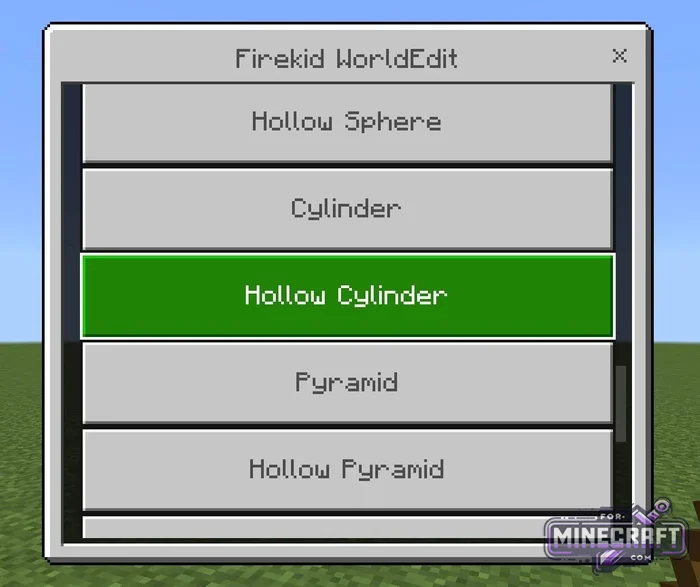
With this WorldEdit you dont need to use the chat to enter commands or coordinates to work with terrain. Everything is handled through UI and hotkeys if you're playing Bedrock on PC. In short you pick up a special wand or brush and immediatly start building or editing the landscape and structures. Also, check out previous WorldEdit add-ons if you're playing on older versions of MCPE.
By: Firekid
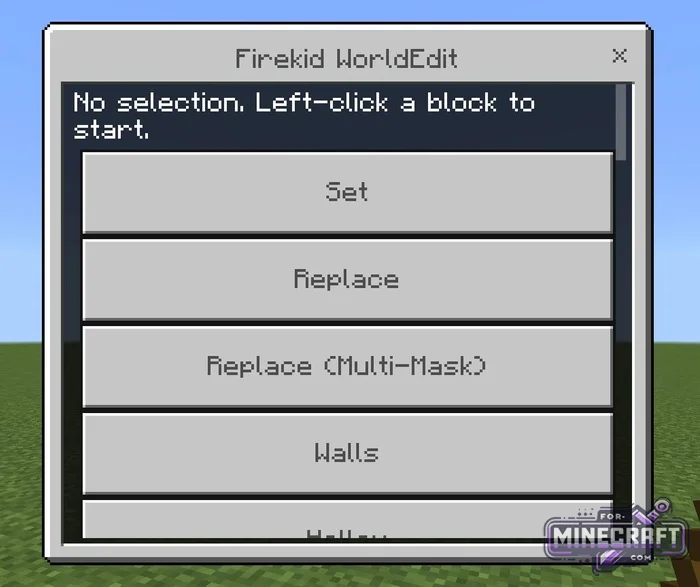
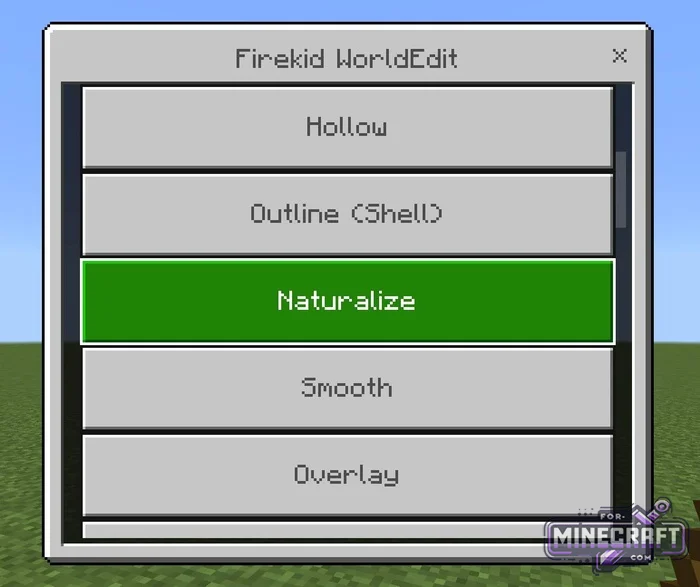
WorldEdit tools (Bedrock):
- Selection (visual grid highlighting with particles)
- Expand / Contract / Shift
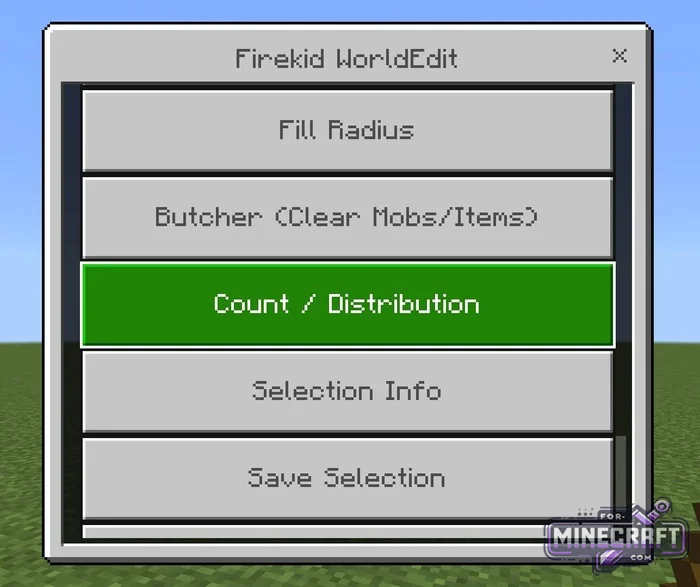
- Selection Info
- Fill
- Replace
- Replace (Multi-Mask) (selective replacement of specific materials based on a mask)
- Custom Block (type IDs for non-standard or custom blocks)
- Hollow (create hollow spheres, boxes, cylinders, and pyramids)
- Walls
- Copy,
- Paste Options (pasting with the option to rotate or mirror)
- Stack Selection (step by step cloning and repeating the construction in a specified direction)
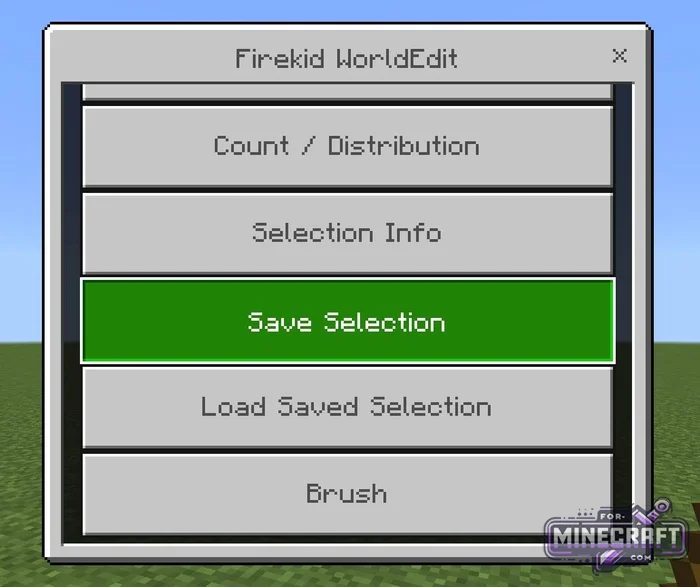
- Save / Load Selection (saving objects to memory by name and importing them)
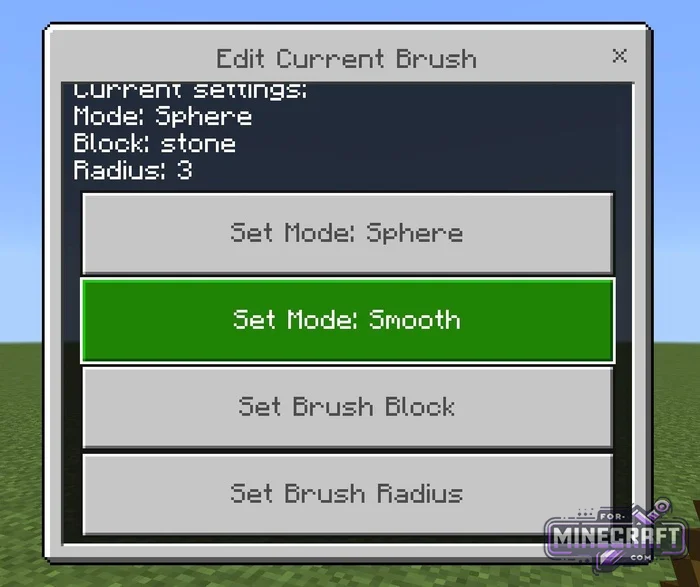
- Edit Current Brush (switch between brush modes for drawing from a distance)
- Brush Raduis (adjust the brush's raduis)
- Smooth Terrain (smooth the terrain and create natural hills)
- Block Distribution (configure random mixing of multiple blocks to texture the landscape)
- Undo / Redo
- Butcher (clearing an area or raduis of mobs and dropped items)
- Drain (quickly removing water and lava)
- Safety Limit (hardware limit of up to 200,000 blocks at a time)
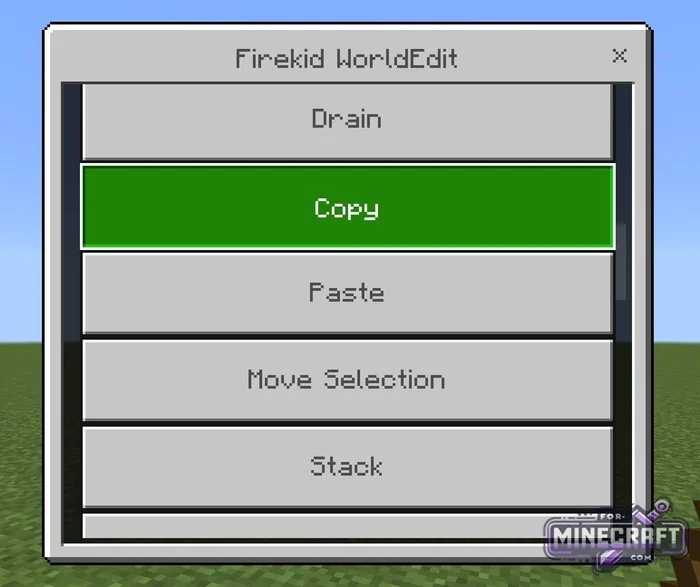
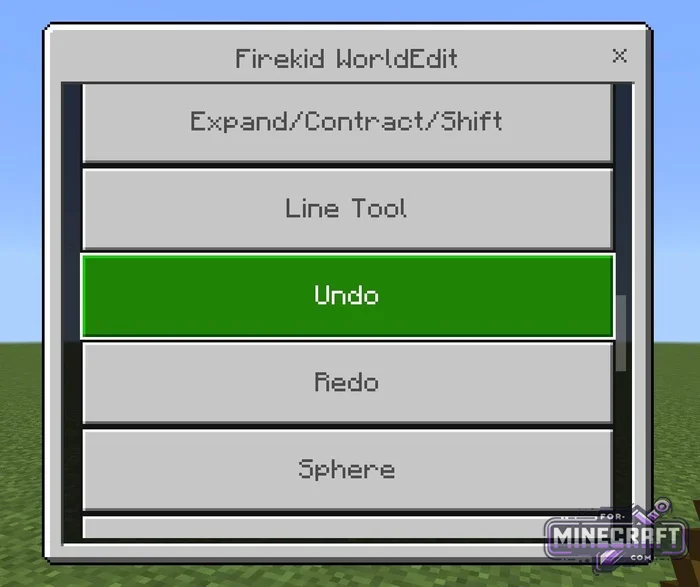
How does area selection work?
To select an area for editing left-click or tap a block to set the starting point, then click again to set the ending point. The boundaries of the selected area will be highlited with particles. If you make a mistake right-clicking or long pressing will deselect the area. You can move expand or contract the selected area via the menu without having to reselect it.
FAQ:
-
Building and replacing walls:
- Left-click on two opposite corners (the boundaries will be highlited with particles).
- Open the menu , select Replace (to replace) or Hollow (to create an empty box).
- Select a block and confirm the wall is ready
Copying and moving structures:
- Select the object with the wand and then choose Copy from the menu.
- Move to the desired location adjust rotation in Paste Options, and click Paste.
- If you miss click Undo to cancel
Quick terrain (brushes):
- Select a brush then adjust radius and shape in the Brush menu.
- Select the "Mountains" block to create mountains or "Smooth Terrain" mode to smooth terrain.
- Simply click with the brush on the ground and terrain changes instantly at the point of contact.
- Category: Mods & Addons for Minecraft Bedrock (PE)
Recommend:
-
 WorldEdit Addon for Minecraft PE 1.17/1.18/1.19/1.20/1.21.80
This kind of WorldEdit comes with some amazing features made possible by version 1.16..
WorldEdit Addon for Minecraft PE 1.17/1.18/1.19/1.20/1.21.80
This kind of WorldEdit comes with some amazing features made possible by version 1.16..
-
 IndustrialCraft PE Mod 2.4.8 for Minecraft PE 1.16
The IndustrialCraft PE history continues and now it goes to a new level..
IndustrialCraft PE Mod 2.4.8 for Minecraft PE 1.16
The IndustrialCraft PE history continues and now it goes to a new level..
-
 Inner Core for Minecraft PE 1.16 - 3.1.1b127-128 (ARM64 Update)
Inner Core was created on the basis of the original MCPE 1.0.3 and is a full complement for creating and playing with
Inner Core for Minecraft PE 1.16 - 3.1.1b127-128 (ARM64 Update)
Inner Core was created on the basis of the original MCPE 1.0.3 and is a full complement for creating and playing with
-
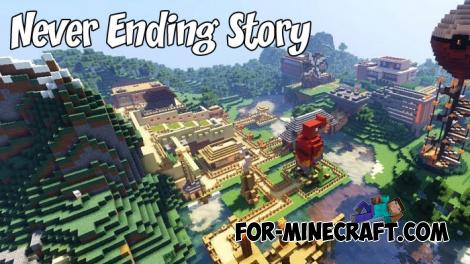 Never Ending Story Map for MCPE 1.9+
You can get everything at once by downloading this map for MCPE..
Never Ending Story Map for MCPE 1.9+
You can get everything at once by downloading this map for MCPE..
-
 IndustrialCraft PE mod v2.0 Pre-Release 7 for Minecraft PE
IndustrialCraft PE is a global mod for MCPE which is a very accurate IndustrialCraft copy for Minecraft PC. It
IndustrialCraft PE mod v2.0 Pre-Release 7 for Minecraft PE
IndustrialCraft PE is a global mod for MCPE which is a very accurate IndustrialCraft copy for Minecraft PC. It
