Popular
-

Minecraft PE / Bedrock 26.70.22 (1.21.132/26.60)
More epic battles in the new structure, wind -

TreeCapitator Addon for Minecraft PE 1.17/1.18/1.19/1.20/1.21.132 (26.60)+
No modifications, now the old TreeCapitator is -

Vein Miner & TreeCapitator Addon for Minecraft PE 1.17/1.20/1.21/26.70+
Start your first day working as a miner or -

Apollon Client 6.70 for Minecraft PE 1.21.114/26.52
Apollon is a standalone client wrapped in -

Minecraft Bedrock 1.21.132/26.60/26.70.21 Patched (apk)
Do you prefer to play non render dragon shaders -

Body Actions Addon v3.4.13 for Minecraft PE 1.19/1.21.110/26.60+
Humanization of characters in Minecraft Bedrock -

LeviLauncher v0.3.11 (LeviLaunchroid v1.6.0) for Minecraft Bedrock 1.21.132/26.60
LeviLauncher is the tool you've been -

Shadow Company Addon for Minecraft PE 1.21/26
A killer weapon addon for Minecraft Bedrock, -

Newb (Legacy/ Dragon/ Trailer/ Glow/ Firelight/ Gold/ Dynamite/ Memories/ Stellar/ AI/ Plus)
Uniting under a single name, all presented Newb -

Mini Structures Addon v2.0 for Minecraft PE 1.18/1.19/1.20/1.21/26.70+
There are 30 structures at the moment, and all
2
A simple button that solves the problem for any minecrafter in Bedrock Edition 1.21. Sometimes it is there, sometimes it is not, the world export button is very dynamic and not constant if you play the mobile version of Minecraft. And to add it to the game once and for all, making the export of worlds possible, just install this small pack.
By: stivusik
Added the same pack but from another author (faizul726)

Install this pack, which makes the world export button visible in MCPE and use it. It works on version 1.21.70+ and only with the pre-installed MB Loader for Minecraft PE, which makes the pack work.

And now having your world ready for export just go to world options and click export. Then go to the download folder and find it if you exported several worlds.

As before, there is an option to erase all information about the player and his presence in the game, deleting all the loot he has obtained. In general, it is very useful to have this tool if you want to download your world and send it to a friend or publish it on the site.

1. Open .mcpack using MCPE
2. Activate the addon
Export World Option for Minecraft Bedrock 1.21
- Author: Bernard
- Date:
A simple button that solves the problem for any minecrafter in Bedrock Edition 1.21. Sometimes it is there, sometimes it is not, the world export button is very dynamic and not constant if you play the mobile version of Minecraft. And to add it to the game once and for all, making the export of worlds possible, just install this small pack.
By: stivusik
Added the same pack but from another author (faizul726)

How to export a world in Minecraft Bedrock 1.21?
Install this pack, which makes the world export button visible in MCPE and use it. It works on version 1.21.70+ and only with the pre-installed MB Loader for Minecraft PE, which makes the pack work.

And now having your world ready for export just go to world options and click export. Then go to the download folder and find it if you exported several worlds.

Extra Options:
As before, there is an option to erase all information about the player and his presence in the game, deleting all the loot he has obtained. In general, it is very useful to have this tool if you want to download your world and send it to a friend or publish it on the site.

How to install Export World Option?
1. Open .mcpack using MCPE
2. Activate the addon
- Category: Mods & Addons for Minecraft Bedrock (PE)
Recommend:
-
 IndustrialCraft PE mod v2.0 Pre-Release 7 for Minecraft PE
IndustrialCraft PE is a global mod for MCPE which is a very accurate IndustrialCraft copy for Minecraft PC. It
IndustrialCraft PE mod v2.0 Pre-Release 7 for Minecraft PE
IndustrialCraft PE is a global mod for MCPE which is a very accurate IndustrialCraft copy for Minecraft PC. It
-
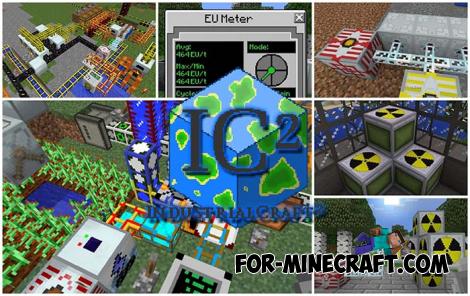 IndustrialCraft PE Mod 2.4.8 for Minecraft PE 1.16
The IndustrialCraft PE history continues and now it goes to a new level..
IndustrialCraft PE Mod 2.4.8 for Minecraft PE 1.16
The IndustrialCraft PE history continues and now it goes to a new level..
-
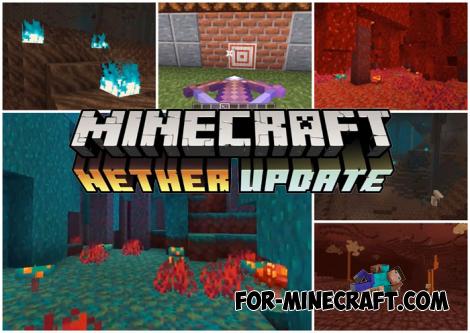 Download Minecraft PE 1.16.230.56 (1.16.221) - Nether Update
The most massive Nether update with new mobs, plants and biomes!
Download Minecraft PE 1.16.230.56 (1.16.221) - Nether Update
The most massive Nether update with new mobs, plants and biomes!
-
 The Constant Addon Upd 1 for Minecraft PE 1.14.2+
The Constant is another global addon that changes the live environment of Minecraft Bedrock Edition 1.14 in a general
The Constant Addon Upd 1 for Minecraft PE 1.14.2+
The Constant is another global addon that changes the live environment of Minecraft Bedrock Edition 1.14 in a general
-
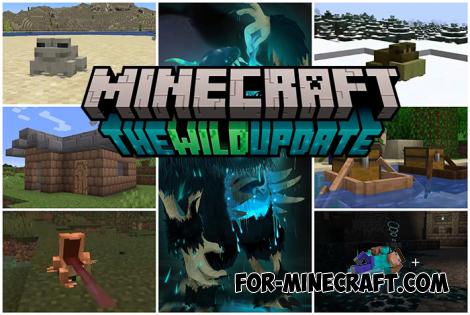 Minecraft PE 1.19.80.24 Beta (1.19.81 Release)
Meet the officially announced Minecraft PE 1.19 update with frogs, warden, fireflies and swamps!
Minecraft PE 1.19.80.24 Beta (1.19.81 Release)
Meet the officially announced Minecraft PE 1.19 update with frogs, warden, fireflies and swamps!
