-

Faithful Textures for MCPE 1.16/1.17/1.19/1.20/1.21/26.52 (32x/64x/128x) (RTX)
Now you can play with the most popular -

Minecraft PE 26.60.30 (1.21.132/26.52)
More epic battles in the new structure, wind -

Dynamic Lights PE Addon for MCPE 1.16/1.17/1.18/1.19/1.20/1.21/26.60+
Dynamic Lights has long been created for almost -

X-Ray for Minecraft Bedrock Edition 1.19/1.20/1.21.132/26.60+
X-Ray is a cult cheat in the past, available as -

TreeCapitator Addon for Minecraft PE 1.17/1.18/1.19/1.20/1.21.132 (26.60)+
No modifications, now the old TreeCapitator is -

Vein Miner & TreeCapitator Addon for Minecraft PE 1.17/1.20/1.21/26.60+
Start your first day working as a miner or -

Java Combat System Addon v8.0 for Bedrock 1.17/1.18/1.19/1.21/26.60+
Install this updated combat system in the form -

Apollon Client 6.53 for Minecraft PE 1.21.114/26.45
Apollon is a standalone client wrapped in -

Minecraft Bedrock 1.21.132/26.44/26.60.29 Patched (apk)
Do you prefer to play non render dragon shaders -

Body Actions Addon v3.4.12 for Minecraft PE 1.19/1.21.110/26.60+
Humanization of characters in Minecraft Bedrock
Custom 4D/5D Skinpacks in Minecraft Bedrock via LeviLauncher Guide
- Author: Bernard
- Date:
Want to replace your Steve or Alex in Minecraft Bedrock with someone new, including 4D/5D skins? Its not that difficult and can be done through LeviLauncher but it requires a few steps in the right order. Here's a quick guide on how to get custom skins working in version 1.26.10 and above, as well as a ready-to-download skin pack.
By: Toxic Miner
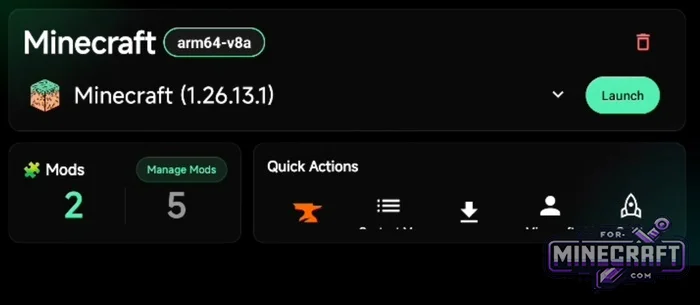
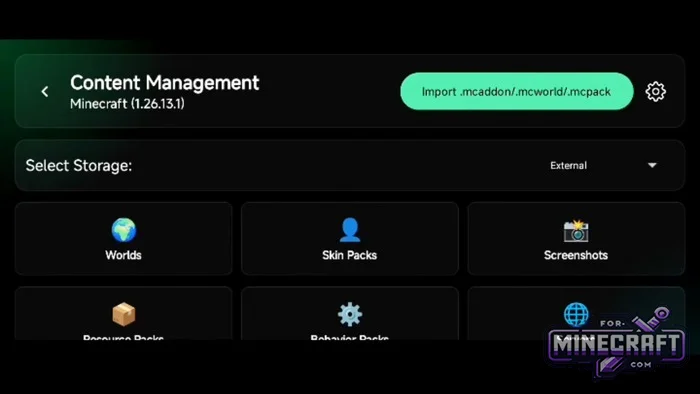
Setting Up LeviLauncher:
First, go to the Levi Launcher main menu. You need to find the section with management tools called Content Management. Inside there are various data categories and we're interested in Skin Packs.
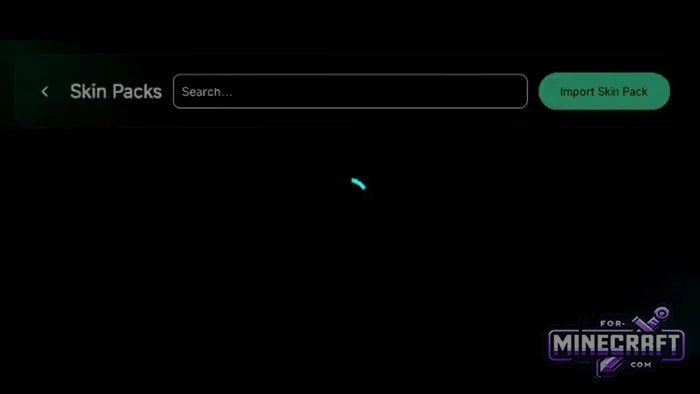
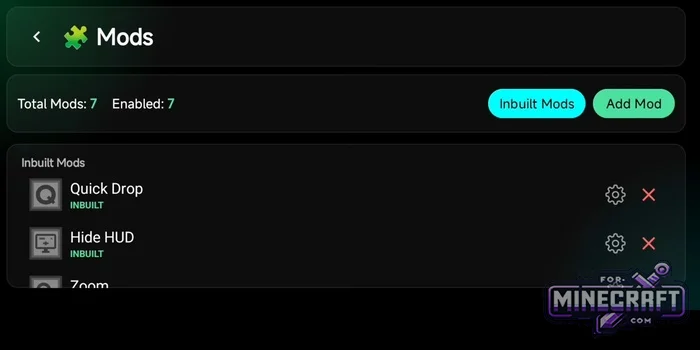
The list in the packs section is empty. In the top right corner, click Import Skin Pack, then select the downloaded file containing the skins. After that the launcher will display a notification that the import was succesful.
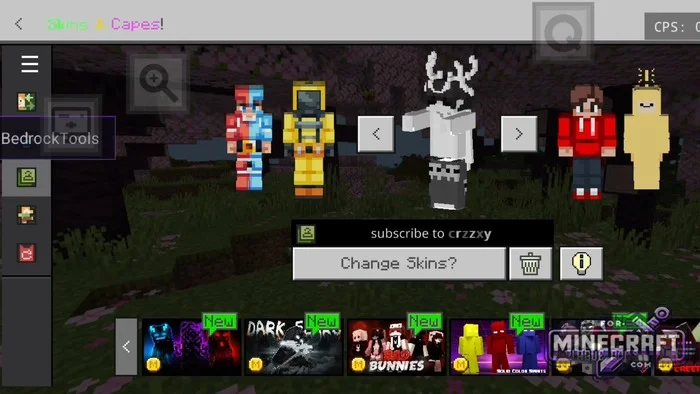
How do you make 4D/5D skins appear in Minecraft Bedrock?
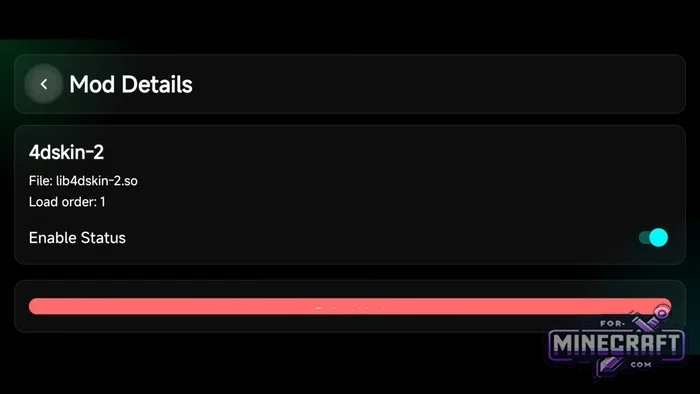
- Return to the main screen and tap Manage Mods. Then add the special add-on 4dskin-2 (the file lib4dskin-2.so).
- Make sure the mod's status is set to Enabled.
- Check the loading order as these libraries should be prioritized.
- If the mod isnt in the list, use the Add Mod button to load it manually.
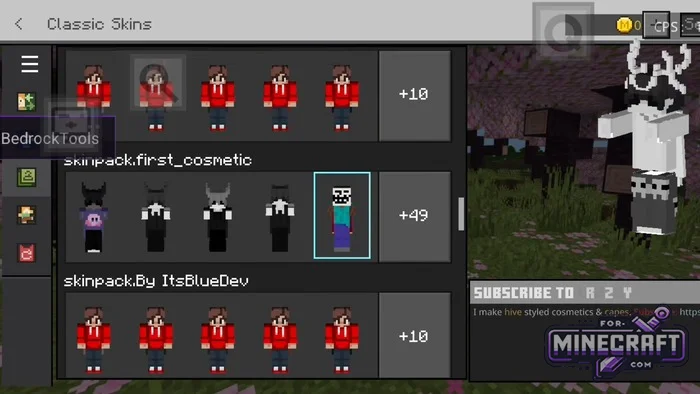
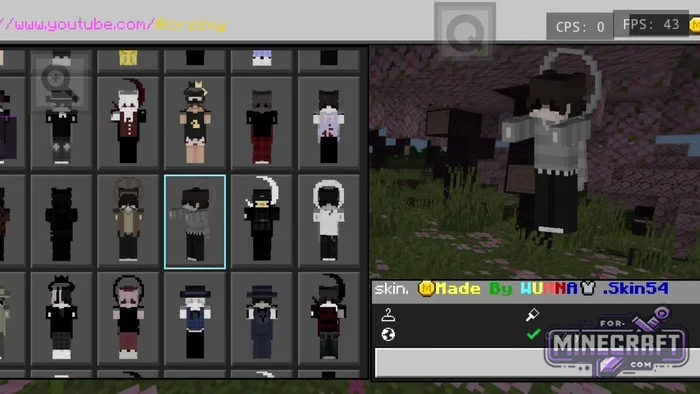
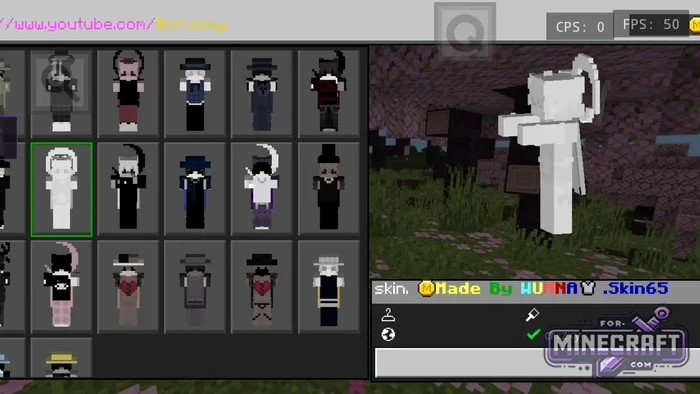
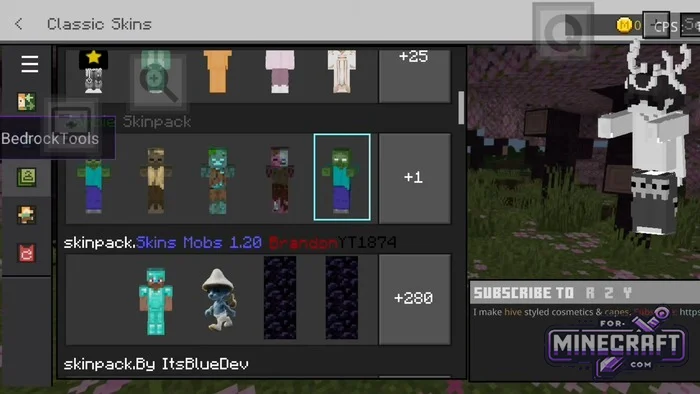
Launch Minecraft PE and go to skin picker. New sets should appear in the Classic Skins section, and now you can choose any skin, including those with 3D elements.
Download LeviLauncher for Minecraft Bedrock 26.X+
- Category: Skins for Minecraft Bedrock
Recommend:
-
Minecraft PE 26.60.30 (1.21.132/26.52)
More epic battles in the new structure, wind shooting mob, auto crafting and more..
-
 PlankzPlus (BlockzPlus) Addon for Minecraft PE 1.18/1.19
PlankzPlus is a variant of Chisel in a way, published as an addon for Minecraft Bedrock Edition 1.18 and 1.19..
PlankzPlus (BlockzPlus) Addon for Minecraft PE 1.18/1.19
PlankzPlus is a variant of Chisel in a way, published as an addon for Minecraft Bedrock Edition 1.18 and 1.19..
-
 IndustrialCraft PE Mod 2.4.8 for Minecraft PE 1.16
The IndustrialCraft PE history continues and now it goes to a new level..
IndustrialCraft PE Mod 2.4.8 for Minecraft PE 1.16
The IndustrialCraft PE history continues and now it goes to a new level..
-
 Download Minecraft PE 1.16.230.56 (1.16.221) - Nether Update
The most massive Nether update with new mobs, plants and biomes!
Download Minecraft PE 1.16.230.56 (1.16.221) - Nether Update
The most massive Nether update with new mobs, plants and biomes!
-
 IndustrialCraft PE mod v2.0 Pre-Release 7 for Minecraft PE
IndustrialCraft PE is a global mod for MCPE which is a very accurate IndustrialCraft copy for Minecraft PC. It
IndustrialCraft PE mod v2.0 Pre-Release 7 for Minecraft PE
IndustrialCraft PE is a global mod for MCPE which is a very accurate IndustrialCraft copy for Minecraft PC. It
