-

Minecraft PE 26.60.24 (1.21.132/26.50)
More epic battles in the new structure, wind -

IndustrialCraft PE Mod 2.4.8 for Minecraft PE 1.16
The IndustrialCraft PE history continues and now -

X-Ray for Minecraft Bedrock Edition 1.19/1.20/1.21.132/26.60+
X-Ray is a cult cheat in the past, available as -
Pokémon Addon v8.0 for Minecraft Bedrock 1.18/1.19/1.20/1.21/26.50
Pokémon Addon by Zacek the Serpentine is a very -

Java Combat System Addon v8.0 for Bedrock 1.17/1.18/1.19/1.21/26.60+
Install this updated combat system in the form -

Apollon Client 6.53 for Minecraft PE 1.21.114/26.45
Apollon is a standalone client wrapped in -

Minecraft Bedrock 1.21.132/26.44/26.60.23 Patched (apk)
Do you prefer to play non render dragon shaders -

Body Actions Addon v3.4.12 for Minecraft PE 1.19/1.21.110/26.60+
Humanization of characters in Minecraft Bedrock -

LeviLauncher v0.3.11 (LeviLaunchroid v1.5.19) for Minecraft Bedrock 1.21.132/26.45
LeviLauncher is the tool you've been -

One Block Survival Map for Minecraft PE 1.20/1.21 (26.60)
One Block Survival is one of those downloads
Low Poly Chunks Shader (LPC) for Bedrock 1.21/26.10+
- Author: Bernard
- Date:
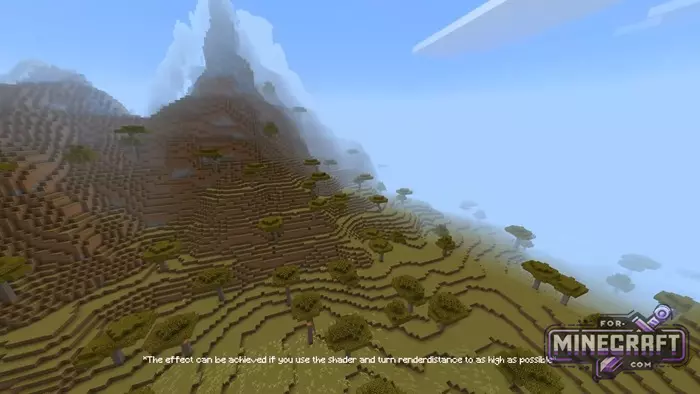
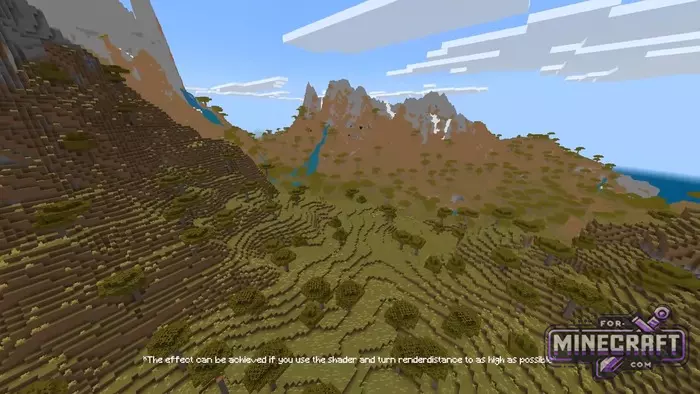
Low Poly Chunks is a shader for Minecraft Bedrock 26 that makes the loading distance look longer. Why is it needed? If you are playing on a phone or a low-end PC, you have to set the loading distance to the minimum. The world gets cut off a couple hundred blocks away, and performance still suffers (FPS is already low). Low Poly Chunks Shader, or rather a pack, was created speciffically for this problem.
By: Azi Angelo (YouTube channel)
Low Poly Chunks Features:
- Simulation of the Distant Horizons effect for Bedrock Edition (not Java, just so you know!)
- Support for Android, Windows, iOS (with limitations)
- Recommended to use with maximum load distance for best results
- Angular clouds and simplified tree silhouettes in the distance
- New chunk modifier in the latest update
- Support for Minecraft 26.0 (Windows)
How does Low Poly Chunks work in Bedrock?
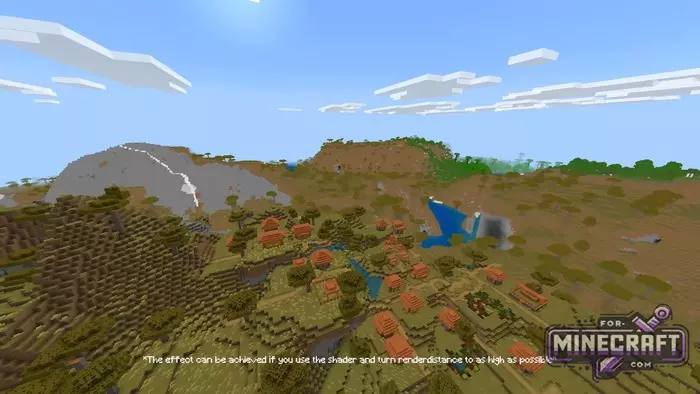
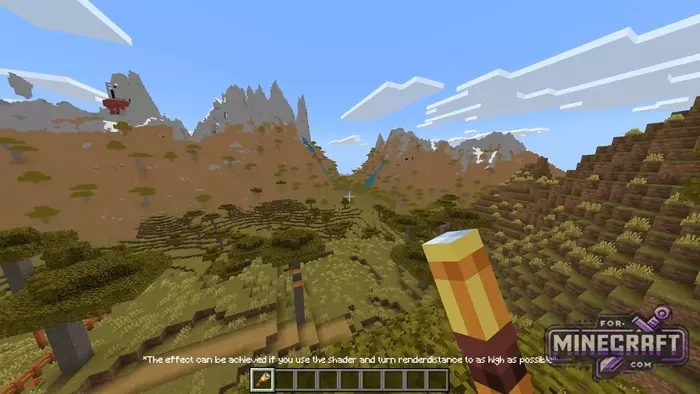
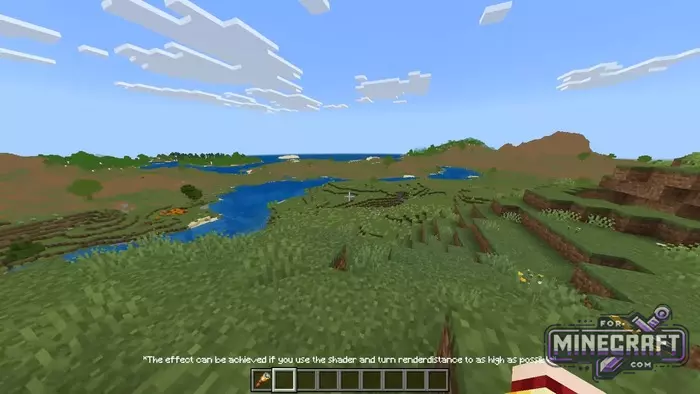
The shader simulates the Distant Horizons effect from Java Edition, but in Bedrock. The idea is simple: distant chunks are rendered in a simplified form with fewer details, which means less load but the horizon looks like the render distance is set to maximum. The screenshots show mountains, rivers and forests appearing in the distance, which wouldnt have loaded without the shader.
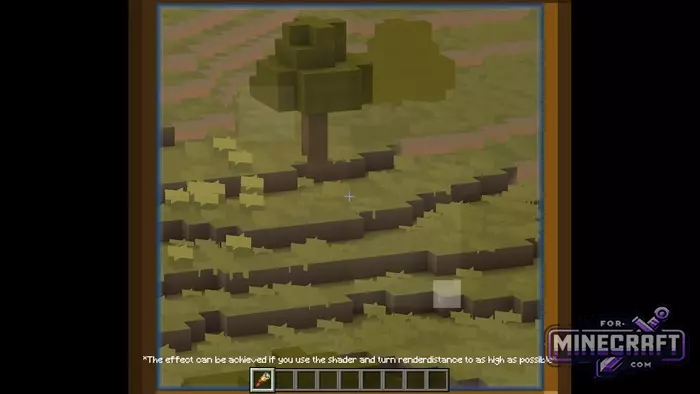
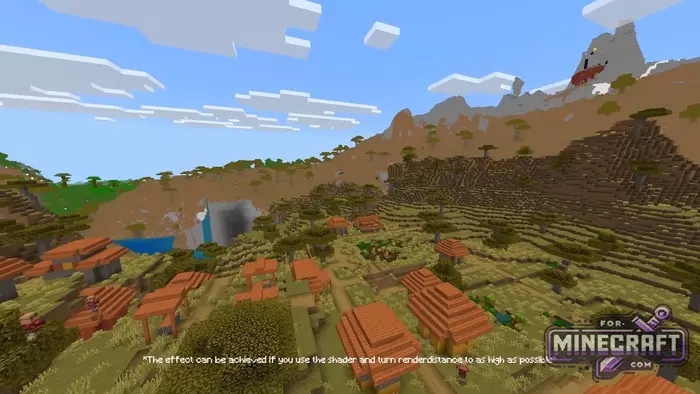
In frames with 76-78 fps, it's noticeable that in the savannah with flat terrain the horizon extends far into the distance. This is the low poly effect. The clouds are angular, the trees in the distance are just silhouettes but the performance in MCBE doesnt drop.
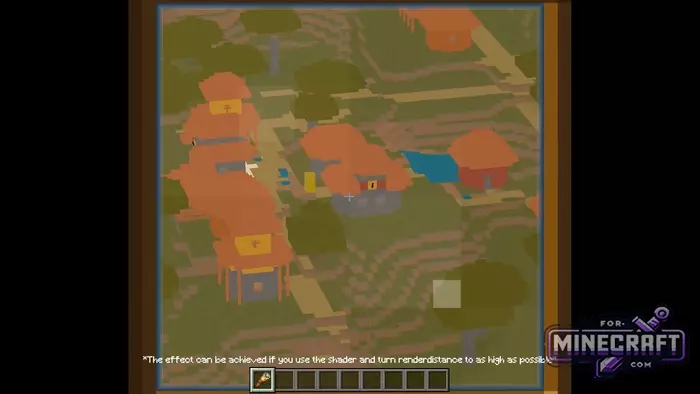
For best results, it's recommended to set the render distance as high as possible, and then the shader will overlay a low poly layer on top of the real chunks and the transition between them will be almost imperceptible.
Installation:
- Android - download MB Loader APK, import the pack into global resources, run Minecraft through the loader
- Windows - use BetterRenderDragon or MatJect to activate Material Bin Loader, then connect the pack as usual, if the version is not supported by BetterRenderDragon
- iOS - jailbreak required
- Category: Shaders for Minecraft PE
Recommend:
-
Minecraft PE 26.60.28 (1.21.132/26.51)
More epic battles in the new structure, wind shooting mob, auto crafting and more..
-
 Download Minecraft PE 1.16.230.56 (1.16.221) - Nether Update
The most massive Nether update with new mobs, plants and biomes!
Download Minecraft PE 1.16.230.56 (1.16.221) - Nether Update
The most massive Nether update with new mobs, plants and biomes!
-
 Minecraft PE 1.19.80.24 Beta (1.19.81 Release)
Meet the officially announced Minecraft PE 1.19 update with frogs, warden, fireflies and swamps!
Minecraft PE 1.19.80.24 Beta (1.19.81 Release)
Meet the officially announced Minecraft PE 1.19 update with frogs, warden, fireflies and swamps!
-
 IndustrialCraft PE mod v2.0 Pre-Release 7 for Minecraft PE
IndustrialCraft PE is a global mod for MCPE which is a very accurate IndustrialCraft copy for Minecraft PC. It
IndustrialCraft PE mod v2.0 Pre-Release 7 for Minecraft PE
IndustrialCraft PE is a global mod for MCPE which is a very accurate IndustrialCraft copy for Minecraft PC. It
-
 Minecraft PE 1.20.80.24 (1.20.80 Release)
Camels, hanging signs, sniffers and rafts and much more..
Minecraft PE 1.20.80.24 (1.20.80 Release)
Camels, hanging signs, sniffers and rafts and much more..
