Popular
-

Minecraft PE / Bedrock 26.70.22 (1.21.132/26.60)
More epic battles in the new structure, wind -

TreeCapitator Addon for Minecraft PE 1.17/1.18/1.19/1.20/1.21.132 (26.60)+
No modifications, now the old TreeCapitator is -

Vein Miner & TreeCapitator Addon for Minecraft PE 1.17/1.20/1.21/26.70+
Start your first day working as a miner or -

Apollon Client 6.70 for Minecraft PE 1.21.114/26.52
Apollon is a standalone client wrapped in -

Minecraft Bedrock 1.21.132/26.60/26.70.21 Patched (apk)
Do you prefer to play non render dragon shaders -

Body Actions Addon v3.4.13 for Minecraft PE 1.19/1.21.110/26.60+
Humanization of characters in Minecraft Bedrock -

LeviLauncher v0.3.11 (LeviLaunchroid v1.6.0) for Minecraft Bedrock 1.21.132/26.60
LeviLauncher is the tool you've been -

Shadow Company Addon for Minecraft PE 1.21/26
A killer weapon addon for Minecraft Bedrock, -

Newb (Legacy/ Dragon/ Trailer/ Glow/ Firelight/ Gold/ Dynamite/ Memories/ Stellar/ AI/ Plus)
Uniting under a single name, all presented Newb -

Mini Structures Addon v2.0 for Minecraft PE 1.18/1.19/1.20/1.21/26.70+
There are 30 structures at the moment, and all
0
Thin White is a very old shader developed after the transition from Pocket to Bedrock Edition. Considering the needs of a huge number of players around the world who have very weak devices, TWS balances between ultra graphics that require a lot of power and the lack of memory and calculations, as is usually the case on low-end smartphones.
By: illurito xD


Firstly, a patch is required for the shader to work correctly (version 1.21 release) and secondly, Thin White was created as a small pack touching on everything a little: in the ultra version you will find all the features presented in TWS at the time of the latest update.


Want to feel nostalgic in Minecraft PE by returning some visual effects back? Then download it because here is the same warm lighting that gave rise to many other MCPE shaders.


The low version also brings shadows, subtle light and a small update to the light in dimensions built on the vanilla lighting base.


1. Open .mcaddon using Minecraft PE
2. Activate the addon (world or game settings)
Thin White Shader for Minecraft Bedrock 1.20/1.21
- Author: Bernard
- Date:
Thin White is a very old shader developed after the transition from Pocket to Bedrock Edition. Considering the needs of a huge number of players around the world who have very weak devices, TWS balances between ultra graphics that require a lot of power and the lack of memory and calculations, as is usually the case on low-end smartphones.
By: illurito xD


Who should install TWS?
Firstly, a patch is required for the shader to work correctly (version 1.21 release) and secondly, Thin White was created as a small pack touching on everything a little: in the ultra version you will find all the features presented in TWS at the time of the latest update.


Why is the shader relevant again?
Want to feel nostalgic in Minecraft PE by returning some visual effects back? Then download it because here is the same warm lighting that gave rise to many other MCPE shaders.


The low version also brings shadows, subtle light and a small update to the light in dimensions built on the vanilla lighting base.


How to install the Thin White Shader?
1. Open .mcaddon using Minecraft PE
2. Activate the addon (world or game settings)
- Category: Shaders for Minecraft Bedrock (PE)
Recommend:
-
 IndustrialCraft PE mod v2.0 Pre-Release 7 for Minecraft PE
IndustrialCraft PE is a global mod for MCPE which is a very accurate IndustrialCraft copy for Minecraft PC. It
IndustrialCraft PE mod v2.0 Pre-Release 7 for Minecraft PE
IndustrialCraft PE is a global mod for MCPE which is a very accurate IndustrialCraft copy for Minecraft PC. It
-
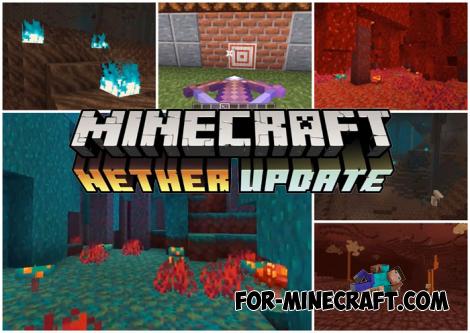 Download Minecraft PE 1.16.230.56 (1.16.221) - Nether Update
The most massive Nether update with new mobs, plants and biomes!
Download Minecraft PE 1.16.230.56 (1.16.221) - Nether Update
The most massive Nether update with new mobs, plants and biomes!
-
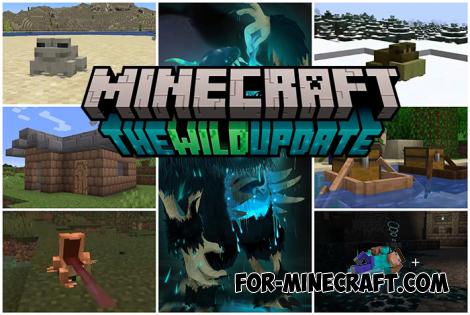 Minecraft PE 1.19.80.24 Beta (1.19.81 Release)
Meet the officially announced Minecraft PE 1.19 update with frogs, warden, fireflies and swamps!
Minecraft PE 1.19.80.24 Beta (1.19.81 Release)
Meet the officially announced Minecraft PE 1.19 update with frogs, warden, fireflies and swamps!
-
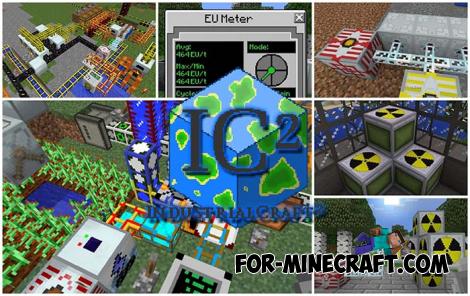 IndustrialCraft PE Mod 2.4.8 for Minecraft PE 1.16
The IndustrialCraft PE history continues and now it goes to a new level..
IndustrialCraft PE Mod 2.4.8 for Minecraft PE 1.16
The IndustrialCraft PE history continues and now it goes to a new level..
-
Minecraft PE / Bedrock 26.70.22 (1.21.132/26.60)
More epic battles in the new structure, wind shooting mob, auto crafting and more..
