Popular
-
Faithful Textures for MCPE 1.16/1.17/1.19/1.20/1.21/26.52 (32x/64x/128x) (RTX)
Now you can play with the most popular -

Minecraft PE 26.60.30 (1.21.132/26.52)
More epic battles in the new structure, wind -

Dynamic Lights PE Addon for MCPE 1.16/1.17/1.18/1.19/1.20/1.21/26.60+
Dynamic Lights has long been created for almost -

X-Ray for Minecraft Bedrock Edition 1.19/1.20/1.21.132/26.60+
X-Ray is a cult cheat in the past, available as -

TreeCapitator Addon for Minecraft PE 1.17/1.18/1.19/1.20/1.21.132 (26.60)+
No modifications, now the old TreeCapitator is -

Vein Miner & TreeCapitator Addon for Minecraft PE 1.17/1.20/1.21/26.60+
Start your first day working as a miner or -

Java Combat System Addon v8.0 for Bedrock 1.17/1.18/1.19/1.21/26.60+
Install this updated combat system in the form -

Minecraft Bedrock 1.21.132/26.44/26.60.29 Patched (apk)
Do you prefer to play non render dragon shaders -

Body Actions Addon v3.4.12 for Minecraft PE 1.19/1.21.110/26.60+
Humanization of characters in Minecraft Bedrock -

LeviLauncher v0.3.11 (LeviLaunchroid v1.5.25) for Minecraft Bedrock 1.21.132/26.60
LeviLauncher is the tool you've been
1
If you are looking for shaders specifically for Minecraft Windows 10, then here is the perfect combination of beautiful features adapted for computers. RyFol (the creator of many unique shaders for MCPE, SSPE is perhaps the most popular) used only those functions that work optimally on Win10.
By: RyFol

Improvements to torld, torch and water.
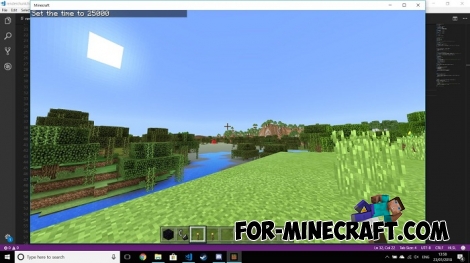
A tonne more like shadows, clouds.

As you can see, the Win10 Test Shader is not a huge pack consisting of many separate features. This shader is aimed at beautiful graphics and well-chosen performance. When you install it the shader will not greatly affect the FPS, but the world will become much brighter, the sunlight will look more juicy.
How to install the Win10 Test Shader?
Download the pack and open it using the game.
Go to the world or game settings and activate it.
Win10 Test Shader for Minecraft Bedrock
- Author: Bernard
- Date:
If you are looking for shaders specifically for Minecraft Windows 10, then here is the perfect combination of beautiful features adapted for computers. RyFol (the creator of many unique shaders for MCPE, SSPE is perhaps the most popular) used only those functions that work optimally on Win10.
By: RyFol
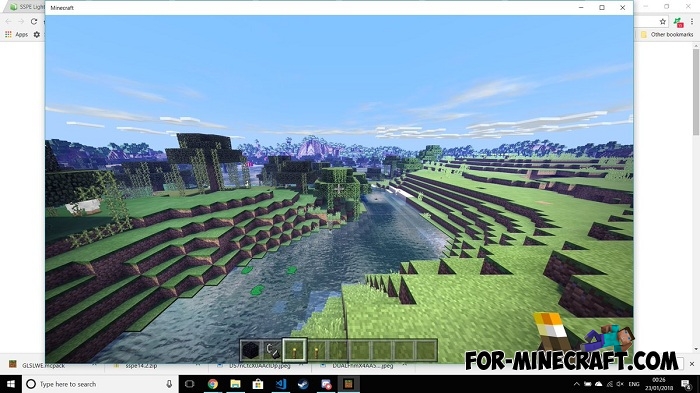
As a result, you will see:
Improvements to torld, torch and water.
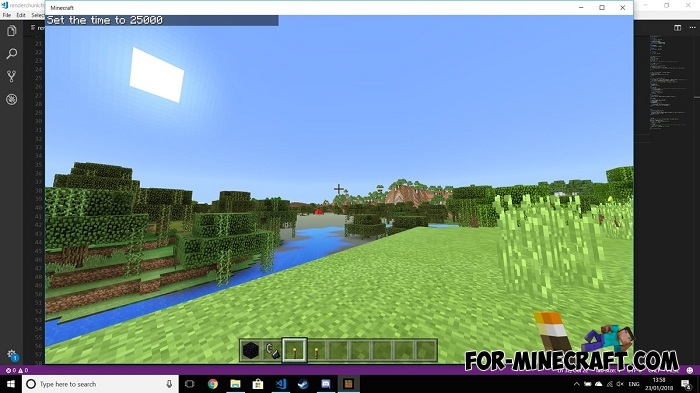
What is Coming?
A tonne more like shadows, clouds.

As you can see, the Win10 Test Shader is not a huge pack consisting of many separate features. This shader is aimed at beautiful graphics and well-chosen performance. When you install it the shader will not greatly affect the FPS, but the world will become much brighter, the sunlight will look more juicy.
How to install the Win10 Test Shader?
Download the pack and open it using the game.
Go to the world or game settings and activate it.
- Category: Shaders for Minecraft Bedrock (PE)
Recommend:
-
 SSPE shader pack v15.7 for Minecraft PE 1.0/1.4
If you do not have a powerful device and you want to improve the graphics then try SSPE shader..
SSPE shader pack v15.7 for Minecraft PE 1.0/1.4
If you do not have a powerful device and you want to improve the graphics then try SSPE shader..
-
 IndustrialCraft PE mod v2.0 Pre-Release 7 for Minecraft PE
IndustrialCraft PE is a global mod for MCPE which is a very accurate IndustrialCraft copy for Minecraft PC. It
IndustrialCraft PE mod v2.0 Pre-Release 7 for Minecraft PE
IndustrialCraft PE is a global mod for MCPE which is a very accurate IndustrialCraft copy for Minecraft PC. It
-
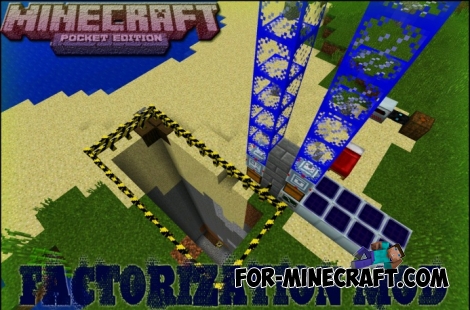 Factorization Mod 5.2 for Minecraft PE 0.11/0.12/0.13/0.14
The basis of mod make blocks-mechanisms. With these systems of the mechanisms can be automated almost any process in
Factorization Mod 5.2 for Minecraft PE 0.11/0.12/0.13/0.14
The basis of mod make blocks-mechanisms. With these systems of the mechanisms can be automated almost any process in
-
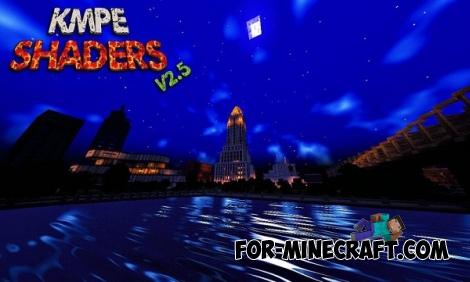 KMPE Shaders v2.5 MCPE 0.11.X/0.12.X/0.13.X/0.14.0
Incredibly cool shaders for Minecraft Pocket Edition 0.12.1/0.12.2/0.12.3/0.13.0 from the creator of the popular
KMPE Shaders v2.5 MCPE 0.11.X/0.12.X/0.13.X/0.14.0
Incredibly cool shaders for Minecraft Pocket Edition 0.12.1/0.12.2/0.12.3/0.13.0 from the creator of the popular
-
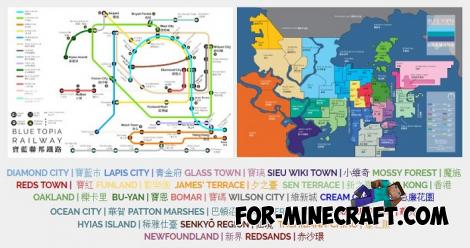 Blue City Map n2.2 for Minecraft PE 1.15/1.16
Blue City is one of the oldest cities for Minecraft Pocket Edition..
Blue City Map n2.2 for Minecraft PE 1.15/1.16
Blue City is one of the oldest cities for Minecraft Pocket Edition..
