-

Minecraft PE / Bedrock 26.70.22 (1.21.132/26.60)
More epic battles in the new structure, wind -

Dynamic Lights PE Addon for MCPE 1.16/1.17/1.18/1.19/1.20/1.21/26.60+
Dynamic Lights has long been created for almost -

TreeCapitator Addon for Minecraft PE 1.17/1.18/1.19/1.20/1.21.132 (26.60)+
No modifications, now the old TreeCapitator is -

Vein Miner & TreeCapitator Addon for Minecraft PE 1.17/1.20/1.21/26.70+
Start your first day working as a miner or -

Apollon Client 6.70 for Minecraft PE 1.21.114/26.52
Apollon is a standalone client wrapped in -

Minecraft Bedrock 1.21.132/26.60/26.70.21 Patched (apk)
Do you prefer to play non render dragon shaders -

Body Actions Addon v3.4.13 for Minecraft PE 1.19/1.21.110/26.60+
Humanization of characters in Minecraft Bedrock -

LeviLauncher v0.3.11 (LeviLaunchroid v1.6.0) for Minecraft Bedrock 1.21.132/26.60
LeviLauncher is the tool you've been -

Shadow Company Addon for Minecraft PE 1.21/26
A killer weapon addon for Minecraft Bedrock, -

Newb (Legacy/ Dragon/ Trailer/ Glow/ Firelight/ Gold/ Dynamite/ Memories/ Stellar/ AI/ Plus)
Uniting under a single name, all presented Newb
How to Make a Minecraft Bedrock Dedicated Server (1.21/26.X)
- Author: Bernard
- Date:
In this quick guide, you'll learn how to set up your own Minecraft Bedrock Server, where you can invite friends and install textures, add-ons, and everything else you can find on the website.
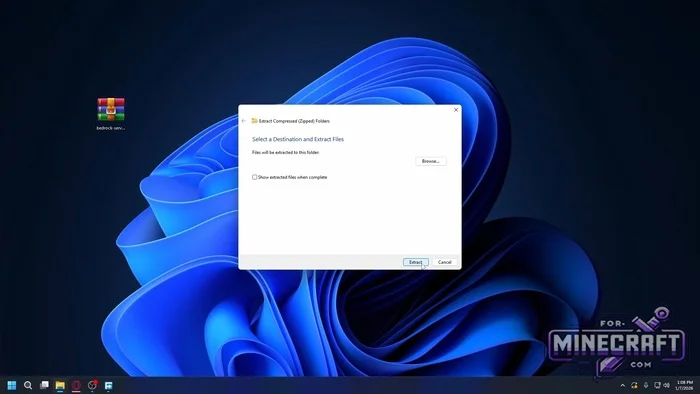
System requirements and specs:
- Windows 10/11 or Windows Server 2016+
- Ubuntu 22.04 LTS+ (libssl1.1 and libcurl4 may be required).
- 1-2 GB of RAM and 1 CPU core for a basic world with 3-5 players.
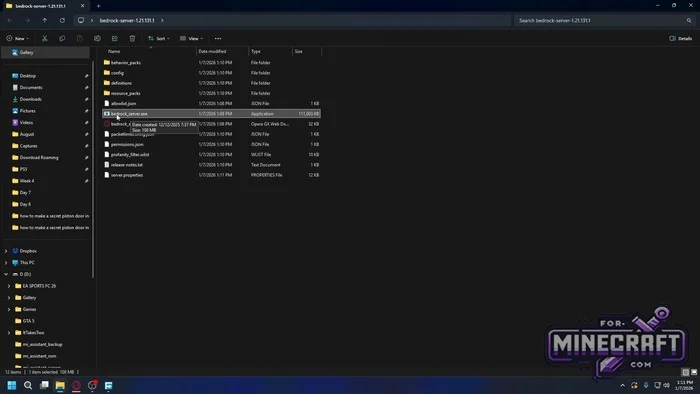
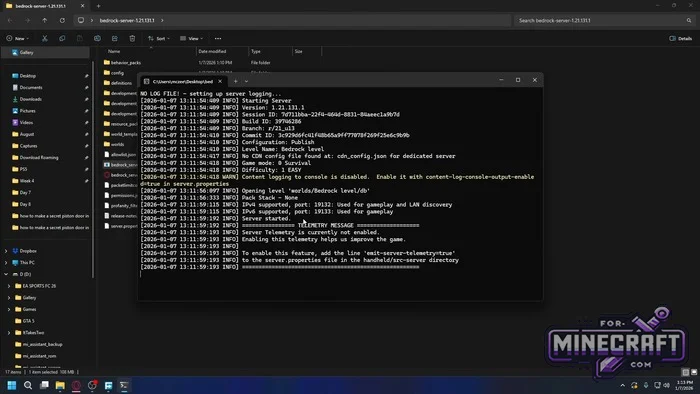
Installing and Running BDS:
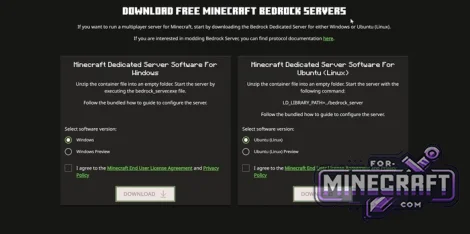
1. On minecraft.net or the official Minecraft Bedrock Dedicated Server page, choose either the Windows or Ubuntu (Linux) version (Preview builds are also available) and download the ZIP file. Make sure to extract the archive to a separate folder.
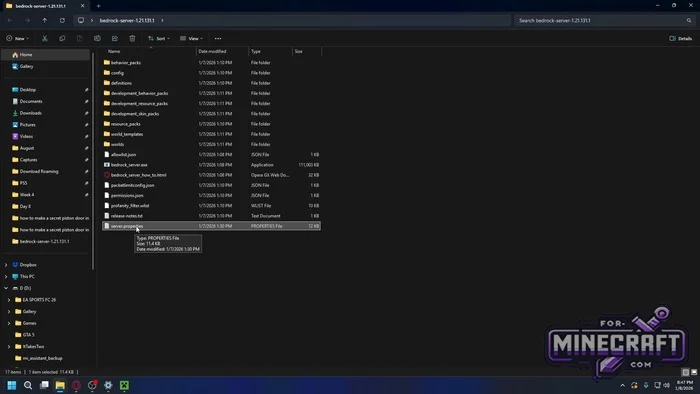
2. After extracting and running it for the first time the following files will show up in the directory:
- bedrock_server.exe (or bedrock_server on Linux)
- server.properties - the main config file
- permissions.json and allowlist.json - config files for operator permissions and the whitelist
- The worlds/, behavior_packs/, and resource_packs/ folders as well as dev directories (development_behavior_packs/, etc.).
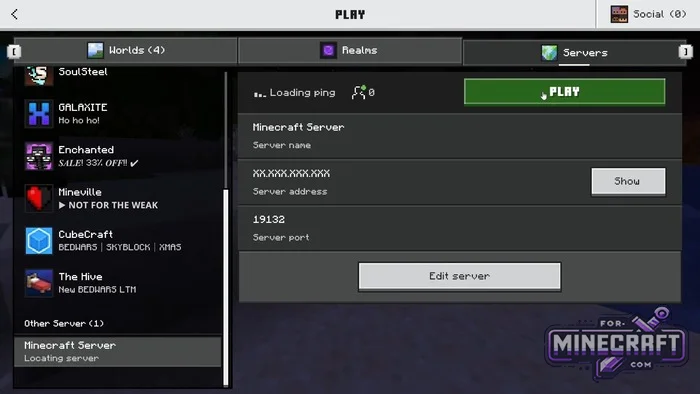
3. Configure server-name, gamemode, difficulty, and network ports (server-port=19132 for IPv4, server-portv6=19133 for IPv6).
4. Running on Windows: Run bedrock_server.exe. The console window will display the message "Server started." On Ubuntu: Run LD_LIBRARY_PATH=. ./bedrock_server.
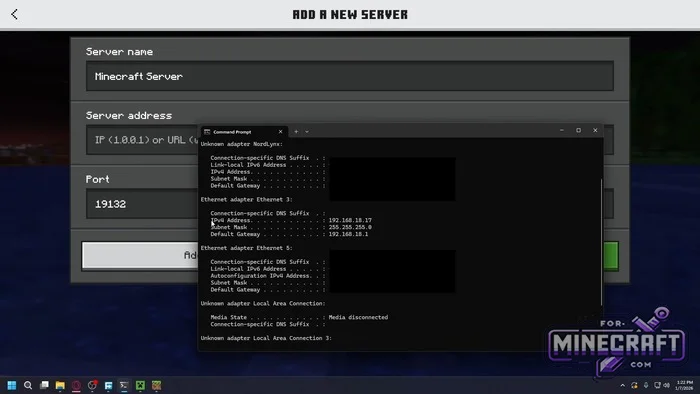
Network Configuration and Connecting:
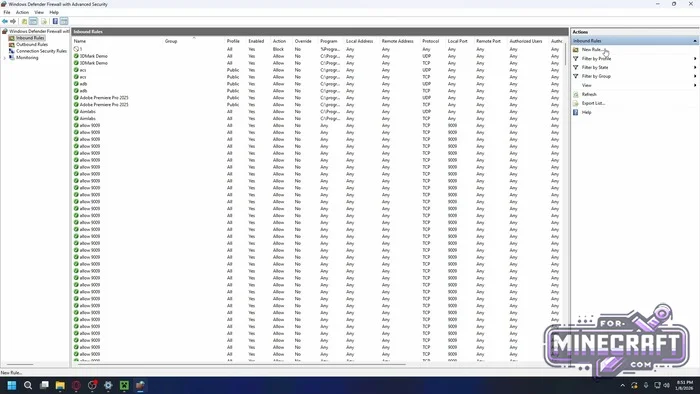
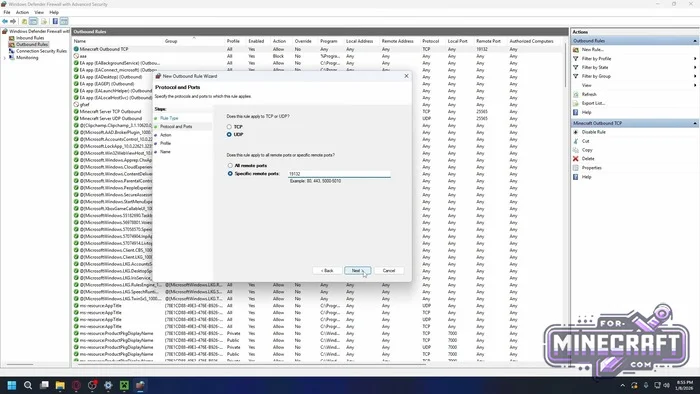
- Go to Advanced Settings in your firewall, and create rules for port 19132:
- Under Inbound Rules add rules for UDP and TCP (Allow the connection).
- Under Outbound Rules, open port 19132 for UDP and TCP.
Port Forwarding:
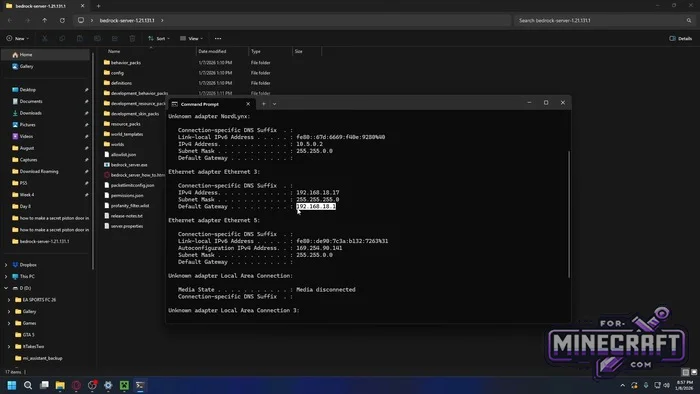
- In the command prompt run
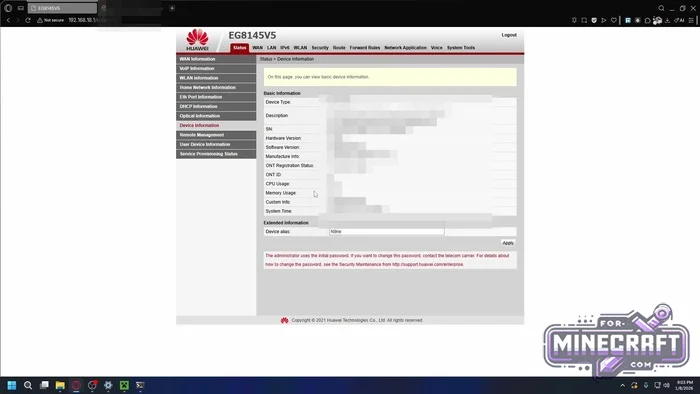
ipconfigand find your local IPv4 address and default gateway. - In your router web interface go to the Port Forwarding / Virtual Server section, and forward external UDP/TCP port 19132 to your PC's local IP address.
- Joining Locally (for yourself): In the Bedrock client under the Servers tab, add a server with the address 127.0.0.1 or your local IPv4 address and port 19132. For friends playing online: enter your public IPv4 address and port 19132.
Operation and security tips from Mojang:
- Regularly backup the
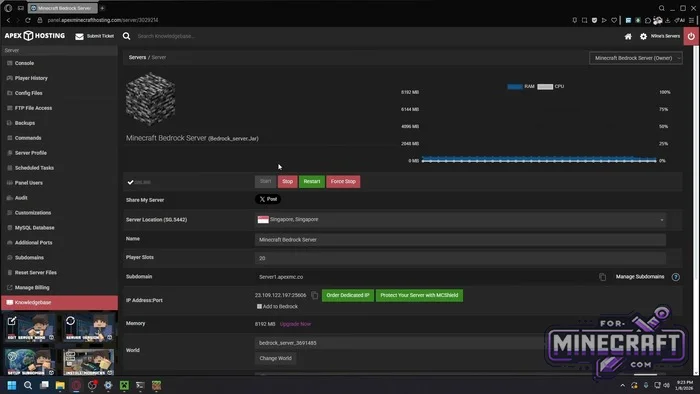
worlds/folder before updating BDS or adding add-ons. - For 24/7 uptime use a Linux VPS with autostart via systemd service, restricted user permissions, and open the port with
sudo ufw allow 19132/udp.
- Category: Servers for Minecraft Bedrock
Recommend:
-
Minecraft PE / Bedrock 26.70.22 (1.21.132/26.60)
More epic battles in the new structure, wind shooting mob, auto crafting and more..
-
 How to Create a Minecraft Bedrock Server (Guide) (26.X)
You can set up your own server in Bedrock Edition on PC in just a few steps. In this mini-guide, you'll learn how
How to Create a Minecraft Bedrock Server (Guide) (26.X)
You can set up your own server in Bedrock Edition on PC in just a few steps. In this mini-guide, you'll learn how
-
 Inner Core for Minecraft PE 1.16 - 3.1.1b127-128 (ARM64 Update)
Inner Core was created on the basis of the original MCPE 1.0.3 and is a full complement for creating and playing with
Inner Core for Minecraft PE 1.16 - 3.1.1b127-128 (ARM64 Update)
Inner Core was created on the basis of the original MCPE 1.0.3 and is a full complement for creating and playing with
-
 Factorization Mod 5.2 for Minecraft PE 0.11/0.12/0.13/0.14
The basis of mod make blocks-mechanisms. With these systems of the mechanisms can be automated almost any process in
Factorization Mod 5.2 for Minecraft PE 0.11/0.12/0.13/0.14
The basis of mod make blocks-mechanisms. With these systems of the mechanisms can be automated almost any process in
-
 IndustrialCraft PE Mod 2.4.8 for Minecraft PE 1.16
The IndustrialCraft PE history continues and now it goes to a new level..
IndustrialCraft PE Mod 2.4.8 for Minecraft PE 1.16
The IndustrialCraft PE history continues and now it goes to a new level..
