Popular
-

Minecraft PE / Bedrock 26.70.22 (1.21.132/26.60)
More epic battles in the new structure, wind -

Dynamic Lights PE Addon for MCPE 1.16/1.17/1.18/1.19/1.20/1.21/26.60+
Dynamic Lights has long been created for almost -

TreeCapitator Addon for Minecraft PE 1.17/1.18/1.19/1.20/1.21.132 (26.60)+
No modifications, now the old TreeCapitator is -

Vein Miner & TreeCapitator Addon for Minecraft PE 1.17/1.20/1.21/26.70+
Start your first day working as a miner or -

Apollon Client 6.70 for Minecraft PE 1.21.114/26.52
Apollon is a standalone client wrapped in -

Minecraft Bedrock 1.21.132/26.60/26.70.21 Patched (apk)
Do you prefer to play non render dragon shaders -

Body Actions Addon v3.4.13 for Minecraft PE 1.19/1.21.110/26.60+
Humanization of characters in Minecraft Bedrock -

LeviLauncher v0.3.11 (LeviLaunchroid v1.6.0) for Minecraft Bedrock 1.21.132/26.60
LeviLauncher is the tool you've been -

Shadow Company Addon for Minecraft PE 1.21/26
A killer weapon addon for Minecraft Bedrock, -

Newb (Legacy/ Dragon/ Trailer/ Glow/ Firelight/ Gold/ Dynamite/ Memories/ Stellar/ AI/ Plus)
Uniting under a single name, all presented Newb
0
How to join Any Server on Minecraft Bedrock (Console / Switch)
- Author: Bernard
- Date:
Minecraft Bedrock on Xbox, PlayStation and Nintendo Switch has a restriction that prevents users from directly adding third-party IP addresses and ports to the server list. Therefore to connect to user-hosted servers, players had to change DNS servers or use mobile apps. This guide presents a more convinient method using a service bot.
By: gabedala
Connecting via the MC Gateway service:
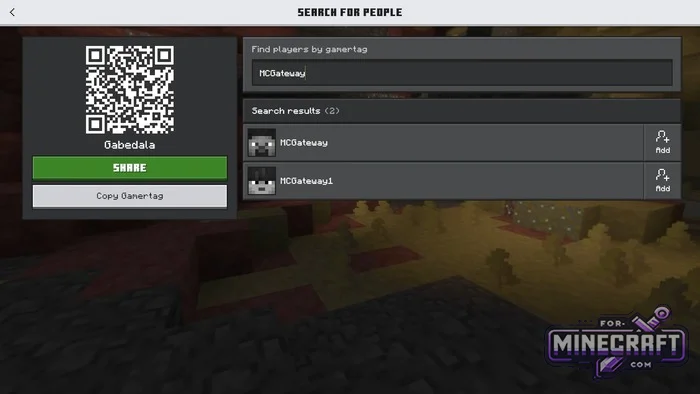
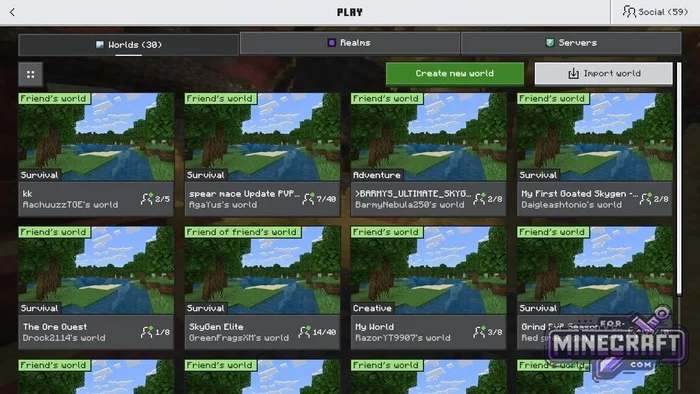
No third-party programs are required for setup simply open the player search menu and add the MCGateway (or MCGateway1) bot as a friend. After a couple of seconds, you'll see a room in your friends' worlds list. Now here are the step-by-step instructions.
1: Adding the bot as a friend
- Go to the Play tab.
- Go to Social / Find Players.
- Enter the username MCGateway (or MCGateway1) in the search field and click the Add to Friends button.
2: Entering the gateway world
- Return to the Worlds tab and wait 10-30 seconds.
- In the list of friends' worlds, find the room labeled MC Gateway's world and connect to it.
- When prompted, confirm the download of the resource pack.
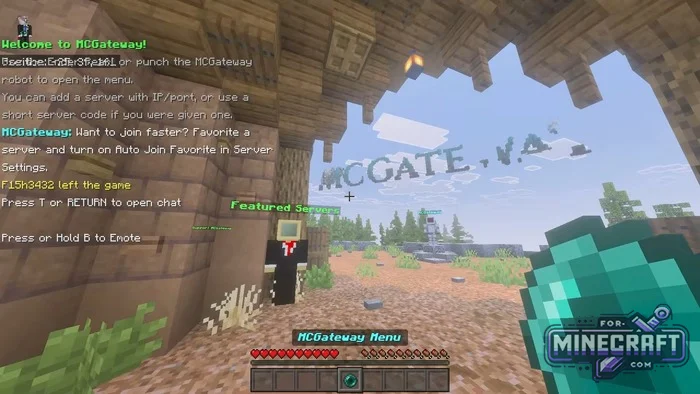
3: Once you're in the lobby, open the gateway interface using one of the following two methods:
- Use the Ender Pearl in your hotbar.
- Approach the MCGateway robot in the center of the area and interacte with it.
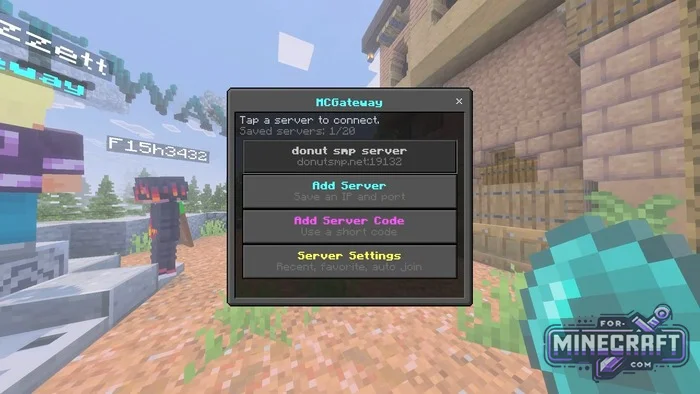
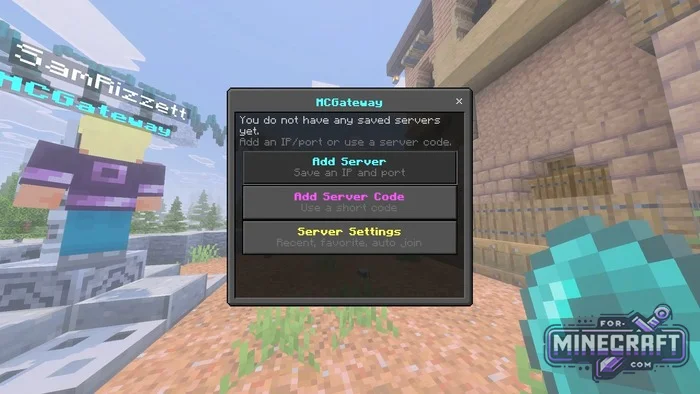
4: In the window that opens, select the appropriate option:
- Add Server-for manual entry:
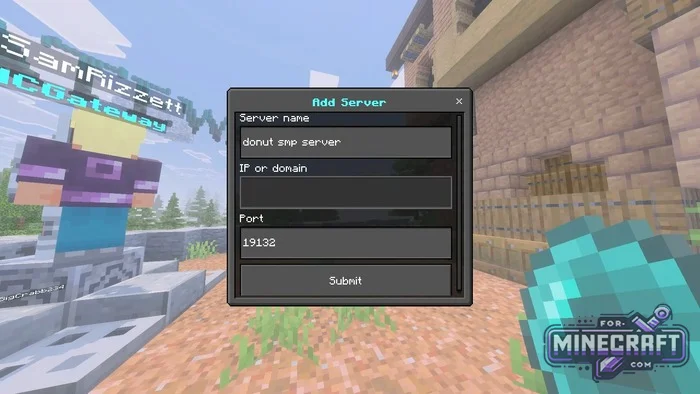
- Enter any name in the "Server name" field.
- Enter the server addres in the "IP or domain" field.
- Enter the port number in the "Port" field (the default for Bedrock is 19132).
- Click "Submit" to save the server to the list (up to 20 entries are supported).
- Add Server Code -for quick access using a short code name (for example, for servers like CubeCraft).
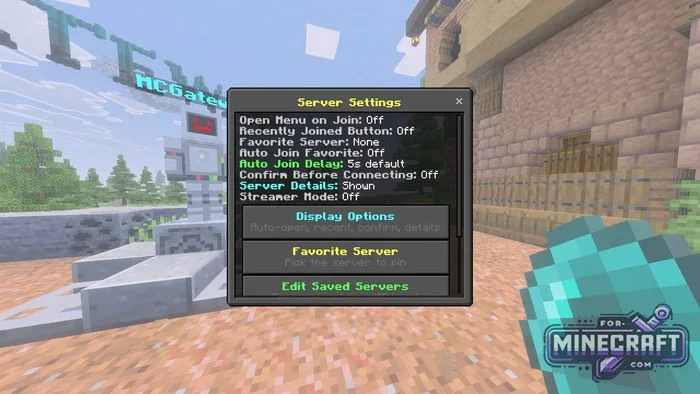
Step 5: Connecting to the Game
- Open the gateway menu again.
- Click on the saved server.
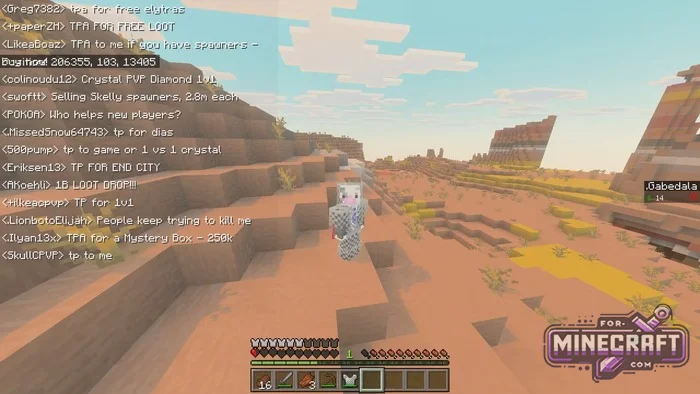
- Wait for the loading to complete -the gateway will automaticly redirect you to the server.
- Category: Servers for Minecraft Bedrock
Recommend:
-
 Inner Core for Minecraft PE 1.16 - 3.1.1b127-128 (ARM64 Update)
Inner Core was created on the basis of the original MCPE 1.0.3 and is a full complement for creating and playing with
Inner Core for Minecraft PE 1.16 - 3.1.1b127-128 (ARM64 Update)
Inner Core was created on the basis of the original MCPE 1.0.3 and is a full complement for creating and playing with
-
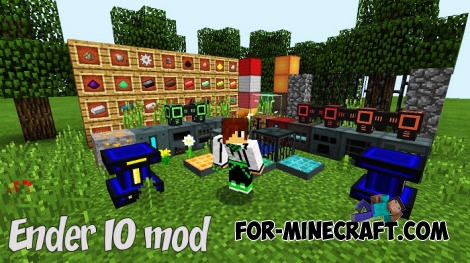 Ender IO mod v1.0 for Minecraft PE (Bedrock)
Ender IO IC is a modification that adds various machines, generators for the production of RF and Eu energy, devices
Ender IO mod v1.0 for Minecraft PE (Bedrock)
Ender IO IC is a modification that adds various machines, generators for the production of RF and Eu energy, devices
-
Minecraft PE / Bedrock 26.70.22 (1.21.132/26.60)
More epic battles in the new structure, wind shooting mob, auto crafting and more..
-
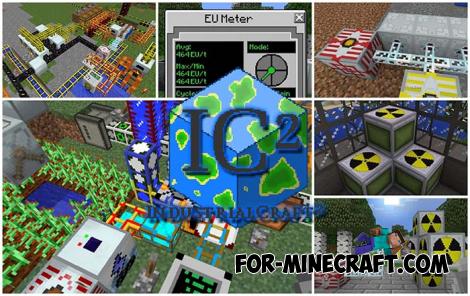 IndustrialCraft PE Mod 2.4.8 for Minecraft PE 1.16
The IndustrialCraft PE history continues and now it goes to a new level..
IndustrialCraft PE Mod 2.4.8 for Minecraft PE 1.16
The IndustrialCraft PE history continues and now it goes to a new level..
-
 IndustrialCraft PE mod v2.0 Pre-Release 7 for Minecraft PE
IndustrialCraft PE is a global mod for MCPE which is a very accurate IndustrialCraft copy for Minecraft PC. It
IndustrialCraft PE mod v2.0 Pre-Release 7 for Minecraft PE
IndustrialCraft PE is a global mod for MCPE which is a very accurate IndustrialCraft copy for Minecraft PC. It
