Popular
-

Minecraft PE / Bedrock 26.70.22 (1.21.132/26.60)
More epic battles in the new structure, wind -

TreeCapitator Addon for Minecraft PE 1.17/1.18/1.19/1.20/1.21.132 (26.60)+
No modifications, now the old TreeCapitator is -

Vein Miner & TreeCapitator Addon for Minecraft PE 1.17/1.20/1.21/26.70+
Start your first day working as a miner or -

Apollon Client 6.70 for Minecraft PE 1.21.114/26.52
Apollon is a standalone client wrapped in -

Minecraft Bedrock 1.21.132/26.60/26.70.21 Patched (apk)
Do you prefer to play non render dragon shaders -

Body Actions Addon v3.4.13 for Minecraft PE 1.19/1.21.110/26.60+
Humanization of characters in Minecraft Bedrock -

LeviLauncher v0.3.11 (LeviLaunchroid v1.6.0) for Minecraft Bedrock 1.21.132/26.60
LeviLauncher is the tool you've been -

Shadow Company Addon for Minecraft PE 1.21/26
A killer weapon addon for Minecraft Bedrock, -

Newb (Legacy/ Dragon/ Trailer/ Glow/ Firelight/ Gold/ Dynamite/ Memories/ Stellar/ AI/ Plus)
Uniting under a single name, all presented Newb -

Mini Structures Addon v2.0 for Minecraft PE 1.18/1.19/1.20/1.21/26.70+
There are 30 structures at the moment, and all
0
The SetHomes plugin update was not long in coming and is now available for Minecraft 1.20 (Bedrock platform). What is this and why do I need it if I can get home on my own? In reality, any long trip means a lot of lost time on the way back home. It could be hours before you get to your base. Sethomes reduces the return journey to just a few seconds.
A simpler plugin for MCPE 1.21 that doesn't use commands at all. Everything works through the clock, one tap opens the home interface where you can create save points.

First set your first home point using /home set. Any part of your house or local area, maybe a mine or any other place that is significant to you. After this, teleporting there is possible at any time by typing /home [home name]. See other commands to manage the list of sethomes.
SetHomes Plugin for Minecraft PE 1.19/1.20/1.21
- Author: Bernard
- Date:
The SetHomes plugin update was not long in coming and is now available for Minecraft 1.20 (Bedrock platform). What is this and why do I need it if I can get home on my own? In reality, any long trip means a lot of lost time on the way back home. It could be hours before you get to your base. Sethomes reduces the return journey to just a few seconds.
SetHomes by JoMercenary:
A simpler plugin for MCPE 1.21 that doesn't use commands at all. Everything works through the clock, one tap opens the home interface where you can create save points.

SetHomes by CastAlmania:
Available commands:
home - Teleport to your home location
home set - Set your home location
home remove - Remove your home location
changeprefix <newprefix> - Change the command prefix
How do teleports work in MCPE?
First set your first home point using /home set. Any part of your house or local area, maybe a mine or any other place that is significant to you. After this, teleporting there is possible at any time by typing /home [home name]. See other commands to manage the list of sethomes.
- Category: Plugins for Minecraft Bedrock (PE)
Recommend:
-
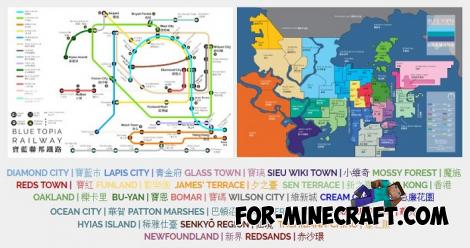 Blue City Map n2.2 for Minecraft PE 1.15/1.16
Blue City is one of the oldest cities for Minecraft Pocket Edition..
Blue City Map n2.2 for Minecraft PE 1.15/1.16
Blue City is one of the oldest cities for Minecraft Pocket Edition..
-
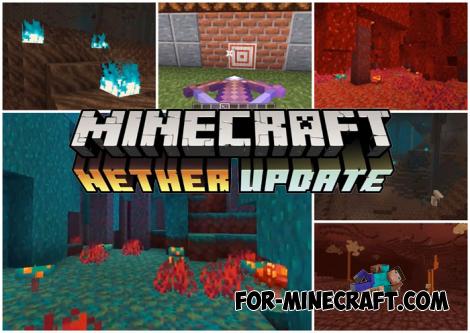 Download Minecraft PE 1.16.230.56 (1.16.221) - Nether Update
The most massive Nether update with new mobs, plants and biomes!
Download Minecraft PE 1.16.230.56 (1.16.221) - Nether Update
The most massive Nether update with new mobs, plants and biomes!
-
 PlankzPlus (BlockzPlus) Addon for Minecraft PE 1.18/1.19
PlankzPlus is a variant of Chisel in a way, published as an addon for Minecraft Bedrock Edition 1.18 and 1.19..
PlankzPlus (BlockzPlus) Addon for Minecraft PE 1.18/1.19
PlankzPlus is a variant of Chisel in a way, published as an addon for Minecraft Bedrock Edition 1.18 and 1.19..
-
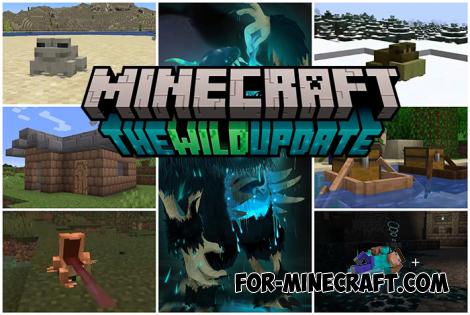 Minecraft PE 1.19.80.24 Beta (1.19.81 Release)
Meet the officially announced Minecraft PE 1.19 update with frogs, warden, fireflies and swamps!
Minecraft PE 1.19.80.24 Beta (1.19.81 Release)
Meet the officially announced Minecraft PE 1.19 update with frogs, warden, fireflies and swamps!
-
 IndustrialCraft PE mod v2.0 Pre-Release 7 for Minecraft PE
IndustrialCraft PE is a global mod for MCPE which is a very accurate IndustrialCraft copy for Minecraft PC. It
IndustrialCraft PE mod v2.0 Pre-Release 7 for Minecraft PE
IndustrialCraft PE is a global mod for MCPE which is a very accurate IndustrialCraft copy for Minecraft PC. It
