Popular
-

Minecraft PE / Bedrock 26.70.22 (1.21.132/26.60)
More epic battles in the new structure, wind -

Dynamic Lights PE Addon for MCPE 1.16/1.17/1.18/1.19/1.20/1.21/26.60+
Dynamic Lights has long been created for almost -

TreeCapitator Addon for Minecraft PE 1.17/1.18/1.19/1.20/1.21.132 (26.60)+
No modifications, now the old TreeCapitator is -

Vein Miner & TreeCapitator Addon for Minecraft PE 1.17/1.20/1.21/26.70+
Start your first day working as a miner or -

Apollon Client 6.70 for Minecraft PE 1.21.114/26.52
Apollon is a standalone client wrapped in -

Minecraft Bedrock 1.21.132/26.60/26.70.21 Patched (apk)
Do you prefer to play non render dragon shaders -

Body Actions Addon v3.4.13 for Minecraft PE 1.19/1.21.110/26.60+
Humanization of characters in Minecraft Bedrock -

LeviLauncher v0.3.11 (LeviLaunchroid v1.6.0) for Minecraft Bedrock 1.21.132/26.60
LeviLauncher is the tool you've been -

Shadow Company Addon for Minecraft PE 1.21/26
A killer weapon addon for Minecraft Bedrock, -

Newb (Legacy/ Dragon/ Trailer/ Glow/ Firelight/ Gold/ Dynamite/ Memories/ Stellar/ AI/ Plus)
Uniting under a single name, all presented Newb
0
Cinematic Camera Addon for Minecraft Bedrock 26.60+
- Author: Bernard
- Date:
Cinematic add-ons in Bedrock Edition are now very close to their Java counterparts, and this time you can try out the flexible Cinematic Camera without any third-party plugins or clients. It works similarly to Replay & Cinematic but with a few more settings and a user-friendly menu.
By: Baku
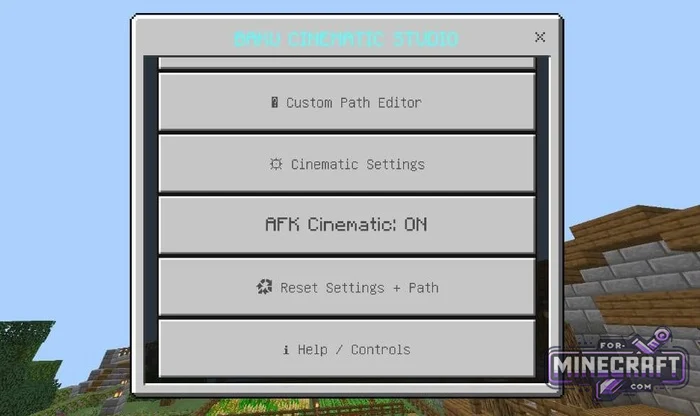
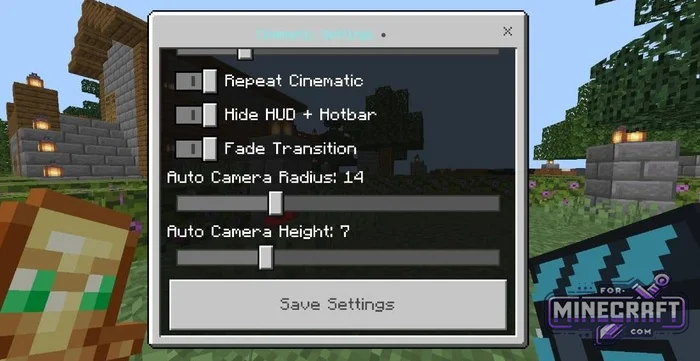
Control via the Cinematic Studio interface:
- Open the Cinematic Studio screen;
- Start the flight using the quick-start button;
- Quickly switch between auto mode and manual path;
- Reset the waypoints and settings to their defaults if you need to start over.
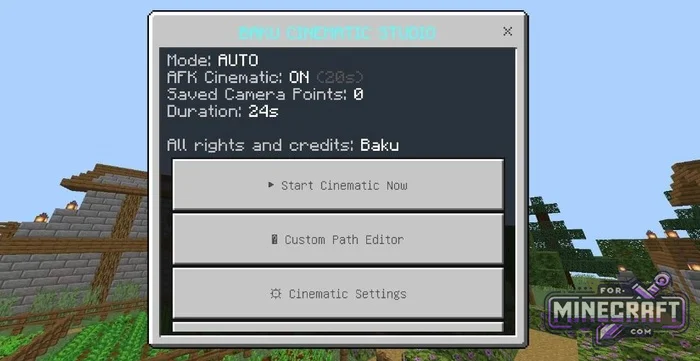
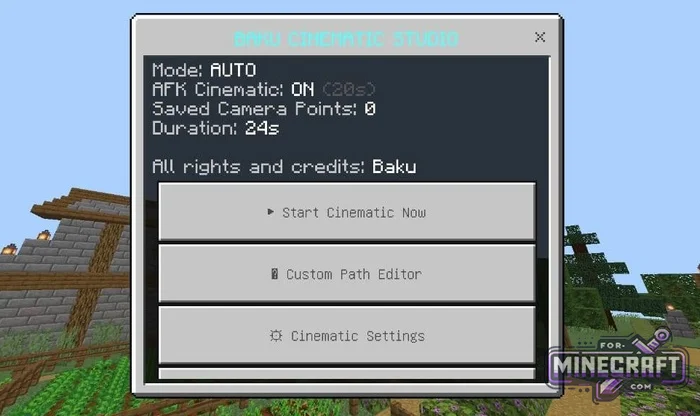
Camera Direction in MC Bedrock 26:
You can manually set up the camera path. In the path editor, place markers at the desired locations, select the viewing angle and save the points one by one. You can also delete the last step or clear the entire chain at any time. Plus, there’s a preview feature that shows the final result. Timers and modes work independently for each player.
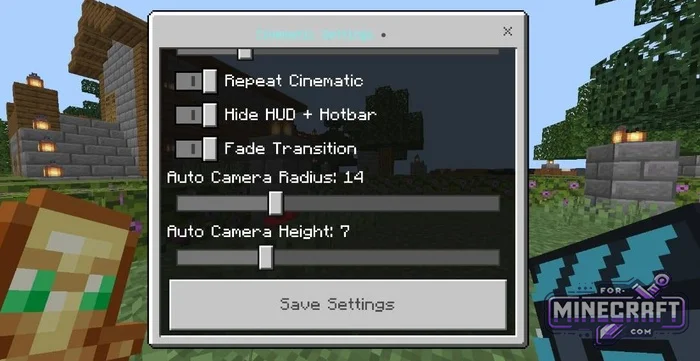
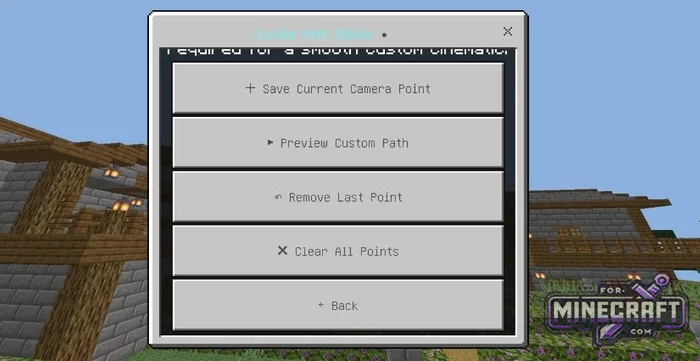
List of features:
- Automatic start when idle (AFK) - cinematic mode turns on automatically
- AFK time settings
- Smooth camera movement
- Automatic structure showcase (Auto Mode) - a circular fly-around of the character
- Custom Path Editor
- Save Current Camera Point;
- Set a custom position and viewing angle for each saved point;
- Remove the last added point;
- Clear All Points.
- Instant Preview / Preview Custom Path
- Manual control via controller
- Hide HUD + Hotbar
- Automatically restore the HUD and hotbar immediately after exiting the mode.
- Fine-tuning camera settings:
- Adjust the flight radius (Auto Camera Radius);
- Adjust the camera's flight altitude (Auto Camera Height);
- Cinematic duration;
- Fade Transition;
- Repeat Cinematic;
- AFK Cinematic: ON/OFF.
- Reset Settings + Path
- Help / Controls
- Multiplayer support - individual AFK timer and independent camera status for each player on the server.
- Category: Mods & Addons for Minecraft Bedrock (PE)
Recommend:
-
 PlankzPlus (BlockzPlus) Addon for Minecraft PE 1.18/1.19
PlankzPlus is a variant of Chisel in a way, published as an addon for Minecraft Bedrock Edition 1.18 and 1.19..
PlankzPlus (BlockzPlus) Addon for Minecraft PE 1.18/1.19
PlankzPlus is a variant of Chisel in a way, published as an addon for Minecraft Bedrock Edition 1.18 and 1.19..
-
 IndustrialCraft PE Mod 2.4.8 for Minecraft PE 1.16
The IndustrialCraft PE history continues and now it goes to a new level..
IndustrialCraft PE Mod 2.4.8 for Minecraft PE 1.16
The IndustrialCraft PE history continues and now it goes to a new level..
-
Minecraft PE / Bedrock 26.70.22 (1.21.132/26.60)
More epic battles in the new structure, wind shooting mob, auto crafting and more..
-
 Inner Core for Minecraft PE 1.16 - 3.1.1b127-128 (ARM64 Update)
Inner Core was created on the basis of the original MCPE 1.0.3 and is a full complement for creating and playing with
Inner Core for Minecraft PE 1.16 - 3.1.1b127-128 (ARM64 Update)
Inner Core was created on the basis of the original MCPE 1.0.3 and is a full complement for creating and playing with
-
 IndustrialCraft PE mod v2.0 Pre-Release 7 for Minecraft PE
IndustrialCraft PE is a global mod for MCPE which is a very accurate IndustrialCraft copy for Minecraft PC. It
IndustrialCraft PE mod v2.0 Pre-Release 7 for Minecraft PE
IndustrialCraft PE is a global mod for MCPE which is a very accurate IndustrialCraft copy for Minecraft PC. It
