-

Faithful Textures for MCPE 1.16/1.17/1.19/1.20/1.21/26.52 (32x/64x/128x) (RTX)
Now you can play with the most popular -

Minecraft PE 26.70.21 (1.21.132/26.52)
More epic battles in the new structure, wind -

Dynamic Lights PE Addon for MCPE 1.16/1.17/1.18/1.19/1.20/1.21/26.60+
Dynamic Lights has long been created for almost -

X-Ray for Minecraft Bedrock Edition 1.19/1.20/1.21.132/26.60+
X-Ray is a cult cheat in the past, available as -

Vein Miner & TreeCapitator Addon for Minecraft PE 1.17/1.20/1.21/26.70+
Start your first day working as a miner or -

Apollon Client 6.70 for Minecraft PE 1.21.114/26.52
Apollon is a standalone client wrapped in -

Minecraft Bedrock 1.21.132/26.44/26.70.21 Patched (apk)
Do you prefer to play non render dragon shaders -

LeviLauncher v0.3.11 (LeviLaunchroid v1.5.27) for Minecraft Bedrock 1.21.132/26.70
LeviLauncher is the tool you've been -

Shadow Company Addon for Minecraft PE 1.21/26
A killer weapon addon for Minecraft Bedrock, -

Newb (Legacy/ Dragon/ Trailer/ Glow/ Firelight/ Gold/ Dynamite/ Memories/ Stellar/ AI/ Plus)
Uniting under a single name, all presented Newb
ForceCloseOreUI Mod v1.0.9 for Minecraft PE/Bedrock 1.21/26
- Author: Bernard
- Date:
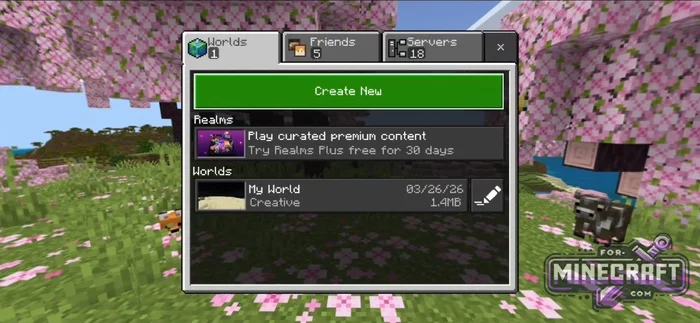
We're bringing back the old interface in Minecraft Bedrock with ForceCloseOre UI. If you're one of those who still haven't gotten used to the new interface and its updates, just bring back the classic tabs for worlds, friends, and servers by installing this mod. Basically, it's a small utility that disables Ore UI, returning the familiar look.
By: QYCottage
ForceCloseOreUI Features:
- Support for the latest version 1.26.10/26.12.
- Activity switch available for Android.
- Return of the compact new world creation menu.
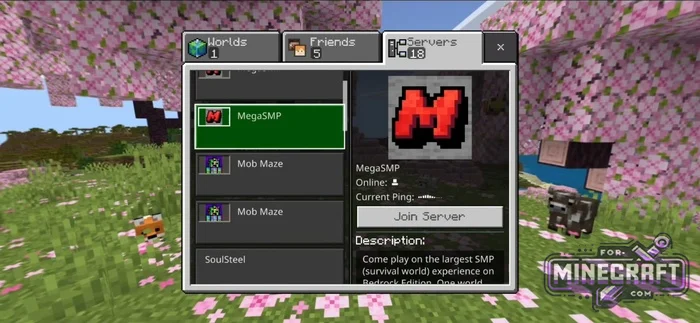
- Classic server list with quick access to ping.
- Compatibility with LeviLauncher and custom builds on Windows.
- Automatic creation of a JSON config for fine-tuning.
- No need to modify the APK.
How does ForceCloseOreUI work?
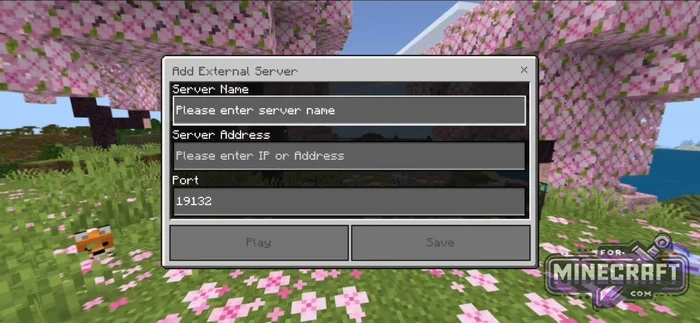
It interferes with the game's loading process and blocks the OreUI from launching-simple as that. As a result, you get the old menu, which works more naturally. After activating the mod, the classic server selection window with buttons and friend list returns. Also, the world creation tab comes back without extra submenus.
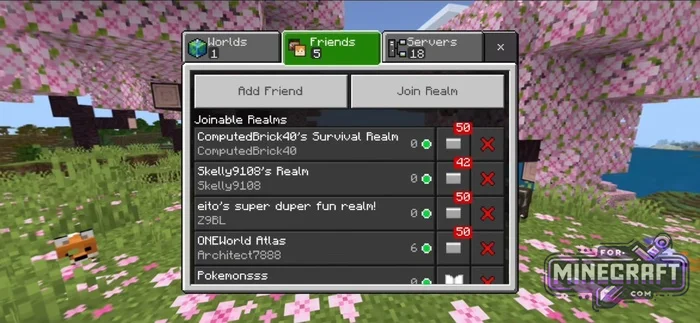
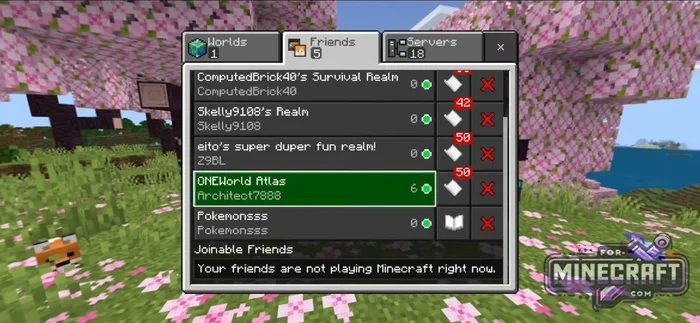
Installation on different devices:
For Windows users, use the DLL file. You need to place it in the mods folder of your launcher. If you use third-party injectors, the config file will be saved in the MinecraftUWP system folder in AppData.
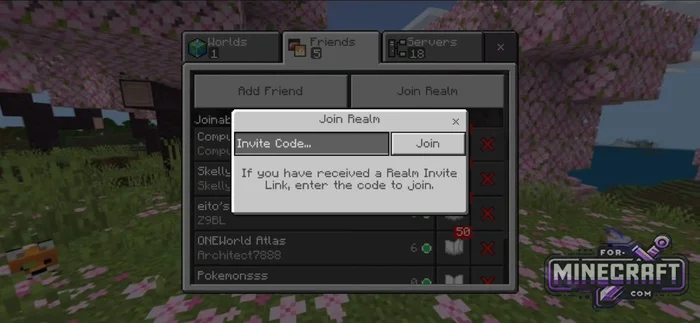
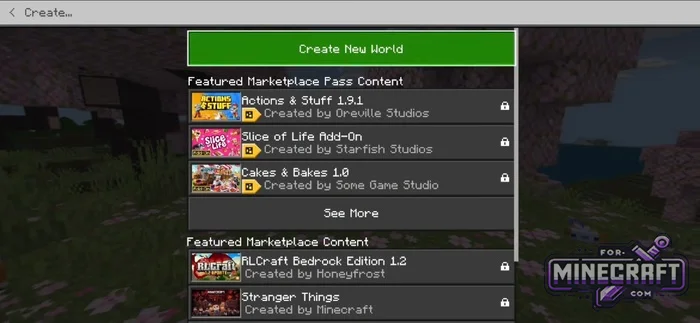
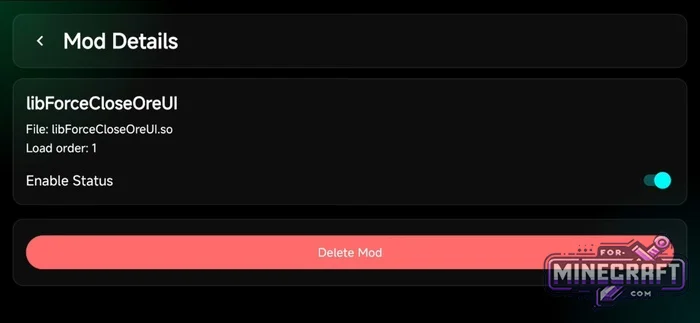
On Android, do it via LeviLauncher (download the launcher for Minecraft Bedrock 26.12). The SO file format just open it through the launcher for import. After that, the "Enable Status" switch will appear in the Mod Details menu.
- Category: Mods & Addons for Minecraft Bedrock (PE)
Recommend:
-
Minecraft PE 26.70.21 (1.21.132/26.52)
More epic battles in the new structure, wind shooting mob, auto crafting and more..
-
 IndustrialCraft PE mod v2.0 Pre-Release 7 for Minecraft PE
IndustrialCraft PE is a global mod for MCPE which is a very accurate IndustrialCraft copy for Minecraft PC. It
IndustrialCraft PE mod v2.0 Pre-Release 7 for Minecraft PE
IndustrialCraft PE is a global mod for MCPE which is a very accurate IndustrialCraft copy for Minecraft PC. It
-
 Inner Core for Minecraft PE 1.16 - 3.1.1b127-128 (ARM64 Update)
Inner Core was created on the basis of the original MCPE 1.0.3 and is a full complement for creating and playing with
Inner Core for Minecraft PE 1.16 - 3.1.1b127-128 (ARM64 Update)
Inner Core was created on the basis of the original MCPE 1.0.3 and is a full complement for creating and playing with
-
 IndustrialCraft PE Mod 2.4.8 for Minecraft PE 1.16
The IndustrialCraft PE history continues and now it goes to a new level..
IndustrialCraft PE Mod 2.4.8 for Minecraft PE 1.16
The IndustrialCraft PE history continues and now it goes to a new level..
-
 Block Launcher 1.27 for Minecraft PE 1.13 & 1.14.1
Block Launcher is a popular launcher for Minecraft PE which allows you to quickly install scripts, mods, addons,
Block Launcher 1.27 for Minecraft PE 1.13 & 1.14.1
Block Launcher is a popular launcher for Minecraft PE which allows you to quickly install scripts, mods, addons,
