-

Faithful Textures for MCPE 1.16/1.17/1.19/1.20/1.21/26.52 (32x/64x/128x) (RTX)
Now you can play with the most popular -

Minecraft PE 26.70.21 (1.21.132/26.52)
More epic battles in the new structure, wind -

Dynamic Lights PE Addon for MCPE 1.16/1.17/1.18/1.19/1.20/1.21/26.60+
Dynamic Lights has long been created for almost -

X-Ray for Minecraft Bedrock Edition 1.19/1.20/1.21.132/26.60+
X-Ray is a cult cheat in the past, available as -

Vein Miner & TreeCapitator Addon for Minecraft PE 1.17/1.20/1.21/26.70+
Start your first day working as a miner or -

Apollon Client 6.70 for Minecraft PE 1.21.114/26.52
Apollon is a standalone client wrapped in -

Minecraft Bedrock 1.21.132/26.44/26.70.21 Patched (apk)
Do you prefer to play non render dragon shaders -

LeviLauncher v0.3.11 (LeviLaunchroid v1.5.27) for Minecraft Bedrock 1.21.132/26.70
LeviLauncher is the tool you've been -

Shadow Company Addon for Minecraft PE 1.21/26
A killer weapon addon for Minecraft Bedrock, -

Newb (Legacy/ Dragon/ Trailer/ Glow/ Firelight/ Gold/ Dynamite/ Memories/ Stellar/ AI/ Plus)
Uniting under a single name, all presented Newb
Simulated Players v1.2.1 for Minecraft Bedrock 26.X
- Author: Bernard
- Date:
Need an extra pair of hands in Minecraft Bedrock? Simulated Players by Understudy lets you summon simulated players who behave almost like real players. They can run farms so they work 24/7, unload chests and perform routine tasks. Basically, they are puppets that you control via chat or command blocks.
By: ForestOfLight (YouTube channel)
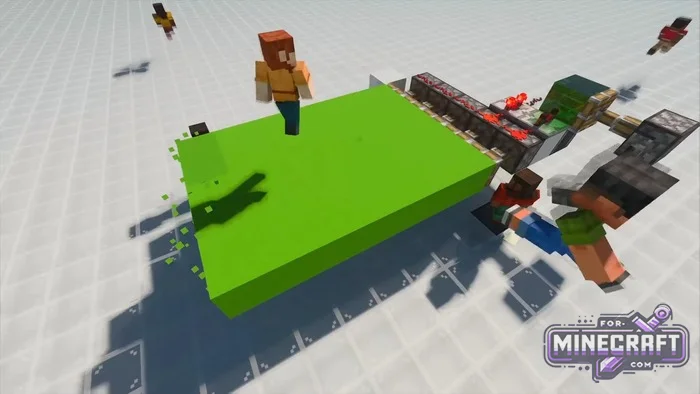
Features:
- Bots spawn mobs and clear the area just like real people
- Set actions to repeat or happen at regular intervals
- Bots can stay in the world while you go about your buisness
- Quickly trade items and view the contents of a bot's inventory
- Option to return bots to their starting positions after re entering the world
- Use in game AI to move toward targets or coordinates
- Command block support
- Name customization
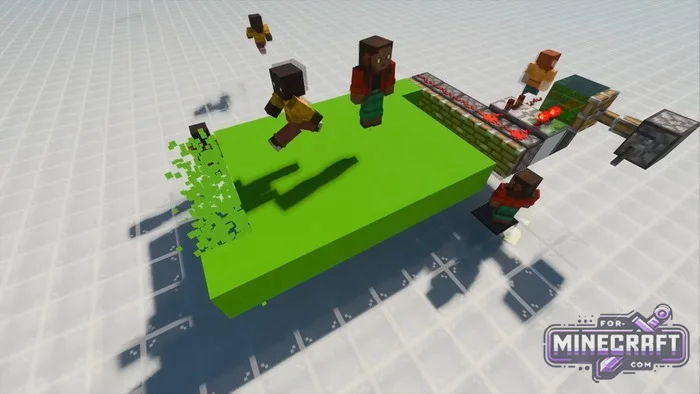
How to create your own clone in Minecraft Bedrock?
Use the command /simplayer:join. Give it a name and it will appear next to you. Bot behavior customization is pretty flexible and includes the following
- You can make the bot face any direction, toward you or toward a specific block
- They can walk using the game's standart pathfinding
- You can configure automatic actions such as attacking using items, jumping or placing blocks
- You can transfer your items to them or view what's in there inventory
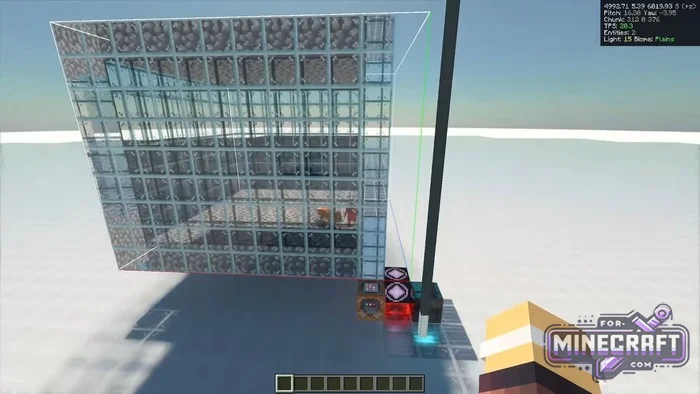
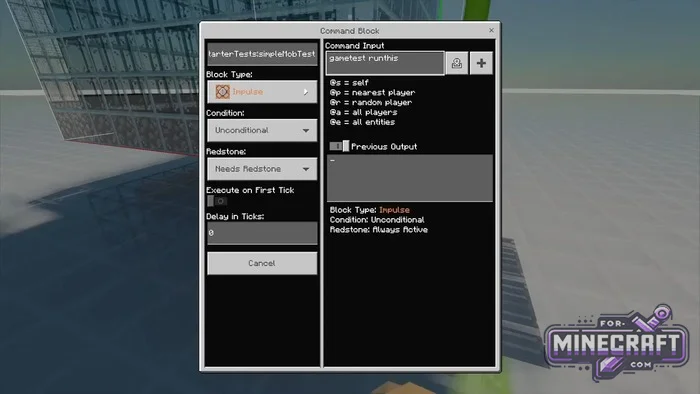
Control and automation:
You can loop an action or set an interval in ticks. If you need the bot to catch flying projectiles (like tridents for experience) there's a radius capture feature for that. To make sure everything runs smoothly and the world doesnt crash the Understudy addon automatically loads the required areas using invisible entities.

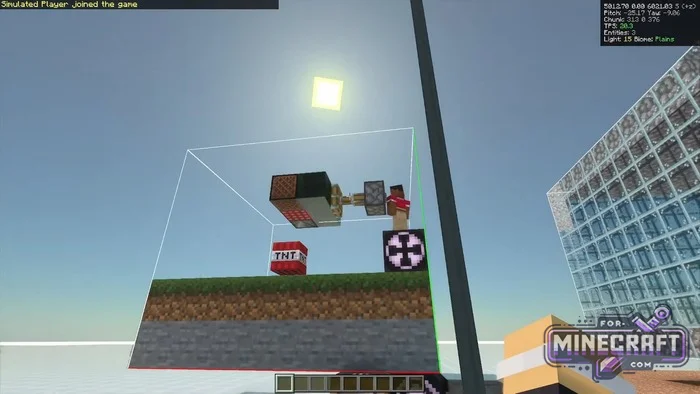
Useful settings in Understudy:
In the Canopy menu you can change the rules for how assistants work. For example enable automatic re entry of bots when the world reloads. Or disable data saving if the bot's inventory isnt important. By the way bots can not only run but also sneak.

- Category: Mods & Addons for Minecraft Bedrock (PE)
Recommend:
-
Minecraft PE 26.70.21 (1.21.132/26.52)
More epic battles in the new structure, wind shooting mob, auto crafting and more..
-
 Inner Core for Minecraft PE 1.16 - 3.1.1b127-128 (ARM64 Update)
Inner Core was created on the basis of the original MCPE 1.0.3 and is a full complement for creating and playing with
Inner Core for Minecraft PE 1.16 - 3.1.1b127-128 (ARM64 Update)
Inner Core was created on the basis of the original MCPE 1.0.3 and is a full complement for creating and playing with
-
 IndustrialCraft PE mod v2.0 Pre-Release 7 for Minecraft PE
IndustrialCraft PE is a global mod for MCPE which is a very accurate IndustrialCraft copy for Minecraft PC. It
IndustrialCraft PE mod v2.0 Pre-Release 7 for Minecraft PE
IndustrialCraft PE is a global mod for MCPE which is a very accurate IndustrialCraft copy for Minecraft PC. It
-
 Minecraft PE 1.19.80.24 Beta (1.19.81 Release)
Meet the officially announced Minecraft PE 1.19 update with frogs, warden, fireflies and swamps!
Minecraft PE 1.19.80.24 Beta (1.19.81 Release)
Meet the officially announced Minecraft PE 1.19 update with frogs, warden, fireflies and swamps!
-
 IndustrialCraft PE Mod 2.4.8 for Minecraft PE 1.16
The IndustrialCraft PE history continues and now it goes to a new level..
IndustrialCraft PE Mod 2.4.8 for Minecraft PE 1.16
The IndustrialCraft PE history continues and now it goes to a new level..
