-

Faithful Textures for MCPE 1.16/1.17/1.19/1.20/1.21/26.52 (32x/64x/128x) (RTX)
Now you can play with the most popular -

Minecraft PE 26.60.30 (1.21.132/26.52)
More epic battles in the new structure, wind -

Dynamic Lights PE Addon for MCPE 1.16/1.17/1.18/1.19/1.20/1.21/26.60+
Dynamic Lights has long been created for almost -

X-Ray for Minecraft Bedrock Edition 1.19/1.20/1.21.132/26.60+
X-Ray is a cult cheat in the past, available as -

TreeCapitator Addon for Minecraft PE 1.17/1.18/1.19/1.20/1.21.132 (26.60)+
No modifications, now the old TreeCapitator is -

Vein Miner & TreeCapitator Addon for Minecraft PE 1.17/1.20/1.21/26.60+
Start your first day working as a miner or -

Java Combat System Addon v8.0 for Bedrock 1.17/1.18/1.19/1.21/26.60+
Install this updated combat system in the form -

Minecraft Bedrock 1.21.132/26.44/26.60.29 Patched (apk)
Do you prefer to play non render dragon shaders -

Body Actions Addon v3.4.12 for Minecraft PE 1.19/1.21.110/26.60+
Humanization of characters in Minecraft Bedrock -

LeviLauncher v0.3.11 (LeviLaunchroid v1.5.25) for Minecraft Bedrock 1.21.132/26.60
LeviLauncher is the tool you've been
Sync: Mod Maker Addon v1.3 for Bedrock 1.21/26.0.X
- Author: Bernard
- Date:
Sync is for creating mods (or add-ons to be more precise) directly inside Minecraft Bedrock. The add-on turns the interface into a development environment where you dont need to write code to change how the world works. If you've ever dreamed of having your own quests, shops, achievement system, or objects with custom properties on your server or in solo survival just use Sync. Below you will find an example of creating one of the add-ons.
By: ExterLeo
Features:
- In-game editor
- Convenient grouping of functions and variables for different tasks.
- Ability to configure triggering only for specific blocks, items or mobs.
- Checking the player's state - whether they are sneaking, sleeping, flying or on fire.
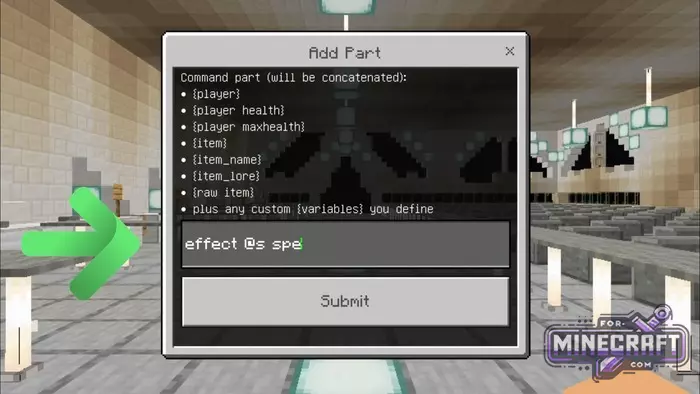
- Using inserts like {player} or {item_name} in texts to personalize messages.
- Execution of tasks at specified intervals (ticks)
- All created systems work on servers and in Realms worlds!
- Built-in console for debugging your scripts in real time.
Where to start:
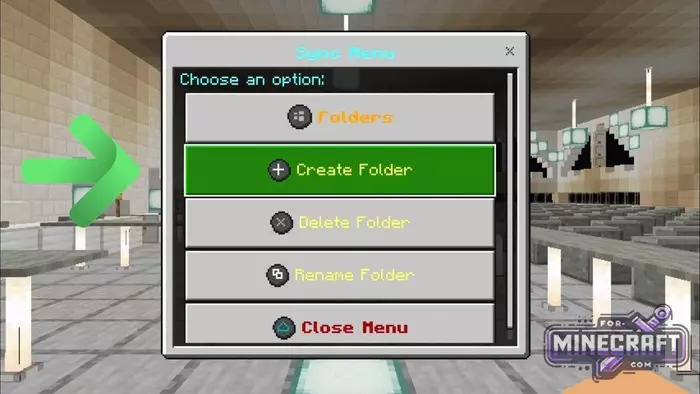
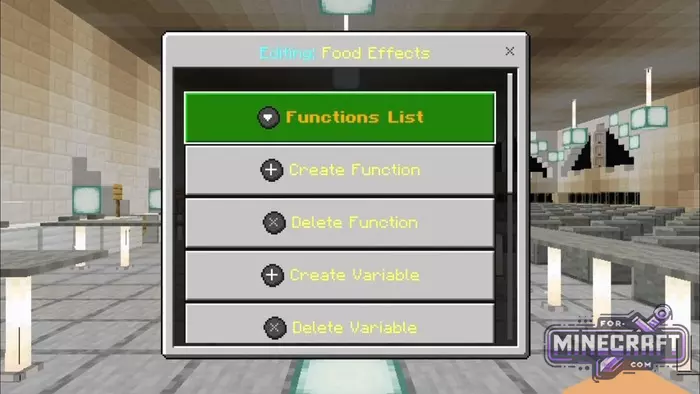
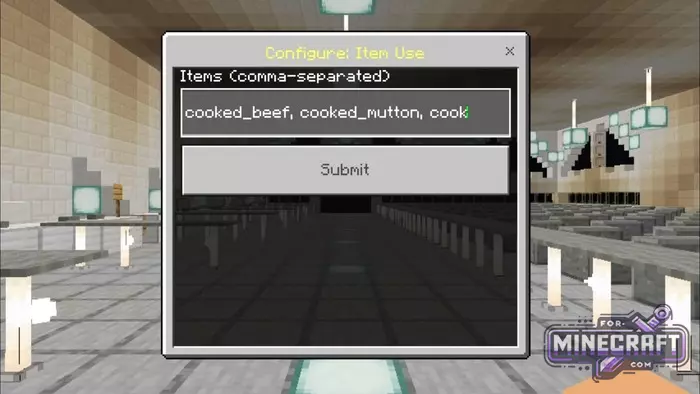
The first thing that catches your eye when using Sync is the move away from console commands toward visual menus. After entering the command /sync menu, a folder system will open in front of you. This is the base from which you create a folder (for example, Food Effects), and inside it you set up the functions. This approach helps you avoid confusion when your mod building grows to dozens of different rules.
Triggers and the living world:
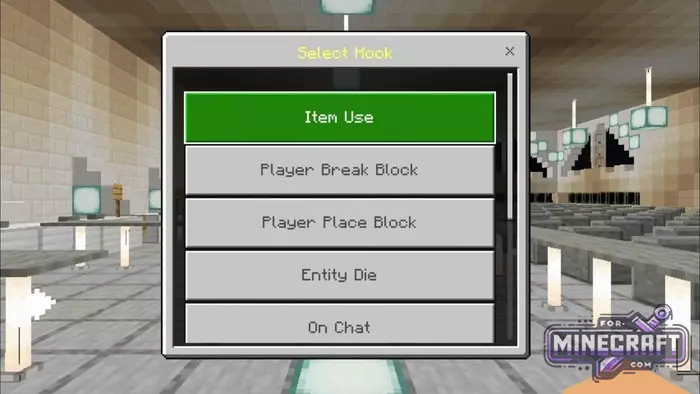
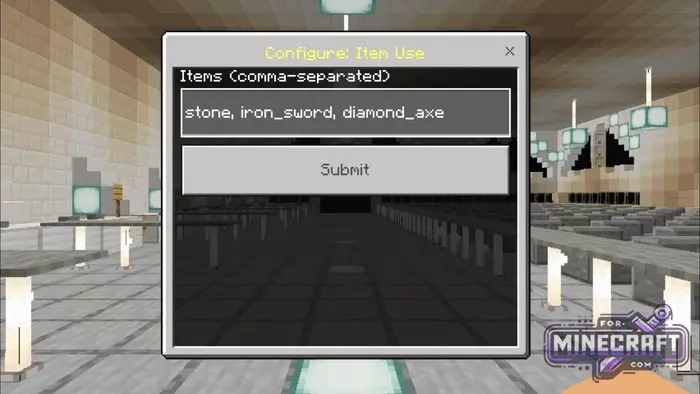
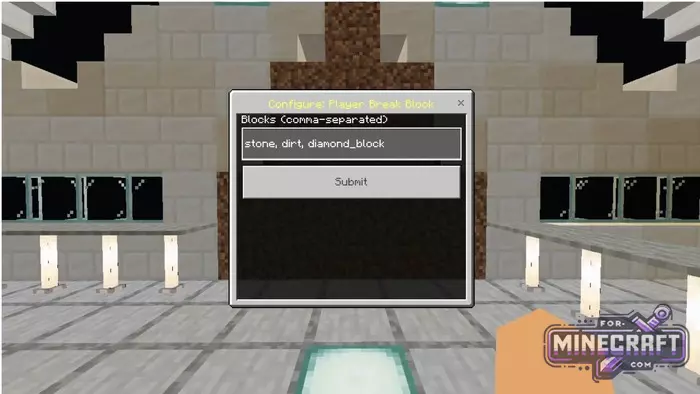
All work is based on hooks. Do you want experience to drop when any block is broken? Select the Player Break Block event, set the filter to any and write the command. The add-on understands a huge number of actions; from using a specific item to the death of a mob or a message in chat.
- Before: triggers before the action happens. Here you can cancel the event (for example prohibit breaking blocks in a certain area).
- After: triggers immediately after the action, suitable for giving out rewards.
Variables and automation:
Sync has a powerful built-in variable system, which means you can create kill counters, reputation levels, wallet balances, anything that has a count. Variables can be global (shared for all) or local (each player has there own). Also there is a system of loops that run in the background. With there help, its easy to create a timer, automatic lag clearing etc.
Visualization (also available in Sync):
For those who want to make their project look professional, there is a custom interface (UI) builder. You can create pop-up windows with buttons, text fields, input forms and more. For example a player clicks on an item, and a class selection menu opens where all interaction happens through buttons instead of chat.
How to create your first mechanic in Sync from scratch?
For example, we want to make a magic item - when the player uses a feather, they fly up and recieve a levitation effect.
Here is a step-by-step algorithm:
Preparation and folder creation
- First, you need to get access to the tools.
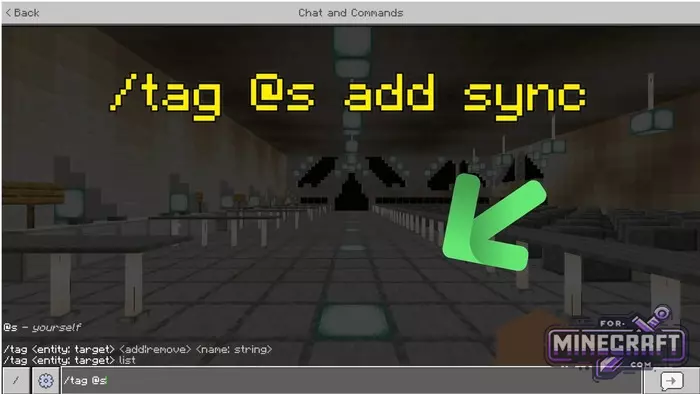
- Type /tag @s add sync in chat to give yourself administrator rights.
- Enter the command /sync menu.
- Click Create Folder. Name it, for example, Magic_Items.
Creating a function and selecting a trigger (Hook)
- Go to your folder and select Create Function.
- The system will prompt you to select a Hook (trigger event). For this case, select Item Use.
Setting up filters and conditions
- To prevent the effect from triggering from any item in your hands you need to set a filter.
- In the input field type feather. If you want multiple items separate them with commas.
- Click Submit.
- Next the Conditions section will appear. Here you can select, for example isSneaking, so that the magic only works when you are crouching. If you want it to work all the time just click Confirm without selecting anything.
Adding actions (Commands)
- Go to the Commands section and click Add Command.
- Executor: select Player (the command will be executed on behalf of the player)
- Command: write the command itself for example; effect @s levitation 2 5 true.
- You can add a second command via Add Part
Configuring the event (Event Phase)
- In the function menu, find the Switch Event button.
- Select After.
Video how to create addons in Bedrock:
- Category: Mods & Addons for Minecraft Bedrock (PE)
Recommend:
-
 Inner Core for Minecraft PE 1.16 - 3.1.1b127-128 (ARM64 Update)
Inner Core was created on the basis of the original MCPE 1.0.3 and is a full complement for creating and playing with
Inner Core for Minecraft PE 1.16 - 3.1.1b127-128 (ARM64 Update)
Inner Core was created on the basis of the original MCPE 1.0.3 and is a full complement for creating and playing with
-
 Blue City Map n2.2 for Minecraft PE 1.15/1.16
Blue City is one of the oldest cities for Minecraft Pocket Edition..
Blue City Map n2.2 for Minecraft PE 1.15/1.16
Blue City is one of the oldest cities for Minecraft Pocket Edition..
-
 IndustrialCraft PE mod v2.0 Pre-Release 7 for Minecraft PE
IndustrialCraft PE is a global mod for MCPE which is a very accurate IndustrialCraft copy for Minecraft PC. It
IndustrialCraft PE mod v2.0 Pre-Release 7 for Minecraft PE
IndustrialCraft PE is a global mod for MCPE which is a very accurate IndustrialCraft copy for Minecraft PC. It
-
 IndustrialCraft PE Mod 2.4.8 for Minecraft PE 1.16
The IndustrialCraft PE history continues and now it goes to a new level..
IndustrialCraft PE Mod 2.4.8 for Minecraft PE 1.16
The IndustrialCraft PE history continues and now it goes to a new level..
-
 Canopy Bedrock Mod v1.6.0 for Minecraft PE 1.21/26.40+
Canopy is a technical mod for Minecraft Bedrock Edition that expands control over internal processes with custom
Canopy Bedrock Mod v1.6.0 for Minecraft PE 1.21/26.40+
Canopy is a technical mod for Minecraft Bedrock Edition that expands control over internal processes with custom
