Popular
-

Faithful Textures for MCPE 1.16/1.17/1.19/1.20/1.21/26.52 (32x/64x/128x) (RTX)
Now you can play with the most popular -

Minecraft PE 26.60.30 (1.21.132/26.52)
More epic battles in the new structure, wind -

Dynamic Lights PE Addon for MCPE 1.16/1.17/1.18/1.19/1.20/1.21/26.60+
Dynamic Lights has long been created for almost -

X-Ray for Minecraft Bedrock Edition 1.19/1.20/1.21.132/26.60+
X-Ray is a cult cheat in the past, available as -

TreeCapitator Addon for Minecraft PE 1.17/1.18/1.19/1.20/1.21.132 (26.60)+
No modifications, now the old TreeCapitator is -

Vein Miner & TreeCapitator Addon for Minecraft PE 1.17/1.20/1.21/26.60+
Start your first day working as a miner or -

Java Combat System Addon v8.0 for Bedrock 1.17/1.18/1.19/1.21/26.60+
Install this updated combat system in the form -

Apollon Client 6.53 for Minecraft PE 1.21.114/26.45
Apollon is a standalone client wrapped in -

Minecraft Bedrock 1.21.132/26.44/26.60.29 Patched (apk)
Do you prefer to play non render dragon shaders -

Body Actions Addon v3.4.12 for Minecraft PE 1.19/1.21.110/26.60+
Humanization of characters in Minecraft Bedrock
3
Download Latite Client v2.6.0 for Minecraft Bedrock 26.3
Latite Client v2.9.1 for Minecraft Bedrock 26.44/26.45
- Author: Bernard
- Date:
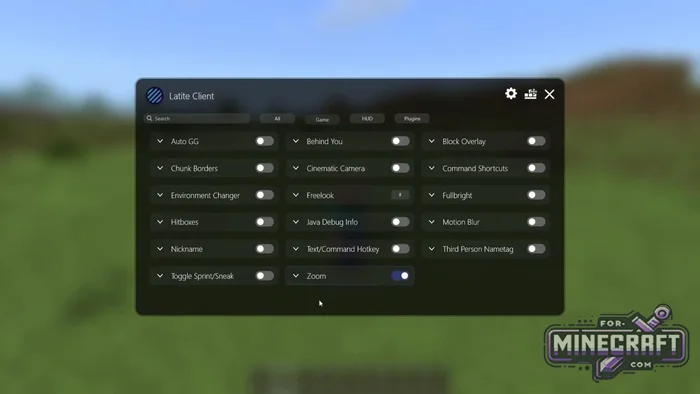
Latite Client is a legit DLL mod for Bedrock Edition 26 that adds tools missing from the game. Basically, it's a mod menu + a user-friendly interface + some hacks to simplify gameplay. Also the Latite Bedrock Launcher at the link.
Changelog:
v2.9.1:
- Improved Force Disable VSync behavior
- Added Gyro module
- Fixed server detection for module blocking
- Added option to hide modules while the Player Tab module is active
- Minecraft Bedrock 26.44 support
v2.9.0:
- Improved Force Disable VSync behavior
- Added Hold to Enable and Toggle activation modes to Zoom module
- Added editable slider value fields to ClickGUI sliders
- Updated Chinese Simplified and Traditional translations
- Fixed ClickGUI search
- Fixed the custom skin file picker crashing on Windows 10
- Fixed eject Latite not working
- Minecraft Bedrock 26.40 support
v2.8.1:
- DLL automatically marks patch versions as supported
- Added Korean and German lang
- Added a Kill Notification module
- MCPE 26.34/26.35 support
v2.8.0:
- Minecraft Bedrock 26.30, 26.31, 26.32 support
- Added WAILA module with block/entity info, coordinates, health, distance, tool tips and more
- Added Skin Stealer for saving skins from the player list
- Added player heads and nametag colors to Player List
- Added scrollbar to ClickGUI
- Improved language support and settings menus
- Fixed Discord Presence issues on Hive
- Fixes
- Improved overall stability
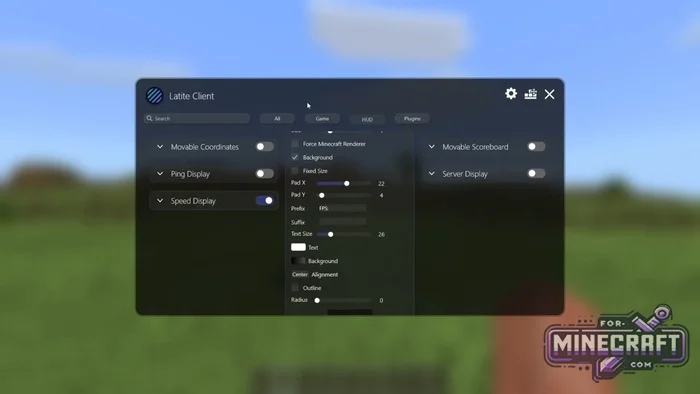
Latite Client Features:
- Support for the latest versions of Minecraft Bedrock (including 26.x or 1.26)
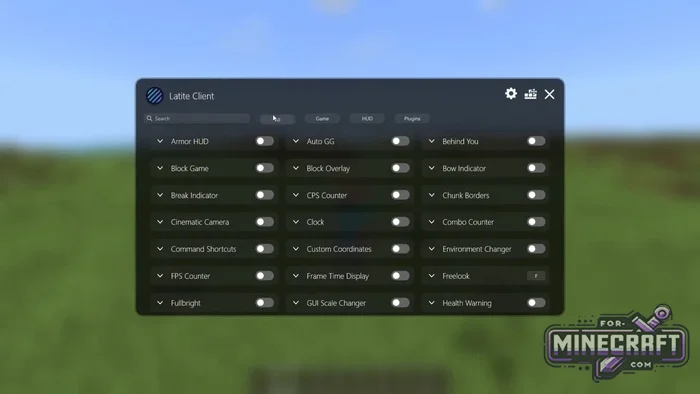
- Over 40 built-in modules
- A store with free plugins
- An interface editor with drag-and-drop functionality
- Built-in zoom and fullbright mode
- Automatic blocking of banned functions on popular servers
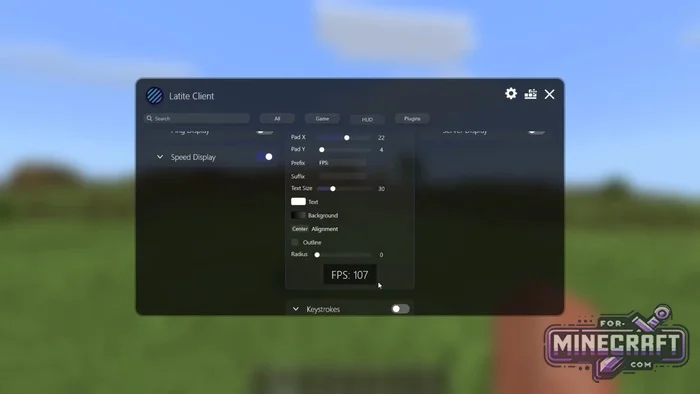
- Smart preview of settings inside the configuration menu
Modules and hacks:
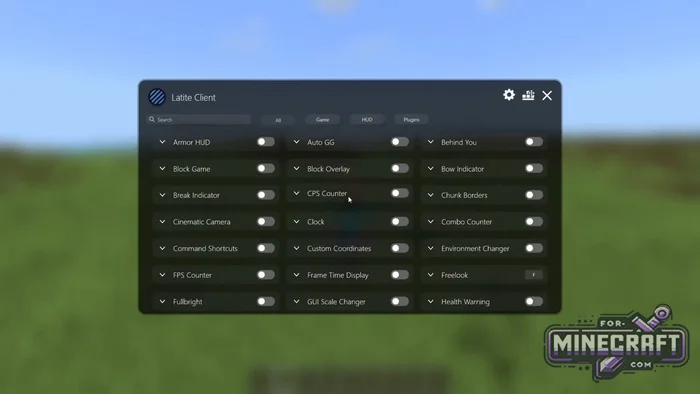
- Keystrokes - shows pressed keys (W, A, S, D, LMB, RMB)
- CPS Counter - clicks per second counter
- FPS Counter - current frame rate
- Speed Display - your movement speed in real time
- Armor HUD - status of equipped armor and items in hand
- Clock & Ping - time and latency to the server
- Combo Counter - counter for combo attacks in PvP
- Reach Display - shows the distance from which you attack
- Zoom - smooth camera zoom (similar to Optifine)
- Fullbright - infinite night vision (always light)
- Toggle Sprint/Sneak - run and crouch with a single press, no need to hold keys
- Freelook - free camera view without rotating the character
- Block Overlay - customize the color and thickness of the border around a selected block
- Bossbar & Paperdoll - ability to move the character's boss bar
- Motion Blur - motion blur effect for smoother movement
- Environment Changer - change the time of day and weather (only for you)
- Hurt Color - changes the character color when taking damage
- Item Counter - shows the amount of resources (e.g. blocks or arrows) in the inventory
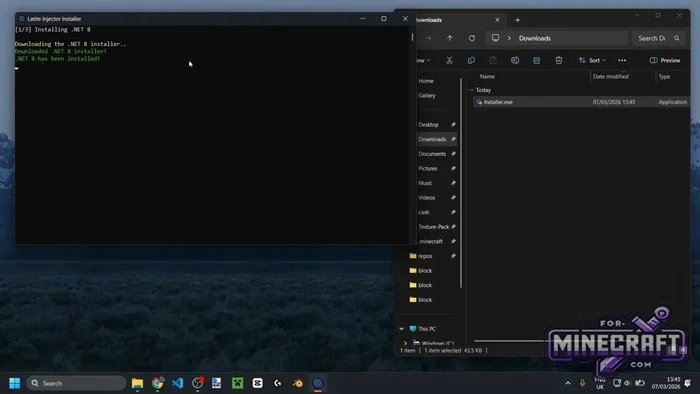
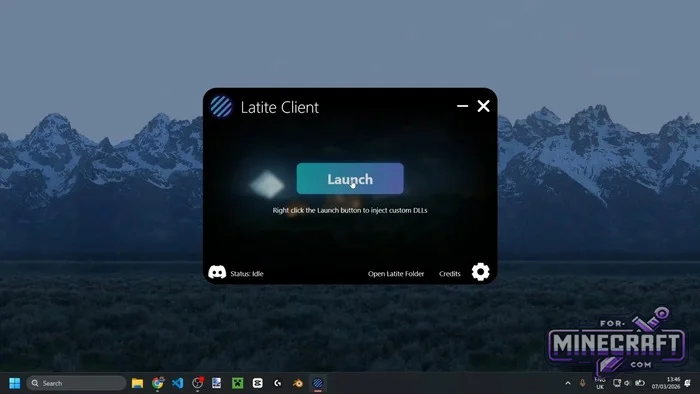
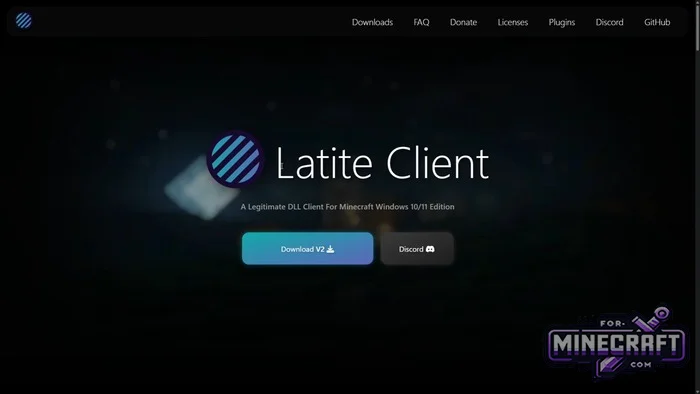
Version Selection:
There are diffrent usage scenarios. The main option is the standard injector. However if your system blocks files, there is a Minimal version. A DLL file is also available for download for use with third-party injectors
Security:
Latite is a clean client for Minecraft Bedrock, as it doesnt contain any cheat functions. Also on large servers, some modules (e.g. Freelook) are automatically disabled
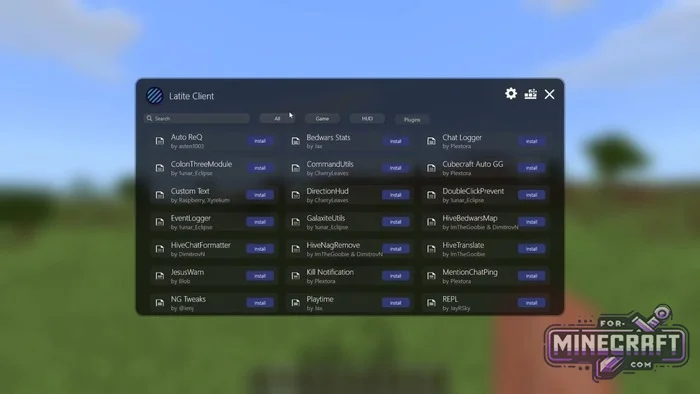
Installing third-party plugins:
- Download the plugin archive (usually a folder with a .js file)
- Press Win + R and enter the path: %localappdata%\Packages\Microsoft.MinecraftUWP_8wekyb3d8bbwe\RoamingState\LatiteRecode\Plugins
- Copy the folder with the plugin into the directory that opens
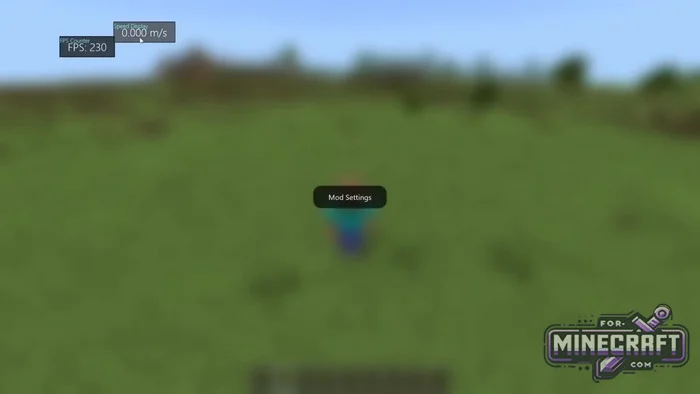
- In Bedrock open the menu (M key), go to the Plugins tab and click Install/Load next to the desired plugin
HUD configuration:
- Press M in-game
- Click the HUD Editor icon (in the top-right corner of the menu or a separate button)
- Now you can just drag and drop any elements with the mouse. Use Grid Snap for precise alignment
Troubleshooting injection (launch) issues:
- If the Latite Client wont launch or shows an error
- Make sure you have Microsoft Visual C++ Redistributable (x64) installed
- If the standard launcher crashes, use Latite Minimal it causes fewer false positives
- If the game crashes on launch after applying your settings, press Win + R, navigate to %localappdata%\ Packages\Microsoft.MinecraftUWP_8wekyb3d8bbwe\RoamingState\LatiteRecode\Configs and delete the config.json file. This will reset the client to its factory settings
Using commands:
- Latite has its own console which works via the period key (not to be confused with the in-game slash /)
- Type .help in the chat to see a list of all commands
- .bind [mod] [key] - quickly assign a key to enable any mod
- .config save [name] - save the current layout of all HUD elements
Password: for-minecraft
Download Latite Client v2.6.0 for Minecraft Bedrock 26.3
Download Latite Client v2.8.0 for Minecraft Bedrock 26.32
Download Latite Client v2.8.1 for Minecraft Bedrock 26.35
Download Latite Client v2.9.0 for Minecraft Bedrock 26.40
Download Latite Client v2.9.1 for Minecraft Bedrock 26.44
Edited —
Reason: Added v2.9.1 with new modules for MCPE 26.44+
Reason: Added v2.9.1 with new modules for MCPE 26.44+
- Category: Clients for Minecraft Bedrock
Recommend:
-
 IndustrialCraft PE mod v2.0 Pre-Release 7 for Minecraft PE
IndustrialCraft PE is a global mod for MCPE which is a very accurate IndustrialCraft copy for Minecraft PC. It
IndustrialCraft PE mod v2.0 Pre-Release 7 for Minecraft PE
IndustrialCraft PE is a global mod for MCPE which is a very accurate IndustrialCraft copy for Minecraft PC. It
-
 PlankzPlus (BlockzPlus) Addon for Minecraft PE 1.18/1.19
PlankzPlus is a variant of Chisel in a way, published as an addon for Minecraft Bedrock Edition 1.18 and 1.19..
PlankzPlus (BlockzPlus) Addon for Minecraft PE 1.18/1.19
PlankzPlus is a variant of Chisel in a way, published as an addon for Minecraft Bedrock Edition 1.18 and 1.19..
-
 IndustrialCraft PE Mod 2.4.8 for Minecraft PE 1.16
The IndustrialCraft PE history continues and now it goes to a new level..
IndustrialCraft PE Mod 2.4.8 for Minecraft PE 1.16
The IndustrialCraft PE history continues and now it goes to a new level..
-
Minecraft PE 26.60.30 (1.21.132/26.52)
More epic battles in the new structure, wind shooting mob, auto crafting and more..
-
 Inner Core for Minecraft PE 1.16 - 3.1.1b127-128 (ARM64 Update)
Inner Core was created on the basis of the original MCPE 1.0.3 and is a full complement for creating and playing with
Inner Core for Minecraft PE 1.16 - 3.1.1b127-128 (ARM64 Update)
Inner Core was created on the basis of the original MCPE 1.0.3 and is a full complement for creating and playing with
