-

Faithful Textures for MCPE 1.16/1.17/1.19/1.20/1.21/26.52 (32x/64x/128x) (RTX)
Now you can play with the most popular -

Minecraft PE 26.60.30 (1.21.132/26.52)
More epic battles in the new structure, wind -

Dynamic Lights PE Addon for MCPE 1.16/1.17/1.18/1.19/1.20/1.21/26.60+
Dynamic Lights has long been created for almost -

X-Ray for Minecraft Bedrock Edition 1.19/1.20/1.21.132/26.60+
X-Ray is a cult cheat in the past, available as -

TreeCapitator Addon for Minecraft PE 1.17/1.18/1.19/1.20/1.21.132 (26.60)+
No modifications, now the old TreeCapitator is -

Vein Miner & TreeCapitator Addon for Minecraft PE 1.17/1.20/1.21/26.60+
Start your first day working as a miner or -

Java Combat System Addon v8.0 for Bedrock 1.17/1.18/1.19/1.21/26.60+
Install this updated combat system in the form -

Apollon Client 6.53 for Minecraft PE 1.21.114/26.45
Apollon is a standalone client wrapped in -

Minecraft Bedrock 1.21.132/26.44/26.60.29 Patched (apk)
Do you prefer to play non render dragon shaders -

Body Actions Addon v3.4.12 for Minecraft PE 1.19/1.21.110/26.60+
Humanization of characters in Minecraft Bedrock
OderSo Client (OderSo Launcher) v2.4.0 for Minecraft Bedrock 26.52+
- Author: Bernard
- Date:
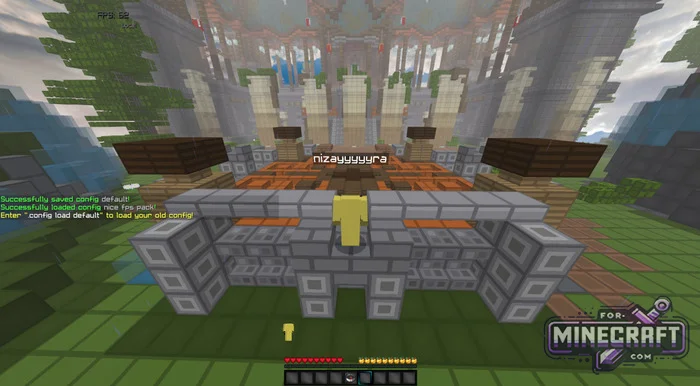
This client has become popular thanks to its huge list of features and flexible configuration for any player. Plus, unlike other clients for Minecraft Bedrock, OderSo has a feature for installing ready-made configurations, which you can download below. With their help the client itself enables the pre-installed settings and you get a fully ready-to-use client.
Changelog v2.4.0:
-
Added 26.52 to the version switcher.
-
Added support for new mcstructure file format (internal version 2)
- Added black theme clean config (ArmorHud, Chat, FPS, FastInventory, LowFire, Nametag, NoFilter, Tablist TAB, Zoom C, paperdooL , ping, hurtcam, lowbob)
Changelog v2.2.0:
-
Added patches from 26.30 to 26.42 to the launcher.
-
New RenderDistance mod.
-
Mod Menu updates.
-
Offset keybinds, size limit (64), and chest/piston fixes for Schematica.
-
Controller support.
-
Restored controller features, ConDisplay, and stick settings.
-
Option to hide enchantments in toltips.
-
Minecart hitbox rendering and eye/view direction fixes.
-
Return of HurtColor.
-
BlockOutline / Overlay fixes.
-
Adaptation to new domains and API limits for HiveStats.
-
Fixed "No UI close on DMG".
-
Crash fixes for Subtitles, PickUp, EntityCulling and the Panorama command.
Changelog v2.0.9:
- Added better crash logs and exception handling
- New background outline color setting.
- Added
Raw Mouse Throttle Fixfor smoother mouse input on GDK. - Game settings were moved into a separate section
- Fixed scrollbar issues in Skinpack Manager.
- Launcher can now open even without Minecraft Bedrock installed.
- Improved failed version switching handling and UI
- Minecraft PE 1.26.23 support
Features:
- Automatically selects the DLL for your version of Minecraft
- Graphical crosshair editor
- Schematica module for copying and transferring structures.
- Menu skin changes
- Any element (coordinates, speed, armor) can be moved and its font can be customized
- Control via console, for example to load building schematics.
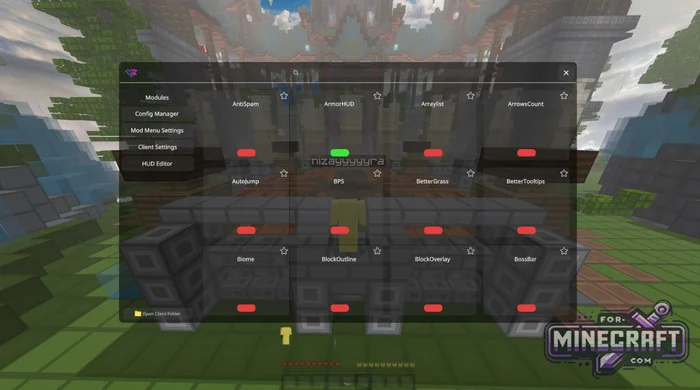
- Search by modules
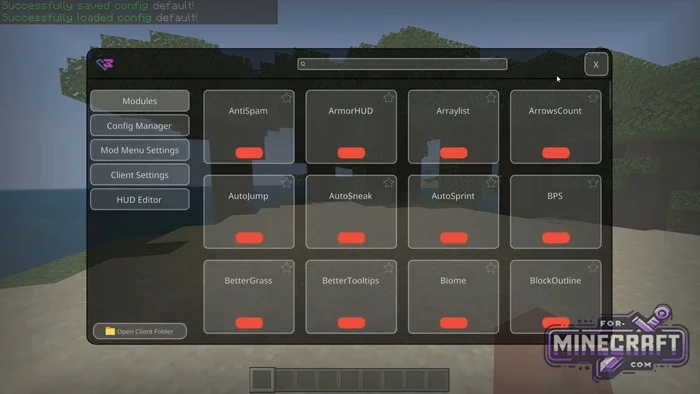
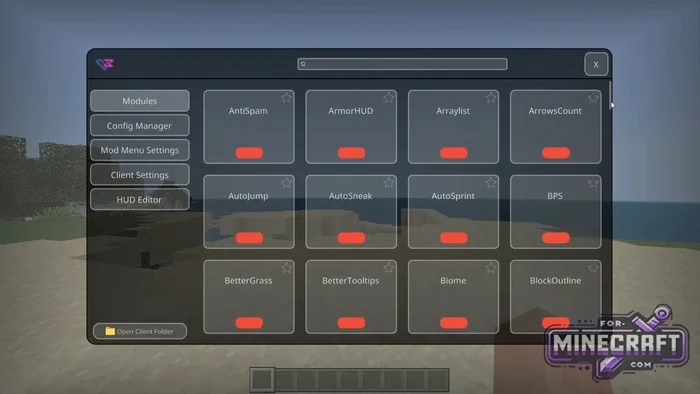
How to launch and configure OderSo Client?
If you use the official launcher the client will determine the game version itself and embed the necessary files. To bring up the main menu with all the functions press the L key (in some configurations - O). Interface: on the left are the main sections such as the settings manager and HUD editor, and in the center are tiles with the modules themselfs.
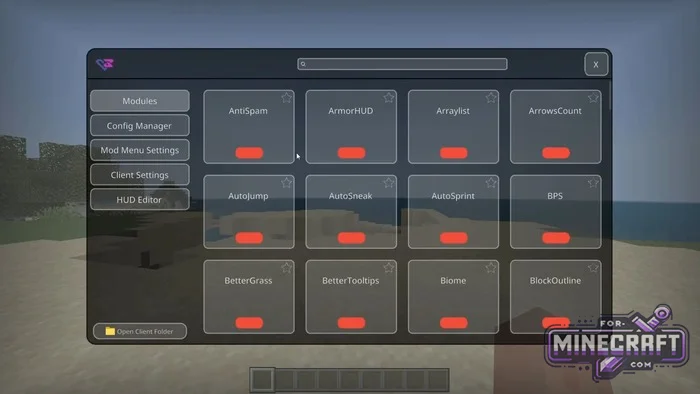
Visual features and interface:
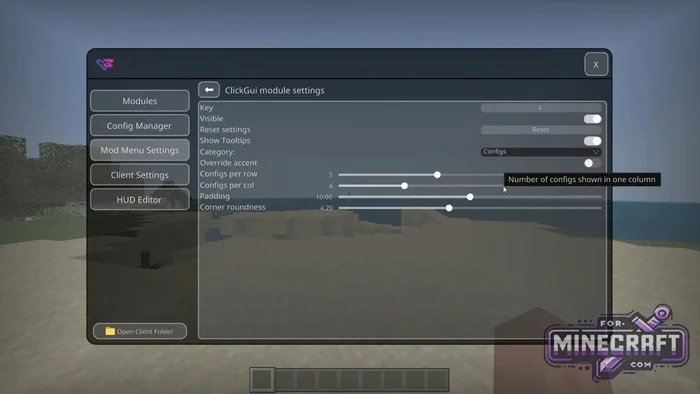
One of the main features of OderSo is complete customization of the appearance, and now you can set your own background images (+ animated GIFs) and icons. You can adjust such details as the radius of the menu corners and the spacing between buttons meaning that OderSo is all about customization in Bedrock.
For those who want a unique crosshair there is a separate constructor where you can draw your own crosshair and choose any color (for example bright blue).
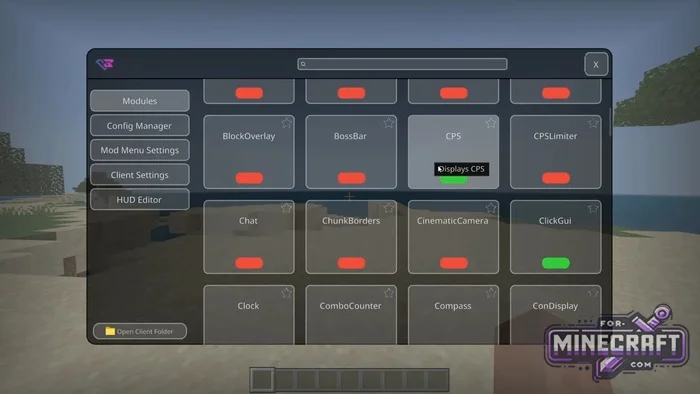
Useful modules:
- Minicart
- Schematica
- Indicators
- Image enhancments
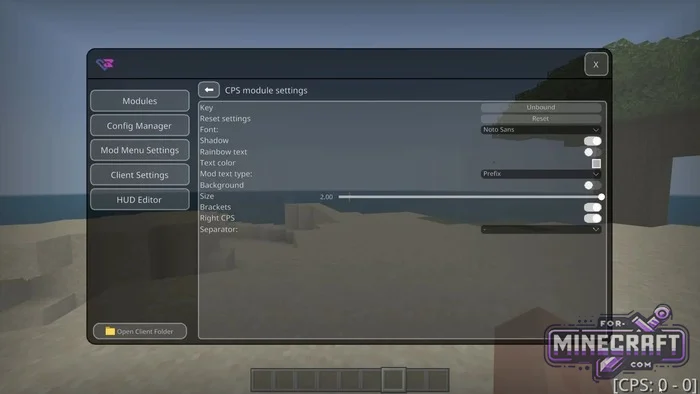
FAQ about OderSo Client:
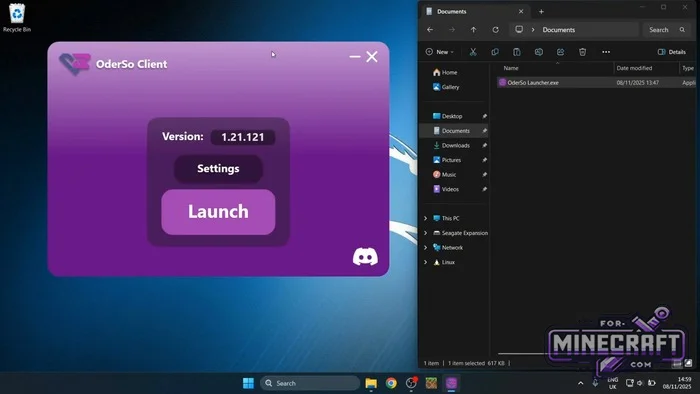
- How to enable it? Download the launcher click Launch and wait for a notification in the game.
- What does it work on? Only Windows 10/11 (computer Bedrock Edition).
- How do I open the menu? Press the L key (sometimes O).
Useful:
- There is a search bar in the menu so you dont have to scroll through hundreds of mods.
- Where are the configurations located? In the %localappdata% folder which can be opened by clicking the Open Client Folder button in the menu itself.
Password: for-minecraft
Download OderSo Launcher v2.0.6 for Minecraft Bedrock 1.21/26.X+
Download OderSo Launcher v2.0.9 for Minecraft Bedrock 26.21/26.23+
Download OderSo Launcher v2.2.0 for Minecraft Bedrock 26.40+
Download OderSo Launcher v2.4.0 for Minecraft Bedrock 26.52+
Reason: Added v2.4.0 for Minecraft PE 26.52
- Category: Clients for Minecraft Bedrock
Recommend:
-
 Modern Blocks Addon v1.1.7 for Minecraft Bedrock 1.16/1.17/1.18
Modern Blocks Addon is a must in 99% of cases if you are decorating or renovating your home playing MC Bedrock
Modern Blocks Addon v1.1.7 for Minecraft Bedrock 1.16/1.17/1.18
Modern Blocks Addon is a must in 99% of cases if you are decorating or renovating your home playing MC Bedrock
-
 IndustrialCraft PE mod v2.0 Pre-Release 7 for Minecraft PE
IndustrialCraft PE is a global mod for MCPE which is a very accurate IndustrialCraft copy for Minecraft PC. It
IndustrialCraft PE mod v2.0 Pre-Release 7 for Minecraft PE
IndustrialCraft PE is a global mod for MCPE which is a very accurate IndustrialCraft copy for Minecraft PC. It
-
 IndustrialCraft PE Mod 2.4.8 for Minecraft PE 1.16
The IndustrialCraft PE history continues and now it goes to a new level..
IndustrialCraft PE Mod 2.4.8 for Minecraft PE 1.16
The IndustrialCraft PE history continues and now it goes to a new level..
-
 PlankzPlus (BlockzPlus) Addon for Minecraft PE 1.18/1.19
PlankzPlus is a variant of Chisel in a way, published as an addon for Minecraft Bedrock Edition 1.18 and 1.19..
PlankzPlus (BlockzPlus) Addon for Minecraft PE 1.18/1.19
PlankzPlus is a variant of Chisel in a way, published as an addon for Minecraft Bedrock Edition 1.18 and 1.19..
-
 Inner Core for Minecraft PE 1.16 - 3.1.1b127-128 (ARM64 Update)
Inner Core was created on the basis of the original MCPE 1.0.3 and is a full complement for creating and playing with
Inner Core for Minecraft PE 1.16 - 3.1.1b127-128 (ARM64 Update)
Inner Core was created on the basis of the original MCPE 1.0.3 and is a full complement for creating and playing with
