Popular
-

Minecraft PE 26.70.21 (1.21.132/26.52)
More epic battles in the new structure, wind -

Dynamic Lights PE Addon for MCPE 1.16/1.17/1.18/1.19/1.20/1.21/26.60+
Dynamic Lights has long been created for almost -

Vein Miner & TreeCapitator Addon for Minecraft PE 1.17/1.20/1.21/26.70+
Start your first day working as a miner or -

Apollon Client 6.70 for Minecraft PE 1.21.114/26.52
Apollon is a standalone client wrapped in -

Minecraft Bedrock 1.21.132/26.44/26.70.21 Patched (apk)
Do you prefer to play non render dragon shaders -

LeviLauncher v0.3.11 (LeviLaunchroid v1.6.0) for Minecraft Bedrock 1.21.132/26.60
LeviLauncher is the tool you've been -

Shadow Company Addon for Minecraft PE 1.21/26
A killer weapon addon for Minecraft Bedrock, -

Newb (Legacy/ Dragon/ Trailer/ Glow/ Firelight/ Gold/ Dynamite/ Memories/ Stellar/ AI/ Plus)
Uniting under a single name, all presented Newb -

Mini Structures Addon v2.0 for Minecraft PE 1.18/1.19/1.20/1.21/26.70+
There are 30 structures at the moment, and all -

Flarial Client - Release for Minecraft Bedrock 1.20/1.21/26.52
Full control over the game through ultimate
9
This resource pack is based on the Java version of Minecraft and adds the original GUI to MCPE (Bedrock). To some it may seem strange, because the pocket interface was developed specifically for mobile devices with a small screen, but as you can see, PC version fans like to transfer some details.


Java Edition PE replaces many elements of the game, such as: start menu, logo, game settings (at the moment almost all categories are completed), buttons, friends list and player interface.


This interface is intuitive and holds more buttons. The pack itself is under development so there may be bugs (not functioning buttons, the size of the elements, etc.).
1.Download the file and open it using the game.
2.Go to the world settings and activate it.
Java Edition PE (Minecraft Bedrock 1.2)
- Author: Bernard
- Date:
This resource pack is based on the Java version of Minecraft and adds the original GUI to MCPE (Bedrock). To some it may seem strange, because the pocket interface was developed specifically for mobile devices with a small screen, but as you can see, PC version fans like to transfer some details.
By: HoangLongVN2
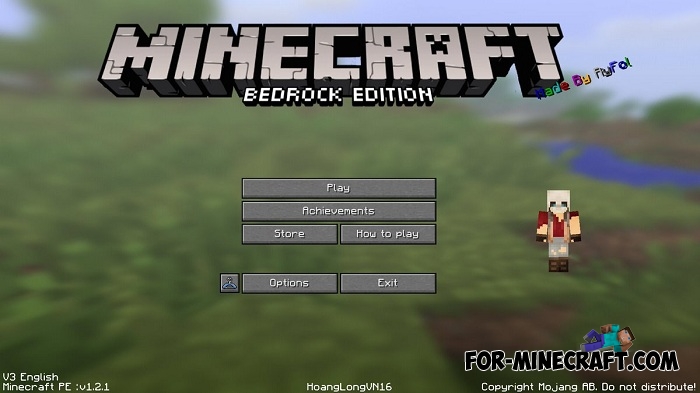
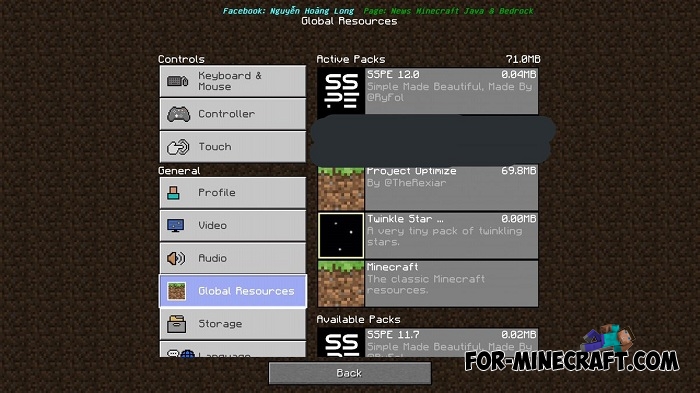
Java Edition PE replaces many elements of the game, such as: start menu, logo, game settings (at the moment almost all categories are completed), buttons, friends list and player interface.

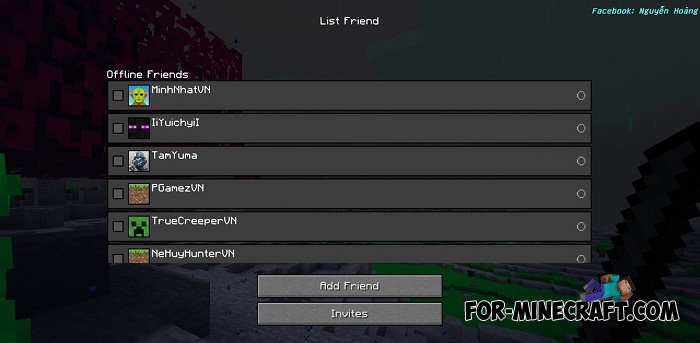

This interface is intuitive and holds more buttons. The pack itself is under development so there may be bugs (not functioning buttons, the size of the elements, etc.).
How to install Java Edition PE?
1.Download the file and open it using the game.
2.Go to the world settings and activate it.
- Category: Texture Packs for Minecraft Bedrock
Recommend:
-
 Factorization Mod 5.2 for Minecraft PE 0.11/0.12/0.13/0.14
The basis of mod make blocks-mechanisms. With these systems of the mechanisms can be automated almost any process in
Factorization Mod 5.2 for Minecraft PE 0.11/0.12/0.13/0.14
The basis of mod make blocks-mechanisms. With these systems of the mechanisms can be automated almost any process in
-
 IndustrialCraft PE mod v2.0 Pre-Release 7 for Minecraft PE
IndustrialCraft PE is a global mod for MCPE which is a very accurate IndustrialCraft copy for Minecraft PC. It
IndustrialCraft PE mod v2.0 Pre-Release 7 for Minecraft PE
IndustrialCraft PE is a global mod for MCPE which is a very accurate IndustrialCraft copy for Minecraft PC. It
-
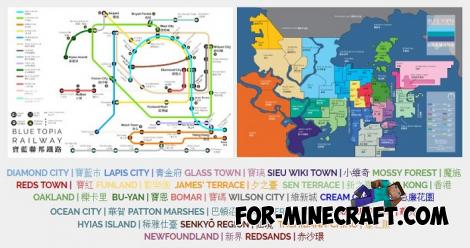 Blue City Map n2.2 for Minecraft PE 1.15/1.16
Blue City is one of the oldest cities for Minecraft Pocket Edition..
Blue City Map n2.2 for Minecraft PE 1.15/1.16
Blue City is one of the oldest cities for Minecraft Pocket Edition..
-
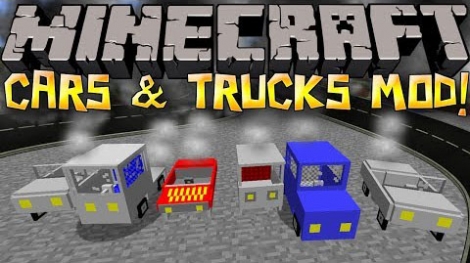 Cars and Drives Mod for Minecraft 1.7.10 / 1.7.2
Cars and Drives Mod makes it possible to make real machine in minecraft. Most importantly, you can to drive a car! In
Cars and Drives Mod for Minecraft 1.7.10 / 1.7.2
Cars and Drives Mod makes it possible to make real machine in minecraft. Most importantly, you can to drive a car! In
-
 PC GUI Texture pack for MCPE 1.1
Some players still can not get used to the pocket interface. This texture pack was created for just such people..
PC GUI Texture pack for MCPE 1.1
Some players still can not get used to the pocket interface. This texture pack was created for just such people..
