-

Faithful Textures for MCPE 1.16/1.17/1.19/1.20/1.21/26.52 (32x/64x/128x) (RTX)
Now you can play with the most popular -

Minecraft PE 26.70.21 (1.21.132/26.52)
More epic battles in the new structure, wind -

Dynamic Lights PE Addon for MCPE 1.16/1.17/1.18/1.19/1.20/1.21/26.60+
Dynamic Lights has long been created for almost -

X-Ray for Minecraft Bedrock Edition 1.19/1.20/1.21.132/26.60+
X-Ray is a cult cheat in the past, available as -

Vein Miner & TreeCapitator Addon for Minecraft PE 1.17/1.20/1.21/26.60+
Start your first day working as a miner or -

Minecraft Bedrock 1.21.132/26.44/26.60.29 Patched (apk)
Do you prefer to play non render dragon shaders -

LeviLauncher v0.3.11 (LeviLaunchroid v1.5.27) for Minecraft Bedrock 1.21.132/26.70
LeviLauncher is the tool you've been -

Shadow Company Addon for Minecraft PE 1.21/26
A killer weapon addon for Minecraft Bedrock, -

Newb (Legacy/Dragon/Trailer/Glow/Firelight/Gold/Dynamite/Memories/Stellar/AI/Plus)
Uniting under a single name, all presented Newb -

Flarial Client - Release for Minecraft Bedrock 1.20/1.21/26.52
Full control over the game through ultimate
One-Tap Craft v3.2 for Minecraft Bedrock 26.10+
- Author: Bernard
- Date:
If you're really tired of tapping the screen to craft a stack of torches or move resources from your chest, this pack is the solution. The core idea of One-Tap Craft is that it unlocks hidden Bedrock Edition interface features. There is also Utility Inventory for Bedrock, which offers a wider range of features, but if your goal is to optimize your inventory, download the first one.
By: Mod MCPE
Features:
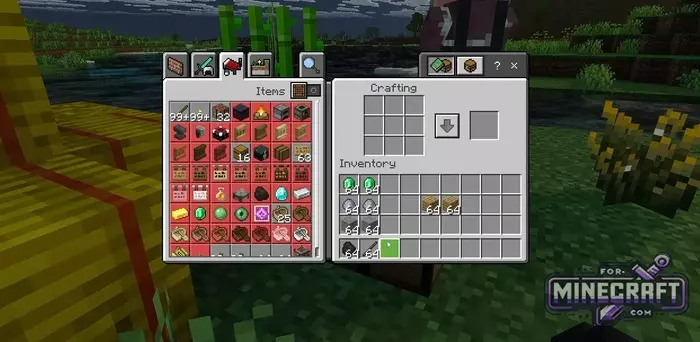
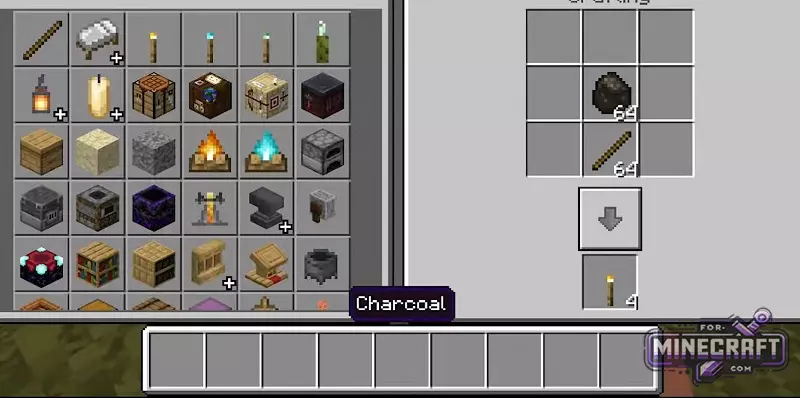
- One button to craft an entire stack at once.
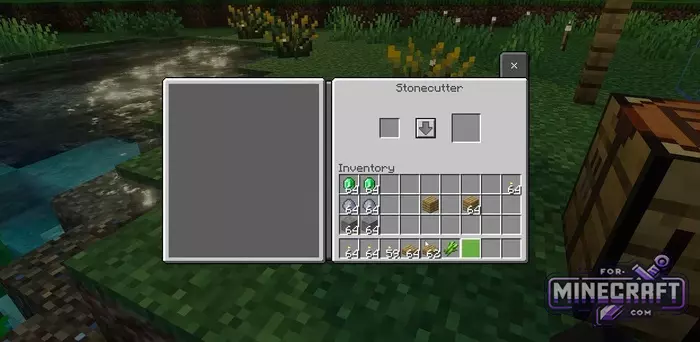
- Support for all UI types.
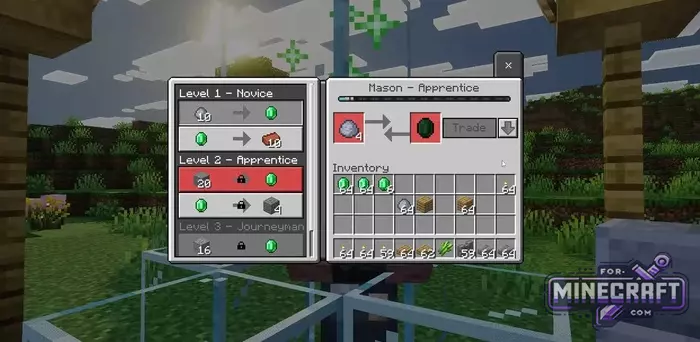
- Faster trading.
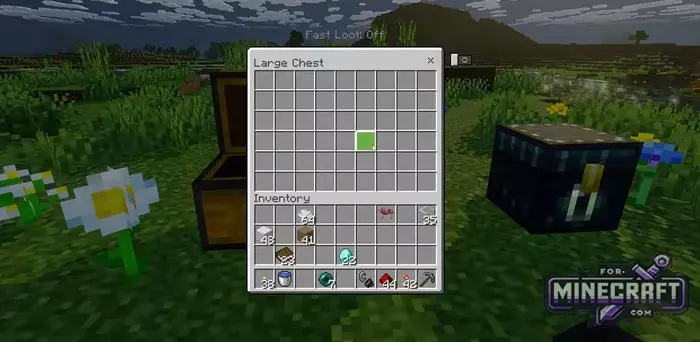
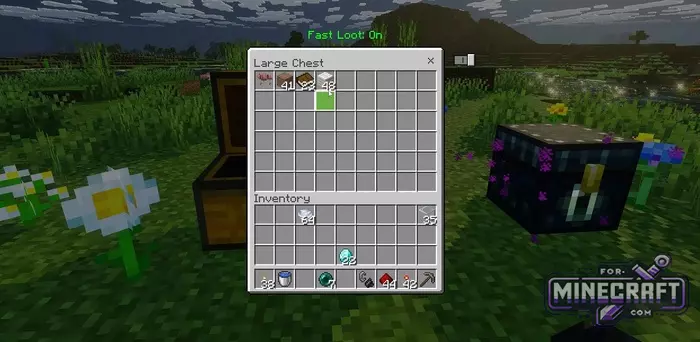
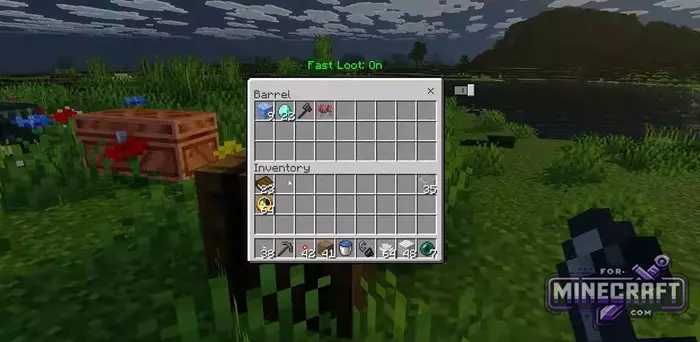
- Switch to instantly transfer items to chests.
- Works on all platforms where Minecraft Bedrock is available.
- Does not break other installed resource packs.
- Buttons are adapted to different screen sizes (best at -1/-2).
- Activates interface tools that are originally built into the engine but not shown on the screen.
How quick crafting works:
After installation, a special button appears in the inventory, workbench, and stonecutter menus. It is located in the interface next to the result window. One click on it and it automatically crafts the maximum possible number of items from the resources you have.
Convenient trading and loot:
In the trading interface (using the example of a cleric in Classic UI), there's a button that lets you exchange the items you need instantly. As for chests, there is a switch activate it and items will move between your inventory and storage with a single tap. No more dragging icons one by one.
- Category: Texture Packs for Minecraft Bedrock
Recommend:
-
Minecraft PE 26.70.21 (1.21.132/26.52)
More epic battles in the new structure, wind shooting mob, auto crafting and more..
-
 IndustrialCraft PE mod v2.0 Pre-Release 7 for Minecraft PE
IndustrialCraft PE is a global mod for MCPE which is a very accurate IndustrialCraft copy for Minecraft PC. It
IndustrialCraft PE mod v2.0 Pre-Release 7 for Minecraft PE
IndustrialCraft PE is a global mod for MCPE which is a very accurate IndustrialCraft copy for Minecraft PC. It
-
 Minecraft PE 1.19.80.24 Beta (1.19.81 Release)
Meet the officially announced Minecraft PE 1.19 update with frogs, warden, fireflies and swamps!
Minecraft PE 1.19.80.24 Beta (1.19.81 Release)
Meet the officially announced Minecraft PE 1.19 update with frogs, warden, fireflies and swamps!
-
 Download Minecraft PE 1.16.230.56 (1.16.221) - Nether Update
The most massive Nether update with new mobs, plants and biomes!
Download Minecraft PE 1.16.230.56 (1.16.221) - Nether Update
The most massive Nether update with new mobs, plants and biomes!
-
 Inner Core for Minecraft PE 1.16 - 3.1.1b127-128 (ARM64 Update)
Inner Core was created on the basis of the original MCPE 1.0.3 and is a full complement for creating and playing with
Inner Core for Minecraft PE 1.16 - 3.1.1b127-128 (ARM64 Update)
Inner Core was created on the basis of the original MCPE 1.0.3 and is a full complement for creating and playing with
