-

Faithful Textures for MCPE 1.16/1.17/1.19/1.20/1.21/26.52 (32x/64x/128x) (RTX)
Now you can play with the most popular -

Minecraft PE 26.60.30 (1.21.132/26.52)
More epic battles in the new structure, wind -

Dynamic Lights PE Addon for MCPE 1.16/1.17/1.18/1.19/1.20/1.21/26.60+
Dynamic Lights has long been created for almost -

X-Ray for Minecraft Bedrock Edition 1.19/1.20/1.21.132/26.60+
X-Ray is a cult cheat in the past, available as -

TreeCapitator Addon for Minecraft PE 1.17/1.18/1.19/1.20/1.21.132 (26.60)+
No modifications, now the old TreeCapitator is -

Vein Miner & TreeCapitator Addon for Minecraft PE 1.17/1.20/1.21/26.60+
Start your first day working as a miner or -

Java Combat System Addon v8.0 for Bedrock 1.17/1.18/1.19/1.21/26.60+
Install this updated combat system in the form -

Apollon Client 6.53 for Minecraft PE 1.21.114/26.45
Apollon is a standalone client wrapped in -

Minecraft Bedrock 1.21.132/26.44/26.60.29 Patched (apk)
Do you prefer to play non render dragon shaders -

Body Actions Addon v3.4.12 for Minecraft PE 1.19/1.21.110/26.60+
Humanization of characters in Minecraft Bedrock
Deesse UI v1.3.95 for Minecraft Bedrock 1.21/26.60+
- Author: Bernard
- Date:
Want a UI client that brings everything you could ever dream of while playing Bedrock Edition? Deesse is exactly the pack offering everyone a chance to experience all the conveniences of the updated MCBE 1.21 interface with nearly a hundred different changes and improvements. In a way, it’s the successor to the Tyel User Interface, which you can also try out right now.
By: Itzriyo157
Changelog v1.3.95:
-
Minimum version requirement to MC Bedrock 26.50 (26.60 support)
-
Reworked hover info to show exclusively for enchanted or renamed gear
-
IStructure blocks now feature animated builds
-
Item Durability Tracking
-
Added option to quickly purge layout cache inside Storage Management.
-
Added text copying mode to Content Log History
-
Bug Fixes
Changelog v1.3.9:
-
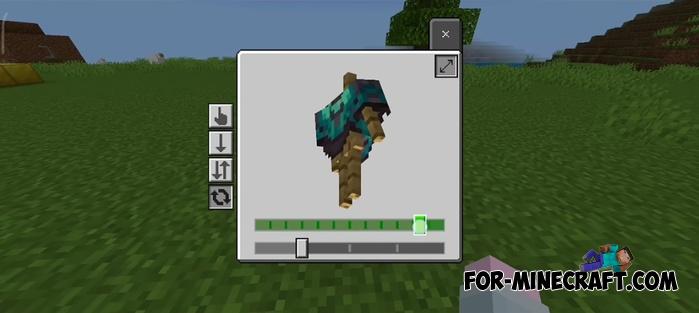
Fixed patch bugs and the display of clocks, compasses, banners and armor trims.
-
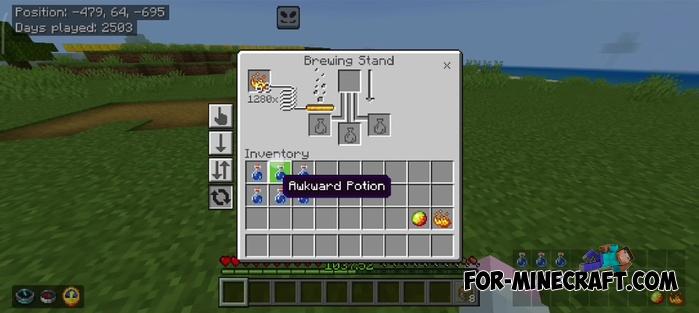
Added timers for furnaces and brewing stands
-
Marketplace screen converted to Ore UI, updated window animations, and added smithing preview (Pocket UI).
-
Fixes
-
Added Bounce music disc to the player
Changelog v1.3.7:
- Minecraft Bedrock 26.40 update
- Redesign of elements and interface
- Lots of fixes
Changelog v1.3.4:
- Minecraft Bedrock 26.10/26.11 update
- Bugfixes
Changelog v1.3.0:
- The minimap now supports custom placement and can render the area around the player anywhere in the interface.
- Added Note Block tool: a virtual piano for playing notes without using blocks in the world.
- Added Chunk Map for quick search of slime chunks.
- Added an easing animation viewer for testing all types of animations.
- Added a quick craft button with item selection to the stonecutter.
- Added a quick command bar to the chat with configurable settings.
- A seperate text buffer has been added to the chat, which saves the entered text..
- A button for instantly jumping to the end of the chat has been added
- A multiple crafting button has been added to the players inventory.
- Added the ability to hide the beta debug screen via quick settings.
- Added drag delay and stack split parameters to quick settings
- Added an option to show the background in the skin viewer on the start screen.
- Added the ability to move items between columns in the inventory.
- The enchantment screen now displays the exact ammount of XP.
- Item rendering now supports IDs in the range from -1300 to 1300.
- The screen can be closed by double clicking the Instant Item button.
- The player list on keyboard now opens by hovering or pressing Tab.
- Improved pack selection: added search and redesigned switches.
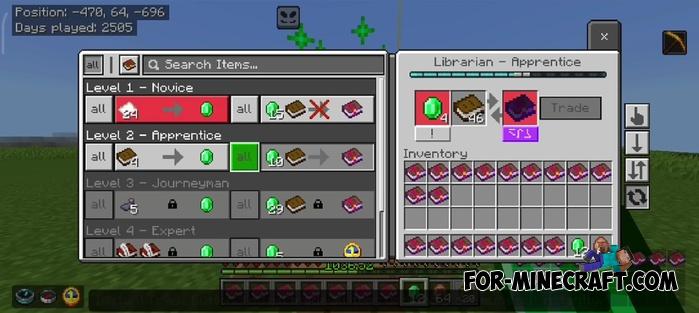
- Optimized the trading screen; fixed crashes on some devices.
- Added the Weakness Potion to the potion guide.
- Fixed the potion brewing guide with Transparent UI Pack.
- Touch control hints have been returned to their default position.
- The size of the HUD Menu button for touch control has been restored to its previous appearance.
- The chat background option now works as a toggle
- Minor fixes and general stability improvements.
- Added Minecraft Bedrock 26.0.29 support
Changelog v1.2.6:
- Added Ward disc support
- Fixed item ID and UI bugs
- Improved quick craft (one press)
- Fixed Vibrant Visual detection
- Removed unused UI elements
- Minecraft Bedrock 1.21.120 support
Changelog v1.1.15 B64:
- Minecraft Bedrock 1.21.111 Release support
- Added Performance Mode subpack for smoother loading on low-end devices
- Restored Drag Mode in Quick Items (chest screen only)
- New hover display for buttons and sliders
- Overhauled World Management in the Game section (now shos world location)
- Adjusted Hotbar Cycler (moved 1 pixel up).
- Moved Instant Items and Search Button closer to the center
- Reverted container screen animations to vanilla style
- Fixed bug in Search Option feature
- Fixed command text layering issue on chat screen
- Fixed form server size issue when using addons that edit server size
- Fixed HUD text positions for Minecraft v1.21.111
- Fixed Windows issue where About UI opened the Buy Game screen instead
- Fixed Night Vision (Brightness Overlay) Outside Button not hiding with HUD
Changelog v1.1.15:
- Minecraft Bedrock 1.21.110 support
- Bugfixes
Deesse UI Features:
- Quick settings have been added to the start screen letting you instantly change camera perspective, FOV, game mode, and graphics mode without digging through menus.
- A Force Spectator button is now available in the world section, allowing you to enter spectator mode with a single tap - perfect for exploring or building. 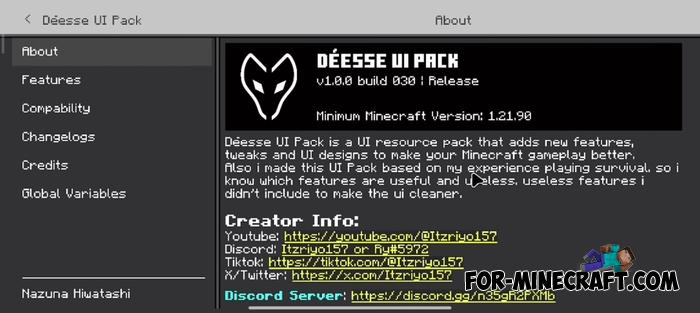
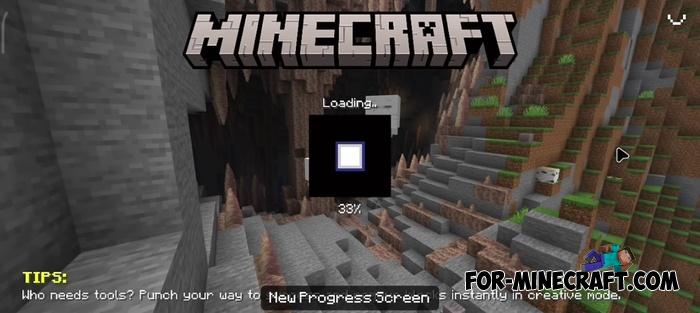
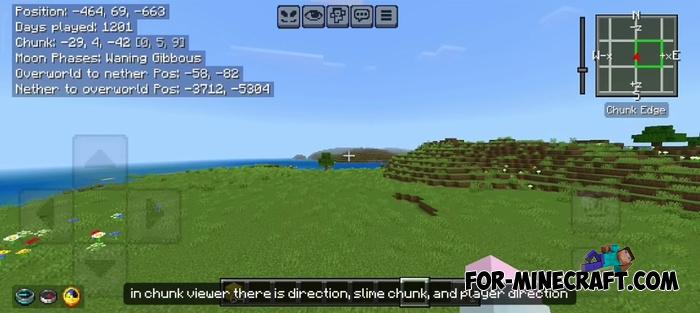
- HUD has been enhanced with tools like chunk position display, moon phases, Overworld-Nether coordinate converters, and even a minimap to see slime chunks, directions, and your height within a chunk.
- Inventory can now be shown on the HUD with a toggle and matching items in your inventory are highlighted based on what you're holding. 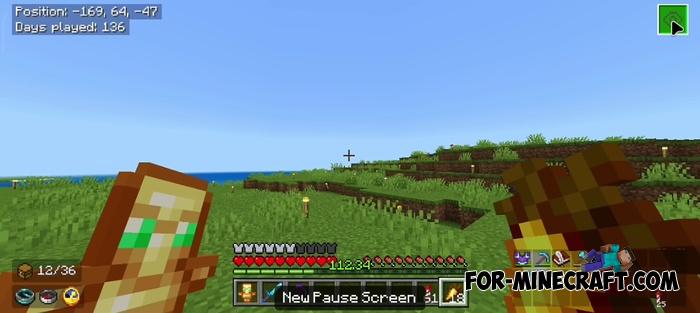
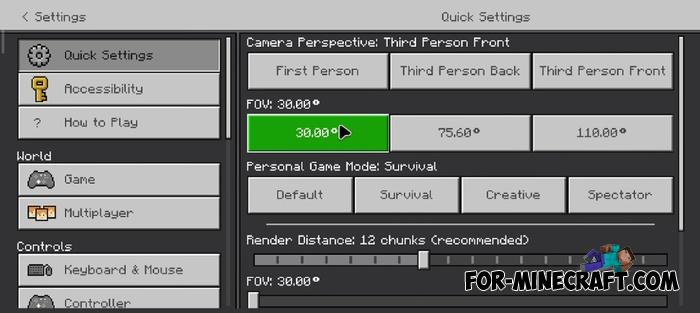
- Item durability is shown as a number, and you'll get a warning when your tools are close to breaking - no more unexpected tool breaks mid-adventure.
- Chests and inventories now support smart item management: move entire rows, columns, or identical items at once with a tap or click. 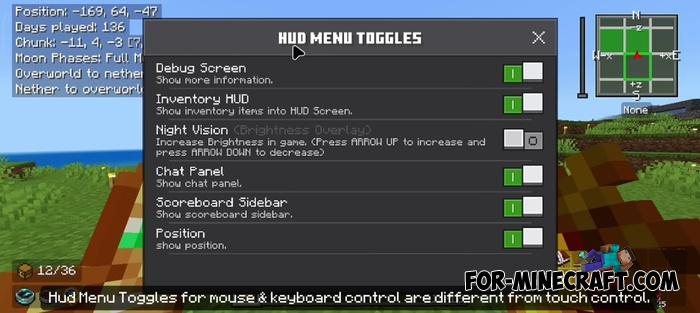
- Search bar has been added to chest screens to help you quickly locate specific items. There's also a quick-search button for even faster access.
- Chat screen includes a built-in calculator so you can do quick math without leaving the game. 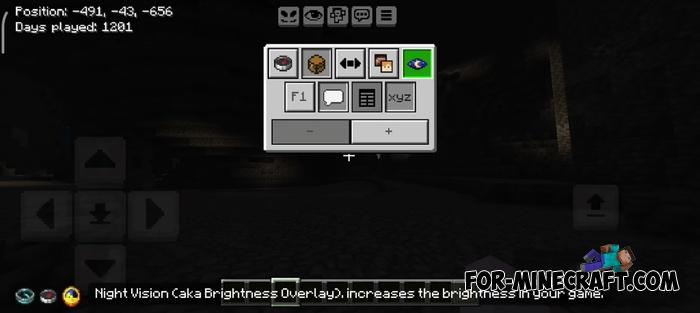
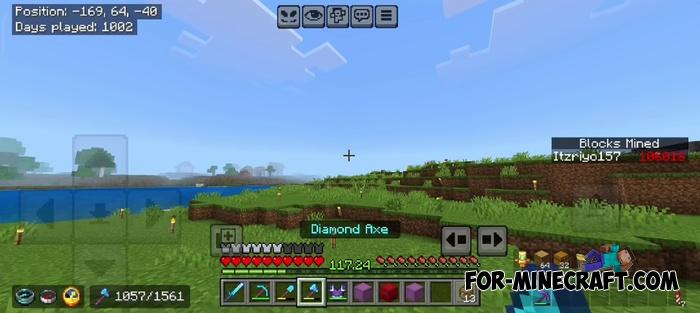
- You can also write temporary notes like structure coordinates or crafting lists, which stay visible until you leave the world or server.
- Night vision can be enabled via an overlay, making it easy to see in dark caves or at night without needing potions. 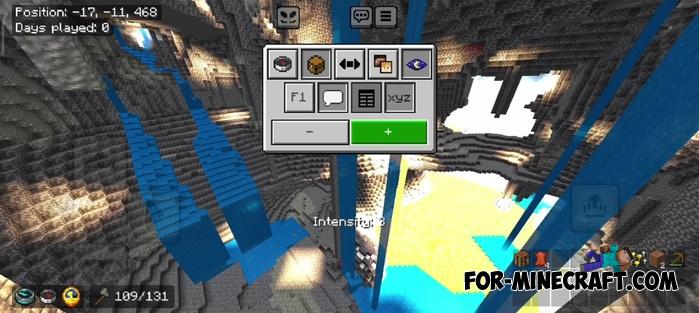
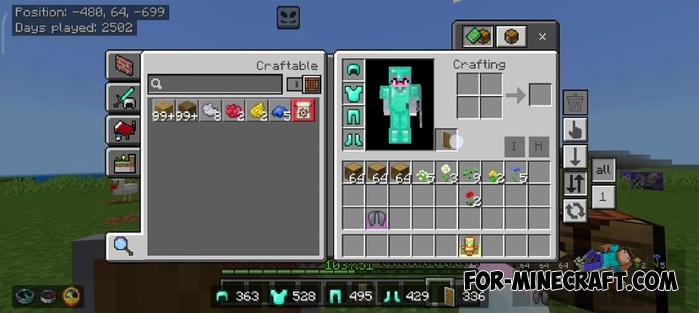
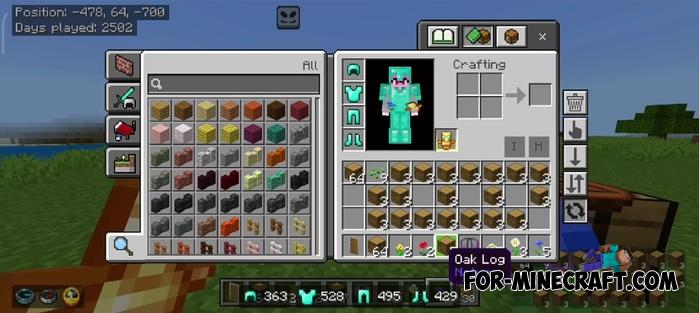
- For touch controls in Minecraft Bedrock 1.20/1.21 a new hotbar cycler lets you quickly scroll through hotbar slots, especially useful on tablets or large-screen devices.
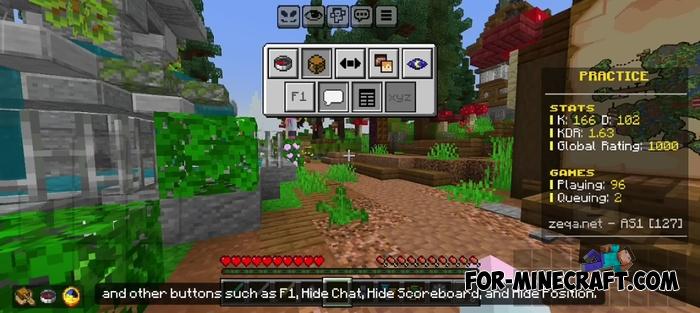
- You can now hide UI elements like chat, the scoreboard, coordinates and even the full HUD with quick-access toggle buttons 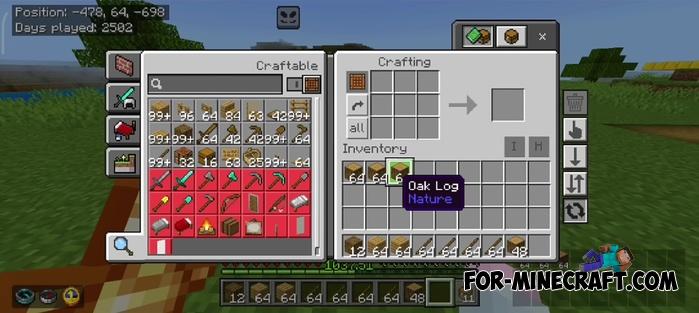
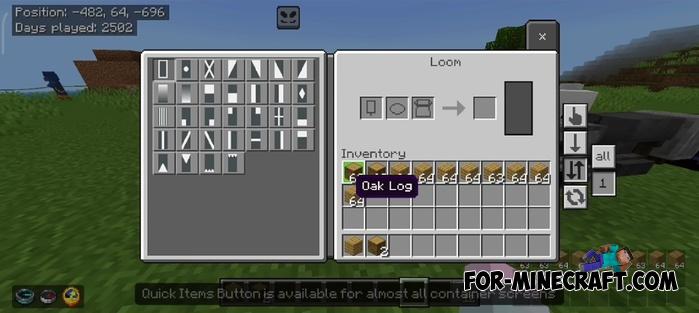
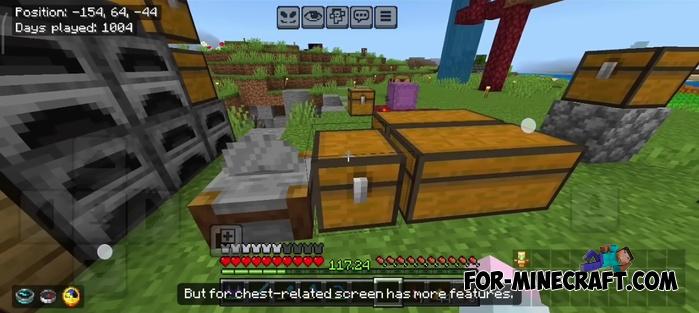
- Item tooltips now display on the left side of the screen showing enchantments, contents of shulker boxes, and more without needing to hover.
- You'll receive advancement-style popups when your world reaches milestones like 100, 200 or 300 days played.
- Crafting and trading screens have been upgraded with quick craft, mass craft, instant trade buttons and even fuel usage calculators for furnaces and brewing stands. 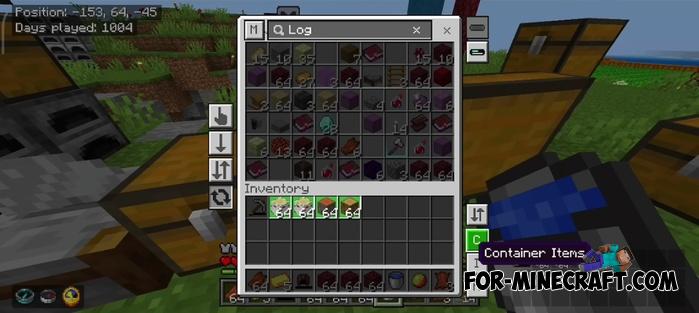
How to install Deesse UI?
1. Open the file (.mcpack) using Minecraft PE
2. Activate the addon (world or game settings)
Reason: Added 26.50 support / Item Durability Tracking
- Category: Texture Packs for Minecraft Bedrock
Recommend:
-
 Tyel User Interface v1.2.4 for Minecraft Bedrock 1.21
This is probably the most useful and naturally designed UI Pack for Bedrock Edition to date..
Tyel User Interface v1.2.4 for Minecraft Bedrock 1.21
This is probably the most useful and naturally designed UI Pack for Bedrock Edition to date..
-
 Download Minecraft PE 1.16.230.56 (1.16.221) - Nether Update
The most massive Nether update with new mobs, plants and biomes!
Download Minecraft PE 1.16.230.56 (1.16.221) - Nether Update
The most massive Nether update with new mobs, plants and biomes!
-
 IndustrialCraft PE mod v2.0 Pre-Release 7 for Minecraft PE
IndustrialCraft PE is a global mod for MCPE which is a very accurate IndustrialCraft copy for Minecraft PC. It
IndustrialCraft PE mod v2.0 Pre-Release 7 for Minecraft PE
IndustrialCraft PE is a global mod for MCPE which is a very accurate IndustrialCraft copy for Minecraft PC. It
-
![Energy Converters Mod for Minecraft PE [IC]](/uploads/posts/2022-04/thumbs/1649925376_energy-converters-mod.jpg) Energy Converters Mod for Minecraft PE [IC]
Energy Converters solves the energy difference problem in Minecraft PE..
Energy Converters Mod for Minecraft PE [IC]
Energy Converters solves the energy difference problem in Minecraft PE..
-
 Slime Plus Addon for Minecraft Bedrock 1.16
Finding more and more add-ons for Bedrock Edition, you have never seen Slime Plus adding a huge amount of slimes..
Slime Plus Addon for Minecraft Bedrock 1.16
Finding more and more add-ons for Bedrock Edition, you have never seen Slime Plus adding a huge amount of slimes..
