Popular
-

Minecraft PE / Bedrock 26.70.22 (1.21.132/26.60)
More epic battles in the new structure, wind -

TreeCapitator Addon for Minecraft PE 1.17/1.18/1.19/1.20/1.21.132 (26.60)+
No modifications, now the old TreeCapitator is -

Vein Miner & TreeCapitator Addon for Minecraft PE 1.17/1.20/1.21/26.70+
Start your first day working as a miner or -

Apollon Client 6.70 for Minecraft PE 1.21.114/26.52
Apollon is a standalone client wrapped in -

Minecraft Bedrock 1.21.132/26.60/26.70.21 Patched (apk)
Do you prefer to play non render dragon shaders -

Body Actions Addon v3.4.13 for Minecraft PE 1.19/1.21.110/26.60+
Humanization of characters in Minecraft Bedrock -

LeviLauncher v0.3.11 (LeviLaunchroid v1.6.0) for Minecraft Bedrock 1.21.132/26.60
LeviLauncher is the tool you've been -

Shadow Company Addon for Minecraft PE 1.21/26
A killer weapon addon for Minecraft Bedrock, -

Newb (Legacy/ Dragon/ Trailer/ Glow/ Firelight/ Gold/ Dynamite/ Memories/ Stellar/ AI/ Plus)
Uniting under a single name, all presented Newb -

Mini Structures Addon v2.0 for Minecraft PE 1.18/1.19/1.20/1.21/26.70+
There are 30 structures at the moment, and all
0
One of the oldest texture packs released for the first versions of Minecraft and later Pocket Edition and now ported to Bedrock. Pixelation everywhere and no excuses! Now each block that is part of the world looks even more pixelated, so to speak - pixels have replaced any anti-aliasing, thereby defining patterns and drawings.
By: ×XchizaX×


A question from 2011, the answer to which is in its name. The existing cubes received a major update that retained the recognizable look but deprived them of any smooth transitions. Any elongated part, pattern or anything with rounding is now more pixelated than ever.


In order not to multiply errors and conflicts with versions, the current BlockPixel uses the final update of Java' and accordingly supports Bedrock Edition 1.21. There is no GUI, logo and other interface components, alas.


1. Download the pack, open it using Minecraft
2. Go to the game settings and activate the pack
BlockPixel Bedrock Texture Pack for 1.21
- Author: Bernard
- Date:
One of the oldest texture packs released for the first versions of Minecraft and later Pocket Edition and now ported to Bedrock. Pixelation everywhere and no excuses! Now each block that is part of the world looks even more pixelated, so to speak - pixels have replaced any anti-aliasing, thereby defining patterns and drawings.
By: ×XchizaX×


What is BlockPixel?
A question from 2011, the answer to which is in its name. The existing cubes received a major update that retained the recognizable look but deprived them of any smooth transitions. Any elongated part, pattern or anything with rounding is now more pixelated than ever.


What changes have been made?
In order not to multiply errors and conflicts with versions, the current BlockPixel uses the final update of Java' and accordingly supports Bedrock Edition 1.21. There is no GUI, logo and other interface components, alas.


How to install the BlockPixel Bedrock Texture Pack?
1. Download the pack, open it using Minecraft
2. Go to the game settings and activate the pack
- Category: Texture Packs for Minecraft Bedrock
Recommend:
-
 Smooth Pixels Texture Pack for Minecraft PE 1.17/1.18/1.19/1.20/1.21
Plus, the simplicity of each block is achieved with a complete rework of the texture with..
Smooth Pixels Texture Pack for Minecraft PE 1.17/1.18/1.19/1.20/1.21
Plus, the simplicity of each block is achieved with a complete rework of the texture with..
-
 IndustrialCraft PE mod v2.0 Pre-Release 7 for Minecraft PE
IndustrialCraft PE is a global mod for MCPE which is a very accurate IndustrialCraft copy for Minecraft PC. It
IndustrialCraft PE mod v2.0 Pre-Release 7 for Minecraft PE
IndustrialCraft PE is a global mod for MCPE which is a very accurate IndustrialCraft copy for Minecraft PC. It
-
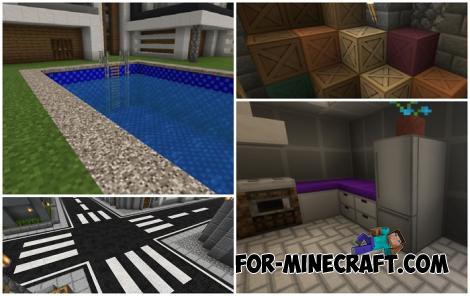 Modern Blocks Addon v1.1.7 for Minecraft Bedrock 1.16/1.17/1.18
Modern Blocks Addon is a must in 99% of cases if you are decorating or renovating your home playing MC Bedrock
Modern Blocks Addon v1.1.7 for Minecraft Bedrock 1.16/1.17/1.18
Modern Blocks Addon is a must in 99% of cases if you are decorating or renovating your home playing MC Bedrock
-
 Inner Core for Minecraft PE 1.16 - 3.1.1b127-128 (ARM64 Update)
Inner Core was created on the basis of the original MCPE 1.0.3 and is a full complement for creating and playing with
Inner Core for Minecraft PE 1.16 - 3.1.1b127-128 (ARM64 Update)
Inner Core was created on the basis of the original MCPE 1.0.3 and is a full complement for creating and playing with
-
 Mad Pixels Textures for MCPE 1.0.0/1.0.4
Do you want to change the habitual textures, but so that everything remains..
Mad Pixels Textures for MCPE 1.0.0/1.0.4
Do you want to change the habitual textures, but so that everything remains..
