Popular
-

Faithful Textures for MCPE 1.16/1.17/1.19/1.20/1.21/26.52 (32x/64x/128x) (RTX)
Now you can play with the most popular -

Minecraft PE 26.60.30 (1.21.132/26.52)
More epic battles in the new structure, wind -

Dynamic Lights PE Addon for MCPE 1.16/1.17/1.18/1.19/1.20/1.21/26.60+
Dynamic Lights has long been created for almost -

X-Ray for Minecraft Bedrock Edition 1.19/1.20/1.21.132/26.60+
X-Ray is a cult cheat in the past, available as -

TreeCapitator Addon for Minecraft PE 1.17/1.18/1.19/1.20/1.21.132 (26.60)+
No modifications, now the old TreeCapitator is -

Vein Miner & TreeCapitator Addon for Minecraft PE 1.17/1.20/1.21/26.60+
Start your first day working as a miner or -

Java Combat System Addon v8.0 for Bedrock 1.17/1.18/1.19/1.21/26.60+
Install this updated combat system in the form -

Minecraft Bedrock 1.21.132/26.44/26.60.29 Patched (apk)
Do you prefer to play non render dragon shaders -

Body Actions Addon v3.4.12 for Minecraft PE 1.19/1.21.110/26.60+
Humanization of characters in Minecraft Bedrock -

LeviLauncher v0.3.11 (LeviLaunchroid v1.5.25) for Minecraft Bedrock 1.21.132/26.60
LeviLauncher is the tool you've been
1
So that elytras can match other customizable items in Minecraft PE 1.16, this pack adds 15 new elytras you choose in the settings. Any second of playing, just open the pack settings and opt for those elytras that you like the most.
By: Josh Spark


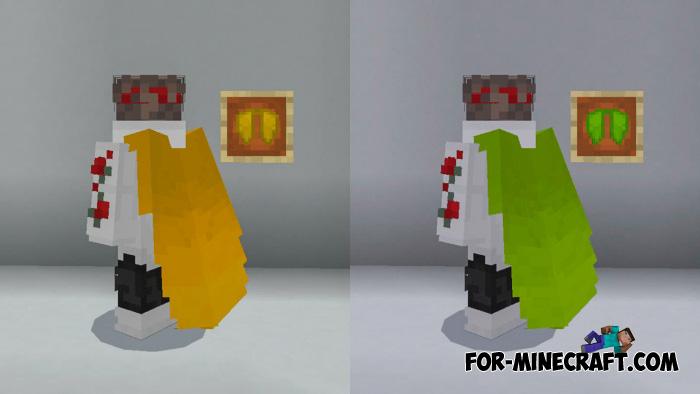
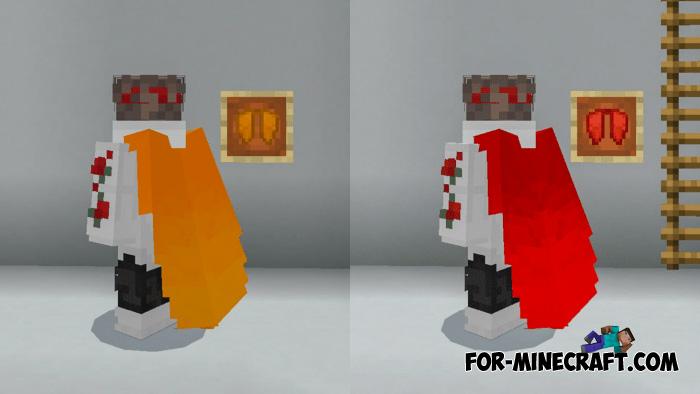
As you can see, there are any elytras for any mood. At the same time, there are both original game colors and new ones. In total there are 15 wings with beautiful textures dyed in a smooth gradient. The resolution left default is 16x16.


Changing the elytra is in the pack settings; open the resource-packs menu and open the elytra pack by tapping on it. Move the slider to the sides to select a particular color. This can be done even while playing.


1. Download the pack and run it using Minecraft PE.
2. Go to the game settings and activate the pack.
Elytra Pack for Minecraft Bedrock 1.16
- Author: Bernard
- Date:
So that elytras can match other customizable items in Minecraft PE 1.16, this pack adds 15 new elytras you choose in the settings. Any second of playing, just open the pack settings and opt for those elytras that you like the most.
By: Josh Spark
Elytra wings available:
• black
• blue
• cream
• cyan
• dark
• green
• grey
• invisible
• orange
• original
• purple
• red
• white
• yellow
• pink
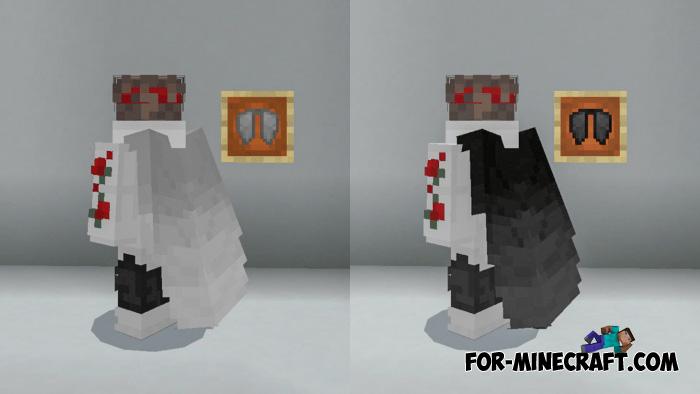
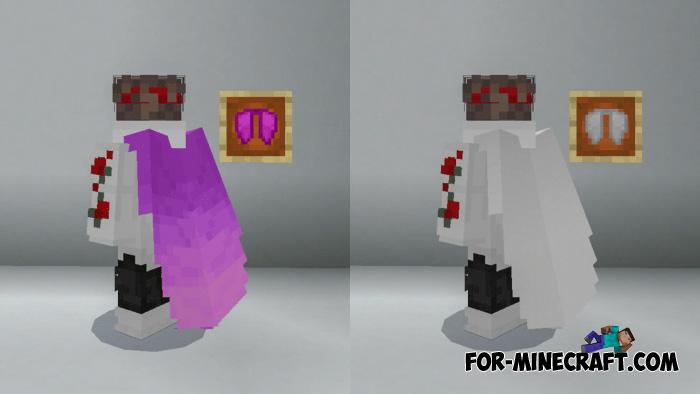
Elytras for any day:
As you can see, there are any elytras for any mood. At the same time, there are both original game colors and new ones. In total there are 15 wings with beautiful textures dyed in a smooth gradient. The resolution left default is 16x16.
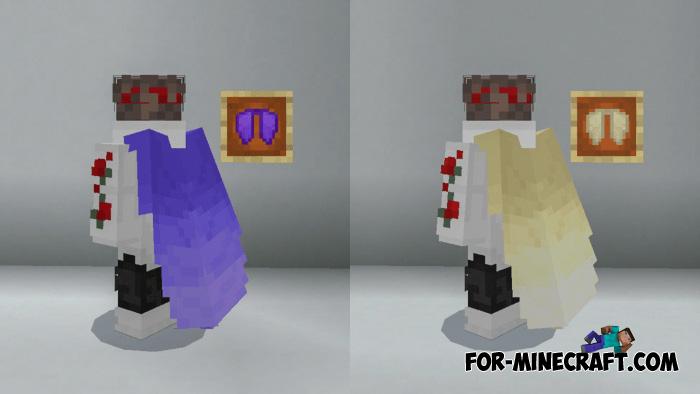
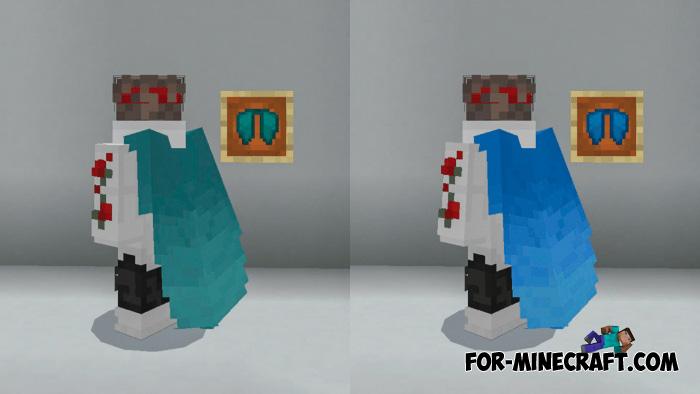
How to switch elytra in Bedrock?
Changing the elytra is in the pack settings; open the resource-packs menu and open the elytra pack by tapping on it. Move the slider to the sides to select a particular color. This can be done even while playing.
How to install Elytra Pack?
1. Download the pack and run it using Minecraft PE.
2. Go to the game settings and activate the pack.
- Category: Texture Packs for Minecraft Bedrock
Recommend:
-
 Chisel Addon v2.0.0 for Minecraft PE 1.14/1.20
A couple of years ago, Chisel was in the top 10 most popular mods for Minecraft thanks to a huge number of new
Chisel Addon v2.0.0 for Minecraft PE 1.14/1.20
A couple of years ago, Chisel was in the top 10 most popular mods for Minecraft thanks to a huge number of new
-
 IndustrialCraft PE mod v2.0 Pre-Release 7 for Minecraft PE
IndustrialCraft PE is a global mod for MCPE which is a very accurate IndustrialCraft copy for Minecraft PC. It
IndustrialCraft PE mod v2.0 Pre-Release 7 for Minecraft PE
IndustrialCraft PE is a global mod for MCPE which is a very accurate IndustrialCraft copy for Minecraft PC. It
-
 Factorization Mod 5.2 for Minecraft PE 0.11/0.12/0.13/0.14
The basis of mod make blocks-mechanisms. With these systems of the mechanisms can be automated almost any process in
Factorization Mod 5.2 for Minecraft PE 0.11/0.12/0.13/0.14
The basis of mod make blocks-mechanisms. With these systems of the mechanisms can be automated almost any process in
-
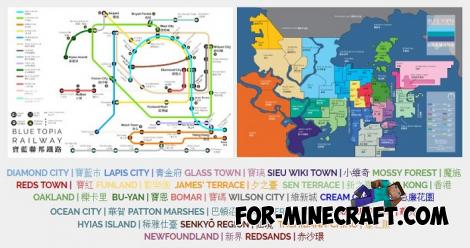 Blue City Map n2.2 for Minecraft PE 1.15/1.16
Blue City is one of the oldest cities for Minecraft Pocket Edition..
Blue City Map n2.2 for Minecraft PE 1.15/1.16
Blue City is one of the oldest cities for Minecraft Pocket Edition..
-
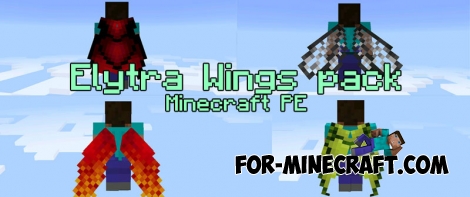 Elytra Wings pack v2 for Minecraft Pocket Edition 0.17.0/1.9
Of course, the elytra is one of the best features of MCPE 0.17.0. Unfortunately, but the game contains only one type
Elytra Wings pack v2 for Minecraft Pocket Edition 0.17.0/1.9
Of course, the elytra is one of the best features of MCPE 0.17.0. Unfortunately, but the game contains only one type
