Popular
-

Minecraft PE 26.60.24 (1.21.132/26.50)
More epic battles in the new structure, wind -

IndustrialCraft PE Mod 2.4.8 for Minecraft PE 1.16
The IndustrialCraft PE history continues and now -

X-Ray for Minecraft Bedrock Edition 1.19/1.20/1.21.132/26.60+
X-Ray is a cult cheat in the past, available as -
Pokémon Addon v8.0 for Minecraft Bedrock 1.18/1.19/1.20/1.21/26.50
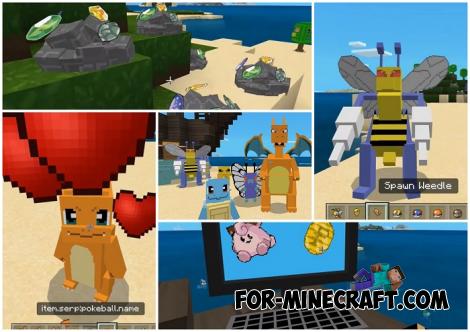
Pokémon Addon by Zacek the Serpentine is a very -

Java Combat System Addon v8.0 for Bedrock 1.17/1.18/1.19/1.21/26.60+
Install this updated combat system in the form -

Apollon Client 6.53 for Minecraft PE 1.21.114/26.45
Apollon is a standalone client wrapped in -

Minecraft Bedrock 1.21.132/26.44/26.60.23 Patched (apk)
Do you prefer to play non render dragon shaders -

Body Actions Addon v3.4.12 for Minecraft PE 1.19/1.21.110/26.60+
Humanization of characters in Minecraft Bedrock -

LeviLauncher v0.3.11 (LeviLaunchroid v1.5.19) for Minecraft Bedrock 1.21.132/26.45
LeviLauncher is the tool you've been -

One Block Survival Map for Minecraft PE 1.20/1.21 (26.60)
One Block Survival is one of those downloads
0
Sticking to the render dragon engine and using only proven shaders for MinecraftPE, you should try the several year old Enchanted HSBE. Here is an ultra version combining all sorts of features available to shaders in MCPE to change graphics, but with a remark on the technology of version 1.18.
By: Miracle100KS

According to the usual set of features, HSBE mixes everything from light shadows to global illumination. It also introduces a modest pack of new textures, mostly blocky, and changes the cubemap naturally.


All other features such as shadows, light, clouds try to make the world look more realistic as befits similar shaders in the Bedrock Edition of Minecraft.


As a carrier of cool effects that look especially great on mobile, Enchanted HSBE gives a fresh look to natural phenomena and everything related to light, not just sunlight. Light a torch and pay attention to the shadows and highlights, it's very warm.


1. Download the shader and open it using Minecraft
2. Go to the game settings and activate the pack
Enchanted HSBE Shader for MCPE 1.21
- Author: Bernard
- Date:
Sticking to the render dragon engine and using only proven shaders for MinecraftPE, you should try the several year old Enchanted HSBE. Here is an ultra version combining all sorts of features available to shaders in MCPE to change graphics, but with a remark on the technology of version 1.18.
By: Miracle100KS

What makes Enchanted HSBE different?
According to the usual set of features, HSBE mixes everything from light shadows to global illumination. It also introduces a modest pack of new textures, mostly blocky, and changes the cubemap naturally.


All other features such as shadows, light, clouds try to make the world look more realistic as befits similar shaders in the Bedrock Edition of Minecraft.


What's the output?
As a carrier of cool effects that look especially great on mobile, Enchanted HSBE gives a fresh look to natural phenomena and everything related to light, not just sunlight. Light a torch and pay attention to the shadows and highlights, it's very warm.


How to install the Enchanted HSBE Shader?
1. Download the shader and open it using Minecraft
2. Go to the game settings and activate the pack
Download Enchanted HSBE Shader - Ultra for Minecraft PE 1.21
- Category: Shaders for Minecraft PE
Recommend:
-
 KSPE Ultra Shader for Minecraft 1.18
KSPE is a modern shader for Bedrock Edition of Minecraft, currently supporting version 1.18..
KSPE Ultra Shader for Minecraft 1.18
KSPE is a modern shader for Bedrock Edition of Minecraft, currently supporting version 1.18..
-
 Military Uniform Pack for Minecraft PE 1.20/1.21
This pack is presented as the largest, bringing several hundred elements of military equipment and uniforms..
Military Uniform Pack for Minecraft PE 1.20/1.21
This pack is presented as the largest, bringing several hundred elements of military equipment and uniforms..
-
 GLXYIPE Ultra Realistic Shaders for Minecraft PE 1.13
We present you an amazingly beautiful shader for Minecraft PE which is likely to be the final one in 2018..
GLXYIPE Ultra Realistic Shaders for Minecraft PE 1.13
We present you an amazingly beautiful shader for Minecraft PE which is likely to be the final one in 2018..
-
 Inner Core for Minecraft PE 1.16 - 3.1.1b127-128 (ARM64 Update)
Inner Core was created on the basis of the original MCPE 1.0.3 and is a full complement for creating and playing with
Inner Core for Minecraft PE 1.16 - 3.1.1b127-128 (ARM64 Update)
Inner Core was created on the basis of the original MCPE 1.0.3 and is a full complement for creating and playing with
-
 IndustrialCraft PE mod v2.0 Pre-Release 7 for Minecraft PE
IndustrialCraft PE is a global mod for MCPE which is a very accurate IndustrialCraft copy for Minecraft PC. It
IndustrialCraft PE mod v2.0 Pre-Release 7 for Minecraft PE
IndustrialCraft PE is a global mod for MCPE which is a very accurate IndustrialCraft copy for Minecraft PC. It
