Popular
-

Faithful Textures for MCPE 1.16/1.17/1.19/1.20/1.21/26.52 (32x/64x/128x) (RTX)
Now you can play with the most popular -

Minecraft PE 26.60.30 (1.21.132/26.52)
More epic battles in the new structure, wind -

Dynamic Lights PE Addon for MCPE 1.16/1.17/1.18/1.19/1.20/1.21/26.60+
Dynamic Lights has long been created for almost -

X-Ray for Minecraft Bedrock Edition 1.19/1.20/1.21.132/26.60+
X-Ray is a cult cheat in the past, available as -

TreeCapitator Addon for Minecraft PE 1.17/1.18/1.19/1.20/1.21.132 (26.60)+
No modifications, now the old TreeCapitator is -

Vein Miner & TreeCapitator Addon for Minecraft PE 1.17/1.20/1.21/26.60+
Start your first day working as a miner or -

Java Combat System Addon v8.0 for Bedrock 1.17/1.18/1.19/1.21/26.60+
Install this updated combat system in the form -

Apollon Client 6.53 for Minecraft PE 1.21.114/26.45
Apollon is a standalone client wrapped in -

Minecraft Bedrock 1.21.132/26.44/26.60.29 Patched (apk)
Do you prefer to play non render dragon shaders -

Body Actions Addon v3.4.12 for Minecraft PE 1.19/1.21.110/26.60+
Humanization of characters in Minecraft Bedrock
1
Realism in Minecraft Bedrock Edition is achieved not only by using texture packs, but also shaders. It is shaders that set the level at which the graphics in MCPE become more alive and realistic when compared to the real world. One of these shaders is Hyzesh, which comes with a set of features that make everything you see look more realistic.
By: HyraZero


Of course, the shader has a huge impact on sunlight and lighting, changing the dull palette to something bright and picturesque. Once you have installed Hyzesh and launched Minecraft BE, look up and notice the sky. Volumetric clouds and oval suns and moons make up the updated cubemap.


Next come some texture changes, wind, glare and other features that shape the shader into a realism genre.


Hyzesh is the follow-up to Hyra Shader, which was created for older versions of Minecraft PE but has become widely used in modding. Use it if you are still playing on versions 1.16 - 1.18.


1. Download the shader and open it using Minecraft
2. Go to the game settings and activate the pack
Hyzesh Shader for Minecraft Bedrock 1.21
- Author: Bernard
- Date:
Realism in Minecraft Bedrock Edition is achieved not only by using texture packs, but also shaders. It is shaders that set the level at which the graphics in MCPE become more alive and realistic when compared to the real world. One of these shaders is Hyzesh, which comes with a set of features that make everything you see look more realistic.
By: HyraZero


Realism in Minecraft PE via Hyzesh:
Of course, the shader has a huge impact on sunlight and lighting, changing the dull palette to something bright and picturesque. Once you have installed Hyzesh and launched Minecraft BE, look up and notice the sky. Volumetric clouds and oval suns and moons make up the updated cubemap.


Next come some texture changes, wind, glare and other features that shape the shader into a realism genre.


Continuation of the famous shader:
Hyzesh is the follow-up to Hyra Shader, which was created for older versions of Minecraft PE but has become widely used in modding. Use it if you are still playing on versions 1.16 - 1.18.


How to install the Hyzesh Shader?
1. Download the shader and open it using Minecraft
2. Go to the game settings and activate the pack
- Category: Shaders for Minecraft Bedrock (PE)
Recommend:
-
 Download Minecraft PE 1.16.230.56 (1.16.221) - Nether Update
The most massive Nether update with new mobs, plants and biomes!
Download Minecraft PE 1.16.230.56 (1.16.221) - Nether Update
The most massive Nether update with new mobs, plants and biomes!
-
 Minecraft PE 1.19.80.24 Beta (1.19.81 Release)
Meet the officially announced Minecraft PE 1.19 update with frogs, warden, fireflies and swamps!
Minecraft PE 1.19.80.24 Beta (1.19.81 Release)
Meet the officially announced Minecraft PE 1.19 update with frogs, warden, fireflies and swamps!
-
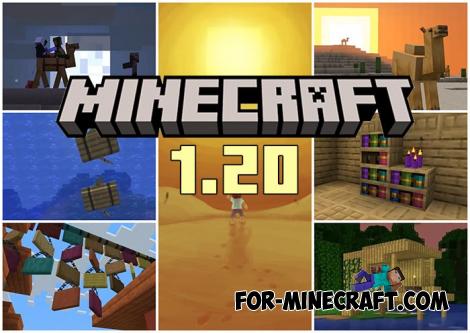 Minecraft PE 1.20.80.24 (1.20.80 Release)
Camels, hanging signs, sniffers and rafts and much more..
Minecraft PE 1.20.80.24 (1.20.80 Release)
Camels, hanging signs, sniffers and rafts and much more..
-
 IndustrialCraft PE mod v2.0 Pre-Release 7 for Minecraft PE
IndustrialCraft PE is a global mod for MCPE which is a very accurate IndustrialCraft copy for Minecraft PC. It
IndustrialCraft PE mod v2.0 Pre-Release 7 for Minecraft PE
IndustrialCraft PE is a global mod for MCPE which is a very accurate IndustrialCraft copy for Minecraft PC. It
-
Minecraft PE 26.60.30 (1.21.132/26.52)
More epic battles in the new structure, wind shooting mob, auto crafting and more..
