-

Faithful Textures for MCPE 1.16/1.17/1.19/1.20/1.21/26.52 (32x/64x/128x) (RTX)
Now you can play with the most popular -

Minecraft PE 26.60.30 (1.21.132/26.52)
More epic battles in the new structure, wind -

Dynamic Lights PE Addon for MCPE 1.16/1.17/1.18/1.19/1.20/1.21/26.60+
Dynamic Lights has long been created for almost -

X-Ray for Minecraft Bedrock Edition 1.19/1.20/1.21.132/26.60+
X-Ray is a cult cheat in the past, available as -

TreeCapitator Addon for Minecraft PE 1.17/1.18/1.19/1.20/1.21.132 (26.60)+
No modifications, now the old TreeCapitator is -

Vein Miner & TreeCapitator Addon for Minecraft PE 1.17/1.20/1.21/26.60+
Start your first day working as a miner or -

Java Combat System Addon v8.0 for Bedrock 1.17/1.18/1.19/1.21/26.60+
Install this updated combat system in the form -

Apollon Client 6.53 for Minecraft PE 1.21.114/26.45
Apollon is a standalone client wrapped in -

Minecraft Bedrock 1.21.132/26.44/26.60.29 Patched (apk)
Do you prefer to play non render dragon shaders -

Body Actions Addon v3.4.12 for Minecraft PE 1.19/1.21.110/26.60+
Humanization of characters in Minecraft Bedrock
BSLX (Classic) Shader for Minecraft PE 1.21.132/26.20+
- Author: Bernard
- Date:
BSL continues as a standalone X pack released for the current versions 1.21.60.21 Beta and 1.21.43 Release. These shaders are listed as highly demanding and certainly show their best results only on high-performance devices and PCs. The night cinematic screenshots below are not chosen by chance - BSLX is better at night than during the day.
Classic UPDATE v2.2:
- Support for Minecraft Bedrock Edition 26.20.24
- Shader fixes
Classic UPDATE v2.0:
- Bugfixes
- MCBE 26.1
Classic UPDATE v1.4:
The classic version with minimal customization. If you're looking for the default BSL for Bedrock 26.0, this is it.
Vibrant Visual UPDATE v1.8:
- Lighting update
- Minecraft Bedrock 26.3 support
Vibrant Visual UPDATE v1.1:
- Fixes
- MCPE 1.21.111 support (+1.21.120.24 beta)
Vibrant Visual UPDATE v1.0:
A special version for VV already preconfigured with all the correct settings for proper shader setup
Changelog Improvement UPDATE:
An extended version that includes all the improvements and features of the previous ones
- Minecraft PE 1.21.60.21 support 


Changelog VANILLA UPDATE:
- Added BSLX - VANILLA, which received a massive update to the overworld and everything connected to it.
- Minecraft PE 1.21.50.28 support 


BSL X Version Features:
What else can a modern Bedrock Edition shader surprise with? It's hard to say, but if you ask for a beautiful picture, you will definitely get it, since BSLX comes with the following things:


RenderDragon support:
So that everyone can activate BSLX without having problems installing patches or patched launchers, this one supports the default graphics engine, having all the functions working without additional interventions and actions. 


How to install the BSLX Shader?
1. Download the shader, open it using MCPE
2. Go to the game setting and activate it
Download BSLX Shader (END UPDATE) for Minecraft PE 1.21+
Download BSLX Shader (VANILLA UPDATE) for Minecraft PE 1.21+
Download BSLX Shader (Improvement UPDATE) for Minecraft PE 1.21+
Download BSL Shader v1.0 (Vibrant Visual) for Minecraft PE 1.21+
Download BSL Shader v1.1 (Vibrant Visual) for Minecraft PE 1.21+
Download BSL Shader v1.4 (Classic) for Minecraft PE 26.0+
Download BSL Shader v2.0 (Classic) for Minecraft PE 26.1+
Download BSL Shader v2.2 (Classic) for Minecraft PE 26.20+
Reason: Added Minecraft 26.20 support
- Category: Shaders for Minecraft Bedrock (PE)
Recommend:
-
 PlankzPlus (BlockzPlus) Addon for Minecraft PE 1.18/1.19
PlankzPlus is a variant of Chisel in a way, published as an addon for Minecraft Bedrock Edition 1.18 and 1.19..
PlankzPlus (BlockzPlus) Addon for Minecraft PE 1.18/1.19
PlankzPlus is a variant of Chisel in a way, published as an addon for Minecraft Bedrock Edition 1.18 and 1.19..
-
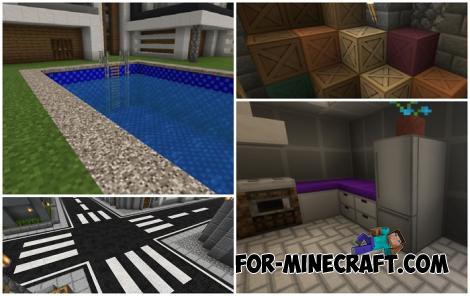 Modern Blocks Addon v1.1.7 for Minecraft Bedrock 1.16/1.17/1.18
Modern Blocks Addon is a must in 99% of cases if you are decorating or renovating your home playing MC Bedrock
Modern Blocks Addon v1.1.7 for Minecraft Bedrock 1.16/1.17/1.18
Modern Blocks Addon is a must in 99% of cases if you are decorating or renovating your home playing MC Bedrock
-
 IndustrialCraft PE mod v2.0 Pre-Release 7 for Minecraft PE
IndustrialCraft PE is a global mod for MCPE which is a very accurate IndustrialCraft copy for Minecraft PC. It
IndustrialCraft PE mod v2.0 Pre-Release 7 for Minecraft PE
IndustrialCraft PE is a global mod for MCPE which is a very accurate IndustrialCraft copy for Minecraft PC. It
-
 Replay & Cinematic Addon v3.1.2 for Minecraft Bedrock 1.21/26.20+
Without a doubt the best cinematic mod for MCBE among all in the mcaddon..
Replay & Cinematic Addon v3.1.2 for Minecraft Bedrock 1.21/26.20+
Without a doubt the best cinematic mod for MCBE among all in the mcaddon..
-
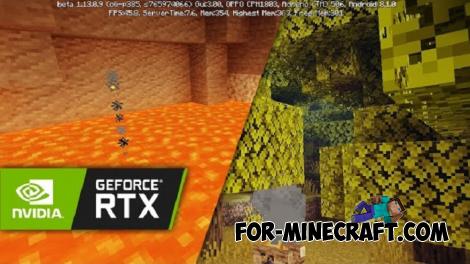 DMPE Cinematic Shader for Minecraft PE 1.14
DMPE is a cinematic shader for Minecraft PE 1.13 and 1.14 that clearly separates the phases of the day and makes them
DMPE Cinematic Shader for Minecraft PE 1.14
DMPE is a cinematic shader for Minecraft PE 1.13 and 1.14 that clearly separates the phases of the day and makes them
