Popular
-

Faithful Textures for MCPE 1.16/1.17/1.19/1.20/1.21/26.52 (32x/64x/128x) (RTX)
Now you can play with the most popular -

Minecraft PE 26.60.30 (1.21.132/26.52)
More epic battles in the new structure, wind -

Dynamic Lights PE Addon for MCPE 1.16/1.17/1.18/1.19/1.20/1.21/26.60+
Dynamic Lights has long been created for almost -

X-Ray for Minecraft Bedrock Edition 1.19/1.20/1.21.132/26.60+
X-Ray is a cult cheat in the past, available as -

TreeCapitator Addon for Minecraft PE 1.17/1.18/1.19/1.20/1.21.132 (26.60)+
No modifications, now the old TreeCapitator is -

Vein Miner & TreeCapitator Addon for Minecraft PE 1.17/1.20/1.21/26.60+
Start your first day working as a miner or -

Java Combat System Addon v8.0 for Bedrock 1.17/1.18/1.19/1.21/26.60+
Install this updated combat system in the form -

Minecraft Bedrock 1.21.132/26.44/26.60.29 Patched (apk)
Do you prefer to play non render dragon shaders -

Body Actions Addon v3.4.12 for Minecraft PE 1.19/1.21.110/26.60+
Humanization of characters in Minecraft Bedrock -

LeviLauncher v0.3.11 (LeviLaunchroid v1.5.25) for Minecraft Bedrock 1.21.132/26.60
LeviLauncher is the tool you've been
9
Having a modern device with the installed Minecraft Bedrock Edition you can still experience some difficulties during the game. This is mainly a problem of the specs of your smartphone / tablet, but there are cases when FPS are reduced by default.
- New Homescreen
- Updated textures
- Icon redesign
- Minecraft PE 1.16 support
- New subpacks: FPS / Lunar / PvP

To boost FPS in Minecraft PE in just a few seconds you will need LunarClient. It was created as a simple solution in situations with reduced FPS, as well as to give the player a wider range of options not available in the original game.
This is a small addon that implements separate tabs with new options in the menu. The developers hid them from the eyes of ordinary players, but LunarClient makes them appear open and working, allowing you to change some graphical aspects of the game.


Install the addon and open the settings. Then go to the panel.video tab and turn the slider to the right to set the maximum number of frames. At any time, FPS can be reduced to the optimal value. But FPS is not the only new option.


Turn on Debug Hud, change Paricle Render Distance, and also look at other options that affect performance and graphics quality in MCPE.

1. Open the file (.mcpack) using Minecraft PE.
2. Activate the addon (world or game settings).
LunarClient v4.1 for Minecraft PE 1.15/1.16 (FPS Booster)
- Author: Bernard
- Date:
Having a modern device with the installed Minecraft Bedrock Edition you can still experience some difficulties during the game. This is mainly a problem of the specs of your smartphone / tablet, but there are cases when FPS are reduced by default.
Changelog v4.1:
- New Homescreen
- Updated textures
- Icon redesign
- Minecraft PE 1.16 support
- New subpacks: FPS / Lunar / PvP
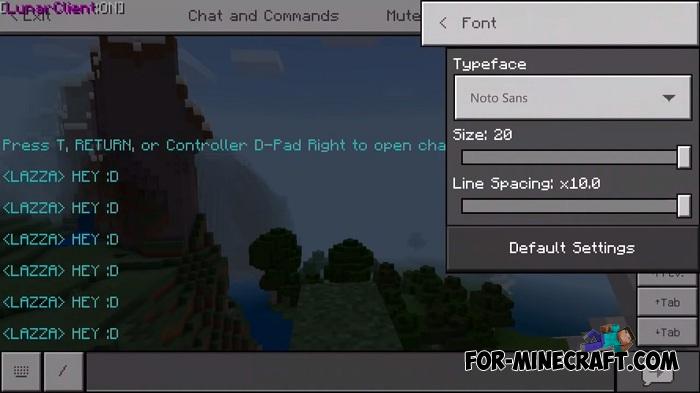
To boost FPS in Minecraft PE in just a few seconds you will need LunarClient. It was created as a simple solution in situations with reduced FPS, as well as to give the player a wider range of options not available in the original game.
What is LunarClient?
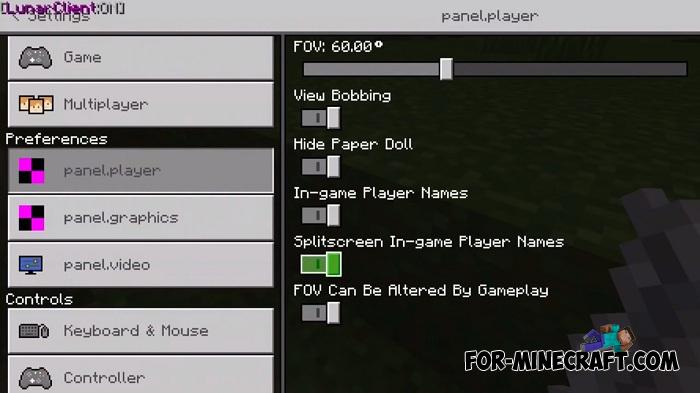
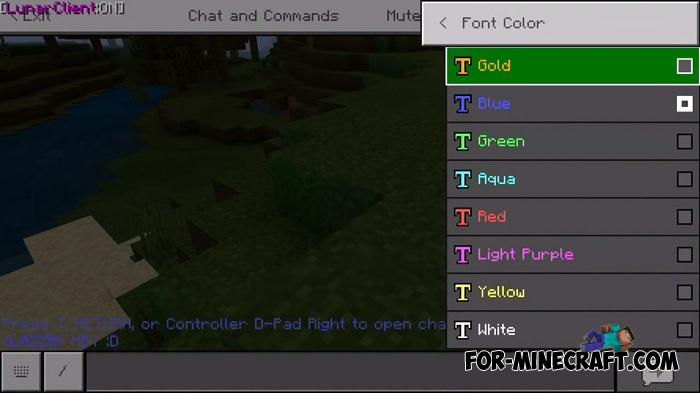
This is a small addon that implements separate tabs with new options in the menu. The developers hid them from the eyes of ordinary players, but LunarClient makes them appear open and working, allowing you to change some graphical aspects of the game.
How to boost FPS?
Install the addon and open the settings. Then go to the panel.video tab and turn the slider to the right to set the maximum number of frames. At any time, FPS can be reduced to the optimal value. But FPS is not the only new option.
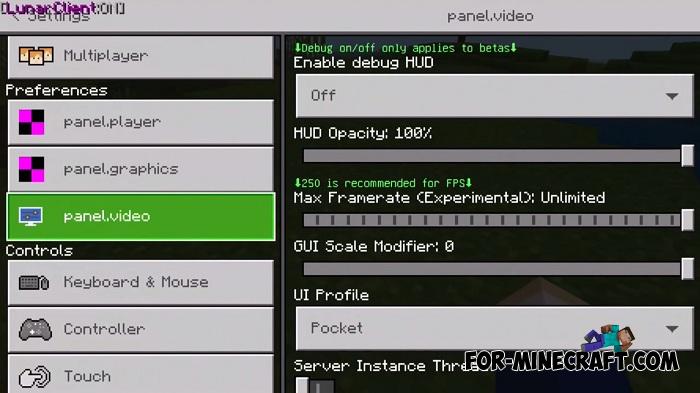
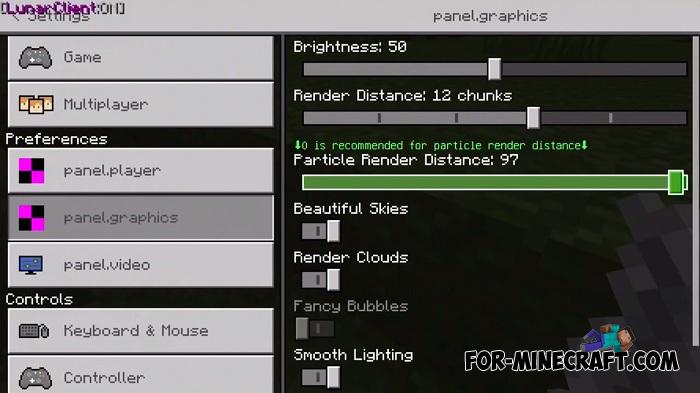
Turn on Debug Hud, change Paricle Render Distance, and also look at other options that affect performance and graphics quality in MCPE.
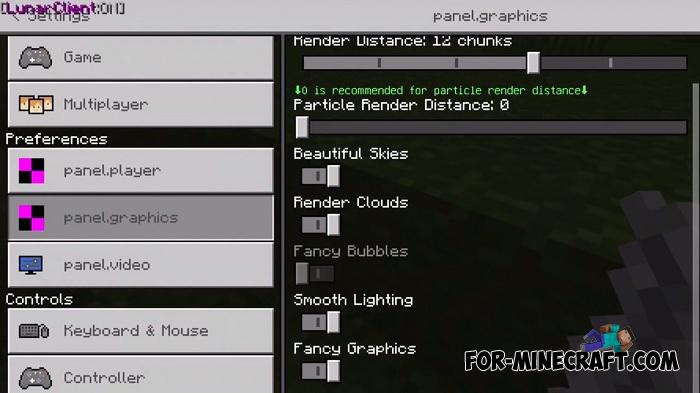
How to install the LunarClient Addon?
1. Open the file (.mcpack) using Minecraft PE.
2. Activate the addon (world or game settings).
- Category: Mods & Addons for Minecraft Bedrock (PE)
Recommend:
-
 IndustrialCraft PE mod v2.0 Pre-Release 7 for Minecraft PE
IndustrialCraft PE is a global mod for MCPE which is a very accurate IndustrialCraft copy for Minecraft PC. It
IndustrialCraft PE mod v2.0 Pre-Release 7 for Minecraft PE
IndustrialCraft PE is a global mod for MCPE which is a very accurate IndustrialCraft copy for Minecraft PC. It
-
 Factorization Mod 5.2 for Minecraft PE 0.11/0.12/0.13/0.14
The basis of mod make blocks-mechanisms. With these systems of the mechanisms can be automated almost any process in
Factorization Mod 5.2 for Minecraft PE 0.11/0.12/0.13/0.14
The basis of mod make blocks-mechanisms. With these systems of the mechanisms can be automated almost any process in
-
 Ender IO mod v1.0 for Minecraft PE (Bedrock)
Ender IO IC is a modification that adds various machines, generators for the production of RF and Eu energy, devices
Ender IO mod v1.0 for Minecraft PE (Bedrock)
Ender IO IC is a modification that adds various machines, generators for the production of RF and Eu energy, devices
-
 How to make a working shower in Minecraft (+Map)
In this guide you will learn a new interesting redstone and command blocks scheme that allows you to make your own
How to make a working shower in Minecraft (+Map)
In this guide you will learn a new interesting redstone and command blocks scheme that allows you to make your own
-
 Mech Mod v1.4.0 for Minecraft Pocket Edition 0.13/0.14/0.15/0.16.2
Mech modification adds 21 types of vehicles to the game that you can drive and fly.
Mech Mod v1.4.0 for Minecraft Pocket Edition 0.13/0.14/0.15/0.16.2
Mech modification adds 21 types of vehicles to the game that you can drive and fly.
