-
Faithful Textures for MCPE 1.16/1.17/1.19/1.20/1.21/26.52 (32x/64x/128x) (RTX)
Now you can play with the most popular -

Minecraft PE 26.60.30 (1.21.132/26.52)
More epic battles in the new structure, wind -

Dynamic Lights PE Addon for MCPE 1.16/1.17/1.18/1.19/1.20/1.21/26.60+
Dynamic Lights has long been created for almost -

X-Ray for Minecraft Bedrock Edition 1.19/1.20/1.21.132/26.60+
X-Ray is a cult cheat in the past, available as -

TreeCapitator Addon for Minecraft PE 1.17/1.18/1.19/1.20/1.21.132 (26.60)+
No modifications, now the old TreeCapitator is -

Vein Miner & TreeCapitator Addon for Minecraft PE 1.17/1.20/1.21/26.60+
Start your first day working as a miner or -

Minecraft Bedrock 1.21.132/26.44/26.60.29 Patched (apk)
Do you prefer to play non render dragon shaders -

LeviLauncher v0.3.11 (LeviLaunchroid v1.5.27) for Minecraft Bedrock 1.21.132/26.70
LeviLauncher is the tool you've been -

Shadow Company Addon for Minecraft PE 1.21/26
A killer weapon addon for Minecraft Bedrock, -

Newb (Legacy/Dragon/Trailer/Glow/Firelight/Gold/Dynamite/Memories/Stellar/AI/Plus)
Uniting under a single name, all presented Newb
Dynamic Shadows Mod v2.2.5 for Minecraft Bedrock 1.26+
- Author: Bernard
- Date:
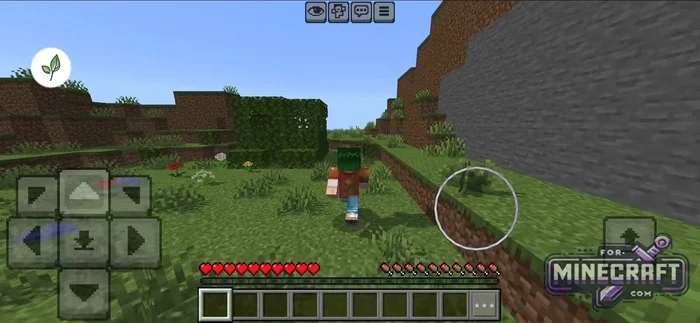
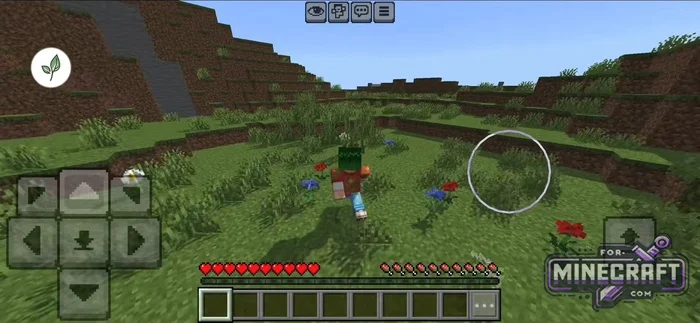
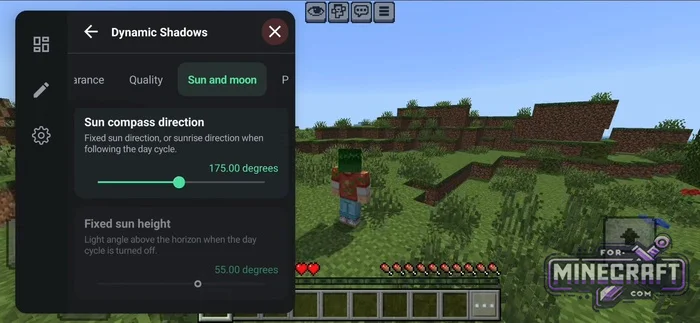
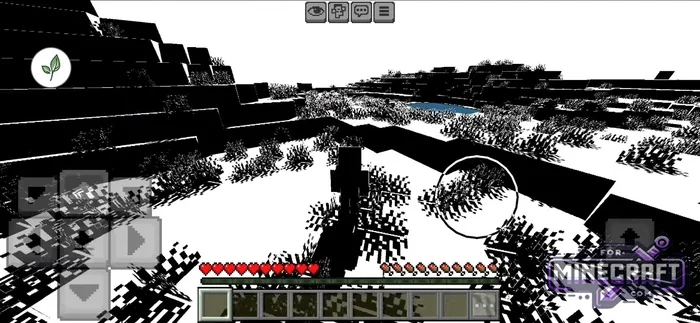
Dynamic Shadows adds dynamic sunlight and moonlight shadows to Minecraft Bedrock. It's a native, open-source mod that works directly with the game engine through DynamicShadows.so. Unlike heavy shader packs, Dynamic Shadows doesn't change anything else and generally works like the Java version of DS, but with convenient options.
By: chromehaert
Light Behavior and Underground Mode:
-
Shadows gradually fade near artificial light sources like torches and glowstone.
-
The mod reads the baked-in sky light level and removes outdoor shadows underground.
-
Shadow fading also works in fog
-
Shadows aren't limited to the surroundings. You can also see them in first person, with the silhouette of your hand and held item projected onto the ground and walls.
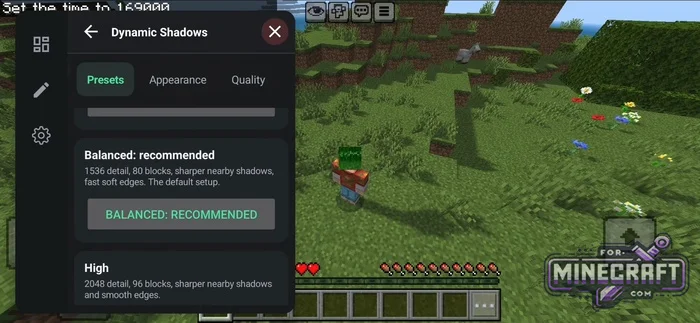
Synchronization with Celestial Bodies:
Dynamic Shadows links shadow directions to the actual positions of the sun and moon. It shifts their textures to match the selected lighting angle. Recent updates have fixed compatibility with Newb Classic, although aligning the sun with custom materials may still require some tweaking.
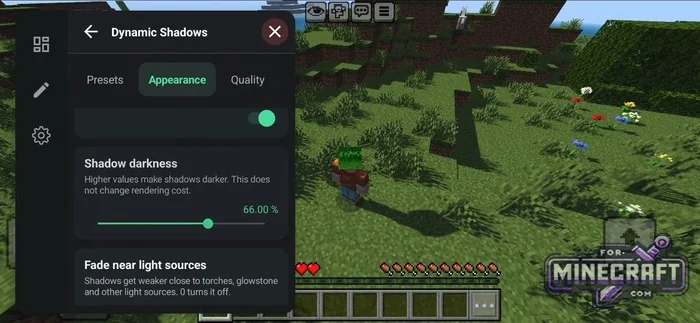
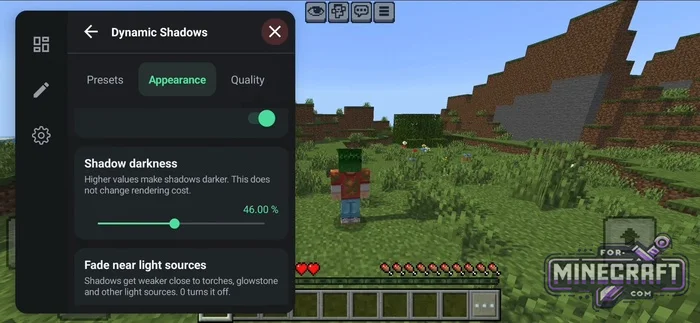
How to Install Dynamic Shadows in Bedrock:
The mod is designed for Minecraft Bedrock 1.26.52. You'll need LeviLauncher and support for the GL_EXT_shader_framebuffer_fetch extension for soft shadow fading to work. One known issue is that shield animations are broken in the current version.
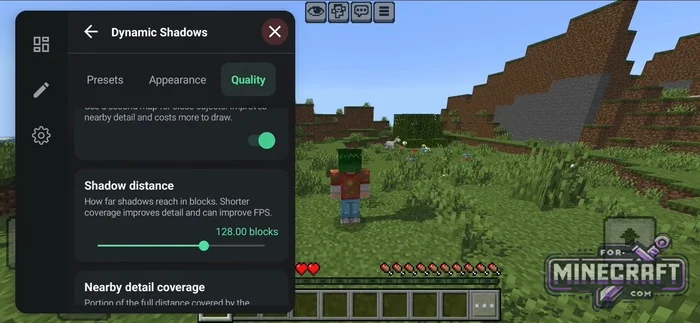
Presets and Options:
-
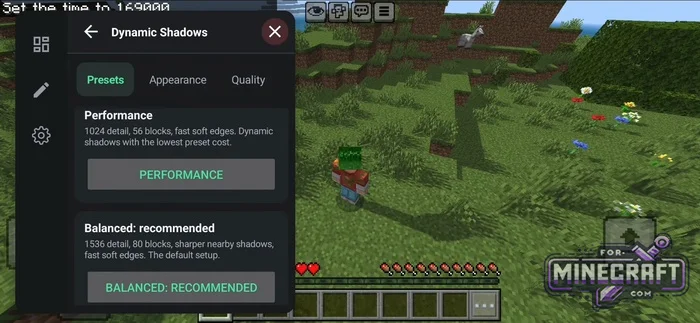
Performance, Balanced, High, and Ultra.
-
Shadow settings:
-
Darkness.
-
Edge softness.
-
Render distance.
-
Shadow color.
-
-
Move the visible sun and moon.
-
Fade near light sources / light fade.
-
Fade shadows underground.
-
Fog fade.
-
First-person shadows.
-
Settings are saved to
<mod folder>/config/config.json.
Recommend:
-
Minecraft PE 26.60.30 (1.21.132/26.52)
More epic battles in the new structure, wind shooting mob, auto crafting and more..
-
Newb (Legacy/Dragon/Trailer/Glow/Firelight/Gold/Dynamite/Memories/Stellar/AI/Plus)
Uniting under a single name, all presented Newb Shaders are unique in their own way..
-
 PlankzPlus (BlockzPlus) Addon for Minecraft PE 1.18/1.19
PlankzPlus is a variant of Chisel in a way, published as an addon for Minecraft Bedrock Edition 1.18 and 1.19..
PlankzPlus (BlockzPlus) Addon for Minecraft PE 1.18/1.19
PlankzPlus is a variant of Chisel in a way, published as an addon for Minecraft Bedrock Edition 1.18 and 1.19..
-
 IndustrialCraft PE Mod 2.4.8 for Minecraft PE 1.16
The IndustrialCraft PE history continues and now it goes to a new level..
IndustrialCraft PE Mod 2.4.8 for Minecraft PE 1.16
The IndustrialCraft PE history continues and now it goes to a new level..
-
 IndustrialCraft PE mod v2.0 Pre-Release 7 for Minecraft PE
IndustrialCraft PE is a global mod for MCPE which is a very accurate IndustrialCraft copy for Minecraft PC. It
IndustrialCraft PE mod v2.0 Pre-Release 7 for Minecraft PE
IndustrialCraft PE is a global mod for MCPE which is a very accurate IndustrialCraft copy for Minecraft PC. It
