-

Faithful Textures for MCPE 1.16/1.17/1.19/1.20/1.21/26.52 (32x/64x/128x) (RTX)
Now you can play with the most popular -

Minecraft PE 26.70.21 (1.21.132/26.52)
More epic battles in the new structure, wind -

Dynamic Lights PE Addon for MCPE 1.16/1.17/1.18/1.19/1.20/1.21/26.60+
Dynamic Lights has long been created for almost -

X-Ray for Minecraft Bedrock Edition 1.19/1.20/1.21.132/26.60+
X-Ray is a cult cheat in the past, available as -

Vein Miner & TreeCapitator Addon for Minecraft PE 1.17/1.20/1.21/26.70+
Start your first day working as a miner or -

Apollon Client 6.70 for Minecraft PE 1.21.114/26.52
Apollon is a standalone client wrapped in -

Minecraft Bedrock 1.21.132/26.44/26.70.21 Patched (apk)
Do you prefer to play non render dragon shaders -

LeviLauncher v0.3.11 (LeviLaunchroid v1.5.27) for Minecraft Bedrock 1.21.132/26.70
LeviLauncher is the tool you've been -

Shadow Company Addon for Minecraft PE 1.21/26
A killer weapon addon for Minecraft Bedrock, -

Newb (Legacy/ Dragon/ Trailer/ Glow/ Firelight/ Gold/ Dynamite/ Memories/ Stellar/ AI/ Plus)
Uniting under a single name, all presented Newb
Debug Stick Addon Beta 8 for Minecraft Bedrock 1.21/26.X
- Author: Bernard
- Date:
Debug Stick is a tool for modifying block states that was previously available only on Java or as a mod for Bedrock in PEMinecraft. Today's update is an add-on optimized for version 26.10 and newer. It features a similar, simplified interface and essentially the same functionality for working with blocks in Bedrock Edition.
By: vytdev
Features:
- Ported Java functionality for mobile and consoles
- Built-in Block Viewer
- Graphical interface with drop-down lists
- Ability to edit specific states
- Safe call system
How does the Debug Stick work in Bedrock?
The essence of the mod is managing object properties. Control is based on simple actions.
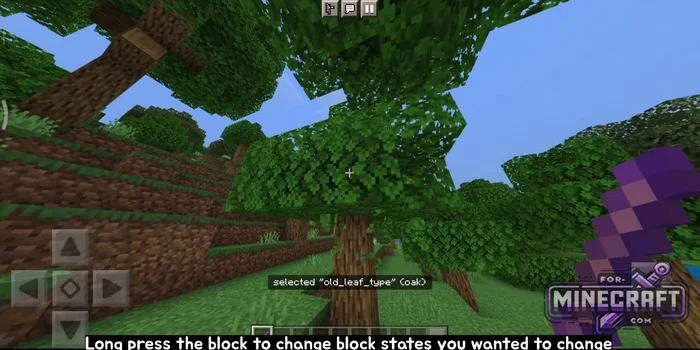
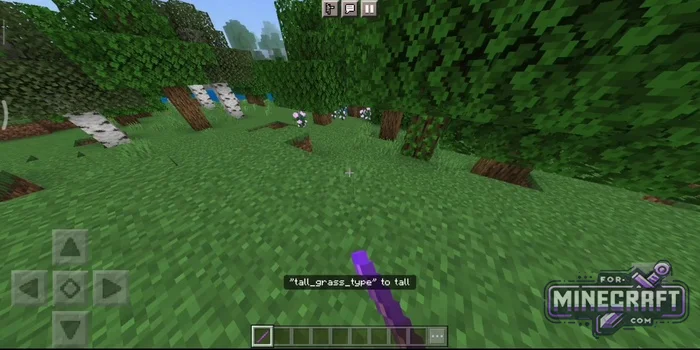
- A short tap on a block toggles its specific value
- A long tap (simulating breaking the block) lets you choose which parameter you want to edit: rotation direction or type.
How do I get the Debug Stick?
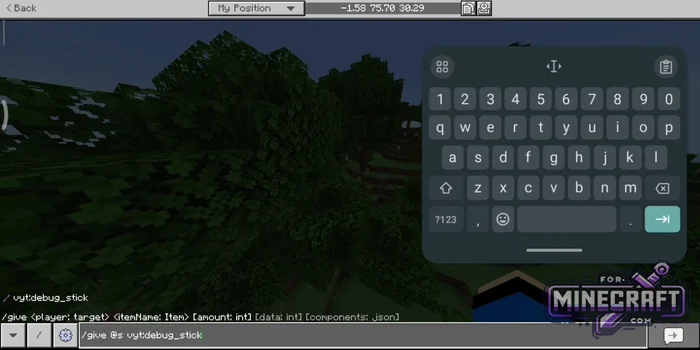
You can find the tool in your creative inventory or obtain it using the command /give @s vyt:debug_stick.
Block Viewer:
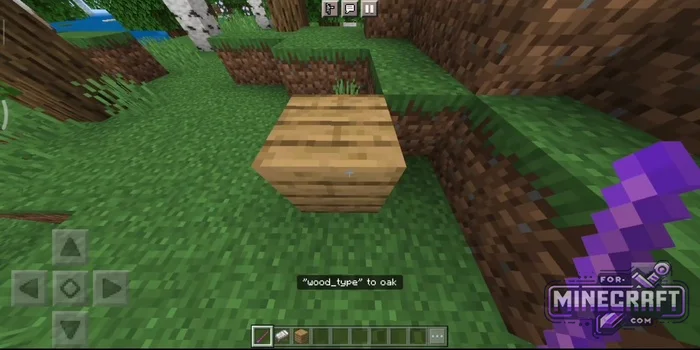
The Debug Stick also features a graphical user interface (UI). It is accessed via vyt:debug_stick_ui and allows you to change all available block states in a single window using dropdown lists. When you click on a block while sneaking, a detailed log is displayed: exact coordinates, redstone signal level, material tags, and material state.
- Category: Mods & Addons for Minecraft Bedrock (PE)
Recommend:
-
Minecraft PE 26.70.21 (1.21.132/26.52)
More epic battles in the new structure, wind shooting mob, auto crafting and more..
-
 IndustrialCraft PE Mod 2.4.8 for Minecraft PE 1.16
The IndustrialCraft PE history continues and now it goes to a new level..
IndustrialCraft PE Mod 2.4.8 for Minecraft PE 1.16
The IndustrialCraft PE history continues and now it goes to a new level..
-
 Download Minecraft PE 1.16.230.56 (1.16.221) - Nether Update
The most massive Nether update with new mobs, plants and biomes!
Download Minecraft PE 1.16.230.56 (1.16.221) - Nether Update
The most massive Nether update with new mobs, plants and biomes!
-
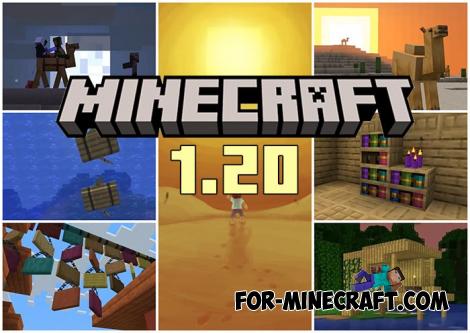 Minecraft PE 1.20.80.24 (1.20.80 Release)
Camels, hanging signs, sniffers and rafts and much more..
Minecraft PE 1.20.80.24 (1.20.80 Release)
Camels, hanging signs, sniffers and rafts and much more..
-
 Minecraft PE 1.19.80.24 Beta (1.19.81 Release)
Meet the officially announced Minecraft PE 1.19 update with frogs, warden, fireflies and swamps!
Minecraft PE 1.19.80.24 Beta (1.19.81 Release)
Meet the officially announced Minecraft PE 1.19 update with frogs, warden, fireflies and swamps!
