Popular
-

Minecraft PE 26.70.21 (1.21.132/26.52)
More epic battles in the new structure, wind -

Dynamic Lights PE Addon for MCPE 1.16/1.17/1.18/1.19/1.20/1.21/26.60+
Dynamic Lights has long been created for almost -

X-Ray for Minecraft Bedrock Edition 1.19/1.20/1.21.132/26.60+
X-Ray is a cult cheat in the past, available as -

Vein Miner & TreeCapitator Addon for Minecraft PE 1.17/1.20/1.21/26.70+
Start your first day working as a miner or -

Apollon Client 6.70 for Minecraft PE 1.21.114/26.52
Apollon is a standalone client wrapped in -

Minecraft Bedrock 1.21.132/26.44/26.70.21 Patched (apk)
Do you prefer to play non render dragon shaders -

LeviLauncher v0.3.11 (LeviLaunchroid v1.5.27) for Minecraft Bedrock 1.21.132/26.70
LeviLauncher is the tool you've been -

Shadow Company Addon for Minecraft PE 1.21/26
A killer weapon addon for Minecraft Bedrock, -

Newb (Legacy/ Dragon/ Trailer/ Glow/ Firelight/ Gold/ Dynamite/ Memories/ Stellar/ AI/ Plus)
Uniting under a single name, all presented Newb -

Mini Structures Addon v2.0 for Minecraft PE 1.18/1.19/1.20/1.21/26.70+
There are 30 structures at the moment, and all
0
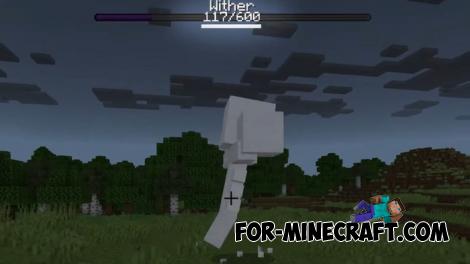
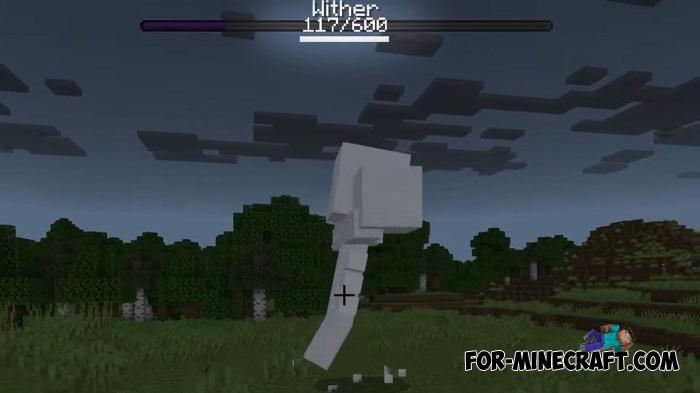
A handy little tweak that fits perfectly as part of any adventure addon pack for Minecraft Bedrock. And it's really simple - make the default boss health bar more informative by adding the boss's health shown either as a percentage or in HP (the latest update lets you choose between multiple display options).
By: Sanidhya_Not
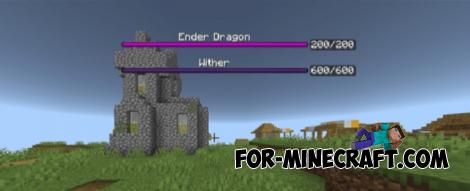
The latest version includes both options, and you can pick whichever works best for you:
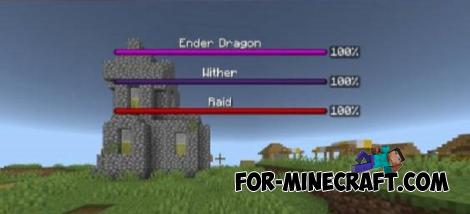
Just go into the settings and select the subpack you prefer. The addons flexibility lets you customize how boss health is displayed exactly the way you want. And thanks to the more informative bar, you'll always know exactly how many hits it will take to finally defeat the boss.
1. Open the file (.mcpack) using Minecraft PE
2. Activate the addon (world or game settings)
Boss HP Display Addon for Minecraft Bedrock 1.21
- Author: Bernard
- Date:
A handy little tweak that fits perfectly as part of any adventure addon pack for Minecraft Bedrock. And it's really simple - make the default boss health bar more informative by adding the boss's health shown either as a percentage or in HP (the latest update lets you choose between multiple display options).
By: Sanidhya_Not
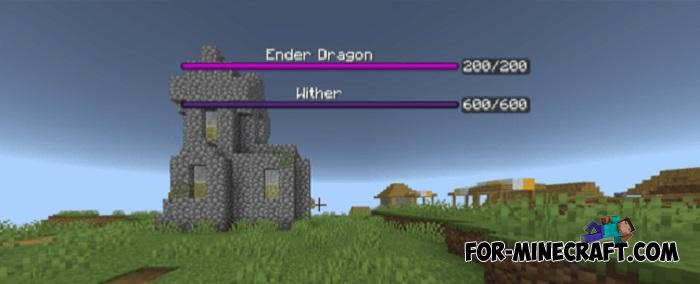
HP and/or %:
The latest version includes both options, and you can pick whichever works best for you:
HP only
% only
HP and % displayed on opposite sides of the health bar
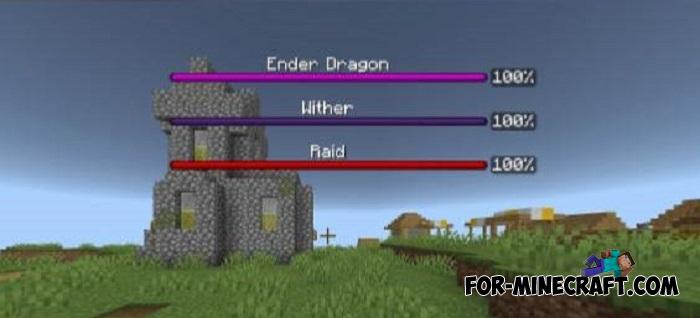
Just go into the settings and select the subpack you prefer. The addons flexibility lets you customize how boss health is displayed exactly the way you want. And thanks to the more informative bar, you'll always know exactly how many hits it will take to finally defeat the boss.
How to install the Boss HP Display Addon?
1. Open the file (.mcpack) using Minecraft PE
2. Activate the addon (world or game settings)
- Category: Mods & Addons for Minecraft Bedrock (PE)
Recommend:
-
 Download Minecraft PE 1.16.230.56 (1.16.221) - Nether Update
The most massive Nether update with new mobs, plants and biomes!
Download Minecraft PE 1.16.230.56 (1.16.221) - Nether Update
The most massive Nether update with new mobs, plants and biomes!
-
Minecraft PE 26.70.21 (1.21.132/26.52)
More epic battles in the new structure, wind shooting mob, auto crafting and more..
-
 Minecraft PE 1.19.80.24 Beta (1.19.81 Release)
Meet the officially announced Minecraft PE 1.19 update with frogs, warden, fireflies and swamps!
Minecraft PE 1.19.80.24 Beta (1.19.81 Release)
Meet the officially announced Minecraft PE 1.19 update with frogs, warden, fireflies and swamps!
-
 IndustrialCraft PE mod v2.0 Pre-Release 7 for Minecraft PE
IndustrialCraft PE is a global mod for MCPE which is a very accurate IndustrialCraft copy for Minecraft PC. It
IndustrialCraft PE mod v2.0 Pre-Release 7 for Minecraft PE
IndustrialCraft PE is a global mod for MCPE which is a very accurate IndustrialCraft copy for Minecraft PC. It
-
 Minecraft PE 1.20.80.24 (1.20.80 Release)
Camels, hanging signs, sniffers and rafts and much more..
Minecraft PE 1.20.80.24 (1.20.80 Release)
Camels, hanging signs, sniffers and rafts and much more..
