Popular
-

Minecraft PE 26.70.21 (1.21.132/26.52)
More epic battles in the new structure, wind -

Dynamic Lights PE Addon for MCPE 1.16/1.17/1.18/1.19/1.20/1.21/26.60+
Dynamic Lights has long been created for almost -

X-Ray for Minecraft Bedrock Edition 1.19/1.20/1.21.132/26.60+
X-Ray is a cult cheat in the past, available as -

Vein Miner & TreeCapitator Addon for Minecraft PE 1.17/1.20/1.21/26.70+
Start your first day working as a miner or -

Apollon Client 6.70 for Minecraft PE 1.21.114/26.52
Apollon is a standalone client wrapped in -

Minecraft Bedrock 1.21.132/26.44/26.70.21 Patched (apk)
Do you prefer to play non render dragon shaders -

LeviLauncher v0.3.11 (LeviLaunchroid v1.5.27) for Minecraft Bedrock 1.21.132/26.70
LeviLauncher is the tool you've been -

Shadow Company Addon for Minecraft PE 1.21/26
A killer weapon addon for Minecraft Bedrock, -

Newb (Legacy/ Dragon/ Trailer/ Glow/ Firelight/ Gold/ Dynamite/ Memories/ Stellar/ AI/ Plus)
Uniting under a single name, all presented Newb -

Mini Structures Addon v2.0 for Minecraft PE 1.18/1.19/1.20/1.21/26.70+
There are 30 structures at the moment, and all
0
Do you want your personal chest that can be locked and unlocked? This is easy to arrange if you install the Private Chest addon to add lockable chests to Minecraft Pocket Edition (versions 1.5 to 1.8). Now playing on Minecraft server, you can store some of your resources in a locked chest, only you and no one else have access to the chest.
By: Piggy2581

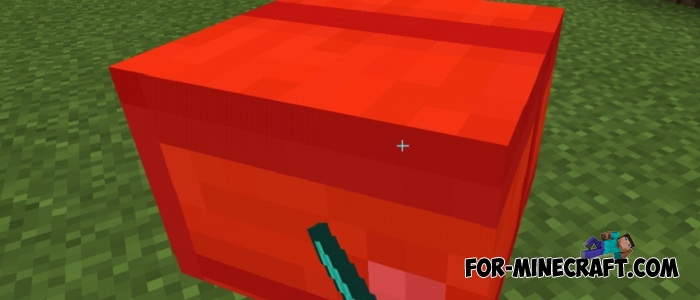
First of all, look at its appearance. Private chests are different from vanilla - they are bigger and wider, as they replace parrots in MCPE. Throw the chest spawn egg in the place where you need to install the chest and then tap with an iron ingot and the chest will be fixed in one position.

After that you have only your 27 slots, the other players cannot open the chest interface and take or put things. At the same time, the chest can be broken but items drop will not happen.

1. Open the file (.mcaddon) using MCPE.
2. Activate the addon (world or game settings)
Private Chest addon for Minecraft PE 1.X
- Author: Bernard
- Date:
Do you want your personal chest that can be locked and unlocked? This is easy to arrange if you install the Private Chest addon to add lockable chests to Minecraft Pocket Edition (versions 1.5 to 1.8). Now playing on Minecraft server, you can store some of your resources in a locked chest, only you and no one else have access to the chest.
By: Piggy2581

How to use private chests?
First of all, look at its appearance. Private chests are different from vanilla - they are bigger and wider, as they replace parrots in MCPE. Throw the chest spawn egg in the place where you need to install the chest and then tap with an iron ingot and the chest will be fixed in one position.

After that you have only your 27 slots, the other players cannot open the chest interface and take or put things. At the same time, the chest can be broken but items drop will not happen.
How to install the Private Chest addon?
1. Open the file (.mcaddon) using MCPE.
2. Activate the addon (world or game settings)
- Category: Mods & Addons for Minecraft Bedrock (PE)
Recommend:
-
 IndustrialCraft PE mod v2.0 Pre-Release 7 for Minecraft PE
IndustrialCraft PE is a global mod for MCPE which is a very accurate IndustrialCraft copy for Minecraft PC. It
IndustrialCraft PE mod v2.0 Pre-Release 7 for Minecraft PE
IndustrialCraft PE is a global mod for MCPE which is a very accurate IndustrialCraft copy for Minecraft PC. It
-
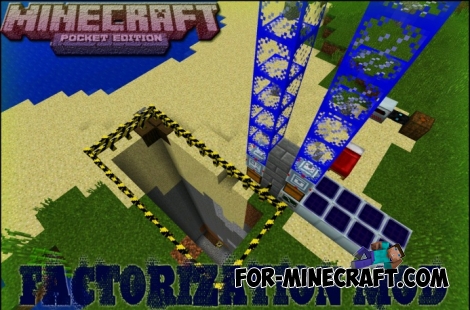 Factorization Mod 5.2 for Minecraft PE 0.11/0.12/0.13/0.14
The basis of mod make blocks-mechanisms. With these systems of the mechanisms can be automated almost any process in
Factorization Mod 5.2 for Minecraft PE 0.11/0.12/0.13/0.14
The basis of mod make blocks-mechanisms. With these systems of the mechanisms can be automated almost any process in
-
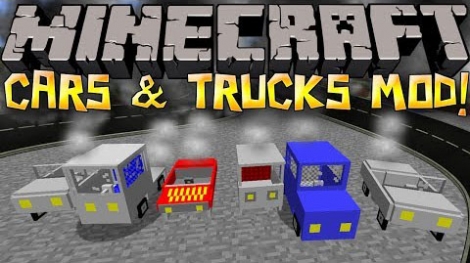 Cars and Drives Mod for Minecraft 1.7.10 / 1.7.2
Cars and Drives Mod makes it possible to make real machine in minecraft. Most importantly, you can to drive a car! In
Cars and Drives Mod for Minecraft 1.7.10 / 1.7.2
Cars and Drives Mod makes it possible to make real machine in minecraft. Most importantly, you can to drive a car! In
-
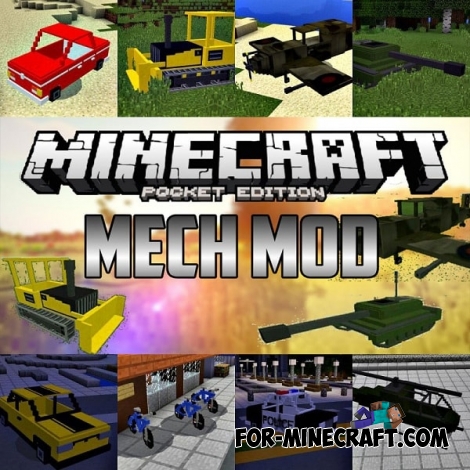 Mech Mod v1.4.0 for Minecraft Pocket Edition 0.13/0.14/0.15/0.16.2
Mech modification adds 21 types of vehicles to the game that you can drive and fly.
Mech Mod v1.4.0 for Minecraft Pocket Edition 0.13/0.14/0.15/0.16.2
Mech modification adds 21 types of vehicles to the game that you can drive and fly.
-
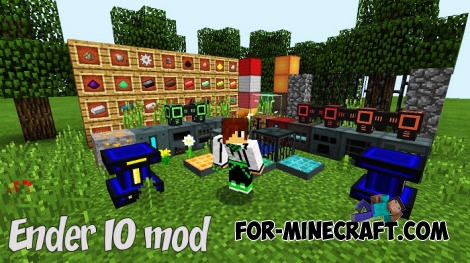 Ender IO mod v1.0 for Minecraft PE (Bedrock)
Ender IO IC is a modification that adds various machines, generators for the production of RF and Eu energy, devices
Ender IO mod v1.0 for Minecraft PE (Bedrock)
Ender IO IC is a modification that adds various machines, generators for the production of RF and Eu energy, devices
