Popular
-

Faithful Textures for MCPE 1.16/1.17/1.19/1.20/1.21/26.52 (32x/64x/128x) (RTX)
Now you can play with the most popular -

Minecraft PE 26.60.30 (1.21.132/26.52)
More epic battles in the new structure, wind -

Dynamic Lights PE Addon for MCPE 1.16/1.17/1.18/1.19/1.20/1.21/26.60+
Dynamic Lights has long been created for almost -

X-Ray for Minecraft Bedrock Edition 1.19/1.20/1.21.132/26.60+
X-Ray is a cult cheat in the past, available as -

TreeCapitator Addon for Minecraft PE 1.17/1.18/1.19/1.20/1.21.132 (26.60)+
No modifications, now the old TreeCapitator is -

Vein Miner & TreeCapitator Addon for Minecraft PE 1.17/1.20/1.21/26.60+
Start your first day working as a miner or -

Java Combat System Addon v8.0 for Bedrock 1.17/1.18/1.19/1.21/26.60+
Install this updated combat system in the form -

Apollon Client 6.53 for Minecraft PE 1.21.114/26.45
Apollon is a standalone client wrapped in -

Minecraft Bedrock 1.21.132/26.44/26.60.29 Patched (apk)
Do you prefer to play non render dragon shaders -

Body Actions Addon v3.4.12 for Minecraft PE 1.19/1.21.110/26.60+
Humanization of characters in Minecraft Bedrock
10
Xerox Client is not a classic client, but more like an advanced texture pack that works on all platforms that support modding, including Android, iOS and Windows Edition, keeping a clean minimal look. The main idea of the pack is to improve navigation, make the menu cleaner and a bit closer to Java Edition. Overall, Xerox isn't a typical client, it kinda has different goals.
By: @XSzC
• Completely updated main menu
• New hotbar (adaptive layout)
• Moved chat
• Armor HUD
• Updated inventory
• Advanced creative search
• New pause menu
• Improved chest menus
• Support for all platforms (Android, iOS, Windows)
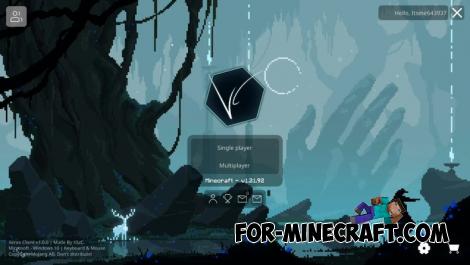
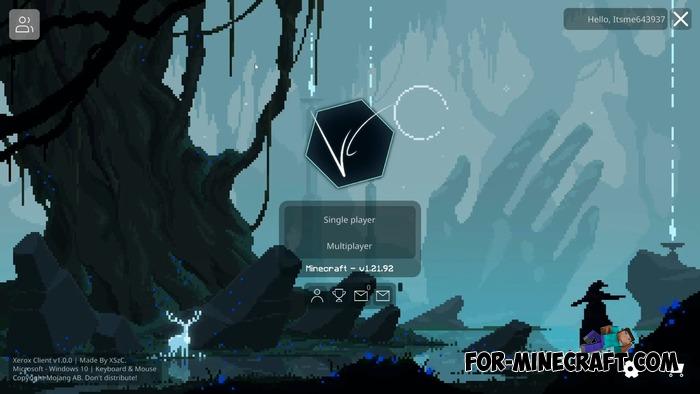
Once you enable Xerox Client, you'll notice the main menu looks more modern thanks to clear buttons, panoramas, element placement and even the color scheme.
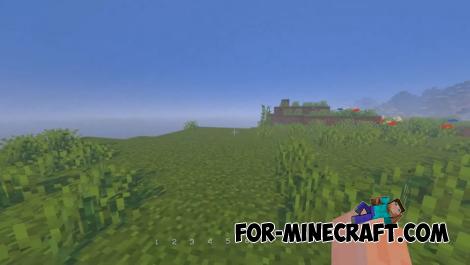
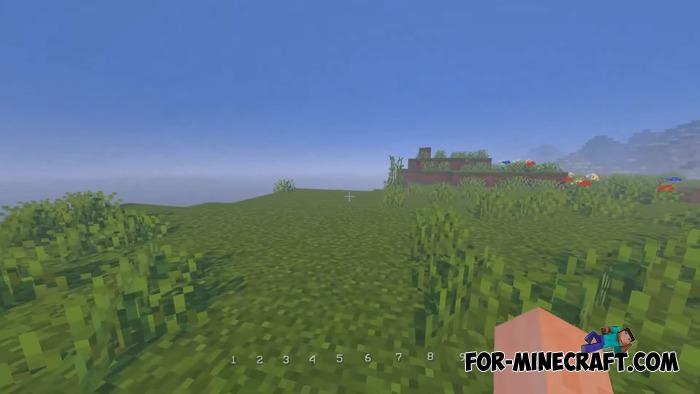
In-game, the new hotbar takes up less space. It changes its layout and adapts to how many items you got, the chat moves to the lower left corner, and the minimalistic armor HUD is on the right. Basically, the UI layout is just a bit rearranged.
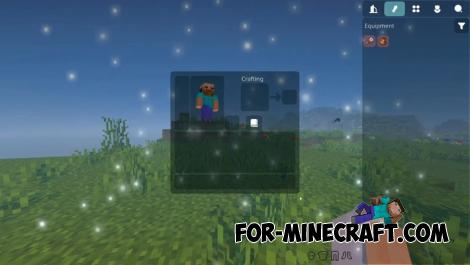
The inventory in Xerox Client is now much cleaner and more convenient, and thats kinda why. Survival and creative modes are separated more logically, and in creative mode you can now see more items at once, which is useful when you have a huge number of blocks and tools.
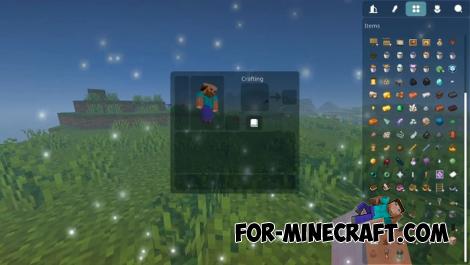
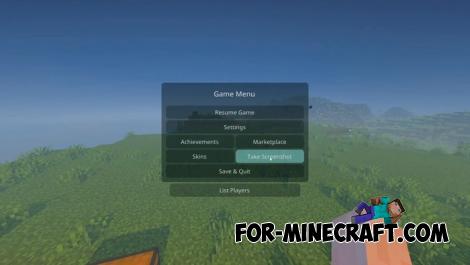
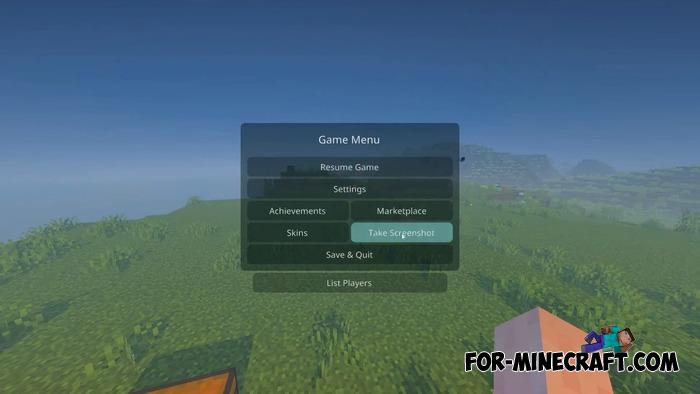
The pause menu is designed in the spirit of Java Edition, with an instant screenshot button and a system that protects you from accidentally exiting the world. Interaction with chests and menus has been redesigned too, along with a bunch of smaller details.
At the same time, the client doesn't include any hacks or cheats for Minecraft Bedrock, so you can use it on servers without worrying.
Xerox Client for Minecraft Bedrock 1.21.120+
- Author: Bernard
- Date:
Xerox Client is not a classic client, but more like an advanced texture pack that works on all platforms that support modding, including Android, iOS and Windows Edition, keeping a clean minimal look. The main idea of the pack is to improve navigation, make the menu cleaner and a bit closer to Java Edition. Overall, Xerox isn't a typical client, it kinda has different goals.
By: @XSzC
List of features:
• Completely updated main menu
• New hotbar (adaptive layout)
• Moved chat
• Armor HUD
• Updated inventory
• Advanced creative search
• New pause menu
• Improved chest menus
• Support for all platforms (Android, iOS, Windows)
Updated interface and menus:
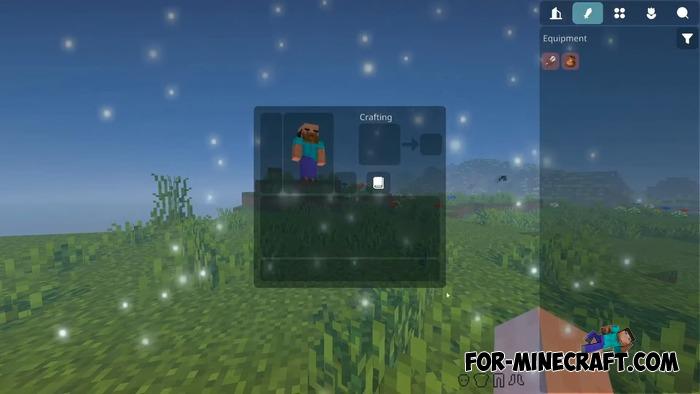
Once you enable Xerox Client, you'll notice the main menu looks more modern thanks to clear buttons, panoramas, element placement and even the color scheme.
In-game, the new hotbar takes up less space. It changes its layout and adapts to how many items you got, the chat moves to the lower left corner, and the minimalistic armor HUD is on the right. Basically, the UI layout is just a bit rearranged.
New inventory and search system:
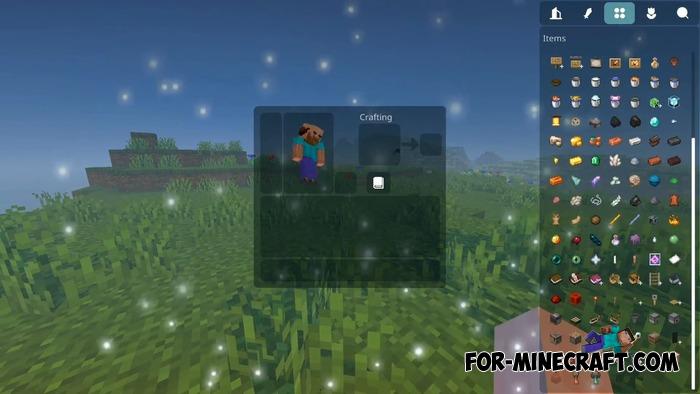
The inventory in Xerox Client is now much cleaner and more convenient, and thats kinda why. Survival and creative modes are separated more logically, and in creative mode you can now see more items at once, which is useful when you have a huge number of blocks and tools.
What else has changed?
The pause menu is designed in the spirit of Java Edition, with an instant screenshot button and a system that protects you from accidentally exiting the world. Interaction with chests and menus has been redesigned too, along with a bunch of smaller details.
At the same time, the client doesn't include any hacks or cheats for Minecraft Bedrock, so you can use it on servers without worrying.
- Category: Clients for Minecraft Bedrock
Recommend:
-
 PlankzPlus (BlockzPlus) Addon for Minecraft PE 1.18/1.19
PlankzPlus is a variant of Chisel in a way, published as an addon for Minecraft Bedrock Edition 1.18 and 1.19..
PlankzPlus (BlockzPlus) Addon for Minecraft PE 1.18/1.19
PlankzPlus is a variant of Chisel in a way, published as an addon for Minecraft Bedrock Edition 1.18 and 1.19..
-
 More Panoramas for Minecraft PE 1.20
Enough of the game textures, take a look at the other side of Minecraft that can also be changed..
More Panoramas for Minecraft PE 1.20
Enough of the game textures, take a look at the other side of Minecraft that can also be changed..
-
 IndustrialCraft PE mod v2.0 Pre-Release 7 for Minecraft PE
IndustrialCraft PE is a global mod for MCPE which is a very accurate IndustrialCraft copy for Minecraft PC. It
IndustrialCraft PE mod v2.0 Pre-Release 7 for Minecraft PE
IndustrialCraft PE is a global mod for MCPE which is a very accurate IndustrialCraft copy for Minecraft PC. It
-
 Download Minecraft PE 1.16.230.56 (1.16.221) - Nether Update
The most massive Nether update with new mobs, plants and biomes!
Download Minecraft PE 1.16.230.56 (1.16.221) - Nether Update
The most massive Nether update with new mobs, plants and biomes!
-
 Inner Core for Minecraft PE 1.16 - 3.1.1b127-128 (ARM64 Update)
Inner Core was created on the basis of the original MCPE 1.0.3 and is a full complement for creating and playing with
Inner Core for Minecraft PE 1.16 - 3.1.1b127-128 (ARM64 Update)
Inner Core was created on the basis of the original MCPE 1.0.3 and is a full complement for creating and playing with
