Popular
-

Minecraft PE / Bedrock 26.70.22 (1.21.132/26.60)
More epic battles in the new structure, wind -

TreeCapitator Addon for Minecraft PE 1.17/1.18/1.19/1.20/1.21.132 (26.60)+
No modifications, now the old TreeCapitator is -

Vein Miner & TreeCapitator Addon for Minecraft PE 1.17/1.20/1.21/26.70+
Start your first day working as a miner or -

Apollon Client 6.70 for Minecraft PE 1.21.114/26.52
Apollon is a standalone client wrapped in -

Minecraft Bedrock 1.21.132/26.60/26.70.21 Patched (apk)
Do you prefer to play non render dragon shaders -

Body Actions Addon v3.4.13 for Minecraft PE 1.19/1.21.110/26.60+
Humanization of characters in Minecraft Bedrock -

LeviLauncher v0.3.11 (LeviLaunchroid v1.6.0) for Minecraft Bedrock 1.21.132/26.60
LeviLauncher is the tool you've been -

Shadow Company Addon for Minecraft PE 1.21/26
A killer weapon addon for Minecraft Bedrock, -

Newb (Legacy/ Dragon/ Trailer/ Glow/ Firelight/ Gold/ Dynamite/ Memories/ Stellar/ AI/ Plus)
Uniting under a single name, all presented Newb -

Mini Structures Addon v2.0 for Minecraft PE 1.18/1.19/1.20/1.21/26.70+
There are 30 structures at the moment, and all
3
Posted separately from Optifine PE, this is Optifine by Zephyx for Bedrock Edition 1.20 and newer. Increase FPS with a bunch of little tweaks and light restrictions that all work together to make the game smoother. Once again, this is an unofficial port for mobile (Android iOS plus tablets on the same OS) and PC.


1. New Clean UI


In most cases, Optifine is very necessary in multiplayer on simple devices when every frame is worth its weight in gold. If your FPS is below 30, it makes you vulnerable to everyone around you. Installing and quickly configuring this Bedrock Optifine should at least make lags unnoticeable in situations where many different effects are applied around.


1. Download the client and open it using Minecraft PE
2. Go to the game settings and activate the pack
Optifine by Zephyx for Minecraft Bedrock 1.21
- Author: Bernard
- Date:
Posted separately from Optifine PE, this is Optifine by Zephyx for Bedrock Edition 1.20 and newer. Increase FPS with a bunch of little tweaks and light restrictions that all work together to make the game smoother. Once again, this is an unofficial port for mobile (Android iOS plus tablets on the same OS) and PC.


Bedrock Optifine Features:
1. New Clean UI
2. Full Grass
3. Better Textures
4. Speedometer
5. Offhand Hud
6. Cosmetics
7. No Particles
8. Better Fog
9. Quick Settings
10. Pvp Crosshair


Why use Optifine?
In most cases, Optifine is very necessary in multiplayer on simple devices when every frame is worth its weight in gold. If your FPS is below 30, it makes you vulnerable to everyone around you. Installing and quickly configuring this Bedrock Optifine should at least make lags unnoticeable in situations where many different effects are applied around.


How to install Optifine by Zephyx?
1. Download the client and open it using Minecraft PE
2. Go to the game settings and activate the pack
- Category: Clients for Minecraft Bedrock
Recommend:
-
 PlankzPlus (BlockzPlus) Addon for Minecraft PE 1.18/1.19
PlankzPlus is a variant of Chisel in a way, published as an addon for Minecraft Bedrock Edition 1.18 and 1.19..
PlankzPlus (BlockzPlus) Addon for Minecraft PE 1.18/1.19
PlankzPlus is a variant of Chisel in a way, published as an addon for Minecraft Bedrock Edition 1.18 and 1.19..
-
 IndustrialCraft PE mod v2.0 Pre-Release 7 for Minecraft PE
IndustrialCraft PE is a global mod for MCPE which is a very accurate IndustrialCraft copy for Minecraft PC. It
IndustrialCraft PE mod v2.0 Pre-Release 7 for Minecraft PE
IndustrialCraft PE is a global mod for MCPE which is a very accurate IndustrialCraft copy for Minecraft PC. It
-
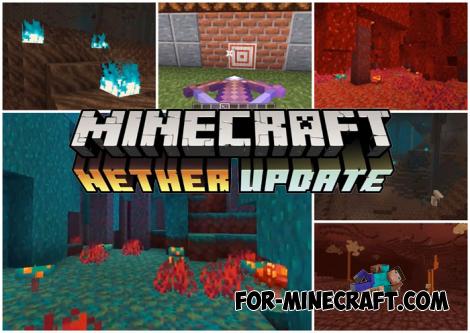 Download Minecraft PE 1.16.230.56 (1.16.221) - Nether Update
The most massive Nether update with new mobs, plants and biomes!
Download Minecraft PE 1.16.230.56 (1.16.221) - Nether Update
The most massive Nether update with new mobs, plants and biomes!
-
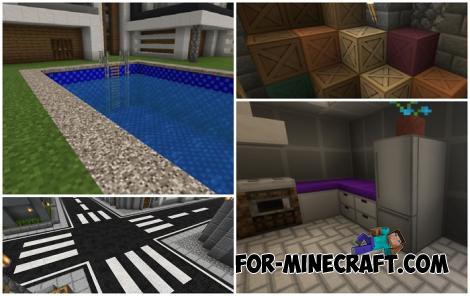 Modern Blocks Addon v1.1.7 for Minecraft Bedrock 1.16/1.17/1.18
Modern Blocks Addon is a must in 99% of cases if you are decorating or renovating your home playing MC Bedrock
Modern Blocks Addon v1.1.7 for Minecraft Bedrock 1.16/1.17/1.18
Modern Blocks Addon is a must in 99% of cases if you are decorating or renovating your home playing MC Bedrock
-
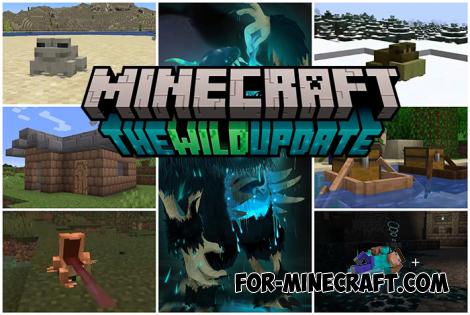 Minecraft PE 1.19.80.24 Beta (1.19.81 Release)
Meet the officially announced Minecraft PE 1.19 update with frogs, warden, fireflies and swamps!
Minecraft PE 1.19.80.24 Beta (1.19.81 Release)
Meet the officially announced Minecraft PE 1.19 update with frogs, warden, fireflies and swamps!
