Popular
-

Minecraft PE / Bedrock 26.70.22 (1.21.132/26.60)
More epic battles in the new structure, wind -

Dynamic Lights PE Addon for MCPE 1.16/1.17/1.18/1.19/1.20/1.21/26.60+
Dynamic Lights has long been created for almost -

TreeCapitator Addon for Minecraft PE 1.17/1.18/1.19/1.20/1.21.132 (26.60)+
No modifications, now the old TreeCapitator is -

Vein Miner & TreeCapitator Addon for Minecraft PE 1.17/1.20/1.21/26.70+
Start your first day working as a miner or -

Apollon Client 6.70 for Minecraft PE 1.21.114/26.52
Apollon is a standalone client wrapped in -

Minecraft Bedrock 1.21.132/26.60/26.70.21 Patched (apk)
Do you prefer to play non render dragon shaders -

Body Actions Addon v3.4.13 for Minecraft PE 1.19/1.21.110/26.60+
Humanization of characters in Minecraft Bedrock -

LeviLauncher v0.3.11 (LeviLaunchroid v1.6.0) for Minecraft Bedrock 1.21.132/26.60
LeviLauncher is the tool you've been -

Shadow Company Addon for Minecraft PE 1.21/26
A killer weapon addon for Minecraft Bedrock, -

Newb (Legacy/ Dragon/ Trailer/ Glow/ Firelight/ Gold/ Dynamite/ Memories/ Stellar/ AI/ Plus)
Uniting under a single name, all presented Newb
1
F1/F3 v1.1.3 for Minecraft Bedrock 1.21/26.60+
- Author: Bernard
- Date:
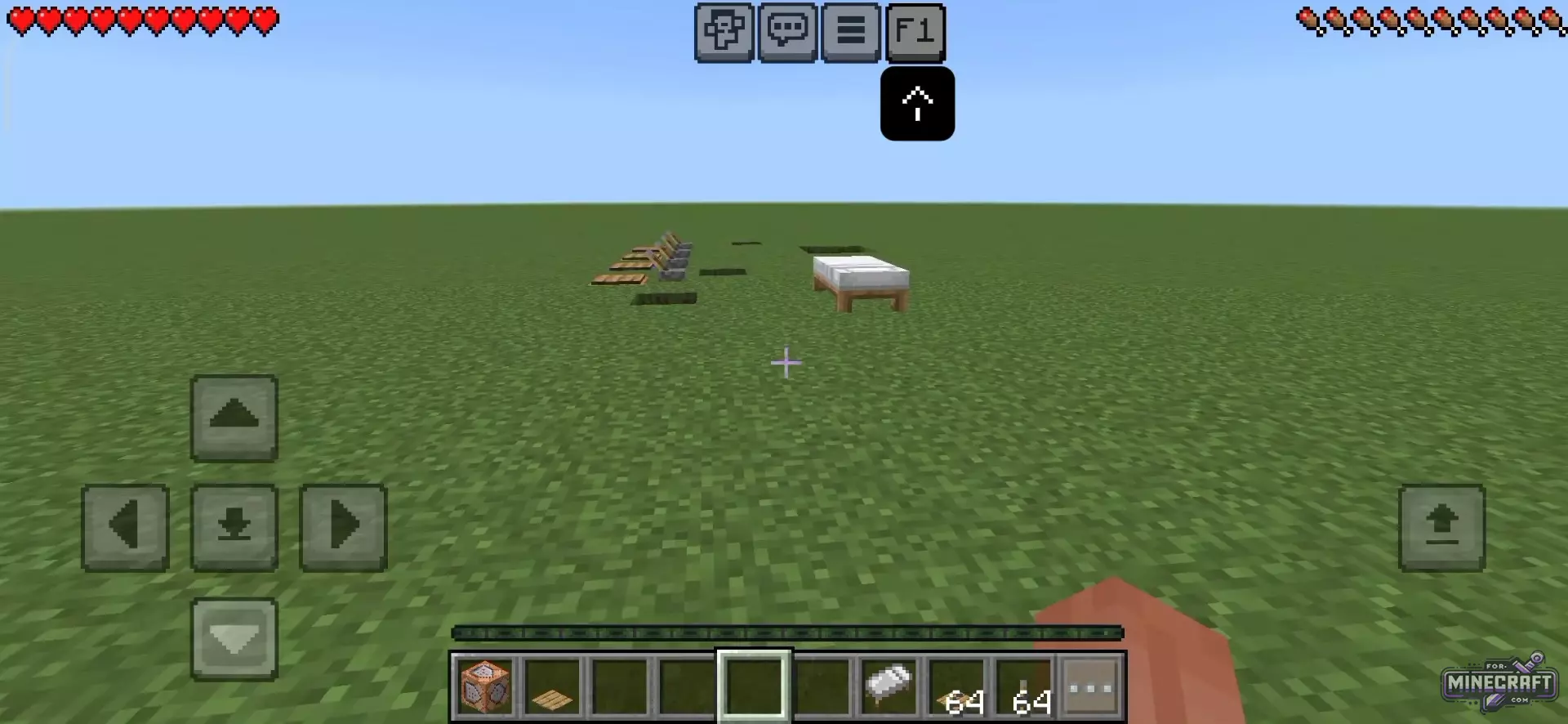
Do you want to see more information about your world while playing, just like in Minecraft PC? F1/F3 is another step toward the Java Edition, which, by the way, comes with these very useful features - unfortunately, they are not included in Bedrock Edition but are available as a resource pack now.
F3 Debug Addon by Racing Raftaar:
- F3 debug interface has been adapted for Bedrock.
- Displays over 25 dynamic paramters.
- Helps with planning zones and farms.
- Axis orientation
- 8-direction compass
- Game time counter
- Moon phases
- FPS counter
- RAM monitoring
- Counts nearby mobs, items and minecarts.
- Spawner detection
- Analyzes the block under the crosshair
- Scans the mob you're looking at
- Shows the durability of equipped tools.
- Speedometer
- HP, hunger, and experience level bars.
- Game mode, measurement, and stealth indicators.
- Displays all active potion effects
- Toggle the overlay on and off with a stick.
- Configuration Menu,
- Option to hide any of the 25 lines.
- 7 text color themes.
- Rendering without command blocks and armor stands.
- Stable performance on low-end smartphones and in Realms!
- Support for Minecraft Bedrock 26.60
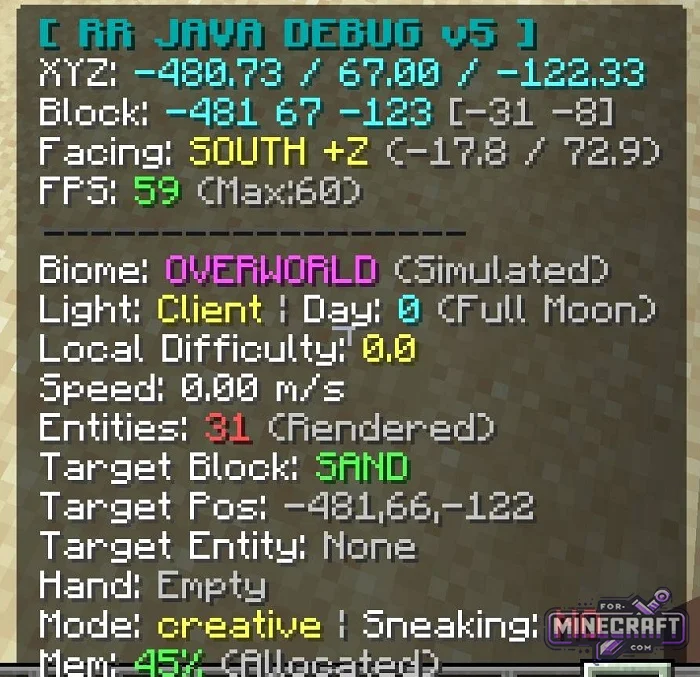
Better F3 Addon by oSkullo:
- Exact coordinates, current biome, device specifications,information about the block in the crosshair.
- Ore radar.
- Clock and compass on the main screen
- Quick access to the online panel.
- Menu without leaving the world settings.
- Two interface profiles (for smartphones and PC/tablets).
F1/F3 by NeBux:
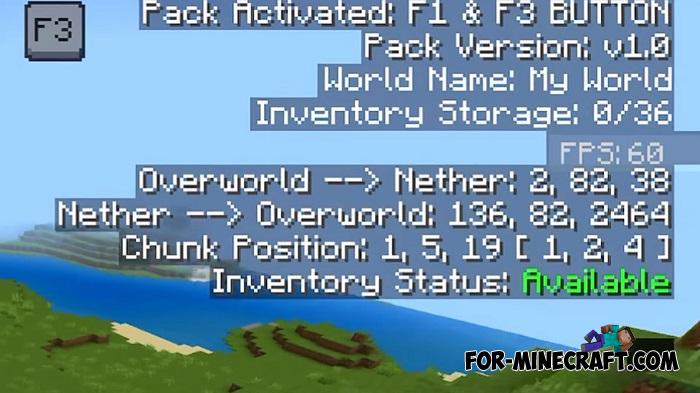
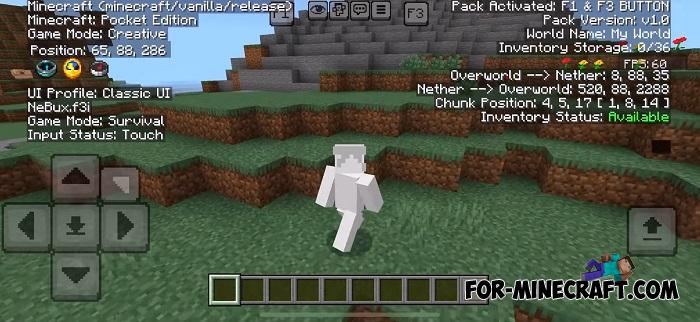
F1/F3 features:
• F3 Button (shows all important game info on a dark overlay)
• F1 Button (hides or shows the HUD for clean screenshots or cinematic play)
• Coordinates (XYZ) (track your exact position in the world)
• Days Played (see how many in-game days have passed)
• Inventory Counter (check used vs total inventory slots)
• Inventory Status (know instantly if your inventory is full)
• Game Mode Info (displays current game mode)
• Device & Input Status (shows device type and control method)
• UI Profile (indicates if you're using Classic or Pocket UI)
• Dimension Info (displays current dimension + Nether/Overworld conversion)
• Chunk Position (see which chunk you're standing in)
• XP Level Display (shows your current XP level clearly)
• FPS Counter (monitor your frames per second)
• Pack Information (displays resource pack version and world details)
Changelog v1.1.3:
- Minecraft Bedrock 26.40 update
- Fixes
F1 by DimzCraft:
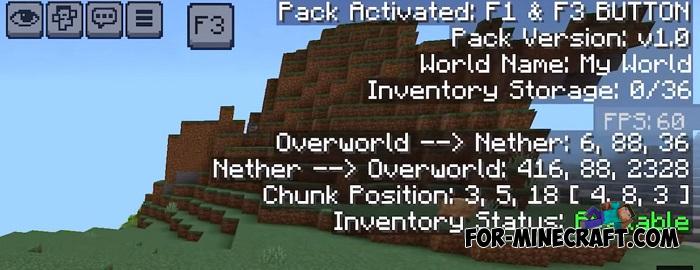
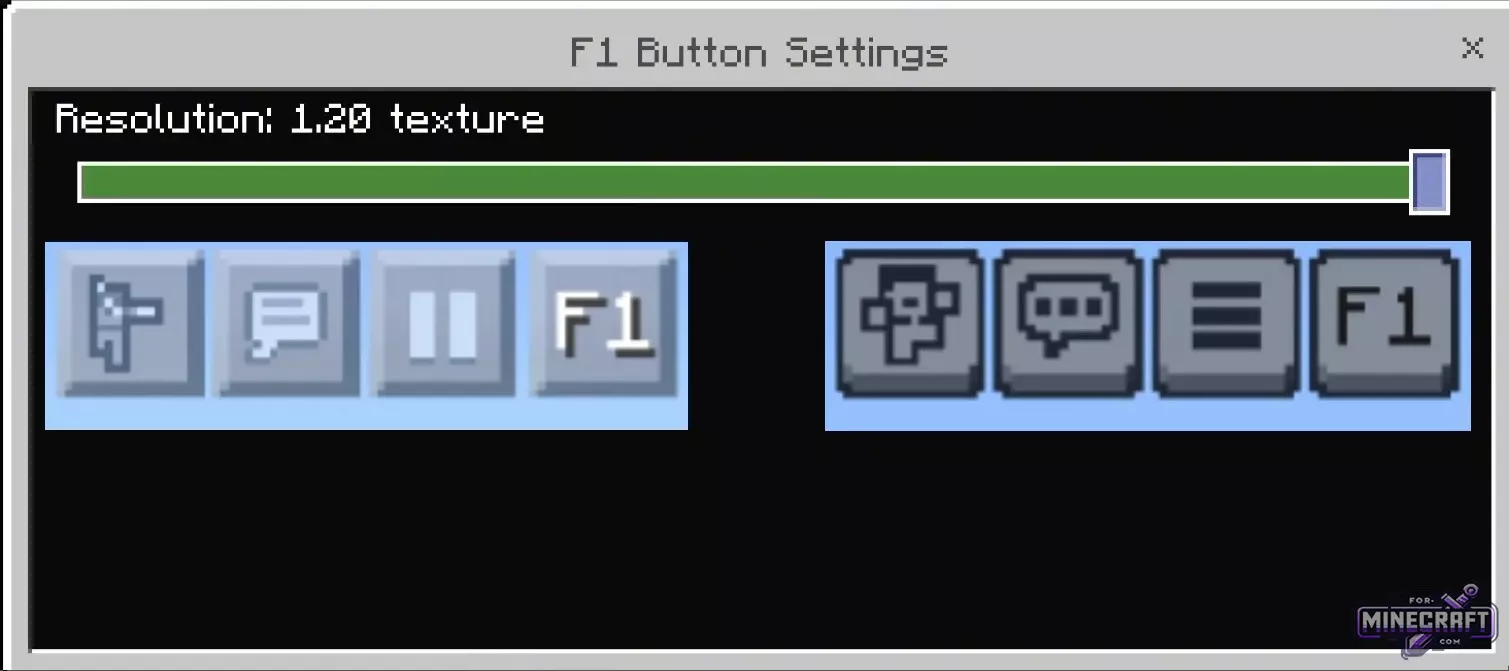
If you don't need F3 and want to add a quick button to hide the interface in Minecraft Bedrock 1.21 & 26.0, install this addon. F1 has several subpacks; simply select the appropriate one in the addon settings.
Edited —
Reason: Added F3 Debug v1.0 for Bedrock 26.60+
Reason: Added F3 Debug v1.0 for Bedrock 26.60+
- Category: Texture Packs for Minecraft Bedrock
Recommend:
-
 Download Minecraft PE 1.16.230.56 (1.16.221) - Nether Update
The most massive Nether update with new mobs, plants and biomes!
Download Minecraft PE 1.16.230.56 (1.16.221) - Nether Update
The most massive Nether update with new mobs, plants and biomes!
-
 PlankzPlus (BlockzPlus) Addon for Minecraft PE 1.18/1.19
PlankzPlus is a variant of Chisel in a way, published as an addon for Minecraft Bedrock Edition 1.18 and 1.19..
PlankzPlus (BlockzPlus) Addon for Minecraft PE 1.18/1.19
PlankzPlus is a variant of Chisel in a way, published as an addon for Minecraft Bedrock Edition 1.18 and 1.19..
-
Minecraft PE / Bedrock 26.70.22 (1.21.132/26.60)
More epic battles in the new structure, wind shooting mob, auto crafting and more..
-
 Minecraft PE 1.19.80.24 Beta (1.19.81 Release)
Meet the officially announced Minecraft PE 1.19 update with frogs, warden, fireflies and swamps!
Minecraft PE 1.19.80.24 Beta (1.19.81 Release)
Meet the officially announced Minecraft PE 1.19 update with frogs, warden, fireflies and swamps!
-
 Replay & Cinematic Addon v3.1.2 for Minecraft Bedrock 1.21/26.20+
Without a doubt the best cinematic mod for MCBE among all in the mcaddon..
Replay & Cinematic Addon v3.1.2 for Minecraft Bedrock 1.21/26.20+
Without a doubt the best cinematic mod for MCBE among all in the mcaddon..
