Popular
-

Faithful Textures for MCPE 1.16/1.17/1.19/1.20/1.21/26.52 (32x/64x/128x) (RTX)
Now you can play with the most popular -

Minecraft PE 26.60.30 (1.21.132/26.52)
More epic battles in the new structure, wind -

Dynamic Lights PE Addon for MCPE 1.16/1.17/1.18/1.19/1.20/1.21/26.60+
Dynamic Lights has long been created for almost -

X-Ray for Minecraft Bedrock Edition 1.19/1.20/1.21.132/26.60+
X-Ray is a cult cheat in the past, available as -

TreeCapitator Addon for Minecraft PE 1.17/1.18/1.19/1.20/1.21.132 (26.60)+
No modifications, now the old TreeCapitator is -

Vein Miner & TreeCapitator Addon for Minecraft PE 1.17/1.20/1.21/26.60+
Start your first day working as a miner or -

Java Combat System Addon v8.0 for Bedrock 1.17/1.18/1.19/1.21/26.60+
Install this updated combat system in the form -

Apollon Client 6.53 for Minecraft PE 1.21.114/26.45
Apollon is a standalone client wrapped in -

Minecraft Bedrock 1.21.132/26.44/26.60.29 Patched (apk)
Do you prefer to play non render dragon shaders -

Body Actions Addon v3.4.12 for Minecraft PE 1.19/1.21.110/26.60+
Humanization of characters in Minecraft Bedrock
0
This is the most complete and at the same time easiest crosshair pack you can imagine for Minecraft Bedrock Edition. Step one: download and install the pack. Step two: choose your crosshair. Step three: enjoy aiming with your new look. It's that simple.
By: Mod MCPE

• o Red-Blue Circle
• + Style 2
• Square Style 2
• Arrow ▲
• Dot .
• Circle o
• Square Dot [.]
• Half +
• No Dot +
• Dot +


As mentioned earlier, simply install the pack and go to its settings. Move the slider to select the crosshair you want to use in-game. You can change it at any time to find the one that suits you best.

This pack features nearly all crosshair types commonly found in shooters - simple geometric shapes that don't distract your aim or block your target.

There's also an HD Crosshair Pack available, offering slightly different styles with higher-quality textures for Bedrock Edition.
1. Download the pack and run it using Minecraft PE.
2. Go to the game settings and activate the pack.
More Crosshairs Pack for Minecraft Bedrock 1.21
- Author: Bernard
- Date:
This is the most complete and at the same time easiest crosshair pack you can imagine for Minecraft Bedrock Edition. Step one: download and install the pack. Step two: choose your crosshair. Step three: enjoy aiming with your new look. It's that simple.
By: Mod MCPE

Available Crosshairs:
• o Red-Blue Circle
• + Style 2
• Square Style 2
• Arrow ▲
• Dot .
• Circle o
• Square Dot [.]
• Half +
• No Dot +
• Dot +


How to change crosshair in MCPE:
As mentioned earlier, simply install the pack and go to its settings. Move the slider to select the crosshair you want to use in-game. You can change it at any time to find the one that suits you best.

This pack features nearly all crosshair types commonly found in shooters - simple geometric shapes that don't distract your aim or block your target.

HD Crosshairs Option:
There's also an HD Crosshair Pack available, offering slightly different styles with higher-quality textures for Bedrock Edition.
How to install the More Crosshairs Pack?
1. Download the pack and run it using Minecraft PE.
2. Go to the game settings and activate the pack.
- Category: Texture Packs for Minecraft Bedrock
Recommend:
-
 PlankzPlus (BlockzPlus) Addon for Minecraft PE 1.18/1.19
PlankzPlus is a variant of Chisel in a way, published as an addon for Minecraft Bedrock Edition 1.18 and 1.19..
PlankzPlus (BlockzPlus) Addon for Minecraft PE 1.18/1.19
PlankzPlus is a variant of Chisel in a way, published as an addon for Minecraft Bedrock Edition 1.18 and 1.19..
-
 Modern Blocks Addon v1.1.7 for Minecraft Bedrock 1.16/1.17/1.18
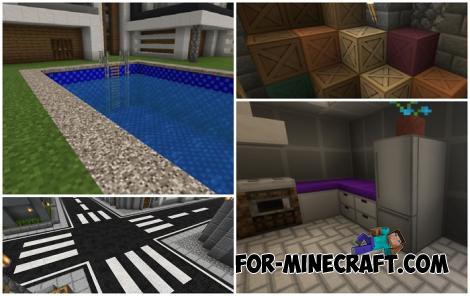
Modern Blocks Addon is a must in 99% of cases if you are decorating or renovating your home playing MC Bedrock
Modern Blocks Addon v1.1.7 for Minecraft Bedrock 1.16/1.17/1.18
Modern Blocks Addon is a must in 99% of cases if you are decorating or renovating your home playing MC Bedrock
-
 Download Minecraft PE 1.16.230.56 (1.16.221) - Nether Update
The most massive Nether update with new mobs, plants and biomes!
Download Minecraft PE 1.16.230.56 (1.16.221) - Nether Update
The most massive Nether update with new mobs, plants and biomes!
-
Minecraft PE 26.60.30 (1.21.132/26.52)
More epic battles in the new structure, wind shooting mob, auto crafting and more..
-
 Minecraft PE 1.19.80.24 Beta (1.19.81 Release)
Meet the officially announced Minecraft PE 1.19 update with frogs, warden, fireflies and swamps!
Minecraft PE 1.19.80.24 Beta (1.19.81 Release)
Meet the officially announced Minecraft PE 1.19 update with frogs, warden, fireflies and swamps!
