-

Faithful Textures for MCPE 1.16/1.17/1.19/1.20/1.21/26.52 (32x/64x/128x) (RTX)
Now you can play with the most popular -

Minecraft PE 26.60.30 (1.21.132/26.52)
More epic battles in the new structure, wind -

Dynamic Lights PE Addon for MCPE 1.16/1.17/1.18/1.19/1.20/1.21/26.60+
Dynamic Lights has long been created for almost -

X-Ray for Minecraft Bedrock Edition 1.19/1.20/1.21.132/26.60+
X-Ray is a cult cheat in the past, available as -

TreeCapitator Addon for Minecraft PE 1.17/1.18/1.19/1.20/1.21.132 (26.60)+
No modifications, now the old TreeCapitator is -

Vein Miner & TreeCapitator Addon for Minecraft PE 1.17/1.20/1.21/26.60+
Start your first day working as a miner or -

Java Combat System Addon v8.0 for Bedrock 1.17/1.18/1.19/1.21/26.60+
Install this updated combat system in the form -

Minecraft Bedrock 1.21.132/26.44/26.60.29 Patched (apk)
Do you prefer to play non render dragon shaders -

Body Actions Addon v3.4.12 for Minecraft PE 1.19/1.21.110/26.60+
Humanization of characters in Minecraft Bedrock -

LeviLauncher v0.3.11 (LeviLaunchroid v1.5.25) for Minecraft Bedrock 1.21.132/26.60
LeviLauncher is the tool you've been
MojoLauncher - Iris Release (play Minecraft Java on Mobile)
- Author: Bernard
- Date:
If you've tried to run Minecraft on your phone, you've probably heard of PojavLauncher (you can download it here). However, MojoLauncher is a newer version that was released recently and features more modern technology and more stable performance. Many people choose it, and it really works! Essentially, it is an emulator that allows you to run almost any version of Minecraft Java, from ancient alpha builds to current releases such as 1.21.2. Details and download links are provided below.
Changelog:
Iris release:
- Added Minecraft 26.X support and new Adreno GPUs in Turnip.
- Added Freedreno renderer with desktop OpenGL support for Adreno 5xx+.
- Added Zink support for Mali GPUs.
- Improved compatibility with Angelica, Create: Aeronautics and GregTech: New Horizons.
- Updated Mesa to 26.2 with a new EGL/Kopper backend.
- Reworked LWJGL handling for better compatibility and automatic version matching
- Added ANGLE support
- Renamed the app to MJLauncher and improved device compatibillity
- Fixed various bugs and made general improvements..
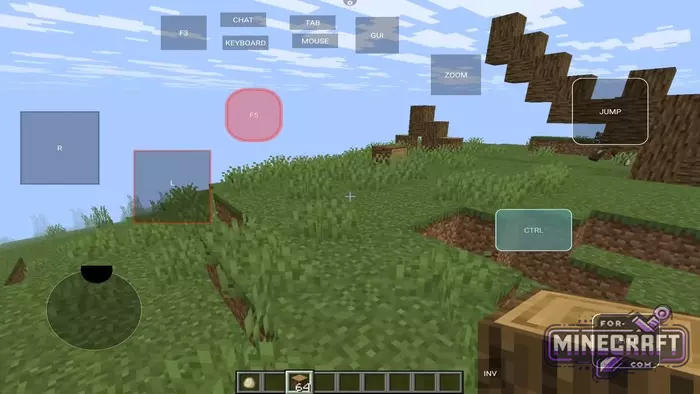
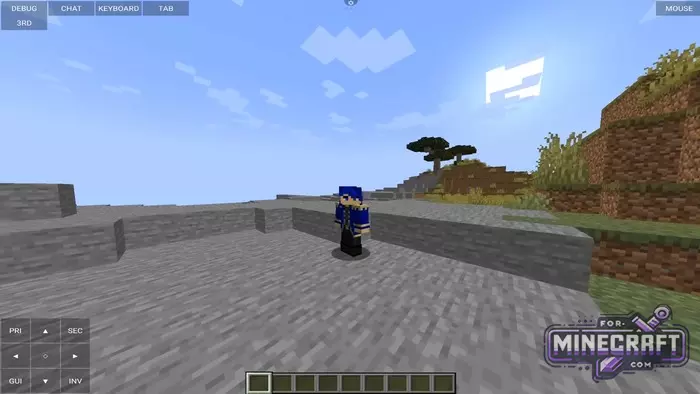
Features:
- Support for Microsoft, Ely.by, and local names for quick login.
- Ability to create custom buttons, change their color, roundness and transparency.
- Any key (e.g., Shift or F5) can work in switch mode.
- Replacement of standard arrows with a convenient analog stick.
- Holy GL4ES visualizer;
- Configure a single on-screen button to perform two actions at once (macros).
- Special button to instantly remove all interfaces from the screen, for beautiful screenshots.
- Easy installation of OptiFine, Forge and Fabric without manually copying files.
- Quickly navigate to game folders directly from the launcher interface.
- The main advantage of MojoLauncher is its flexibility. You are not limited to official versions, and the launcher is compatible with Forge and Fabric, which means thousands of mods and the familiar OptiFine.
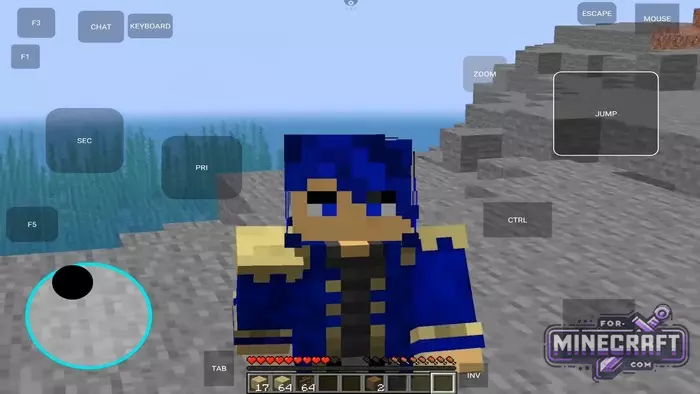
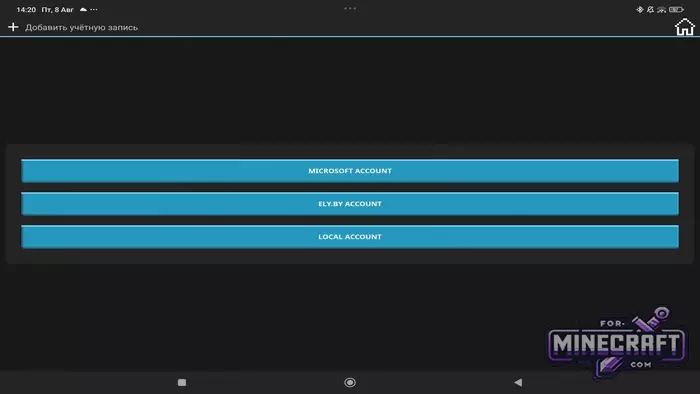
Configuration and security:
When you first launch the application it will ask you to select an account type.
- Microsoft Account - for license holders (allows you to play on official servers and loads your skin).
- Ely.by - a popular alternative skin service.
- Local Account - the fastest way for those who just want to test the game under any nickname.
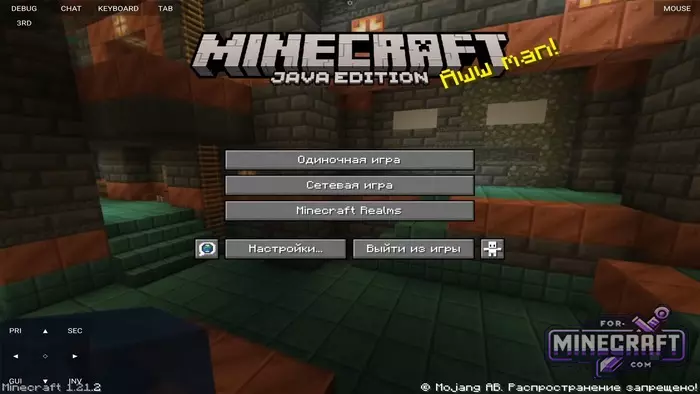
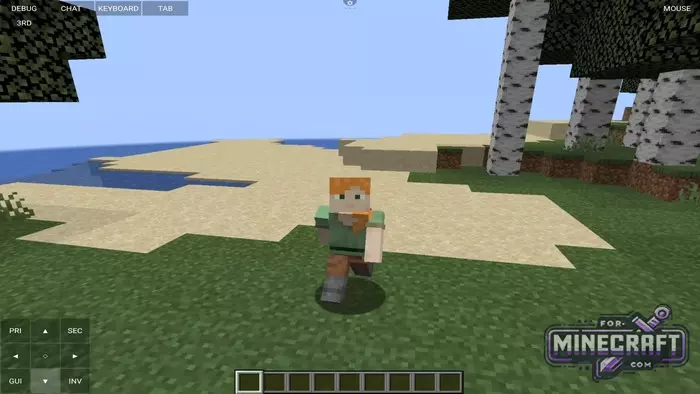
The interface will look familiar to anyone who has ever seen a PC launcher. In the main menu, you can create a separate installation for each version of the game, select an icon for it and then assign your renderer. Use Holy GL4ES for better performance, especialy on modern devices.
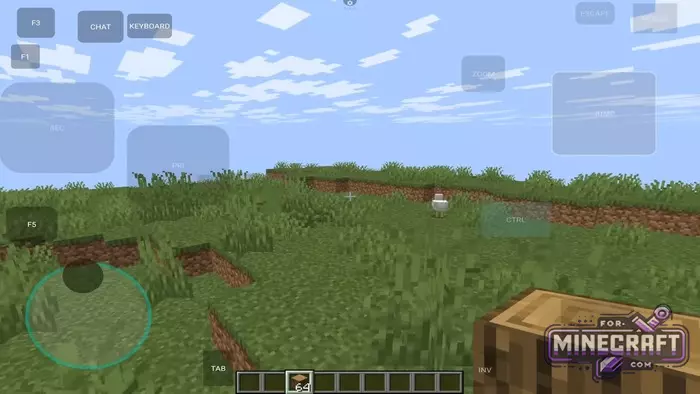
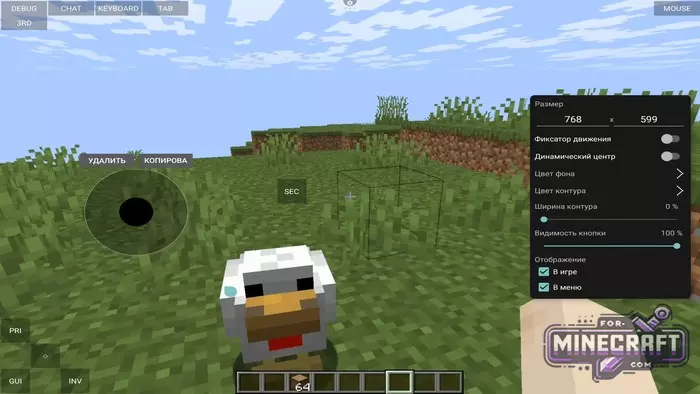
The standard buttons in the Java version on the sensor are a problem, so MojoLauncher allows you to completely redesign the screen to suit your needs. Through the settings menu (gear icon), you can add a full-fledged joystick, as in the Bedrock version.
- Each button can be stretched, moved, recolored or its transparency changed.
- You can configure key sticking (for example, for long runs or shifts), or make the button pressable if you simply swipe your finger over it.
- You can save your layout (for example, "Test1") and switch between them depending on the situation.
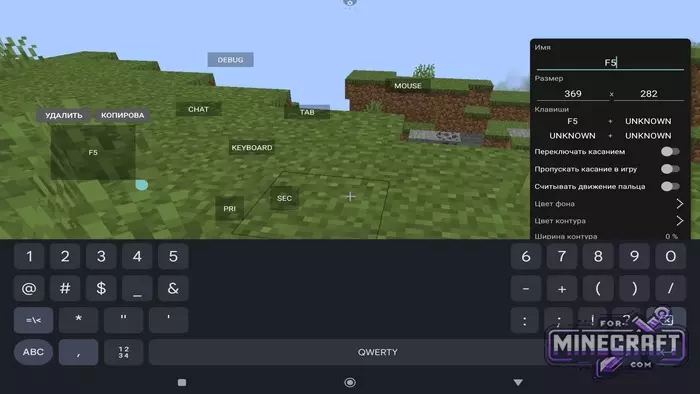
Technical nuances and mods:
Again, MojoLauncher is not just a shell but a full-fledged Java runtime enviroment. To prevent the game from crashing, allocate about half of your phone's RAM in the Java memory settings.
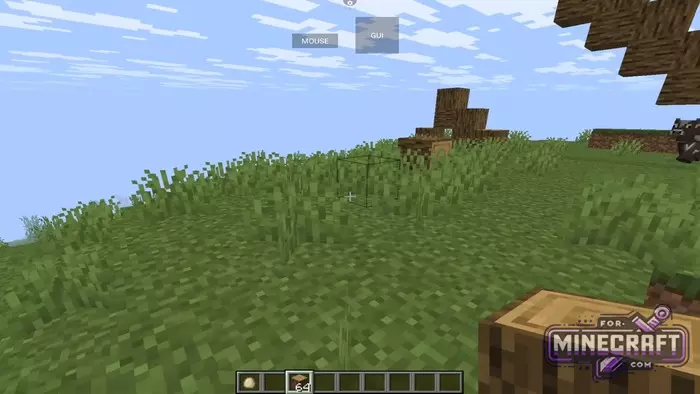
As for mods, the installation process is as simple as possible. Right in the version creation menu, you can select automatic installation of OptiFine. After launching, you will see the graphics settings menu where you can enable shaders or adjust the rendering distance.
Mojo Launcher also provides quick access to the game folder via the Android/data/ system path. There you can manually add worlds, texture packs and Java mods.
MojoLauncher FAQ:
What are the system requirements for the launcher?
For comfortable gameplay on versions 1.20+, it is recommended to have a device with 4 GB of RAM or more.
Can I play without a licensed account?
Yes. When logging in select "Local Account". You can enter any nickname and play in single player mode. However, to play on large licensed projects (such as Hypixel), you'll need to log in via a Microsoft Account.
How to increase FPS and remove lag?
- In the launcher's graphics settings select the Holy GL4ES renderer.
- Install OptiFine or Sodium (via Fabric) directly within the application.
- In the game itself reduce the rendering distance (Chunks).
Where can I find the folder with mods and worlds?
The path to the files is Android/data/com.mojolauncher.android/files/mc_data/.
What to do if the mouse or sensor does not work?
There is a "Mouse" button at the top of the screen - it activates the virtual cursor. If it's inconvenient to control the camera go to "Control Layout" via the gear icon and check if the buttons are blocking the viewing area.
How do I install my skin?
- With a license: the skin will be automatically downloaded from the official servers.
- Without a license: use the Ely.by login or install a skin mod (e.g., CustomSkinLoader) in the game.
Why does the game crash when launching version 1.21.2?
Make sure you have the latest version of Java selected in the settings and the appropriate renderer. New versions of Minecraft require newer libraries, which MojoLauncher usually downloads automaticaly, but this requires an internet connection during the first installation.
Download MojoLauncher (GooglePlay)
MojoLauncher on Github
Download MojoLauncher v4 (apk)
Download MojoLauncher Iris Release (apk)
Reason: Added Iris Release for MCPE 1.26.2+
- Category: Bedrock Tools
Recommend:
-
Minecraft PE 26.60.30 (1.21.132/26.52)
More epic battles in the new structure, wind shooting mob, auto crafting and more..
-
 Download Minecraft PE 1.16.230.56 (1.16.221) - Nether Update
The most massive Nether update with new mobs, plants and biomes!
Download Minecraft PE 1.16.230.56 (1.16.221) - Nether Update
The most massive Nether update with new mobs, plants and biomes!
-
 IndustrialCraft PE mod v2.0 Pre-Release 7 for Minecraft PE
IndustrialCraft PE is a global mod for MCPE which is a very accurate IndustrialCraft copy for Minecraft PC. It
IndustrialCraft PE mod v2.0 Pre-Release 7 for Minecraft PE
IndustrialCraft PE is a global mod for MCPE which is a very accurate IndustrialCraft copy for Minecraft PC. It
-
 Inner Core for Minecraft PE 1.16 - 3.1.1b127-128 (ARM64 Update)
Inner Core was created on the basis of the original MCPE 1.0.3 and is a full complement for creating and playing with
Inner Core for Minecraft PE 1.16 - 3.1.1b127-128 (ARM64 Update)
Inner Core was created on the basis of the original MCPE 1.0.3 and is a full complement for creating and playing with
-
 Minecraft PE 1.19.80.24 Beta (1.19.81 Release)
Meet the officially announced Minecraft PE 1.19 update with frogs, warden, fireflies and swamps!
Minecraft PE 1.19.80.24 Beta (1.19.81 Release)
Meet the officially announced Minecraft PE 1.19 update with frogs, warden, fireflies and swamps!
