Popular
-
Faithful Textures for MCPE 1.16/1.17/1.19/1.20/1.21/26.52 (32x/64x/128x) (RTX)
Now you can play with the most popular -

Minecraft PE 26.60.30 (1.21.132/26.52)
More epic battles in the new structure, wind -

Dynamic Lights PE Addon for MCPE 1.16/1.17/1.18/1.19/1.20/1.21/26.60+
Dynamic Lights has long been created for almost -

X-Ray for Minecraft Bedrock Edition 1.19/1.20/1.21.132/26.60+
X-Ray is a cult cheat in the past, available as -

TreeCapitator Addon for Minecraft PE 1.17/1.18/1.19/1.20/1.21.132 (26.60)+
No modifications, now the old TreeCapitator is -

Vein Miner & TreeCapitator Addon for Minecraft PE 1.17/1.20/1.21/26.60+
Start your first day working as a miner or -

Java Combat System Addon v8.0 for Bedrock 1.17/1.18/1.19/1.21/26.60+
Install this updated combat system in the form -

Minecraft Bedrock 1.21.132/26.44/26.60.29 Patched (apk)
Do you prefer to play non render dragon shaders -

Body Actions Addon v3.4.12 for Minecraft PE 1.19/1.21.110/26.60+
Humanization of characters in Minecraft Bedrock -

LeviLauncher v0.3.11 (LeviLaunchroid v1.5.25) for Minecraft Bedrock 1.21.132/26.60
LeviLauncher is the tool you've been
2
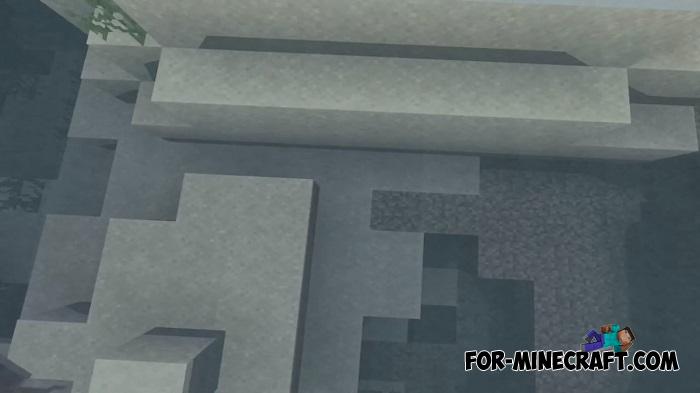
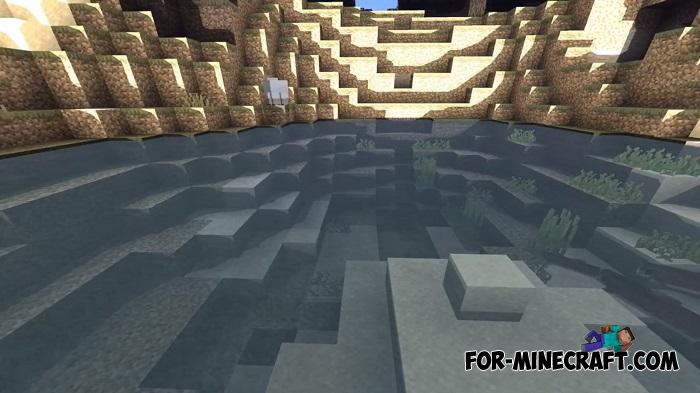
Other color schemes were used in LAC Graphics to achieve a warm feel while playing Minecraft Bedrock Edition. In the other shaders, you will see lighter sun rays, increased brightness and reduced gray to a minimum. Here the opposite is true - the contrast is reduced to the limit values. At the same time, the shader adds dynamic clouds in the sky, round sun, wind and translucent shadows.
To understand the concept, you should take a look at the screenshots. Those who have already tested many other shaders for Minecraft PE will notice that LAC Graphics follows a different path by removing excessive brightness and saturation. Without that, the graphics seem dim, which is very cool for cinematic scenes.


1. Download the shader and open it using the game.
2. Select Global Resources and activate the file.
3. The shader is installed!
LAC Graphics Shader for Minecraft PE 1.13+
- Author: Bernard
- Date:
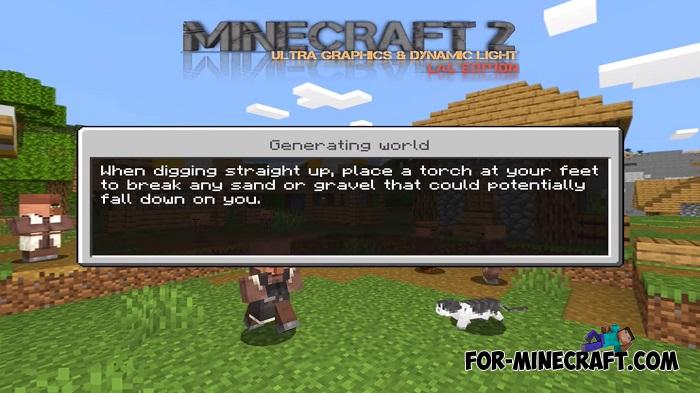
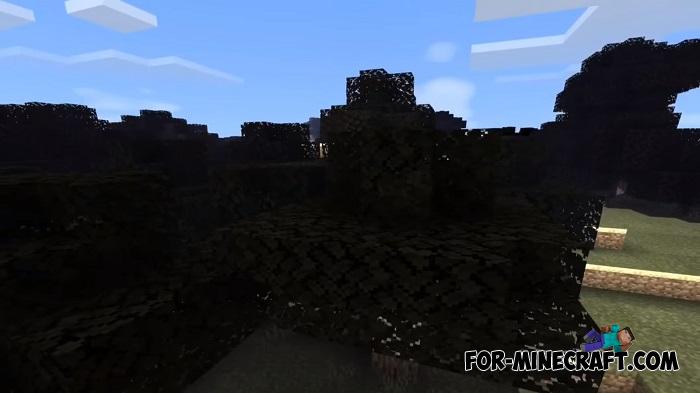
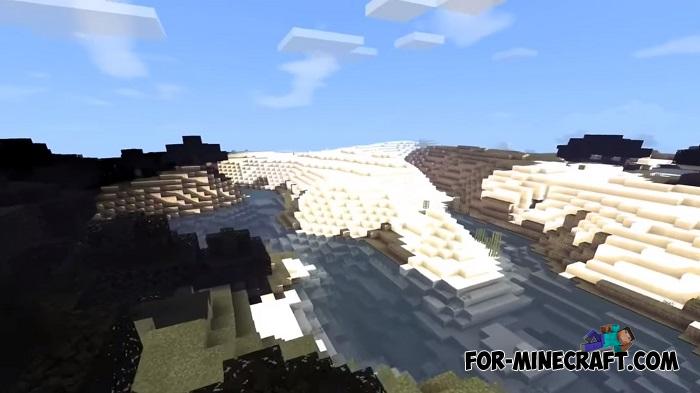
Other color schemes were used in LAC Graphics to achieve a warm feel while playing Minecraft Bedrock Edition. In the other shaders, you will see lighter sun rays, increased brightness and reduced gray to a minimum. Here the opposite is true - the contrast is reduced to the limit values. At the same time, the shader adds dynamic clouds in the sky, round sun, wind and translucent shadows.
What does it look like?
To understand the concept, you should take a look at the screenshots. Those who have already tested many other shaders for Minecraft PE will notice that LAC Graphics follows a different path by removing excessive brightness and saturation. Without that, the graphics seem dim, which is very cool for cinematic scenes.




TOP 9 Shaders for MCPE:
How to install the LAC Graphics Shader?
1. Download the shader and open it using the game.
2. Select Global Resources and activate the file.
3. The shader is installed!
- Category: Shaders for Minecraft Bedrock (PE)
Recommend:
-
 Chisel Addon v2.0.0 for Minecraft PE 1.14/1.20
A couple of years ago, Chisel was in the top 10 most popular mods for Minecraft thanks to a huge number of new
Chisel Addon v2.0.0 for Minecraft PE 1.14/1.20
A couple of years ago, Chisel was in the top 10 most popular mods for Minecraft thanks to a huge number of new
-
 DMPE Cinematic Shader for Minecraft PE 1.14
DMPE is a cinematic shader for Minecraft PE 1.13 and 1.14 that clearly separates the phases of the day and makes them
DMPE Cinematic Shader for Minecraft PE 1.14
DMPE is a cinematic shader for Minecraft PE 1.13 and 1.14 that clearly separates the phases of the day and makes them
-
 IndustrialCraft PE mod v2.0 Pre-Release 7 for Minecraft PE
IndustrialCraft PE is a global mod for MCPE which is a very accurate IndustrialCraft copy for Minecraft PC. It
IndustrialCraft PE mod v2.0 Pre-Release 7 for Minecraft PE
IndustrialCraft PE is a global mod for MCPE which is a very accurate IndustrialCraft copy for Minecraft PC. It
-
 Factorization Mod 5.2 for Minecraft PE 0.11/0.12/0.13/0.14
The basis of mod make blocks-mechanisms. With these systems of the mechanisms can be automated almost any process in
Factorization Mod 5.2 for Minecraft PE 0.11/0.12/0.13/0.14
The basis of mod make blocks-mechanisms. With these systems of the mechanisms can be automated almost any process in
-
 Excessive Income addon for Minecraft 1.2
If you think that the Minecraft difficulty does not suit you and you want something easier, then install the Excessive
Excessive Income addon for Minecraft 1.2
If you think that the Minecraft difficulty does not suit you and you want something easier, then install the Excessive
