Popular
-

Faithful Textures for MCPE 1.16/1.17/1.19/1.20/1.21/26.52 (32x/64x/128x) (RTX)
Now you can play with the most popular -

Minecraft PE 26.60.30 (1.21.132/26.52)
More epic battles in the new structure, wind -

Dynamic Lights PE Addon for MCPE 1.16/1.17/1.18/1.19/1.20/1.21/26.60+
Dynamic Lights has long been created for almost -

X-Ray for Minecraft Bedrock Edition 1.19/1.20/1.21.132/26.60+
X-Ray is a cult cheat in the past, available as -

TreeCapitator Addon for Minecraft PE 1.17/1.18/1.19/1.20/1.21.132 (26.60)+
No modifications, now the old TreeCapitator is -

Vein Miner & TreeCapitator Addon for Minecraft PE 1.17/1.20/1.21/26.60+
Start your first day working as a miner or -

Java Combat System Addon v8.0 for Bedrock 1.17/1.18/1.19/1.21/26.60+
Install this updated combat system in the form -

Minecraft Bedrock 1.21.132/26.44/26.60.29 Patched (apk)
Do you prefer to play non render dragon shaders -

Body Actions Addon v3.4.12 for Minecraft PE 1.19/1.21.110/26.60+
Humanization of characters in Minecraft Bedrock -

LeviLauncher v0.3.11 (LeviLaunchroid v1.5.25) for Minecraft Bedrock 1.21.132/26.60
LeviLauncher is the tool you've been
3
These are not the first shaders for Win10, but the bigger the selection the better. So, if you play Minecraft Win10 Edition and would like to have shaders at least approximately similar to those released for MCPE on Android and iOS, then do not miss Z12. This shader pack is assembled from those things that only works on computers running the Windows operating system, so the owners of other OS are passing by unfortunately.
By: TAZMOE


Due to the rather wide number of modules, the shader is large. On weak computers, it may not work as intended but if your PC meets the requirements below, then safely install it.

Game: Minecraft Windows 10!
RAM: 4 GB
CPU: Intel Core i5
GPU: GF 700 Ser (OpenGL 4.5 required)
1. Download the pack and run it using MCPE.
2. Go to the game settings and activate the texture.
Z12 Shader for Minecraft Windows 10
- Author: Bernard
- Date:
These are not the first shaders for Win10, but the bigger the selection the better. So, if you play Minecraft Win10 Edition and would like to have shaders at least approximately similar to those released for MCPE on Android and iOS, then do not miss Z12. This shader pack is assembled from those things that only works on computers running the Windows operating system, so the owners of other OS are passing by unfortunately.
By: TAZMOE
What the Z12 shader offers:
Moving plants
Realistic lighting and sunshine
New sky
Natural fluids
Updated shadows and fog (nothing to do with the original)

Due to the rather wide number of modules, the shader is large. On weak computers, it may not work as intended but if your PC meets the requirements below, then safely install it.
System requirements:
Game: Minecraft Windows 10!
RAM: 4 GB
CPU: Intel Core i5
GPU: GF 700 Ser (OpenGL 4.5 required)
How to install the Z12 Shader?
1. Download the pack and run it using MCPE.
2. Go to the game settings and activate the texture.
- Category: Shaders for Minecraft Bedrock (PE)
Recommend:
-
 IndustrialCraft PE mod v2.0 Pre-Release 7 for Minecraft PE
IndustrialCraft PE is a global mod for MCPE which is a very accurate IndustrialCraft copy for Minecraft PC. It
IndustrialCraft PE mod v2.0 Pre-Release 7 for Minecraft PE
IndustrialCraft PE is a global mod for MCPE which is a very accurate IndustrialCraft copy for Minecraft PC. It
-
 Inner Core for Minecraft PE 1.16 - 3.1.1b127-128 (ARM64 Update)
Inner Core was created on the basis of the original MCPE 1.0.3 and is a full complement for creating and playing with
Inner Core for Minecraft PE 1.16 - 3.1.1b127-128 (ARM64 Update)
Inner Core was created on the basis of the original MCPE 1.0.3 and is a full complement for creating and playing with
-
 Primal Core mod for Minecraft PE
Prepare to survive like Bear Grylls in Minecraft Pocket Edition..
Primal Core mod for Minecraft PE
Prepare to survive like Bear Grylls in Minecraft Pocket Edition..
-
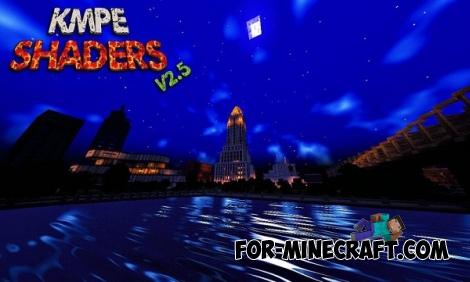 KMPE Shaders v2.5 MCPE 0.11.X/0.12.X/0.13.X/0.14.0
Incredibly cool shaders for Minecraft Pocket Edition 0.12.1/0.12.2/0.12.3/0.13.0 from the creator of the popular
KMPE Shaders v2.5 MCPE 0.11.X/0.12.X/0.13.X/0.14.0
Incredibly cool shaders for Minecraft Pocket Edition 0.12.1/0.12.2/0.12.3/0.13.0 from the creator of the popular
-
 Factorization Mod 5.2 for Minecraft PE 0.11/0.12/0.13/0.14
The basis of mod make blocks-mechanisms. With these systems of the mechanisms can be automated almost any process in
Factorization Mod 5.2 for Minecraft PE 0.11/0.12/0.13/0.14
The basis of mod make blocks-mechanisms. With these systems of the mechanisms can be automated almost any process in
