Popular
-

Faithful Textures for MCPE 1.16/1.17/1.19/1.20/1.21/26.52 (32x/64x/128x) (RTX)
Now you can play with the most popular -

Minecraft PE 26.60.30 (1.21.132/26.52)
More epic battles in the new structure, wind -

Dynamic Lights PE Addon for MCPE 1.16/1.17/1.18/1.19/1.20/1.21/26.60+
Dynamic Lights has long been created for almost -

X-Ray for Minecraft Bedrock Edition 1.19/1.20/1.21.132/26.60+
X-Ray is a cult cheat in the past, available as -

TreeCapitator Addon for Minecraft PE 1.17/1.18/1.19/1.20/1.21.132 (26.60)+
No modifications, now the old TreeCapitator is -

Vein Miner & TreeCapitator Addon for Minecraft PE 1.17/1.20/1.21/26.60+
Start your first day working as a miner or -

Java Combat System Addon v8.0 for Bedrock 1.17/1.18/1.19/1.21/26.60+
Install this updated combat system in the form -

Apollon Client 6.53 for Minecraft PE 1.21.114/26.45
Apollon is a standalone client wrapped in -

Minecraft Bedrock 1.21.132/26.44/26.60.29 Patched (apk)
Do you prefer to play non render dragon shaders -

Body Actions Addon v3.4.12 for Minecraft PE 1.19/1.21.110/26.60+
Humanization of characters in Minecraft Bedrock
5
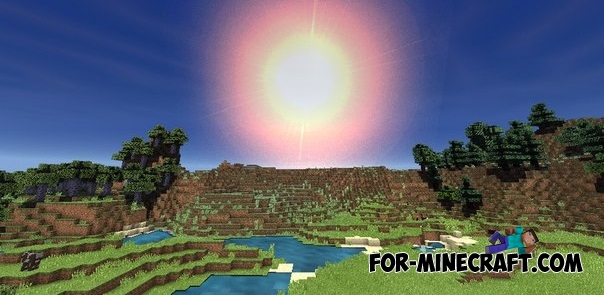
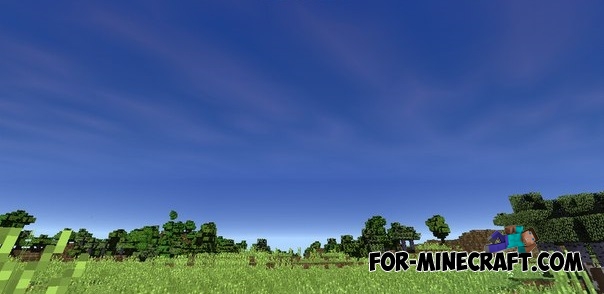
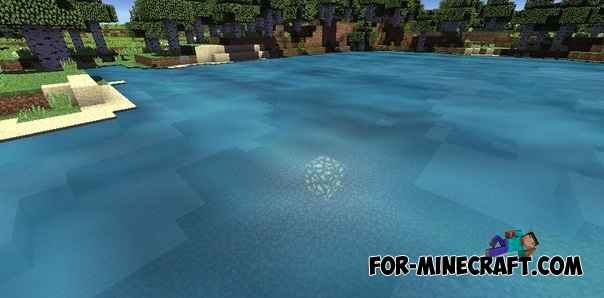
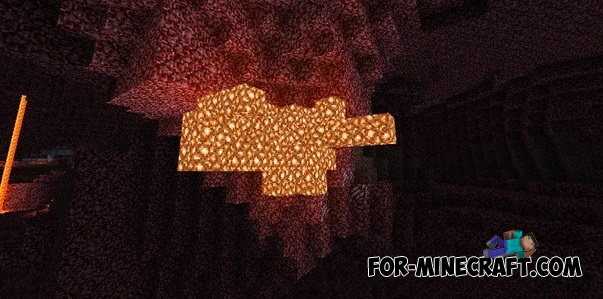
Reality Revolx shaders for Minecraft Pocket Edition 0.14 - it is incredibly beautiful shaders! After installing the game will be much brighter, the sky will be more realistic, the shadow will be improved and more! We recommend you to combine these shaders with other textures such as Jungle Ruins and Flows HD and others.
Screenshots:


How to install the Reality Revolx shaders:
Download shaders using the link below
Open BlockLauncher and go to settings
Open the section "texture packs" and click on the "Add" button
Find the the downloaded file and click on it
Shaders are installed!
Reality Revolx shaders for MCPE 0.14.0
- Author: Bernard
- Date:
Reality Revolx shaders for Minecraft Pocket Edition 0.14 - it is incredibly beautiful shaders! After installing the game will be much brighter, the sky will be more realistic, the shadow will be improved and more! We recommend you to combine these shaders with other textures such as Jungle Ruins and Flows HD and others.
Screenshots:


How to install the Reality Revolx shaders:
Download shaders using the link below
Open BlockLauncher and go to settings
Open the section "texture packs" and click on the "Add" button
Find the the downloaded file and click on it
Shaders are installed!
- Category: Shaders for Minecraft Bedrock (PE)
Recommend:
-
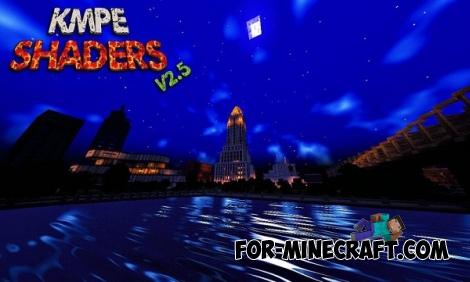 KMPE Shaders v2.5 MCPE 0.11.X/0.12.X/0.13.X/0.14.0
Incredibly cool shaders for Minecraft Pocket Edition 0.12.1/0.12.2/0.12.3/0.13.0 from the creator of the popular
KMPE Shaders v2.5 MCPE 0.11.X/0.12.X/0.13.X/0.14.0
Incredibly cool shaders for Minecraft Pocket Edition 0.12.1/0.12.2/0.12.3/0.13.0 from the creator of the popular
-
 Flows HD Texture pack for Minecraft PE 1.1.X
Flows HD texture pack has a high-quality texture of blocks and objects with a resolution of 128x128 pixels.
Flows HD Texture pack for Minecraft PE 1.1.X
Flows HD texture pack has a high-quality texture of blocks and objects with a resolution of 128x128 pixels.
-
 Too Much TNT Mod for MCPE 0.10.5/0.10.4
"Too Much TNT" - with this dynamite you can indulge in a good Minecraft - Pocket Edition all nice explosion.
Too Much TNT Mod for MCPE 0.10.5/0.10.4
"Too Much TNT" - with this dynamite you can indulge in a good Minecraft - Pocket Edition all nice explosion.
-
 Jungle Ruins Shaders for 0.10.5/0.10.4
Jungle Ruins Shaders reschedule Minecraft - Pocket Edition, the game world will be reminding you of medieval game.
Jungle Ruins Shaders for 0.10.5/0.10.4
Jungle Ruins Shaders reschedule Minecraft - Pocket Edition, the game world will be reminding you of medieval game.
-
 Ruins v.1.3 - the ruins mod for Minecraft Pocket Edition 0.9.5
This mod is for adventurers ... You want the world to be more interesting, right?
Ruins v.1.3 - the ruins mod for Minecraft Pocket Edition 0.9.5
This mod is for adventurers ... You want the world to be more interesting, right?
