Popular
-

Faithful Textures for MCPE 1.16/1.17/1.19/1.20/1.21/26.52 (32x/64x/128x) (RTX)
Now you can play with the most popular -

Minecraft PE 26.60.30 (1.21.132/26.52)
More epic battles in the new structure, wind -

Dynamic Lights PE Addon for MCPE 1.16/1.17/1.18/1.19/1.20/1.21/26.60+
Dynamic Lights has long been created for almost -

X-Ray for Minecraft Bedrock Edition 1.19/1.20/1.21.132/26.60+
X-Ray is a cult cheat in the past, available as -

TreeCapitator Addon for Minecraft PE 1.17/1.18/1.19/1.20/1.21.132 (26.60)+
No modifications, now the old TreeCapitator is -

Vein Miner & TreeCapitator Addon for Minecraft PE 1.17/1.20/1.21/26.60+
Start your first day working as a miner or -

Java Combat System Addon v8.0 for Bedrock 1.17/1.18/1.19/1.21/26.60+
Install this updated combat system in the form -

Apollon Client 6.53 for Minecraft PE 1.21.114/26.45
Apollon is a standalone client wrapped in -

Minecraft Bedrock 1.21.132/26.44/26.60.29 Patched (apk)
Do you prefer to play non render dragon shaders -

Body Actions Addon v3.4.12 for Minecraft PE 1.19/1.21.110/26.60+
Humanization of characters in Minecraft Bedrock
1
4D/5D Skin Support Mod for MCPE 1.21.132+
- Author: Bernard
- Date:
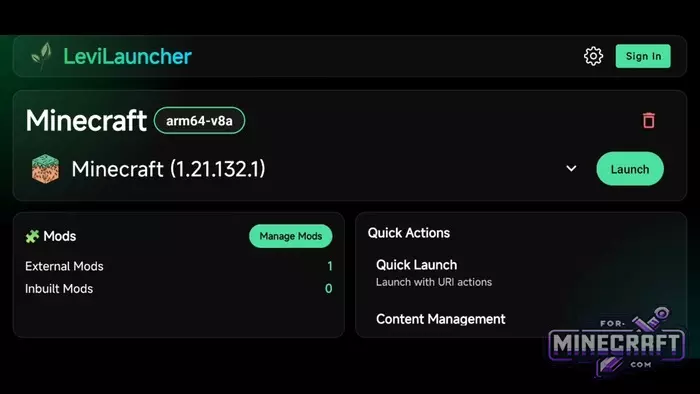
To make 4D/5D skins work on the current version 1.21.132, you can use a combination of LeviLauncher and lib4dskin. This is a full-fledged mod for Bedrock Edition 1.21 or 26.0 Beta, which forces the engine to properly display geometric objects instead of the usual skins.
By: MrPokeG
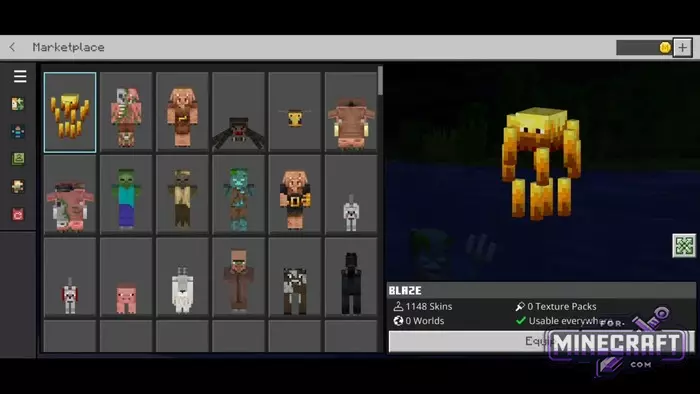
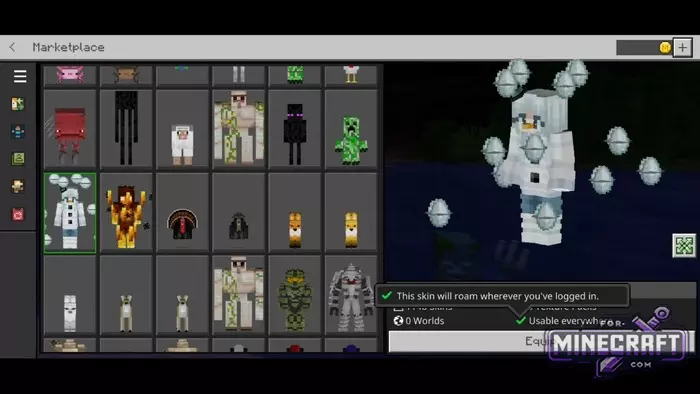
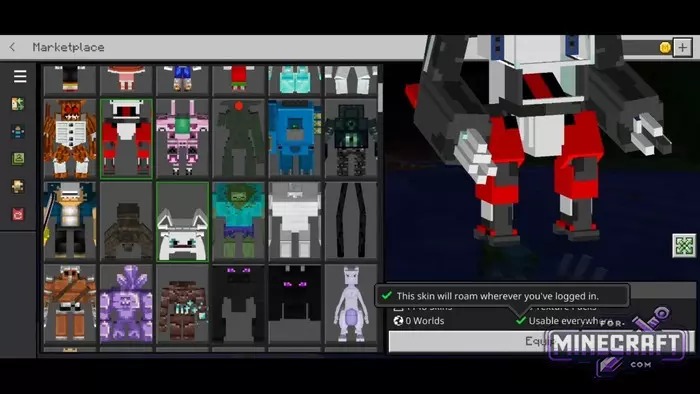
Features:
- Models use custom geometry that goes beyond the standard player hitbox.
- Stable operation on version 1.21.132.1 via an external mod loader.
- One package contains over 900 different skin options.
- Installation via import of ready-made skin packs directly in the launcher interface.
- Skins with floating elements and complex accessories (wings, swords auras).
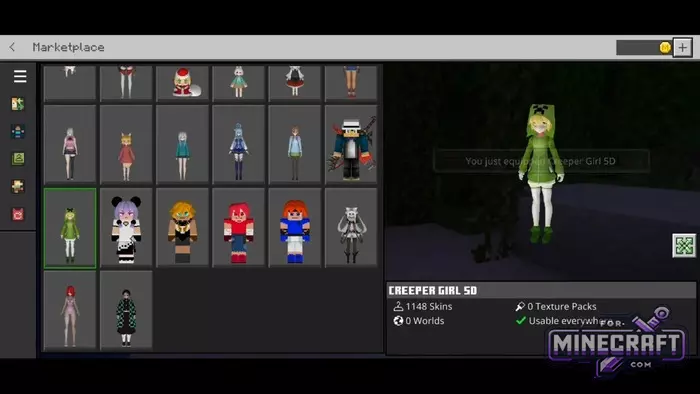
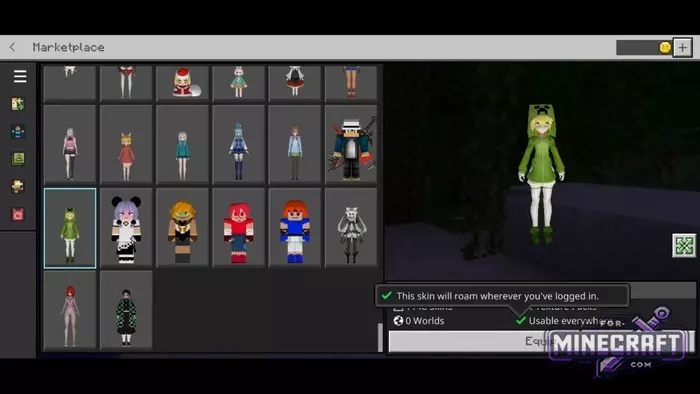
Settings for playing on servers:
Many people think that 4D/5D skins are only visible in single-player mode but this is not the case. For other players on servers to see your skin, you need to go to your Minecraft profile settings and make sure to disable the Trusted Skins option.

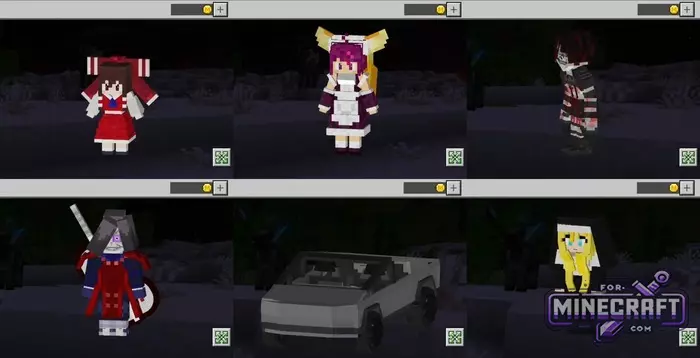
Without this action, the game will forcibly replace your 4D model with the usual Steve or Alex.
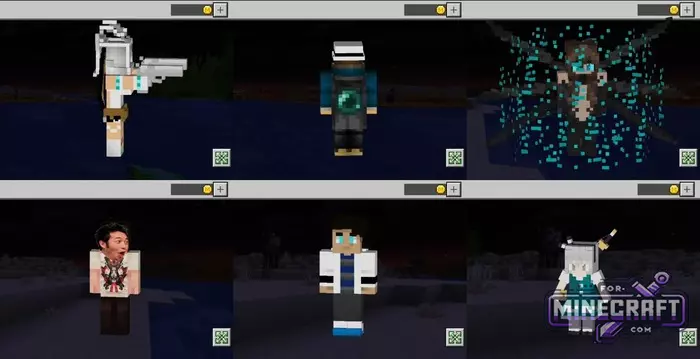
What's inside the set:
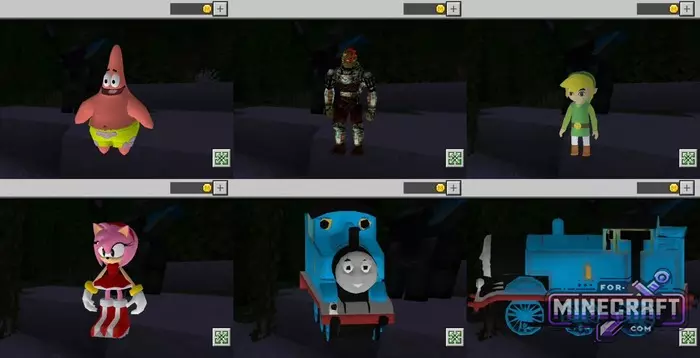
- Pop culture heroes like Patrick from SpongeBob, Link from Zelda, Amy Rose, and even a frighteningly detailed Gandalf, or similar fantasy characters.
- You can literally turn into a Cybertruck or Thomas the Tank Engine. And these are models with easily recognizable shapes.
- There are skins with huge guns instead of hands, characters with dynamic particles and classic waifus in lush dresses that retain there volume in motion.
How to install 4D skins in Bedrock?
- Download and install LeviLauncher. Launch it and make sure it can see your version of Minecraft (for example 1.21.132.1).
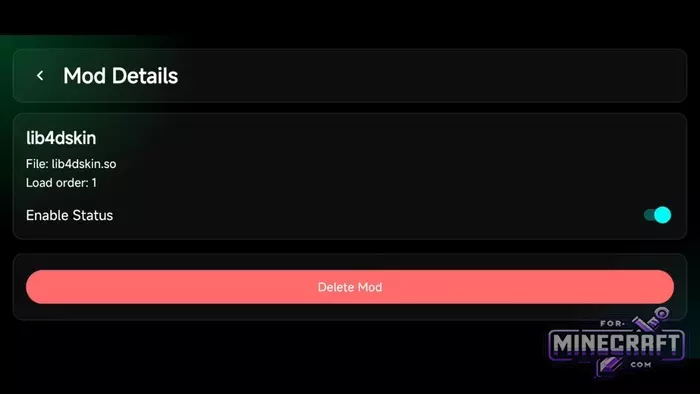
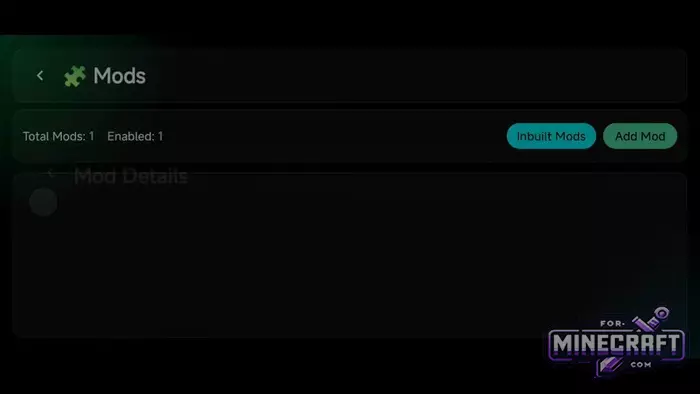
- Download the mod (lib4dskin.so). In the launcher menu, click Manage Mods -> Add Mod, and select this file. Go to Mod Details and make sure the Enable Status switch is turned on.
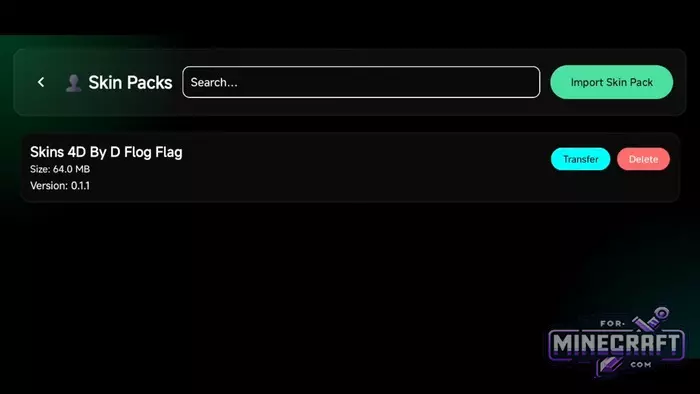
- Download the 4D/5D Skin Pack itself. In the launcher, go to the Skin Packs tab, click Import Skin Pack and select the downloaded archive.
- Launch the game using the Launch button. In Minecraft itself go to your profile settings and turn off the "Only Allow Trusted Skins" toggle.
- Category: Mods & Addons for Minecraft Bedrock (PE)
Recommend:
-
 IndustrialCraft PE mod v2.0 Pre-Release 7 for Minecraft PE
IndustrialCraft PE is a global mod for MCPE which is a very accurate IndustrialCraft copy for Minecraft PC. It
IndustrialCraft PE mod v2.0 Pre-Release 7 for Minecraft PE
IndustrialCraft PE is a global mod for MCPE which is a very accurate IndustrialCraft copy for Minecraft PC. It
-
Minecraft PE 26.60.30 (1.21.132/26.52)
More epic battles in the new structure, wind shooting mob, auto crafting and more..
-
 Inner Core for Minecraft PE 1.16 - 3.1.1b127-128 (ARM64 Update)
Inner Core was created on the basis of the original MCPE 1.0.3 and is a full complement for creating and playing with
Inner Core for Minecraft PE 1.16 - 3.1.1b127-128 (ARM64 Update)
Inner Core was created on the basis of the original MCPE 1.0.3 and is a full complement for creating and playing with
-
 IndustrialCraft PE Mod 2.4.8 for Minecraft PE 1.16
The IndustrialCraft PE history continues and now it goes to a new level..
IndustrialCraft PE Mod 2.4.8 for Minecraft PE 1.16
The IndustrialCraft PE history continues and now it goes to a new level..
-
 Factorization Mod 5.2 for Minecraft PE 0.11/0.12/0.13/0.14
The basis of mod make blocks-mechanisms. With these systems of the mechanisms can be automated almost any process in
Factorization Mod 5.2 for Minecraft PE 0.11/0.12/0.13/0.14
The basis of mod make blocks-mechanisms. With these systems of the mechanisms can be automated almost any process in
