Popular
-

Faithful Textures for MCPE 1.16/1.17/1.19/1.20/1.21/26.52 (32x/64x/128x) (RTX)
Now you can play with the most popular -

Minecraft PE 26.60.30 (1.21.132/26.52)
More epic battles in the new structure, wind -

Dynamic Lights PE Addon for MCPE 1.16/1.17/1.18/1.19/1.20/1.21/26.60+
Dynamic Lights has long been created for almost -

X-Ray for Minecraft Bedrock Edition 1.19/1.20/1.21.132/26.60+
X-Ray is a cult cheat in the past, available as -

TreeCapitator Addon for Minecraft PE 1.17/1.18/1.19/1.20/1.21.132 (26.60)+
No modifications, now the old TreeCapitator is -

Vein Miner & TreeCapitator Addon for Minecraft PE 1.17/1.20/1.21/26.60+
Start your first day working as a miner or -

Java Combat System Addon v8.0 for Bedrock 1.17/1.18/1.19/1.21/26.60+
Install this updated combat system in the form -

Apollon Client 6.53 for Minecraft PE 1.21.114/26.45
Apollon is a standalone client wrapped in -

Minecraft Bedrock 1.21.132/26.44/26.60.29 Patched (apk)
Do you prefer to play non render dragon shaders -

Body Actions Addon v3.4.12 for Minecraft PE 1.19/1.21.110/26.60+
Humanization of characters in Minecraft Bedrock
0
In addition to the connected glass (also available for Bedrock Edition 1.21 via the link), this addon expands the list of seamless blocks by adding almost all building materials made from wood, stone, grass, as well as lamps, bookshelves, and many other block types. All of them appear borderless, creating a smooth, unified structure.
By: Gáo


It works similarly to the CTM feature from Java Optifine: there's a new set of blocks that look exactly like the vanilla ones. They're identical in appearance except for one thing - they can only be crafted using a special crafting table. Use the Connected Blocks Crafting Table to create seamless versions of standard blocks.


With connected blocks, you can finally build the way you've always dreamed of. No visible borders between blocks - just continuous surfaces that look like one solid structure.


1. Open the file (.mcpack) using Minecraft PE.
2. Activate the addon (world or game settings).
Optifine Connected Blocks Addon for Minecraft PE 1.21
- Author: Bernard
- Date:
In addition to the connected glass (also available for Bedrock Edition 1.21 via the link), this addon expands the list of seamless blocks by adding almost all building materials made from wood, stone, grass, as well as lamps, bookshelves, and many other block types. All of them appear borderless, creating a smooth, unified structure.
By: Gáo


How does Optifine Connected Blocks work?
It works similarly to the CTM feature from Java Optifine: there's a new set of blocks that look exactly like the vanilla ones. They're identical in appearance except for one thing - they can only be crafted using a special crafting table. Use the Connected Blocks Crafting Table to create seamless versions of standard blocks.


Build perfect walls and patterns:
With connected blocks, you can finally build the way you've always dreamed of. No visible borders between blocks - just continuous surfaces that look like one solid structure.


How to install the Optifine Connected Blocks Addon?
1. Open the file (.mcpack) using Minecraft PE.
2. Activate the addon (world or game settings).
- Category: Mods & Addons for Minecraft Bedrock (PE)
Recommend:
-
 PlankzPlus (BlockzPlus) Addon for Minecraft PE 1.18/1.19
PlankzPlus is a variant of Chisel in a way, published as an addon for Minecraft Bedrock Edition 1.18 and 1.19..
PlankzPlus (BlockzPlus) Addon for Minecraft PE 1.18/1.19
PlankzPlus is a variant of Chisel in a way, published as an addon for Minecraft Bedrock Edition 1.18 and 1.19..
-
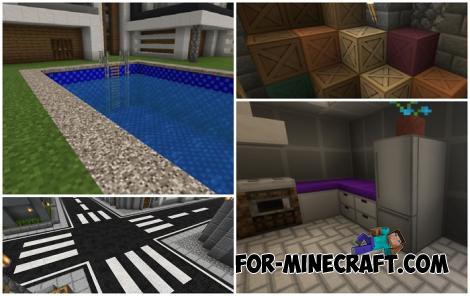 Modern Blocks Addon v1.1.7 for Minecraft Bedrock 1.16/1.17/1.18
Modern Blocks Addon is a must in 99% of cases if you are decorating or renovating your home playing MC Bedrock
Modern Blocks Addon v1.1.7 for Minecraft Bedrock 1.16/1.17/1.18
Modern Blocks Addon is a must in 99% of cases if you are decorating or renovating your home playing MC Bedrock
-
 Medieval Furniture Mod for Minecraft 1.18/1.21
Medieval Furniture is more than just a furniture addon for Minecraft PE 1.18..
Medieval Furniture Mod for Minecraft 1.18/1.21
Medieval Furniture is more than just a furniture addon for Minecraft PE 1.18..
-
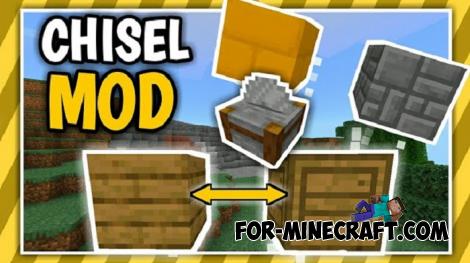 Chisel Addon v2.0.0 for Minecraft PE 1.14/1.20
A couple of years ago, Chisel was in the top 10 most popular mods for Minecraft thanks to a huge number of new
Chisel Addon v2.0.0 for Minecraft PE 1.14/1.20
A couple of years ago, Chisel was in the top 10 most popular mods for Minecraft thanks to a huge number of new
-
 Glass+ Addon for Minecraft 1.19
This creation solves the issue of missing glass blocks..
Glass+ Addon for Minecraft 1.19
This creation solves the issue of missing glass blocks..
