Popular
-

Faithful Textures for MCPE 1.16/1.17/1.19/1.20/1.21/26.52 (32x/64x/128x) (RTX)
Now you can play with the most popular -

Minecraft PE 26.60.30 (1.21.132/26.52)
More epic battles in the new structure, wind -

Dynamic Lights PE Addon for MCPE 1.16/1.17/1.18/1.19/1.20/1.21/26.60+
Dynamic Lights has long been created for almost -

X-Ray for Minecraft Bedrock Edition 1.19/1.20/1.21.132/26.60+
X-Ray is a cult cheat in the past, available as -

TreeCapitator Addon for Minecraft PE 1.17/1.18/1.19/1.20/1.21.132 (26.60)+
No modifications, now the old TreeCapitator is -

Vein Miner & TreeCapitator Addon for Minecraft PE 1.17/1.20/1.21/26.60+
Start your first day working as a miner or -

Java Combat System Addon v8.0 for Bedrock 1.17/1.18/1.19/1.21/26.60+
Install this updated combat system in the form -

Apollon Client 6.53 for Minecraft PE 1.21.114/26.45
Apollon is a standalone client wrapped in -

Minecraft Bedrock 1.21.132/26.44/26.60.29 Patched (apk)
Do you prefer to play non render dragon shaders -

Body Actions Addon v3.4.12 for Minecraft PE 1.19/1.21.110/26.60+
Humanization of characters in Minecraft Bedrock
0
Prefer to see the progress in Minecraft Bedrock with your own eyes as if you were playing Java Edition? Advancement Bedrock is a script that converts advancements to the mobile platform without any changes. The only thing that differs is a window adapted for touch devices with all the advancements you have made in all dimensions.
By: r4isen1920

This is what you are used to seeing in the Java version of Minecraft while playing. This system has been working for many years, allowing everyone to see their progress, similar to achievements in MCPE. It is distinguished by advanced achievements that go one after another in a chain.


Some advancements are arranged in the form of a tree with different branches. As you progress through the game, you will see more and more advancements. Start by breaking a tree block as the first advancement in Minecraft PE.


Since Bedrock has some technical limitations compared to the original version, there are some unavailable advancements. The rest are completely ready to open - complete tasks and monitor your progress in a convenient menu.

1. Open .mcaddon using Minecraft PE
2. Activate the addon (world or game settings)
Advancement Bedrock for Minecraft PE 1.21
- Author: Bernard
- Date:
Prefer to see the progress in Minecraft Bedrock with your own eyes as if you were playing Java Edition? Advancement Bedrock is a script that converts advancements to the mobile platform without any changes. The only thing that differs is a window adapted for touch devices with all the advancements you have made in all dimensions.
By: r4isen1920

What is Advancement Bedrock?
This is what you are used to seeing in the Java version of Minecraft while playing. This system has been working for many years, allowing everyone to see their progress, similar to achievements in MCPE. It is distinguished by advanced achievements that go one after another in a chain.


Some advancements are arranged in the form of a tree with different branches. As you progress through the game, you will see more and more advancements. Start by breaking a tree block as the first advancement in Minecraft PE.


What advancements are available?
Since Bedrock has some technical limitations compared to the original version, there are some unavailable advancements. The rest are completely ready to open - complete tasks and monitor your progress in a convenient menu.

How to install Advancement Bedrock?
1. Open .mcaddon using Minecraft PE
2. Activate the addon (world or game settings)
- Category: Mods & Addons for Minecraft Bedrock (PE)
Recommend:
-
 Minecraft PE 1.19.80.24 Beta (1.19.81 Release)
Meet the officially announced Minecraft PE 1.19 update with frogs, warden, fireflies and swamps!
Minecraft PE 1.19.80.24 Beta (1.19.81 Release)
Meet the officially announced Minecraft PE 1.19 update with frogs, warden, fireflies and swamps!
-
 Download Minecraft PE 1.16.230.56 (1.16.221) - Nether Update
The most massive Nether update with new mobs, plants and biomes!
Download Minecraft PE 1.16.230.56 (1.16.221) - Nether Update
The most massive Nether update with new mobs, plants and biomes!
-
Minecraft PE 26.60.30 (1.21.132/26.52)
More epic battles in the new structure, wind shooting mob, auto crafting and more..
-
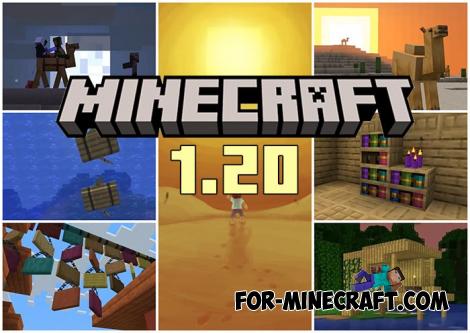 Minecraft PE 1.20.80.24 (1.20.80 Release)
Camels, hanging signs, sniffers and rafts and much more..
Minecraft PE 1.20.80.24 (1.20.80 Release)
Camels, hanging signs, sniffers and rafts and much more..
-
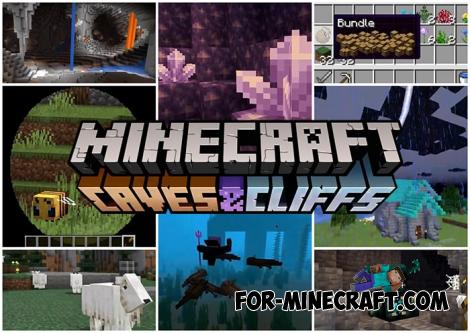 Minecraft PE 1.17.40.23 Beta (1.17.41) - Caves & Cliffs Update
Updated caves, new mobs, telescope and lightning rod, archeology and more in Minecraft PE 1.17..
Minecraft PE 1.17.40.23 Beta (1.17.41) - Caves & Cliffs Update
Updated caves, new mobs, telescope and lightning rod, archeology and more in Minecraft PE 1.17..
