Popular
-

Minecraft PE / Bedrock 26.70.22 (1.21.132/26.60)
More epic battles in the new structure, wind -

TreeCapitator Addon for Minecraft PE 1.17/1.18/1.19/1.20/1.21.132 (26.60)+
No modifications, now the old TreeCapitator is -

Vein Miner & TreeCapitator Addon for Minecraft PE 1.17/1.20/1.21/26.70+
Start your first day working as a miner or -

Apollon Client 6.70 for Minecraft PE 1.21.114/26.52
Apollon is a standalone client wrapped in -

Minecraft Bedrock 1.21.132/26.60/26.70.21 Patched (apk)
Do you prefer to play non render dragon shaders -

Body Actions Addon v3.4.13 for Minecraft PE 1.19/1.21.110/26.60+
Humanization of characters in Minecraft Bedrock -

LeviLauncher v0.3.11 (LeviLaunchroid v1.6.0) for Minecraft Bedrock 1.21.132/26.60
LeviLauncher is the tool you've been -

Shadow Company Addon for Minecraft PE 1.21/26
A killer weapon addon for Minecraft Bedrock, -

Newb (Legacy/ Dragon/ Trailer/ Glow/ Firelight/ Gold/ Dynamite/ Memories/ Stellar/ AI/ Plus)
Uniting under a single name, all presented Newb -

Mini Structures Addon v2.0 for Minecraft PE 1.18/1.19/1.20/1.21/26.70+
There are 30 structures at the moment, and all
0
A lucky block may be the same shape with a question mark on the side, but its contents are not always uniform. Ender Lucky Block is a separate expansion for the Lucky Block Addon, created along with a set of new items that you can only get by opening a new purple block.
By: Beyond64


As ingredients, the new lucky block consists of obsidian and lapis lazuli. Place them in the crafting grid as shown in the recipe and try to open your first End lucky block.

1. Download the file and open it using MCPE.
2. Go to the game setting and activate it.
Ender Lucky Block Addon for MCPE 1.20
- Author: Bernard
- Date:
A lucky block may be the same shape with a question mark on the side, but its contents are not always uniform. Ender Lucky Block is a separate expansion for the Lucky Block Addon, created along with a set of new items that you can only get by opening a new purple block.
By: Beyond64


Items of the End:
1. Chorus Sword
2. Dragon ade
3. Dragon Hammer
4. Dragon Scythe
5. Dragon Sphere
6. Dragon Sword
7. Dragon Wand
8. End Light §lSword
9. End Crystal Blade
10. End Crystal Sword
11. Ender Devil Sword
12. Ender Scythe
13. Ender Sword
14. Ender Wing Sword
15. Endstone Blade
16. Endstone Sphere
17. Endstone Axe
18. Endstone Scythe
19. Endstone Sword
20. Eye Of Ender Sword
21. Pure Ender Sword
22. Royal Ender Blade
23. Royal Ender Hammer
24. Royal Ender Scythe
25. Royal Ender Sphere
26. Royal Ender Sword
27. Royal Ender Wand
28. Shulker Sword
29. Thulecite Hammer
30. Thulecite Sword
31. Void Axe
32. Void Hammer
33. Void Sphere
34. Void Sword
35. Book Of Fire
36. Book Of Invisibility
37. Book Of Life
38. Book Of Royalty
39. Book Of Speed
40. Book Of Strength


How to get an Ender LuckyBlock?
As ingredients, the new lucky block consists of obsidian and lapis lazuli. Place them in the crafting grid as shown in the recipe and try to open your first End lucky block.
How to install the Ender Lucky Block Addon?
1. Download the file and open it using MCPE.
2. Go to the game setting and activate it.
- Category: Mods & Addons for Minecraft Bedrock (PE)
Recommend:
-
 PlankzPlus (BlockzPlus) Addon for Minecraft PE 1.18/1.19
PlankzPlus is a variant of Chisel in a way, published as an addon for Minecraft Bedrock Edition 1.18 and 1.19..
PlankzPlus (BlockzPlus) Addon for Minecraft PE 1.18/1.19
PlankzPlus is a variant of Chisel in a way, published as an addon for Minecraft Bedrock Edition 1.18 and 1.19..
-
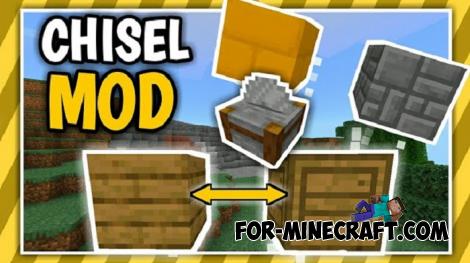 Chisel Addon v2.0.0 for Minecraft PE 1.14/1.20
A couple of years ago, Chisel was in the top 10 most popular mods for Minecraft thanks to a huge number of new
Chisel Addon v2.0.0 for Minecraft PE 1.14/1.20
A couple of years ago, Chisel was in the top 10 most popular mods for Minecraft thanks to a huge number of new
-
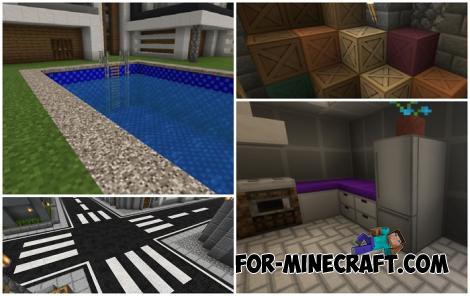 Modern Blocks Addon v1.1.7 for Minecraft Bedrock 1.16/1.17/1.18
Modern Blocks Addon is a must in 99% of cases if you are decorating or renovating your home playing MC Bedrock
Modern Blocks Addon v1.1.7 for Minecraft Bedrock 1.16/1.17/1.18
Modern Blocks Addon is a must in 99% of cases if you are decorating or renovating your home playing MC Bedrock
-
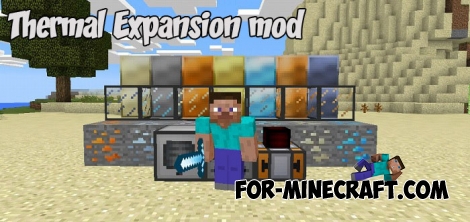 Thermal Expansion mod Beta 4 (Minecraft PE)
So, it's time you all waited so long. It's true, we finally release the first beta. So this beta includes
Thermal Expansion mod Beta 4 (Minecraft PE)
So, it's time you all waited so long. It's true, we finally release the first beta. So this beta includes
-
 Nether Expansion Addon for MCPE 1.18
Nether Expansion is a major tweak for Minecraft Bedrock Edition 1.16 that brings even more features..
Nether Expansion Addon for MCPE 1.18
Nether Expansion is a major tweak for Minecraft Bedrock Edition 1.16 that brings even more features..
