Popular
-

Faithful Textures for MCPE 1.16/1.17/1.19/1.20/1.21/26.52 (32x/64x/128x) (RTX)
Now you can play with the most popular -

Minecraft PE 26.60.30 (1.21.132/26.52)
More epic battles in the new structure, wind -

Dynamic Lights PE Addon for MCPE 1.16/1.17/1.18/1.19/1.20/1.21/26.60+
Dynamic Lights has long been created for almost -

X-Ray for Minecraft Bedrock Edition 1.19/1.20/1.21.132/26.60+
X-Ray is a cult cheat in the past, available as -

TreeCapitator Addon for Minecraft PE 1.17/1.18/1.19/1.20/1.21.132 (26.60)+
No modifications, now the old TreeCapitator is -

Vein Miner & TreeCapitator Addon for Minecraft PE 1.17/1.20/1.21/26.60+
Start your first day working as a miner or -

Java Combat System Addon v8.0 for Bedrock 1.17/1.18/1.19/1.21/26.60+
Install this updated combat system in the form -

Minecraft Bedrock 1.21.132/26.44/26.60.29 Patched (apk)
Do you prefer to play non render dragon shaders -

Body Actions Addon v3.4.12 for Minecraft PE 1.19/1.21.110/26.60+
Humanization of characters in Minecraft Bedrock -

LeviLauncher v0.3.11 (LeviLaunchroid v1.5.25) for Minecraft Bedrock 1.21.132/26.60
LeviLauncher is the tool you've been
1
Do you came up with unique add-on but you can not write it by yourself? Then MC Addon Maker certainly will help you. By using this website, you can easily create your own custom add-ons as you like. In addition to add-ons, the website has a lot of convenient and useful functions, such as keeping created add-ons in your account and more.
For those who do not know what it is, the addon is a special game modification, with which you can change the parameters of any mob, its skin and similar characteristics. Add-ons are very easy to install and can drastically change the game.
To get started you need to create your account (https://mcaddonmaker.com/join/), and then change any settings. Select from the list the desired function and do what you want.


Once you have created an addon you can share your creation in the social networks. MC Addon Maker will help not only for beginners but also for experienced developers to hone skills quickly and easily.
How to easily create add-ons in Minecraft PE
- Author: Bernard
- Date:
Do you came up with unique add-on but you can not write it by yourself? Then MC Addon Maker certainly will help you. By using this website, you can easily create your own custom add-ons as you like. In addition to add-ons, the website has a lot of convenient and useful functions, such as keeping created add-ons in your account and more.
For those who do not know what it is, the addon is a special game modification, with which you can change the parameters of any mob, its skin and similar characteristics. Add-ons are very easy to install and can drastically change the game.
How to create add-ons in Minecraft PE?
To get started you need to create your account (https://mcaddonmaker.com/join/), and then change any settings. Select from the list the desired function and do what you want.


Once you have created an addon you can share your creation in the social networks. MC Addon Maker will help not only for beginners but also for experienced developers to hone skills quickly and easily.
- Category: Mods & Addons for Minecraft Bedrock (PE)
Recommend:
-
 Factorization Mod 5.2 for Minecraft PE 0.11/0.12/0.13/0.14
The basis of mod make blocks-mechanisms. With these systems of the mechanisms can be automated almost any process in
Factorization Mod 5.2 for Minecraft PE 0.11/0.12/0.13/0.14
The basis of mod make blocks-mechanisms. With these systems of the mechanisms can be automated almost any process in
-
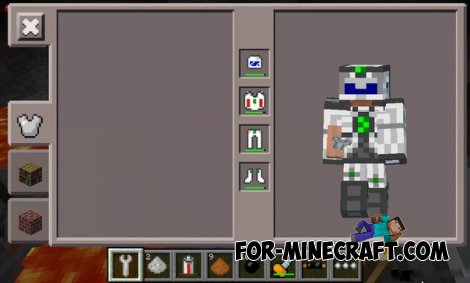 Factorization mod 3.3 for Minecraft PE 0.9.5
 Script adds many different variety of mechanisms that may produce,
Factorization mod 3.3 for Minecraft PE 0.9.5
Factorization mod 3.3 for Minecraft PE 0.9.5 Script adds many different variety of mechanisms that may produce,
-
 Minecraft PE 0.16.0 - Release date and changelog!
Recently, developers have told a lot of different information that will be added to the new version - Minecraft PE
Minecraft PE 0.16.0 - Release date and changelog!
Recently, developers have told a lot of different information that will be added to the new version - Minecraft PE
-
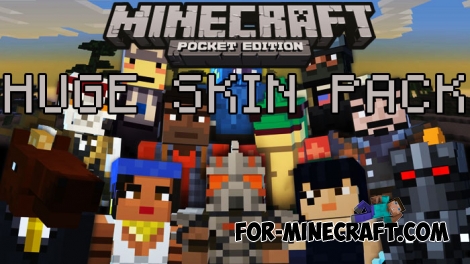 Huge skin pack (1237 skins) for Minecraft PE
Hello, today I'll show you a great skin pack that contains 1237 skins for Minecraft PE!
Huge skin pack (1237 skins) for Minecraft PE
Hello, today I'll show you a great skin pack that contains 1237 skins for Minecraft PE!
-
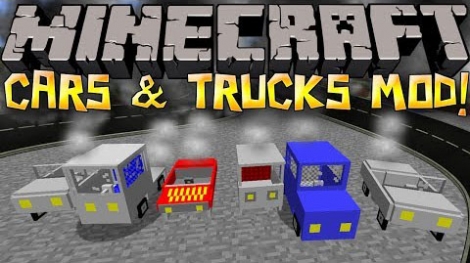 Cars and Drives Mod for Minecraft 1.7.10 / 1.7.2
Cars and Drives Mod makes it possible to make real machine in minecraft. Most importantly, you can to drive a car! In
Cars and Drives Mod for Minecraft 1.7.10 / 1.7.2
Cars and Drives Mod makes it possible to make real machine in minecraft. Most importantly, you can to drive a car! In
