Popular
-
Faithful Textures for MCPE 1.16/1.17/1.19/1.20/1.21/26.52 (32x/64x/128x) (RTX)
Now you can play with the most popular -

Minecraft PE 26.60.30 (1.21.132/26.52)
More epic battles in the new structure, wind -

Dynamic Lights PE Addon for MCPE 1.16/1.17/1.18/1.19/1.20/1.21/26.60+
Dynamic Lights has long been created for almost -

X-Ray for Minecraft Bedrock Edition 1.19/1.20/1.21.132/26.60+
X-Ray is a cult cheat in the past, available as -

TreeCapitator Addon for Minecraft PE 1.17/1.18/1.19/1.20/1.21.132 (26.60)+
No modifications, now the old TreeCapitator is -

Vein Miner & TreeCapitator Addon for Minecraft PE 1.17/1.20/1.21/26.60+
Start your first day working as a miner or -

Java Combat System Addon v8.0 for Bedrock 1.17/1.18/1.19/1.21/26.60+
Install this updated combat system in the form -

Apollon Client 6.53 for Minecraft PE 1.21.114/26.45
Apollon is a standalone client wrapped in -

Minecraft Bedrock 1.21.132/26.44/26.60.29 Patched (apk)
Do you prefer to play non render dragon shaders -

Body Actions Addon v3.4.12 for Minecraft PE 1.19/1.21.110/26.60+
Humanization of characters in Minecraft Bedrock
1
3D Minimap adds useful traveling mini map that will allow more easily navigate the surrounding area in MCPE 0.15. Currently, this mod is still in development and the author is constantly adding new features.
How to use the mini map:
After installation, you will see a compact mini map in the top left corner of the screen. Your character is marked brown mark on the map, so it will be very difficult to get lost. Around you will identify other blocks, such as the ground, stone, liquid. List of display blocks will be increased and the Mini map will be improved and become more useful.
Screenshots:


In a short time function display of mobs will be added.
3D Minimap mod for Minecraft PE 0.15.0/0.15.1/0.15.2
- Author: Bernard
- Date:
3D Minimap adds useful traveling mini map that will allow more easily navigate the surrounding area in MCPE 0.15. Currently, this mod is still in development and the author is constantly adding new features.
How to use the mini map:
After installation, you will see a compact mini map in the top left corner of the screen. Your character is marked brown mark on the map, so it will be very difficult to get lost. Around you will identify other blocks, such as the ground, stone, liquid. List of display blocks will be increased and the Mini map will be improved and become more useful.
Screenshots:
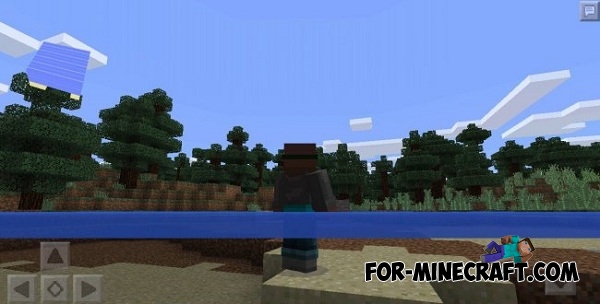
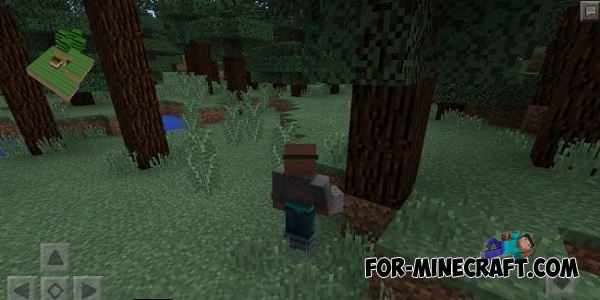
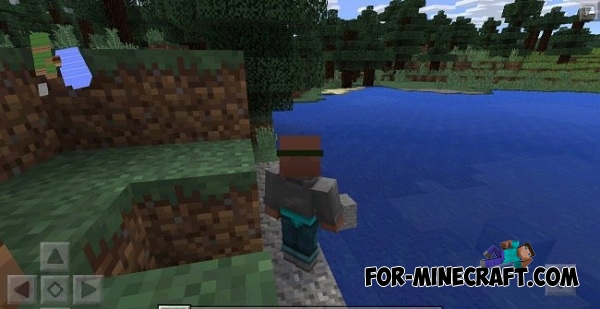
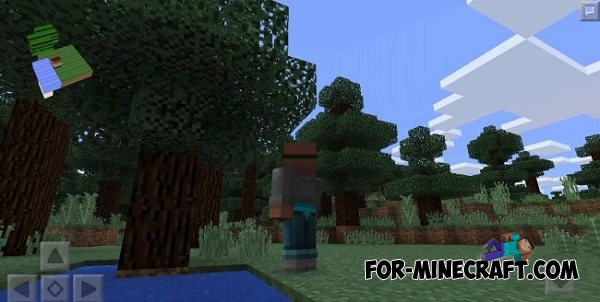
In a short time function display of mobs will be added.
- Category: Mods & Addons for Minecraft Bedrock (PE)
Recommend:
-
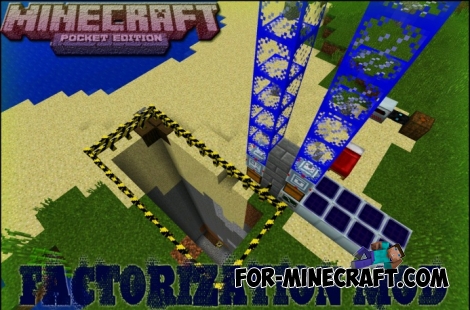 Factorization Mod 5.2 for Minecraft PE 0.11/0.12/0.13/0.14
The basis of mod make blocks-mechanisms. With these systems of the mechanisms can be automated almost any process in
Factorization Mod 5.2 for Minecraft PE 0.11/0.12/0.13/0.14
The basis of mod make blocks-mechanisms. With these systems of the mechanisms can be automated almost any process in
-
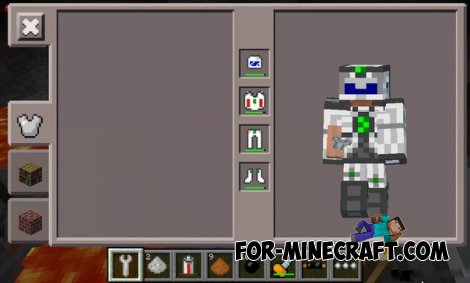 Factorization mod 3.3 for Minecraft PE 0.9.5
 Script adds many different variety of mechanisms that may produce,
Factorization mod 3.3 for Minecraft PE 0.9.5
Factorization mod 3.3 for Minecraft PE 0.9.5 Script adds many different variety of mechanisms that may produce,
-
 Rei’s MiniMap mod for Minecraft PE 0.10.5 / 0.11.1 / 0.11.0 / 0.12.1
Additional features of this mod in your game interface will be a special mini map. Mini map will be small and it will
Rei’s MiniMap mod for Minecraft PE 0.10.5 / 0.11.1 / 0.11.0 / 0.12.1
Additional features of this mod in your game interface will be a special mini map. Mini map will be small and it will
-
 Smooth MiniMap v3.2 for MCPE 0.10/0.12/0.13/0.14.0
This mod adds a mini-map that will help you in the long journey!
Smooth MiniMap v3.2 for MCPE 0.10/0.12/0.13/0.14.0
This mod adds a mini-map that will help you in the long journey!
-
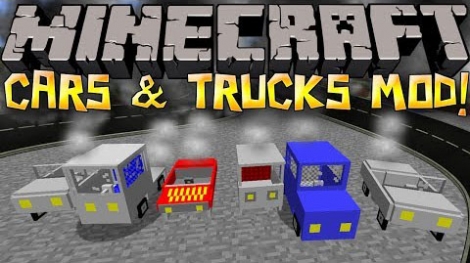 Cars and Drives Mod for Minecraft 1.7.10 / 1.7.2
Cars and Drives Mod makes it possible to make real machine in minecraft. Most importantly, you can to drive a car! In
Cars and Drives Mod for Minecraft 1.7.10 / 1.7.2
Cars and Drives Mod makes it possible to make real machine in minecraft. Most importantly, you can to drive a car! In
