Popular
-

Minecraft PE 26.70.22 (1.21.132/26.60)
More epic battles in the new structure, wind -

Dynamic Lights PE Addon for MCPE 1.16/1.17/1.18/1.19/1.20/1.21/26.60+
Dynamic Lights has long been created for almost -

TreeCapitator Addon for Minecraft PE 1.17/1.18/1.19/1.20/1.21.132 (26.60)+
No modifications, now the old TreeCapitator is -

Vein Miner & TreeCapitator Addon for Minecraft PE 1.17/1.20/1.21/26.70+
Start your first day working as a miner or -

Apollon Client 6.70 for Minecraft PE 1.21.114/26.52
Apollon is a standalone client wrapped in -

Minecraft Bedrock 1.21.132/26.44/26.70.21 Patched (apk)
Do you prefer to play non render dragon shaders -

LeviLauncher v0.3.11 (LeviLaunchroid v1.6.0) for Minecraft Bedrock 1.21.132/26.60
LeviLauncher is the tool you've been -

Shadow Company Addon for Minecraft PE 1.21/26
A killer weapon addon for Minecraft Bedrock, -

Newb (Legacy/ Dragon/ Trailer/ Glow/ Firelight/ Gold/ Dynamite/ Memories/ Stellar/ AI/ Plus)
Uniting under a single name, all presented Newb -

Mini Structures Addon v2.0 for Minecraft PE 1.18/1.19/1.20/1.21/26.70+
There are 30 structures at the moment, and all
0
Hooray, friends! The developers released a new version of MCPE - 1.0.5, where they added the very same command blocks! But like all beta versions, there are also some bugs here. Some information for those who do not know what it is.
Using command blocks, you can influence worlds with the help of console commands. But this block only works if you are the server administrator or the creator of the world. That is, you can create your world and call the players, but the command block will only work for you. In addition, MCPE does not allow you to craft the block, you can only get it through the command.

Command block operate using redstone, ie the command block will execute your command after you put redstone wire, a lever and activate it. There are a lot of text commands that give you great abilities. It is unfortunate that the developers have not added an adventure mode, although it is possible they will do it in the next version.
Command blocks are mainly used in this mode to create special maps (the main feature is the inability to destroy blocks and there are still some restrictions). Anyway, the command blocks operate in single and multiplayer modes. If you have a MCPE server, then you can easily execute these commands with players.
At the moment there is a small bug with blinking chat. Type the following command: /give @p [name]. It is impossible to describe all the available possibilities. Put the block in the right place and tap on it. The interface has been changed and does not look like the PC version of Minecraft. But it's even more convenient and great for touch devices.

Ultimately, there are an unrealistic number of commands through which you can receive any items, experience, spawn mobs and perform other commands.
Minecraft PE 1.0.5 - Command blocks!
- Author: Bernard
- Date:
Hooray, friends! The developers released a new version of MCPE - 1.0.5, where they added the very same command blocks! But like all beta versions, there are also some bugs here. Some information for those who do not know what it is.
Using command blocks, you can influence worlds with the help of console commands. But this block only works if you are the server administrator or the creator of the world. That is, you can create your world and call the players, but the command block will only work for you. In addition, MCPE does not allow you to craft the block, you can only get it through the command.
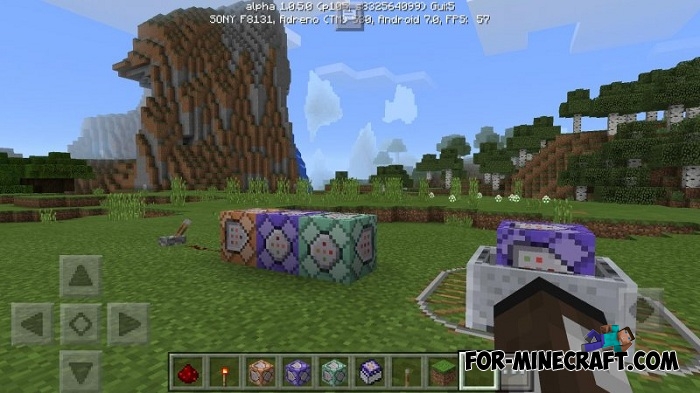
Command block operate using redstone, ie the command block will execute your command after you put redstone wire, a lever and activate it. There are a lot of text commands that give you great abilities. It is unfortunate that the developers have not added an adventure mode, although it is possible they will do it in the next version.
Command blocks are mainly used in this mode to create special maps (the main feature is the inability to destroy blocks and there are still some restrictions). Anyway, the command blocks operate in single and multiplayer modes. If you have a MCPE server, then you can easily execute these commands with players.
How to get the command block?
At the moment there is a small bug with blinking chat. Type the following command: /give @p [name]. It is impossible to describe all the available possibilities. Put the block in the right place and tap on it. The interface has been changed and does not look like the PC version of Minecraft. But it's even more convenient and great for touch devices.
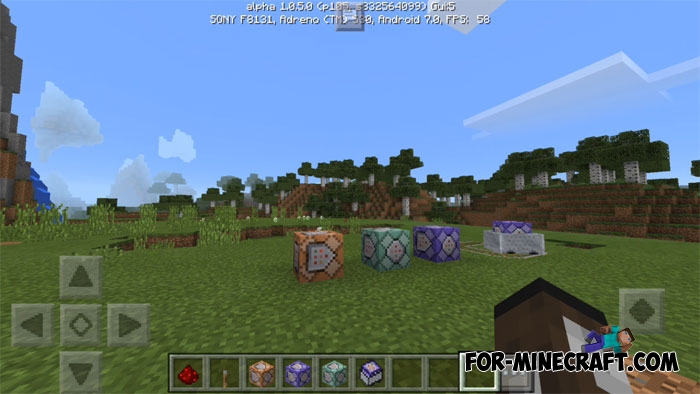
Ultimately, there are an unrealistic number of commands through which you can receive any items, experience, spawn mobs and perform other commands.
- Category: Minecraft Pocket Edition
Recommend:
-
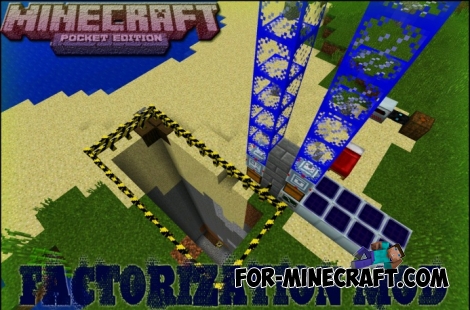 Factorization Mod 5.2 for Minecraft PE 0.11/0.12/0.13/0.14
The basis of mod make blocks-mechanisms. With these systems of the mechanisms can be automated almost any process in
Factorization Mod 5.2 for Minecraft PE 0.11/0.12/0.13/0.14
The basis of mod make blocks-mechanisms. With these systems of the mechanisms can be automated almost any process in
-
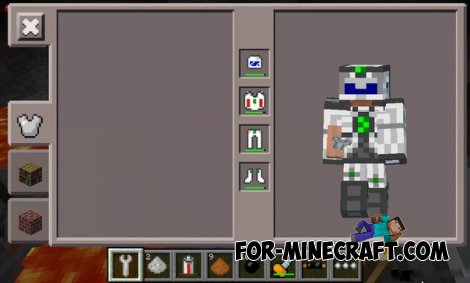 Factorization mod 3.3 for Minecraft PE 0.9.5
 Script adds many different variety of mechanisms that may produce,
Factorization mod 3.3 for Minecraft PE 0.9.5
Factorization mod 3.3 for Minecraft PE 0.9.5 Script adds many different variety of mechanisms that may produce,
-
 Block Launcher 1.27 for Minecraft PE 1.13 & 1.14.1
Block Launcher is a popular launcher for Minecraft PE which allows you to quickly install scripts, mods, addons,
Block Launcher 1.27 for Minecraft PE 1.13 & 1.14.1
Block Launcher is a popular launcher for Minecraft PE which allows you to quickly install scripts, mods, addons,
-
 The Infinite Adventure mod for Minecraft 1.7.10
 The mod adds a new structure in the minecraft, where you will meet new
The Infinite Adventure mod for Minecraft 1.7.10
The Infinite Adventure mod for Minecraft 1.7.10 The mod adds a new structure in the minecraft, where you will meet new
-
 Hide and Seek maps for Minecraft PE 0.15 (5 maps)
Hide and Seek - is genre designed for a fun mini-games as the hide and seek. To play in this mode, you will need at
Hide and Seek maps for Minecraft PE 0.15 (5 maps)
Hide and Seek - is genre designed for a fun mini-games as the hide and seek. To play in this mode, you will need at
