Popular
-

Faithful Textures for MCPE 1.16/1.17/1.19/1.20/1.21/26.52 (32x/64x/128x) (RTX)
Now you can play with the most popular -

Minecraft PE 26.60.30 (1.21.132/26.52)
More epic battles in the new structure, wind -

Dynamic Lights PE Addon for MCPE 1.16/1.17/1.18/1.19/1.20/1.21/26.60+
Dynamic Lights has long been created for almost -

X-Ray for Minecraft Bedrock Edition 1.19/1.20/1.21.132/26.60+
X-Ray is a cult cheat in the past, available as -

TreeCapitator Addon for Minecraft PE 1.17/1.18/1.19/1.20/1.21.132 (26.60)+
No modifications, now the old TreeCapitator is -

Vein Miner & TreeCapitator Addon for Minecraft PE 1.17/1.20/1.21/26.60+
Start your first day working as a miner or -

Java Combat System Addon v8.0 for Bedrock 1.17/1.18/1.19/1.21/26.60+
Install this updated combat system in the form -

Apollon Client 6.53 for Minecraft PE 1.21.114/26.45
Apollon is a standalone client wrapped in -

Minecraft Bedrock 1.21.132/26.44/26.60.29 Patched (apk)
Do you prefer to play non render dragon shaders -

Body Actions Addon v3.4.12 for Minecraft PE 1.19/1.21.110/26.60+
Humanization of characters in Minecraft Bedrock
1
Finally, subtitles have been added to Minecraft Bedrock 26.0.25, although they were announced last week but kinda forgotten to be added. But that's not the only thing that appeared this week, there's also a new change in the interface. Have you already noticed what we're talking about? So, this is Minecraft Beta and Preview 26.0.25.
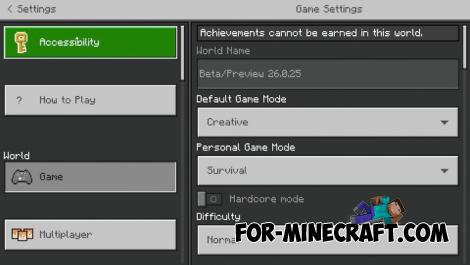
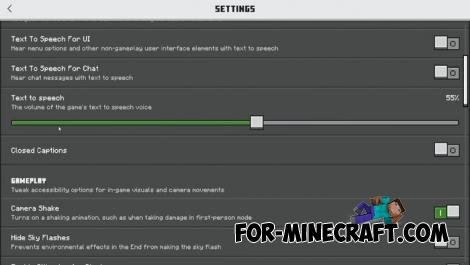
We have features and bug fixes, but let's start with accessibility. Gameplay subtitles and hidden subtitles should now work as expected. To enable subtitles, go to settings, click on settings, and open accessibility. It will be under the "text to speech" feature and will be labeled "hidden subtitles".
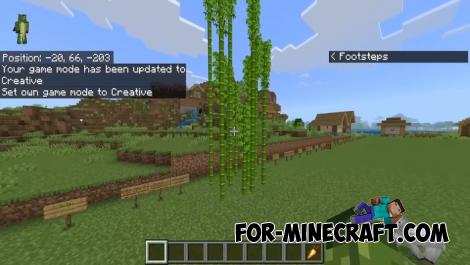
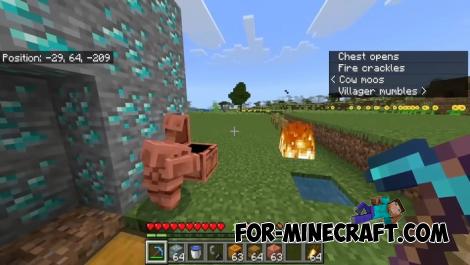
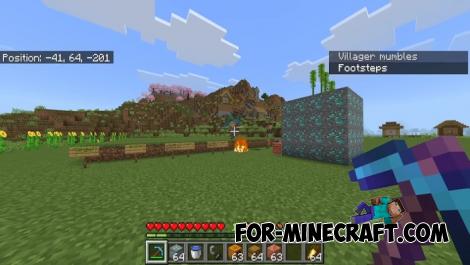
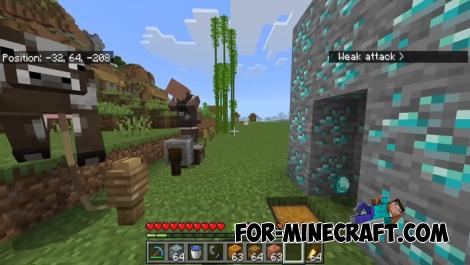
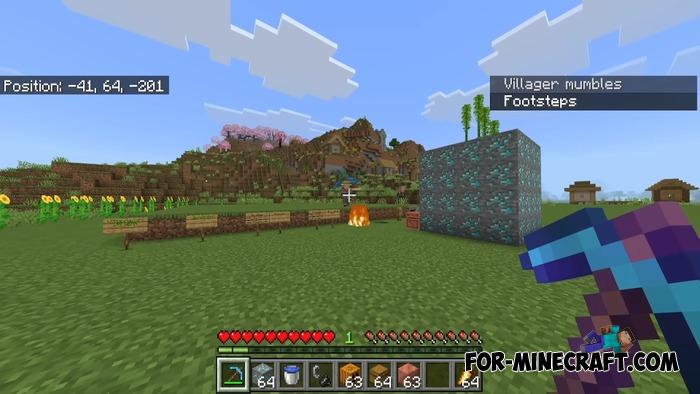
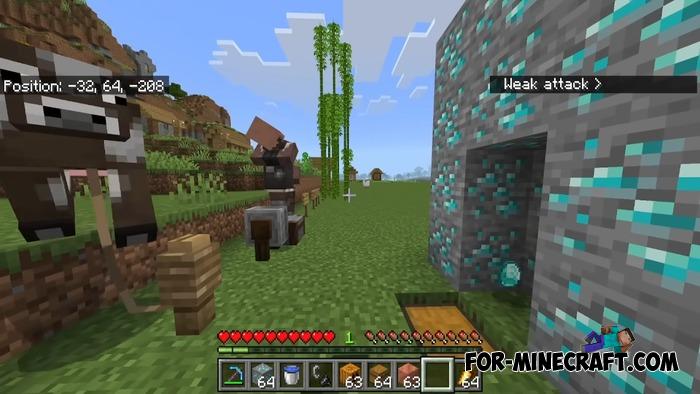
When they are enabled and you step back, you can see footsteps, the crackling of fire, the mooing of cows, eerie sounds, the muttering of villagers - all of this is now available. In general, many people have wanted this for a long time, and now, every time an action is performed in Minecraft PE 26.0.25, the position where it occurs is shown. For example, the fire is crackling over there. The villager is muttering over there. The chest is closing.
This is convenient not only for people with hearing impairments. It also helps when searching for things like caves: now you can determine the direction pretty precisely. For example, you're digging, you hear zombies and skeletons, and you think, "Is it over there? Or over there? Or down there?" If I need to find, say, a cow, a villager, or a chest, I can see that it's in that direction and dig there.
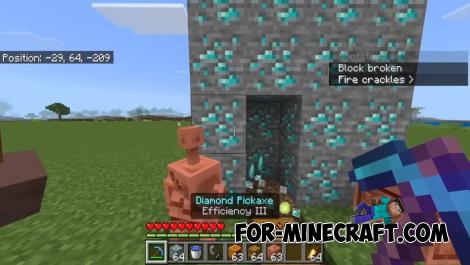
In Java v26, the subtitles are located lower, closer to the hands. It's not clear why they're so high here, and I hope it's gonna be possible to move them. This is something for which feedback is being collected. If you have any, please send it.
Bamboo stalks no longer appear abruptly in the distance. They do not have transparency like reeds and cacti, unless simple graphics are enabled. In Bedrock, they just suddenly appeared. It may look different on different devices, but now you can see them from a distance without any problems. In general, they will no longer suddenly pop up in your face.
Fixed a bug where sunlight could pass through walls, such as cave entrances, when Vibrant Visuals was enabled.
Fixed a bug on Windows where scrolling could move the camera. There was a bug report: when moving the mouse and scrolling to another hotbar slot, the camera would turn in a random direction.
Diamond horse armor now gives two points of durability, gold armor gives zero. There was a bug where gold armor somehow gave durability, but diamond armor did not. Now, when hovering over it, you can see: gold - 7 armor, diamonds - 11 armor + 2 durability.
For other bug fixes and the full changelog, read the full news article at the link - Minecraft PE 1.21.130.28 / 26.0.25.
Minecraft Bedrock 26.0.25 - Subtitles Added
- Author: Bernard
- Date:
Finally, subtitles have been added to Minecraft Bedrock 26.0.25, although they were announced last week but kinda forgotten to be added. But that's not the only thing that appeared this week, there's also a new change in the interface. Have you already noticed what we're talking about? So, this is Minecraft Beta and Preview 26.0.25.
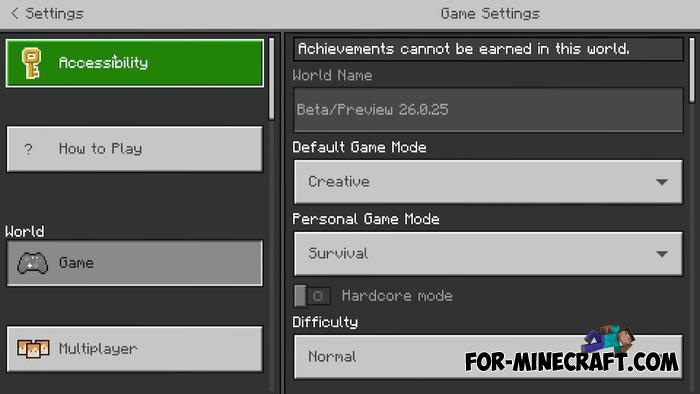
How to enable subtitles in Bedrock and what they show?
We have features and bug fixes, but let's start with accessibility. Gameplay subtitles and hidden subtitles should now work as expected. To enable subtitles, go to settings, click on settings, and open accessibility. It will be under the "text to speech" feature and will be labeled "hidden subtitles".
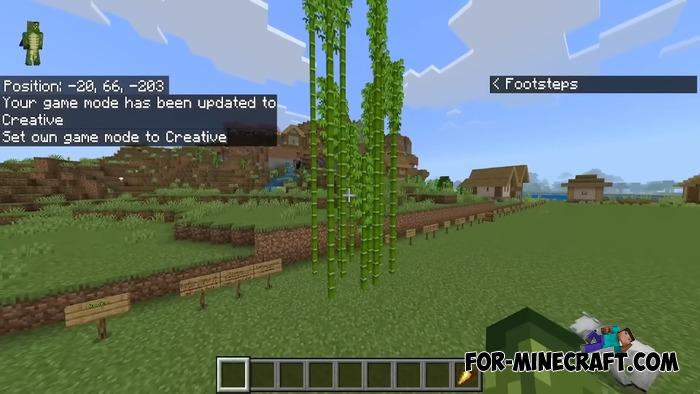
Why subtitles are needed:
When they are enabled and you step back, you can see footsteps, the crackling of fire, the mooing of cows, eerie sounds, the muttering of villagers - all of this is now available. In general, many people have wanted this for a long time, and now, every time an action is performed in Minecraft PE 26.0.25, the position where it occurs is shown. For example, the fire is crackling over there. The villager is muttering over there. The chest is closing.
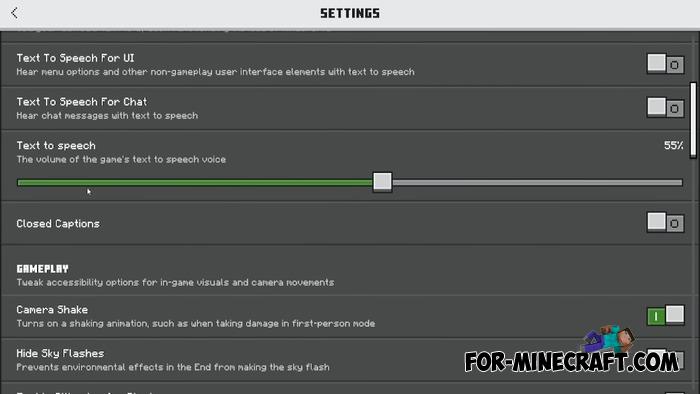
This is convenient not only for people with hearing impairments. It also helps when searching for things like caves: now you can determine the direction pretty precisely. For example, you're digging, you hear zombies and skeletons, and you think, "Is it over there? Or over there? Or down there?" If I need to find, say, a cow, a villager, or a chest, I can see that it's in that direction and dig there.
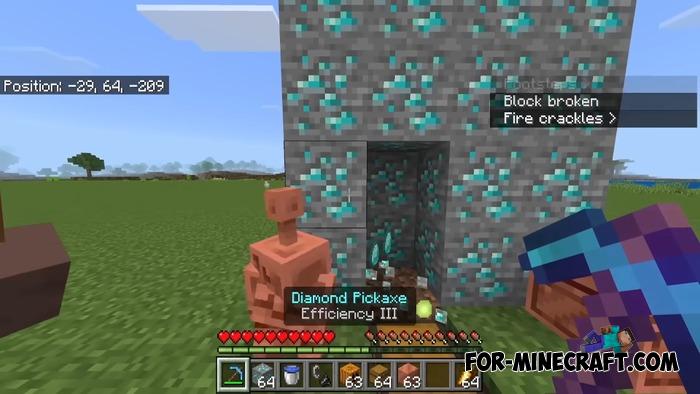
In Java v26, the subtitles are located lower, closer to the hands. It's not clear why they're so high here, and I hope it's gonna be possible to move them. This is something for which feedback is being collected. If you have any, please send it.
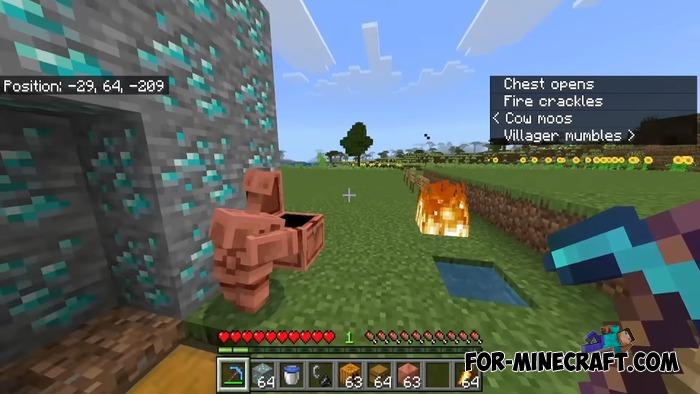
Change for bamboo:
Bamboo stalks no longer appear abruptly in the distance. They do not have transparency like reeds and cacti, unless simple graphics are enabled. In Bedrock, they just suddenly appeared. It may look different on different devices, but now you can see them from a distance without any problems. In general, they will no longer suddenly pop up in your face.
Fixed a bug where sunlight could pass through walls, such as cave entrances, when Vibrant Visuals was enabled.
Bug fixes and balance adjustments:
Fixed a bug on Windows where scrolling could move the camera. There was a bug report: when moving the mouse and scrolling to another hotbar slot, the camera would turn in a random direction.
Diamond horse armor now gives two points of durability, gold armor gives zero. There was a bug where gold armor somehow gave durability, but diamond armor did not. Now, when hovering over it, you can see: gold - 7 armor, diamonds - 11 armor + 2 durability.
For other bug fixes and the full changelog, read the full news article at the link - Minecraft PE 1.21.130.28 / 26.0.25.
- Category: Minecraft Bedrock 26
Recommend:
-
Minecraft PE 26.60.30 (1.21.132/26.52)
More epic battles in the new structure, wind shooting mob, auto crafting and more..
-
 Minecraft PE 1.19.80.24 Beta (1.19.81 Release)
Meet the officially announced Minecraft PE 1.19 update with frogs, warden, fireflies and swamps!
Minecraft PE 1.19.80.24 Beta (1.19.81 Release)
Meet the officially announced Minecraft PE 1.19 update with frogs, warden, fireflies and swamps!
-
 Download Minecraft PE 1.16.230.56 (1.16.221) - Nether Update
The most massive Nether update with new mobs, plants and biomes!
Download Minecraft PE 1.16.230.56 (1.16.221) - Nether Update
The most massive Nether update with new mobs, plants and biomes!
-
 Minecraft PE 1.20.80.24 (1.20.80 Release)
Camels, hanging signs, sniffers and rafts and much more..
Minecraft PE 1.20.80.24 (1.20.80 Release)
Camels, hanging signs, sniffers and rafts and much more..
-
 IndustrialCraft PE mod v2.0 Pre-Release 7 for Minecraft PE
IndustrialCraft PE is a global mod for MCPE which is a very accurate IndustrialCraft copy for Minecraft PC. It
IndustrialCraft PE mod v2.0 Pre-Release 7 for Minecraft PE
IndustrialCraft PE is a global mod for MCPE which is a very accurate IndustrialCraft copy for Minecraft PC. It
