Popular
-

Faithful Textures for MCPE 1.16/1.17/1.19/1.20/1.21/26.52 (32x/64x/128x) (RTX)
Now you can play with the most popular -

Minecraft PE 26.60.30 (1.21.132/26.52)
More epic battles in the new structure, wind -

Dynamic Lights PE Addon for MCPE 1.16/1.17/1.18/1.19/1.20/1.21/26.60+
Dynamic Lights has long been created for almost -

X-Ray for Minecraft Bedrock Edition 1.19/1.20/1.21.132/26.60+
X-Ray is a cult cheat in the past, available as -

TreeCapitator Addon for Minecraft PE 1.17/1.18/1.19/1.20/1.21.132 (26.60)+
No modifications, now the old TreeCapitator is -

Vein Miner & TreeCapitator Addon for Minecraft PE 1.17/1.20/1.21/26.60+
Start your first day working as a miner or -

Java Combat System Addon v8.0 for Bedrock 1.17/1.18/1.19/1.21/26.60+
Install this updated combat system in the form -

Apollon Client 6.53 for Minecraft PE 1.21.114/26.45
Apollon is a standalone client wrapped in -

Minecraft Bedrock 1.21.132/26.44/26.60.29 Patched (apk)
Do you prefer to play non render dragon shaders -

Body Actions Addon v3.4.12 for Minecraft PE 1.19/1.21.110/26.60+
Humanization of characters in Minecraft Bedrock
0
For those who dont know, Mojang has introduced a new version numbering system not only for Java but also for Minecraft Bedrock. Now the numbers will be different from the usual ones, but not by much. More details here - Minecraft Bedrock 26 - new versioning system.
So, the first option, which most likely works on mobile devices with a little trick, but it's more designed for Windows 10. If you go to settings and the "creator" section, theres an option to enable command macros.
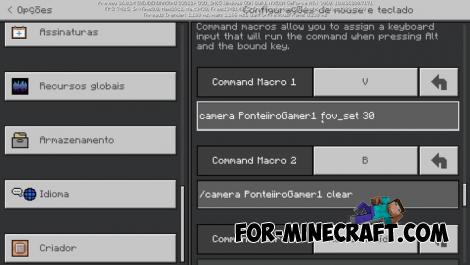
Now you can assign commands to keys, which is conveniant because some add-ons can use this so that pressing a key activates a specific action without having to hold anything in the hotbar. Just assign a key and the command is executed when you press it.
Previously, this could only be done through third-party Minecraft Bedrock clients, which you can download from the link.
For example, the V key to change the FOV to 30 and the B key to reset the camera to default. This is very convenient for those who shoot add-on reviews. For example, to film a sheep eating grass with normal camera movement, you used to have to manually enter the command in the chat, but now in Minecraft Bedrock 26.0.23, you can do this with a macro. You can assign up to 10 macros!
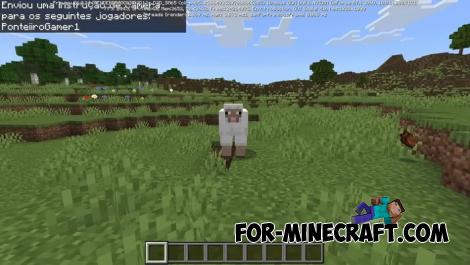
In addition to the keyboard, commands can also be assigned to mouse buttons (Alt+mouse button). This is really conveniant. For mobile devices, you'll have to use third-party apps such as Keyboard Mapper to simulate keystrokes.
Add-on creators will likely use this feature in the future. This is currently a beta version in 26.0.24, and it may remain in beta for several months.
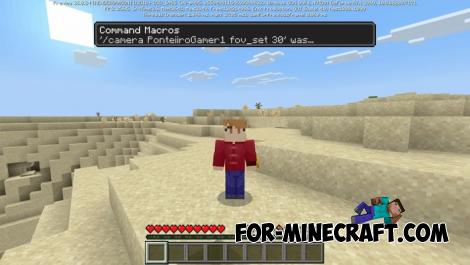
This version also has another minor new feature: subtitles, similar to closed captions in Minecraft Java. The option isnt working yet, but when it does, it will be useful to see sounds such as footsteps, wind, and animal movements.
Minecraft Bedrock 26.0.23 (26.0.24) - the First Update is out
- Author: Bernard
- Date:
For those who dont know, Mojang has introduced a new version numbering system not only for Java but also for Minecraft Bedrock. Now the numbers will be different from the usual ones, but not by much. More details here - Minecraft Bedrock 26 - new versioning system.
Command Macros:
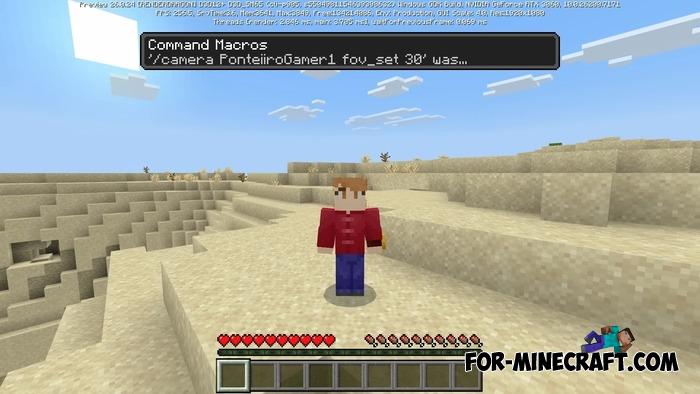
So, the first option, which most likely works on mobile devices with a little trick, but it's more designed for Windows 10. If you go to settings and the "creator" section, theres an option to enable command macros.
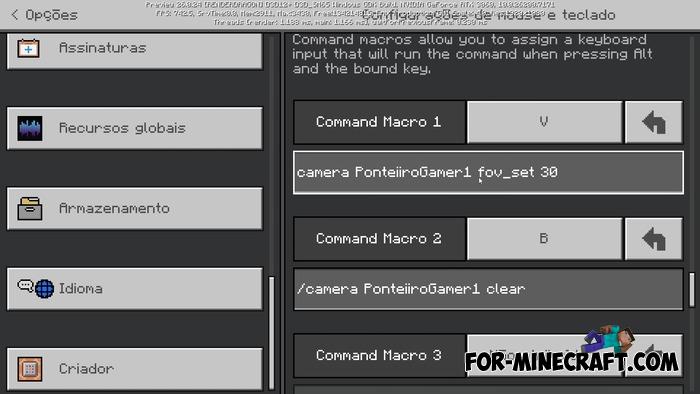
Now you can assign commands to keys, which is conveniant because some add-ons can use this so that pressing a key activates a specific action without having to hold anything in the hotbar. Just assign a key and the command is executed when you press it.
Previously, this could only be done through third-party Minecraft Bedrock clients, which you can download from the link.
Examples of use:
For example, the V key to change the FOV to 30 and the B key to reset the camera to default. This is very convenient for those who shoot add-on reviews. For example, to film a sheep eating grass with normal camera movement, you used to have to manually enter the command in the chat, but now in Minecraft Bedrock 26.0.23, you can do this with a macro. You can assign up to 10 macros!
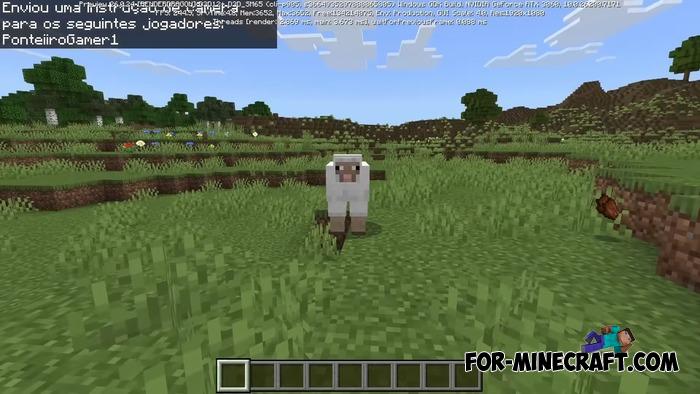
In addition to the keyboard, commands can also be assigned to mouse buttons (Alt+mouse button). This is really conveniant. For mobile devices, you'll have to use third-party apps such as Keyboard Mapper to simulate keystrokes.
Add-on creators will likely use this feature in the future. This is currently a beta version in 26.0.24, and it may remain in beta for several months.
Subtitles:
This version also has another minor new feature: subtitles, similar to closed captions in Minecraft Java. The option isnt working yet, but when it does, it will be useful to see sounds such as footsteps, wind, and animal movements.
- Category: Minecraft Bedrock 26
Recommend:
-
Minecraft PE 26.60.30 (1.21.132/26.52)
More epic battles in the new structure, wind shooting mob, auto crafting and more..
-
 Download Minecraft PE 1.16.230.56 (1.16.221) - Nether Update
The most massive Nether update with new mobs, plants and biomes!
Download Minecraft PE 1.16.230.56 (1.16.221) - Nether Update
The most massive Nether update with new mobs, plants and biomes!
-
 Minecraft PE 1.19.80.24 Beta (1.19.81 Release)
Meet the officially announced Minecraft PE 1.19 update with frogs, warden, fireflies and swamps!
Minecraft PE 1.19.80.24 Beta (1.19.81 Release)
Meet the officially announced Minecraft PE 1.19 update with frogs, warden, fireflies and swamps!
-
 Minecraft PE 1.20.80.24 (1.20.80 Release)
Camels, hanging signs, sniffers and rafts and much more..
Minecraft PE 1.20.80.24 (1.20.80 Release)
Camels, hanging signs, sniffers and rafts and much more..
-
 Minecraft PE 1.17.40.23 Beta (1.17.41) - Caves & Cliffs Update
Updated caves, new mobs, telescope and lightning rod, archeology and more in Minecraft PE 1.17..
Minecraft PE 1.17.40.23 Beta (1.17.41) - Caves & Cliffs Update
Updated caves, new mobs, telescope and lightning rod, archeology and more in Minecraft PE 1.17..
