-

Minecraft PE / Bedrock 26.70.26 (1.21.132/26.66)
More epic battles in the new structure, wind -

Lucky Block Addon for Minecraft Bedrock 1.17/1.18/1.19/1.20/1.21/26.60+
Keep the latest lucky block addon for current -

X-Ray for Minecraft Bedrock Edition 1.19/1.20/1.21.132/26.60+
X-Ray is a cult cheat in the past, available as -

TreeCapitator Addon for Minecraft PE 1.17/1.18/1.19/1.20/1.21.132 (26.60)+
No modifications, now the old TreeCapitator is -

Vein Miner & TreeCapitator Addon for Minecraft PE 1.17/1.20/1.21/26.70+
Start your first day working as a miner or -

Apollon Client 6.70 for Minecraft PE 1.21.114/26.52
Apollon is a standalone client wrapped in -

Minecraft Bedrock 1.21.132/26.60/26.70.21 Patched (apk)
Do you prefer to play non render dragon shaders -

Body Actions Addon v3.4.13 for Minecraft PE 1.19/1.21.110/26.60+
Humanization of characters in Minecraft Bedrock -
RealSource Resource Pack v1.9.3 for Minecraft PE 1.19/1.20/1.21.111/26.62
Prefer the vanilla look over all other Minecraft -

LeviLauncher v1.1.0 (LeviLaunchroid v1.7.1) for Minecraft Bedrock 1.21.132/26.63
LeviLauncher is the tool you've been
Entity / Player Hitbox Hack for Minecraft Bedrock 1.21/26.62+
- Author: Bernard
- Date:
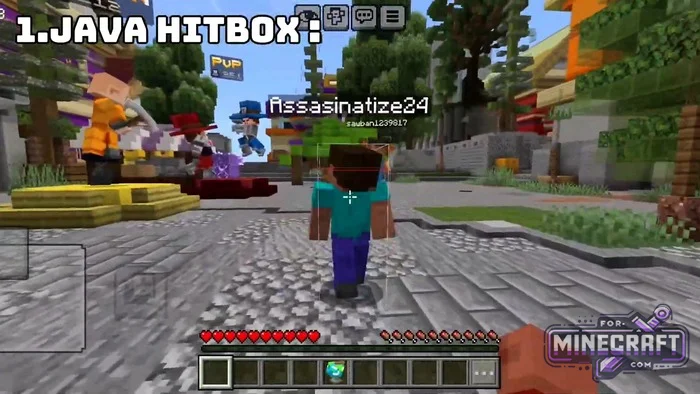
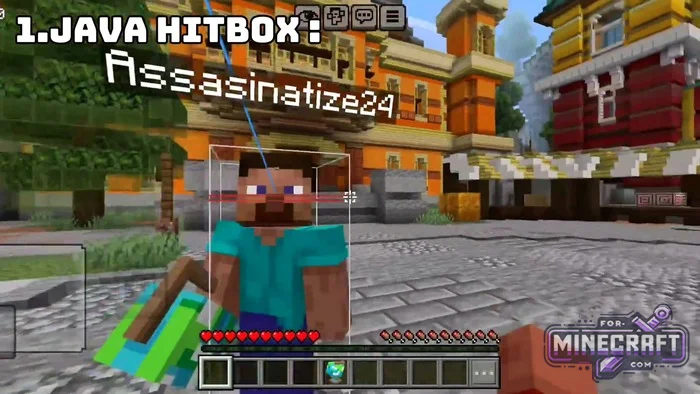
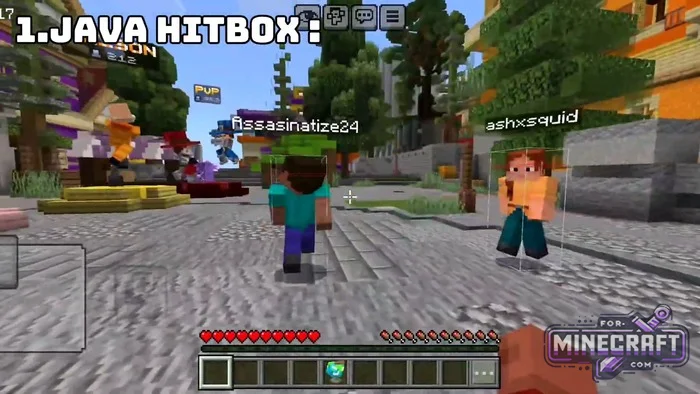
Why does a hit on a mob sometimes not register, even though it looks like you hit it? The answer lies in hitboxes- invisible boundaries that define an entity's presence in Minecraft Bedrock Edition. Players can't see them, but with this mod (or pack), you can view hitboxes, similar to Outline ESP (download), which can only be used on your own servers.
Java Hitboxes for Bedrock:
-
Brings F3+B functionality to Bedrock
-
Renders precise entity dimensions and line-of-sight raycasts.
-
Outlines work on players, all mobs (including babies, horses and bosses) and flying objects
-
9 color options and special modes - PlayerOnly, BoxOnly (no crosshairs), and NoRay (no sight rays)
-
Operates on the client side, does not disable achievements, and is server-friendly
-
Lightweight rendering
Red Hitbox by Lazy Legend:
- Shows the actual hitbox through 3D skins and armor.
- Helps you land hits accurately at the edge of your attack range (reach).
- Makes critical hits easier
- Reacts instantly to your opponents strafes and dashes.
- Stands out clearly against leaves, stone, snow and sand.
- Separates groups of players into individual targets.
- See through visual effects.
- Maximum FPS.
- Helps beginners quickly improve their aim and muscle memory
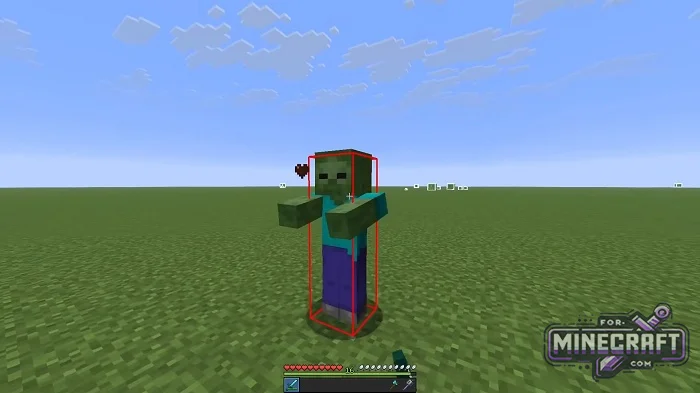
Entity Hitbox by GamerFile:

Features:
- The outlines show the actual collision boundaries (AABB) of entities.
- Blue arrows indicate the mob's line of sight.
- Works via Beta APIs without using particles.
- The visualization is tied to entities and correctly follows them, taking into account their position and dimension.
- Stops rendering shapes if there are no players nearby with debug mode enabled

Hitbox Insight:
If you're into technical Minecraft and building farms, precise knowledge of mob collision boundaries is essential for setting up movement mechanics, sorting and other technical aspects. It also helps map creators set up the behavior of custom mobs, and if you're a regular player, it will give you a better understanding of combat mechanics with mobs. Entity Hitbox is really usefull, which is why it's often included in various Bedrock clients.

White box and blue arrow:
- When you enable the visualizer, every mob within your field of view (within a 100 block radius of you) will be outlined in a clear white box. This is the hitbox-the area where hits are registered.
- A blue arrow extends from the mob's head (from its point of view). It shows the direction the entity is currently facing.
- This mod uses the advanced features of the Debug Utilities (Beta APIs) engine. That's why the shapes render instantly and dont affect FPS.

How to enable Entity Hitbox in Minecraft Bedrock?
!hitbox or even shorter: !hb
Player Hitboxes by yan:
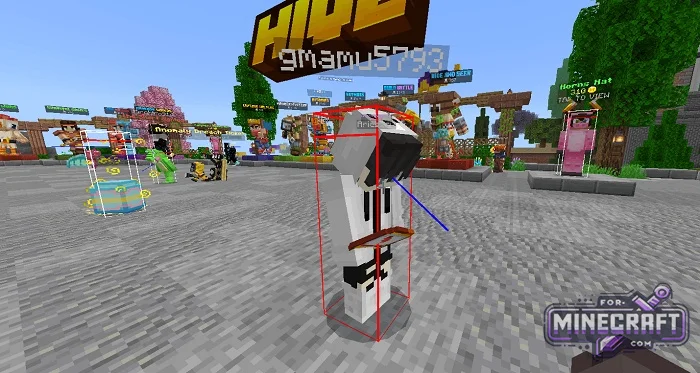
From a distance the outline is white. But at attack range, the frame turns red, and a blue line of sight appears from the eyes (showing where the opponent are looking and whether the attack will land). The outline doesnt remain static - it adjusts based on the character's actions. When the target is sneaking, swimming or sleeping, the frame changes shape to follow the body.
Settings:
- Toggle between normal mode and wall-penetrating highlighting
- Quickly turn hitboxes on or off during a match
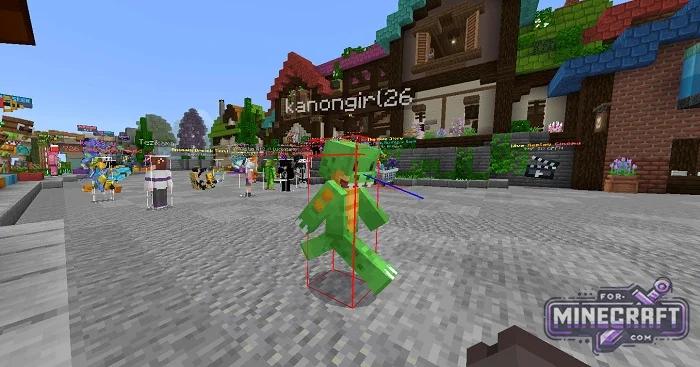
Reason: Added Java Hitboxes for MC Bedrock 1.26.62+
- Category: Cheats for Minecraft Bedrock
Recommend:
-
 PlankzPlus (BlockzPlus) Addon for Minecraft PE 1.18/1.19
PlankzPlus is a variant of Chisel in a way, published as an addon for Minecraft Bedrock Edition 1.18 and 1.19..
-
Minecraft PE / Bedrock 26.70.26 (1.21.132/26.66)
More epic battles in the new structure, wind shooting mob, auto crafting and more..
-
 Minecraft PE 1.19.80.24 Beta (1.19.81 Release)
Meet the officially announced Minecraft PE 1.19 update with frogs, warden, fireflies and swamps!
-
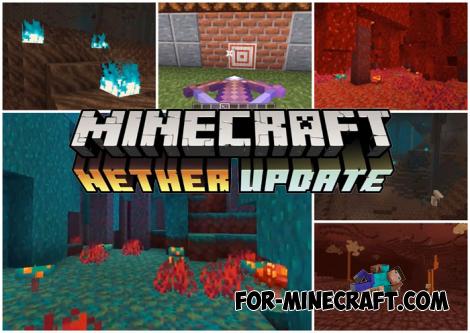 Download Minecraft PE 1.16.230.56 (1.16.221) - Nether Update
The most massive Nether update with new mobs, plants and biomes!
-
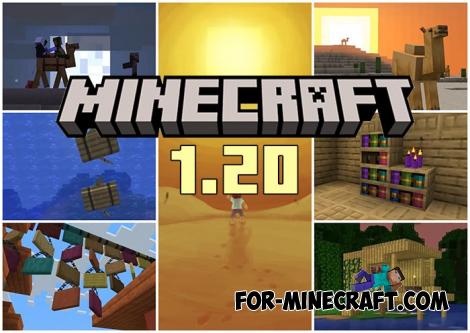 Minecraft PE 1.20.80.24 (1.20.80 Release)
Camels, hanging signs, sniffers and rafts and much more..
