Popular
-

Faithful Textures for MCPE 1.16/1.17/1.19/1.20/1.21/26.52 (32x/64x/128x) (RTX)
Now you can play with the most popular -

Minecraft PE 26.60.30 (1.21.132/26.52)
More epic battles in the new structure, wind -

Dynamic Lights PE Addon for MCPE 1.16/1.17/1.18/1.19/1.20/1.21/26.60+
Dynamic Lights has long been created for almost -

X-Ray for Minecraft Bedrock Edition 1.19/1.20/1.21.132/26.60+
X-Ray is a cult cheat in the past, available as -

TreeCapitator Addon for Minecraft PE 1.17/1.18/1.19/1.20/1.21.132 (26.60)+
No modifications, now the old TreeCapitator is -

Vein Miner & TreeCapitator Addon for Minecraft PE 1.17/1.20/1.21/26.60+
Start your first day working as a miner or -

Java Combat System Addon v8.0 for Bedrock 1.17/1.18/1.19/1.21/26.60+
Install this updated combat system in the form -

Apollon Client 6.53 for Minecraft PE 1.21.114/26.45
Apollon is a standalone client wrapped in -

Minecraft Bedrock 1.21.132/26.44/26.60.29 Patched (apk)
Do you prefer to play non render dragon shaders -

Body Actions Addon v3.4.12 for Minecraft PE 1.19/1.21.110/26.60+
Humanization of characters in Minecraft Bedrock
0
Dropped items in Minecraft Bedrock are displayed as objects hovering above the ground, reduced in size several times. Using this addon, now each item you throw displays the name as well as the quantity or tag you set at will. This adds a certain RPG style to the game, which is especially useful for beginners in Minecraft.
By: sirob
After you drop an item, the addon will automatically assign it a default name and also the number of items counting up to a stack. Keep in mind that many thrown objects are quite demanding in terms of your device's resources, especially on low-ends.

And if there are lags when many objects are dropped on the ground, then go to the settings.

Open the configurator and set the parameters so that everything works as smoothly as possible. In Minecraft Bedrock you can set the name to be displayed only when you look at an item with a crosshair on it.

Other RAM saving configs are also available.


1. Open .mcaddon using Minecraft PE
2. Activate the addon (world or game settings)
Floating Item Names Addon for Minecraft PE 1.21
- Author: Bernard
- Date:
Dropped items in Minecraft Bedrock are displayed as objects hovering above the ground, reduced in size several times. Using this addon, now each item you throw displays the name as well as the quantity or tag you set at will. This adds a certain RPG style to the game, which is especially useful for beginners in Minecraft.
By: sirob
Name above the item:
After you drop an item, the addon will automatically assign it a default name and also the number of items counting up to a stack. Keep in mind that many thrown objects are quite demanding in terms of your device's resources, especially on low-ends.

And if there are lags when many objects are dropped on the ground, then go to the settings.

Fine-tuning the display of items:
Open the configurator and set the parameters so that everything works as smoothly as possible. In Minecraft Bedrock you can set the name to be displayed only when you look at an item with a crosshair on it.

Other RAM saving configs are also available.


How to install the Floating Item Names Addon?
1. Open .mcaddon using Minecraft PE
2. Activate the addon (world or game settings)
- Category: Mods & Addons for Minecraft Bedrock (PE)
Recommend:
-
 Minecraft PE 1.19.80.24 Beta (1.19.81 Release)
Meet the officially announced Minecraft PE 1.19 update with frogs, warden, fireflies and swamps!
Minecraft PE 1.19.80.24 Beta (1.19.81 Release)
Meet the officially announced Minecraft PE 1.19 update with frogs, warden, fireflies and swamps!
-
 Download Minecraft PE 1.16.230.56 (1.16.221) - Nether Update
The most massive Nether update with new mobs, plants and biomes!
Download Minecraft PE 1.16.230.56 (1.16.221) - Nether Update
The most massive Nether update with new mobs, plants and biomes!
-
Minecraft PE 26.60.30 (1.21.132/26.52)
More epic battles in the new structure, wind shooting mob, auto crafting and more..
-
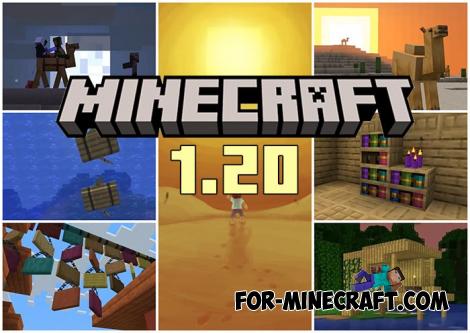 Minecraft PE 1.20.80.24 (1.20.80 Release)
Camels, hanging signs, sniffers and rafts and much more..
Minecraft PE 1.20.80.24 (1.20.80 Release)
Camels, hanging signs, sniffers and rafts and much more..
-
 HD Crosshair Pack for Minecraft PE 1.17/1.18
Changing the crosshair in Minecraft Bedrock Edition 1.18 became possible..
HD Crosshair Pack for Minecraft PE 1.17/1.18
Changing the crosshair in Minecraft Bedrock Edition 1.18 became possible..
