Popular
-
Faithful Textures for MCPE 1.16/1.17/1.19/1.20/1.21/26.52 (32x/64x/128x) (RTX)
Now you can play with the most popular -

Minecraft PE 26.60.30 (1.21.132/26.52)
More epic battles in the new structure, wind -

Dynamic Lights PE Addon for MCPE 1.16/1.17/1.18/1.19/1.20/1.21/26.60+
Dynamic Lights has long been created for almost -

X-Ray for Minecraft Bedrock Edition 1.19/1.20/1.21.132/26.60+
X-Ray is a cult cheat in the past, available as -

TreeCapitator Addon for Minecraft PE 1.17/1.18/1.19/1.20/1.21.132 (26.60)+
No modifications, now the old TreeCapitator is -

Vein Miner & TreeCapitator Addon for Minecraft PE 1.17/1.20/1.21/26.60+
Start your first day working as a miner or -

Java Combat System Addon v8.0 for Bedrock 1.17/1.18/1.19/1.21/26.60+
Install this updated combat system in the form -

Minecraft Bedrock 1.21.132/26.44/26.60.29 Patched (apk)
Do you prefer to play non render dragon shaders -

Body Actions Addon v3.4.12 for Minecraft PE 1.19/1.21.110/26.60+
Humanization of characters in Minecraft Bedrock -

LeviLauncher v0.3.11 (LeviLaunchroid v1.5.25) for Minecraft Bedrock 1.21.132/26.60
LeviLauncher is the tool you've been
1
Mod has a pleasant and user-friendly graphical interface, which is available by clicking on the button "MCG" in the lower right corner of the screen. Use the control buttons, you can do everything: spawn mobs, setting of time in the world, game mode, as well as have the opportunity to open a special menu with special features such as riding on mobs, creating an explosion and more ...


How does it work?
Press the [MCG] in the lower right corner of the screen to access the Minecraft God menu.

You can go to different web sites in the game. For example, you can playing Minecraft Pocket Edition go to our website and download files.
God Mod for Minecraft PE 0.10.5
- Author: Bernard
- Date:
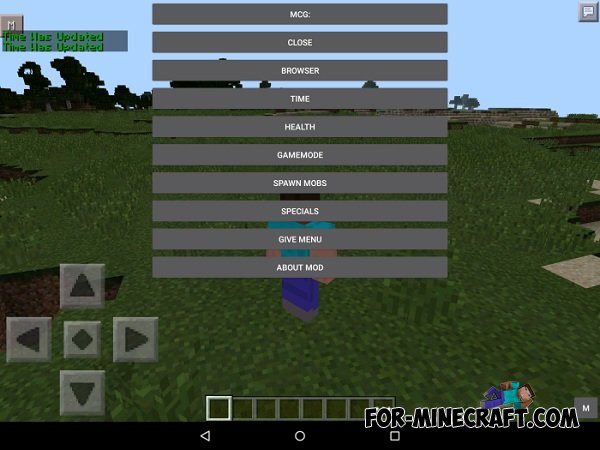
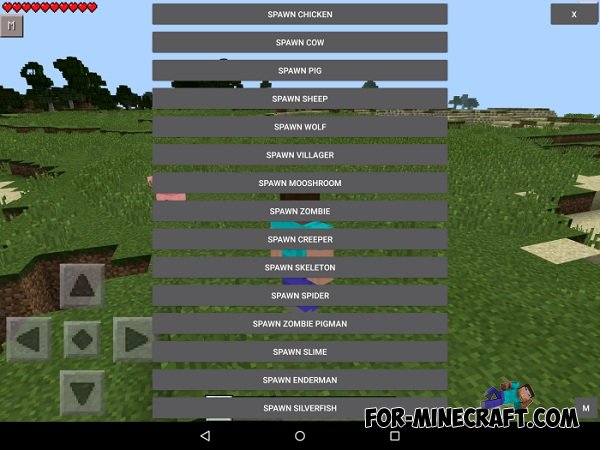
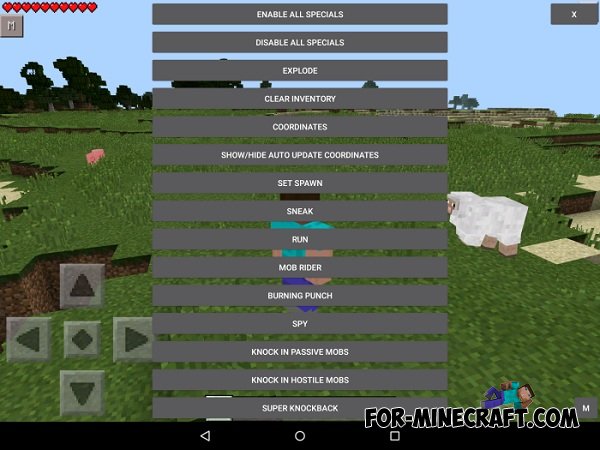
Mod has a pleasant and user-friendly graphical interface, which is available by clicking on the button "MCG" in the lower right corner of the screen. Use the control buttons, you can do everything: spawn mobs, setting of time in the world, game mode, as well as have the opportunity to open a special menu with special features such as riding on mobs, creating an explosion and more ...
How does it work?
Press the [MCG] in the lower right corner of the screen to access the Minecraft God menu.
You can go to different web sites in the game. For example, you can playing Minecraft Pocket Edition go to our website and download files.
- Category: Mods & Addons for Minecraft Bedrock (PE)
Recommend:
-
 Rei’s MiniMap mod for Minecraft PE 0.10.5 / 0.11.1 / 0.11.0 / 0.12.1
Additional features of this mod in your game interface will be a special mini map. Mini map will be small and it will
Rei’s MiniMap mod for Minecraft PE 0.10.5 / 0.11.1 / 0.11.0 / 0.12.1
Additional features of this mod in your game interface will be a special mini map. Mini map will be small and it will
-
 God mode for Minecraft PE 0.10.4
God Mode for Minecraft PE 0.10.4 - because of this mode you have in the game will be available cool new features. Mod
God mode for Minecraft PE 0.10.4
God Mode for Minecraft PE 0.10.4 - because of this mode you have in the game will be available cool new features. Mod
-
 Advanced Clock mod for Minecraft Pocket Edition 0.10.5
 With this mode you will be able control time and travel from
Advanced Clock mod for Minecraft Pocket Edition 0.10.5
Advanced Clock mod for Minecraft Pocket Edition 0.10.5 With this mode you will be able control time and travel from
-
 Qickcom script for Minecraft PE 0.10.0
This mod for three additional buttons for Minecraft PE. Setting modes in the game there will be three new buttons.
Qickcom script for Minecraft PE 0.10.0
This mod for three additional buttons for Minecraft PE. Setting modes in the game there will be three new buttons.
-
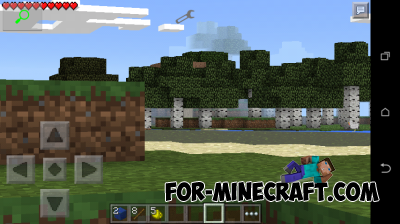 Zoom mod for Minecraft PE 0.10.5
You have in the top left corner of the screen is a button that serves as an approximation. All clearly shown on screen.
Zoom mod for Minecraft PE 0.10.5
You have in the top left corner of the screen is a button that serves as an approximation. All clearly shown on screen.
